EUKYX-199-3100_G5S2_Instruction_Vol3_E.pdf - 第188页
EUKYX 2-40 199-3100 2.6 Nozzle 2.6.3 Mas ter No z L v ( Indv . ) Pressi ng the [Ma ster No z L v ( Indv . )] tab on t he "No zzle" w indow d ispla ys the fol lo win g wi ndow . [1] [2] Graphic Development F3B50…
EUKYX
2-39199-3100
2.6 Nozzle
2.6.2 Nozzle Position
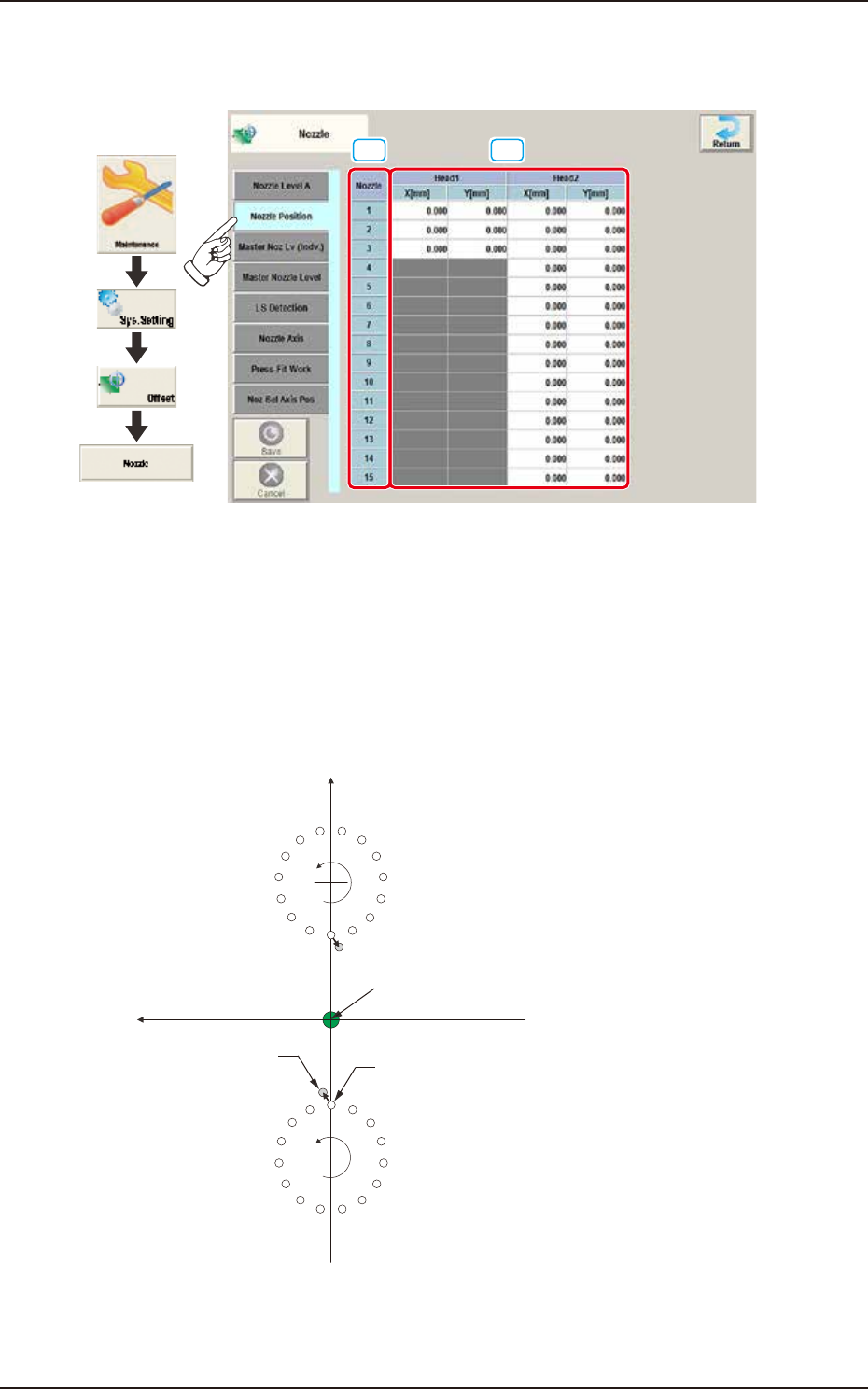
Pressing the [Nozzle Position] tab on the "Nozzle" window displays the following window.
[1] [2]
Graphic
Development
F3B48A
[1] Nozzle
In this section, each nozzle No. is displayed.
[2] Head 1 and Head 2
X (Horizontal) and Y (Vertical) [mm]
Displayed is the offset data for the lowest levels of the normal nozzles on the heads. The lowest
level of each nozzle is measured by the component recognition camera and the difference between
the actual and recognized levels is compensated for.
Xm(+)
Ym(+)
Xm-Ym :
DD (+)
DD (+)
Nozzle Designed Position
Real Nozzle Position
Pm. Machine Reference
Coordinate Origin
1
2
3
4
5
6
7
8
9
10
11
12
13
14
15
1
2
3
4
5
6
7
8
9
10
11
12
13
14
15
Machine Reference
Coordinate System
F3B49
EUKYX
2-40199-3100
2.6 Nozzle
2.6.3 Master Noz Lv (Indv.)
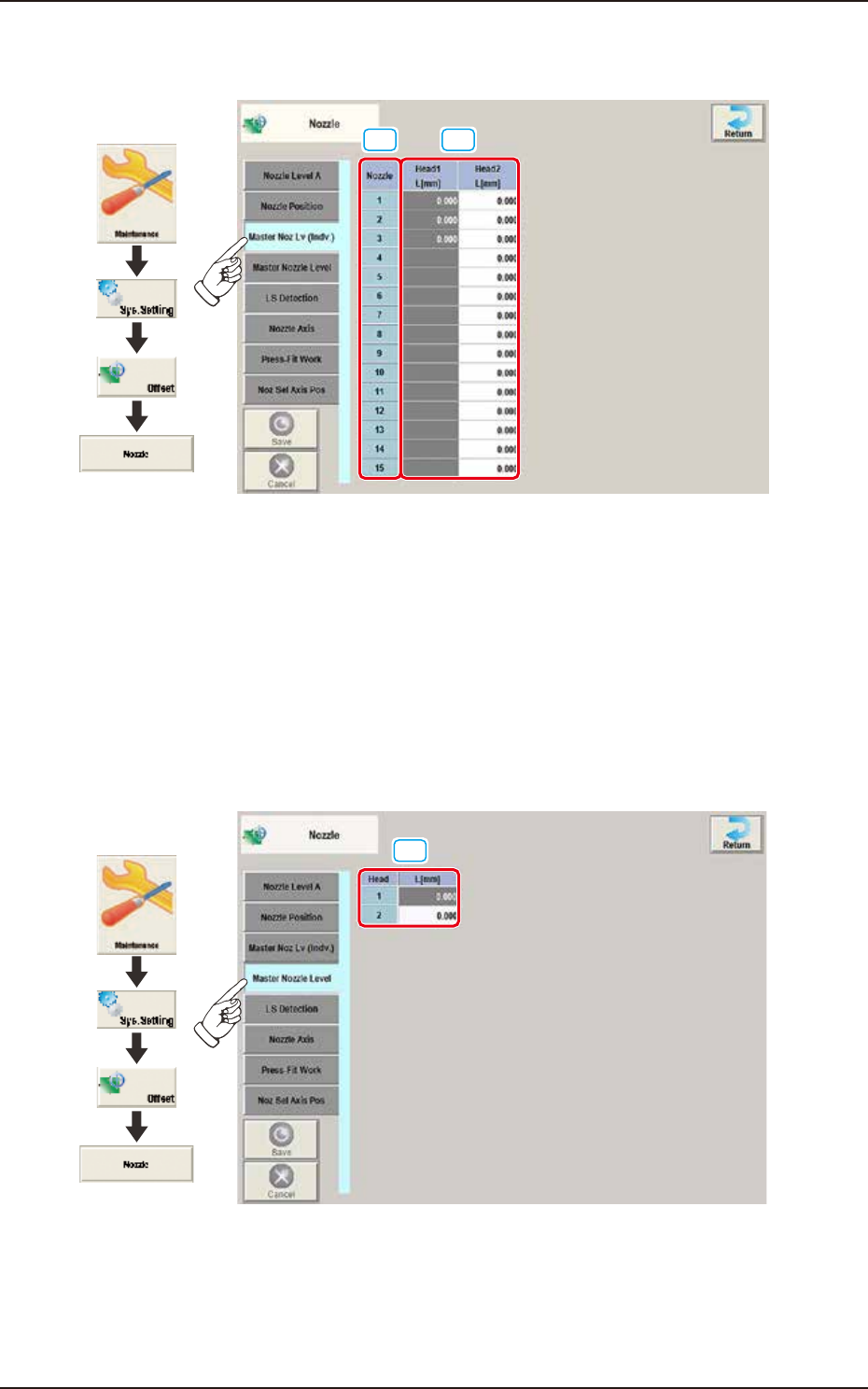
Pressing the [Master Noz Lv (Indv.)] tab on the "Nozzle" window displays the following window.
[1] [2]
Graphic
Development
F3B50A
[1] Nozzle
In this section, each nozzle No. is displayed.
[2] Head 1 / Head 2
L [mm]
Each parameter indicates the reference position (the values read by the side view camera) of the
master nozzle bottom level.
Save the values of the master nozzle bottom level that was read by the side view camera and used
when the head up/down offsets were obtained with the nozzle U/D axes being zeroed.
2.6.4 Master Nozzle Level
Pressing the [Master Nozzle Level ] tab on the “Nozzle” window displays the following window.
[1]
Graphic
Development
F3B51A
[1] Head 1 / Head 2
L [mm]
Each parameter indicates the reference position (the values read by the side view camera) of the
master nozzle bottom level.
Save the values of the master nozzle bottom level that was read by the side view camera and used
when the head up/down offsets were obtained with the nozzle U/D axes being zeroed.
EUKYX
2-41199-3100
2.6 Nozzle
2.6.5 LS Detection
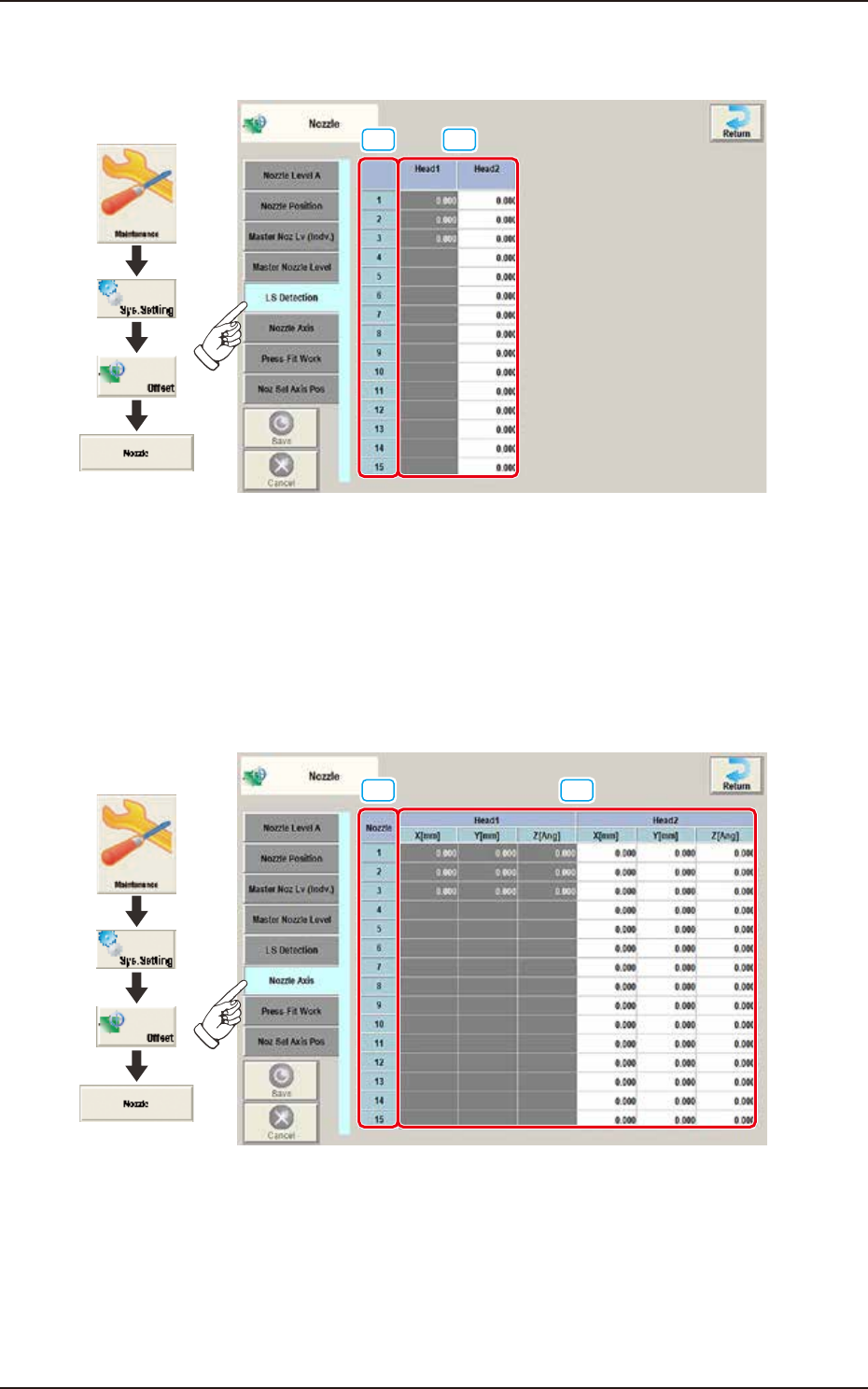
Pressing the [LS Detection] tab on the "Nozzle" window displays the following window.
[1] [2]
Graphic
Development
F3B52A
[1] Nozzle
In this section, each nozzle No. is displayed.
[2] Head 1 / Head 2
Z [Ang]
As these parameters are for dummy PCB, they are not used currently.
2.6.6 Nozzle Axis
Pressing the [Nozzle Axis] tab on the “Nozzle” window displays the following window.
[1] [2]
Graphic
Development
F3B53A
[1] Nozzle
In this section, each nozzle No. is displayed.
[2] Head 1 / Head 2
X (Horizontal) / Y (Vertical) [mm] / Z [Ang]
Displayed is the offset data for nozzle replacement.
The displayed values indicate the offsets for the lowest levels of the special nozzles on the heads.
The lowest level of each nozzle is measured by the component recognition camera and the
difference between the actual and recognized levels is compensated for.