EUKYX-199-3100_G5S2_Instruction_Vol3_E.pdf - 第217页
EUKYX 2-69 199-3100 4. MACH SETUP 4. MA CH SET UP Pressi ng the [Sys. Setting] - [ Mach Set] but tons di spl ays the fol lowi ng window . 4. 1 General The fol lowi ng descri bes t he conten ts of "General" tab …

EUKYX
2-68199-3100
3.3 Tray
[3] Tray matrix initialize mode
Select “Standard“, “Hold“, “Initialize“, or “Cancel“ from the drop-down menu.
Standard:
If the tray matrix data is the same type and not used when changing the production model, it
is continued. If changed to the different ID, it is initialized as (0,0).
Hold:
If the tray matrix data is the same type and not used when changing the production model, it
is continued. If changed to the different ID, it is initialized as (1,1).
Initialize:
The matrix data used for the production models are all initialized as (1,1).
Cancel:
Cancels the selections above and returns to the original “Tray matrix update set-up” screen.
EUKYX
2-69199-3100
4. MACH SETUP
4. MACH SETUP
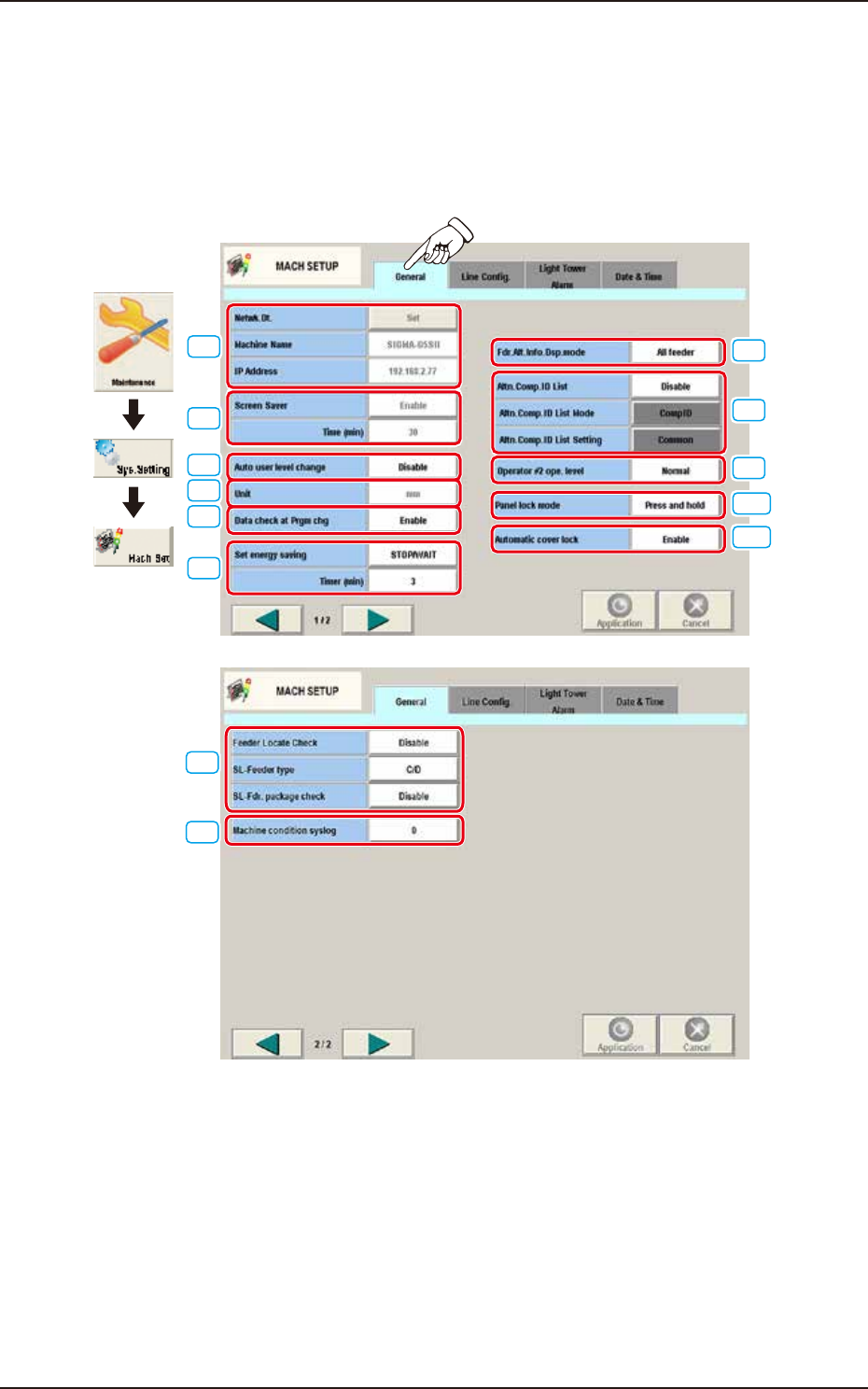
Pressing the [Sys. Setting] - [Mach Set] buttons displays the following window.
4.1 General
The following describes the contents of "General" tab on "MACH SETUP".
[1]
[2]
[3]
[5]
[4]
[7]
[6]
[12]
[13]
[9]
[10]
[11]
[8]
Graphic
Development
F3B78A
EUKYX
2-70199-3100
4.1 General
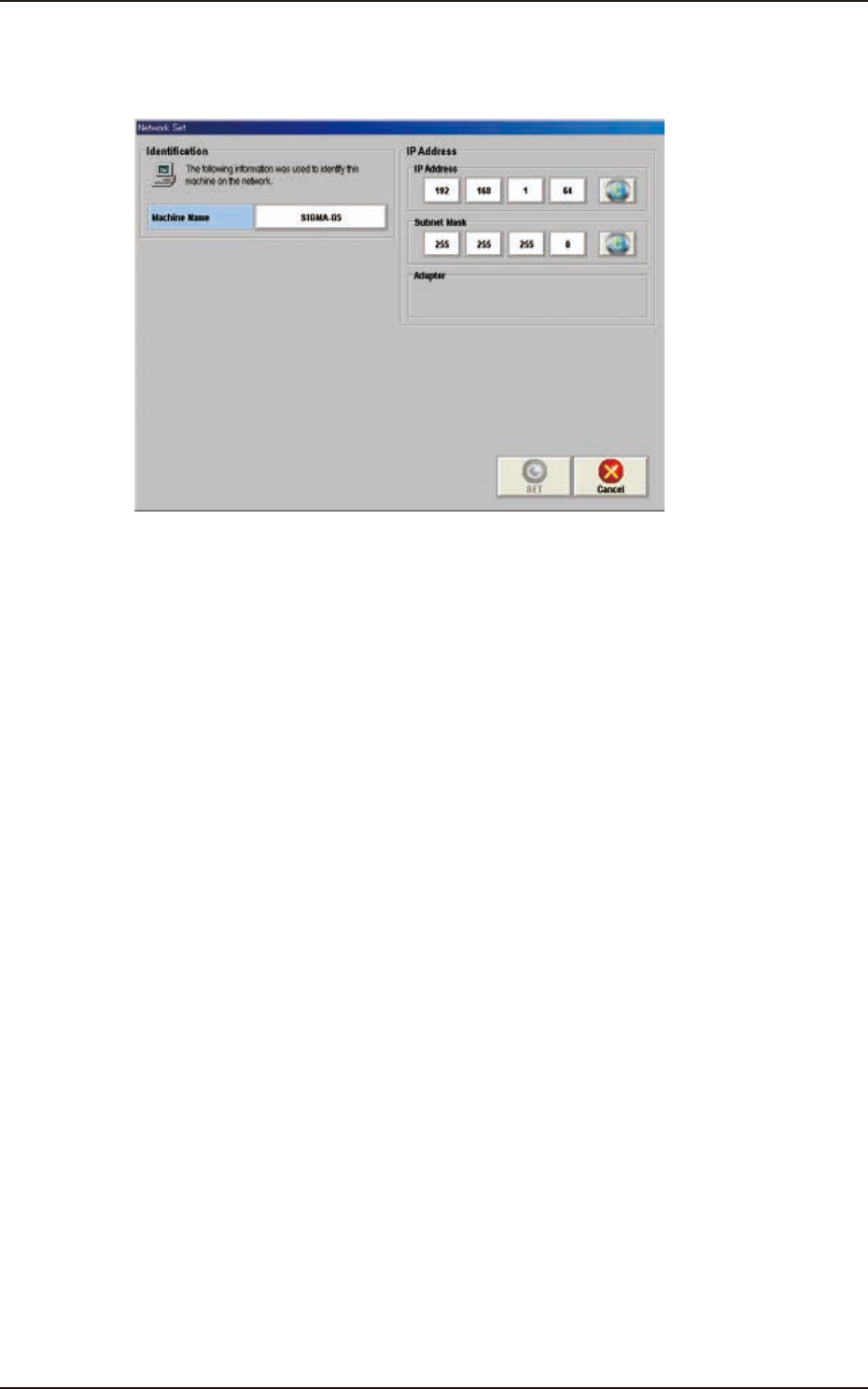
[1] Net wk.Dt.
[Set] Button
When this button is pressed, the “Netwk Setup” window appears.
F3B79
[Machine Name] Button
Using this button, the machine name is set to identify it on the network.
IP Address
The IP address and subnet mask used on the network are set in this section.
[SET] Button
Using this button, the entered value is applied.
[Cancel] Button
Using this button, the entered value is canceled and the window returns to the original data
value.
Machine Name
In this data box, the machine name is displayed.
IP Address
The IP address allocated to this machine is displayed in this text box.