EUKYX-199-3100_G5S2_Instruction_Vol3_E.pdf - 第226页
EUKYX 2-78 199-3100 5. Password Setting 5 . Passwor d S et ti ng Pressi ng the [Sys. Setting] - [ Password] but tons di spl ays the fol lowi ng window . 5. 1 Password The password can be set accord in g to the user autho…
EUKYX
2-77199-3100
4.4 Data & Time
4.4 Data & Time
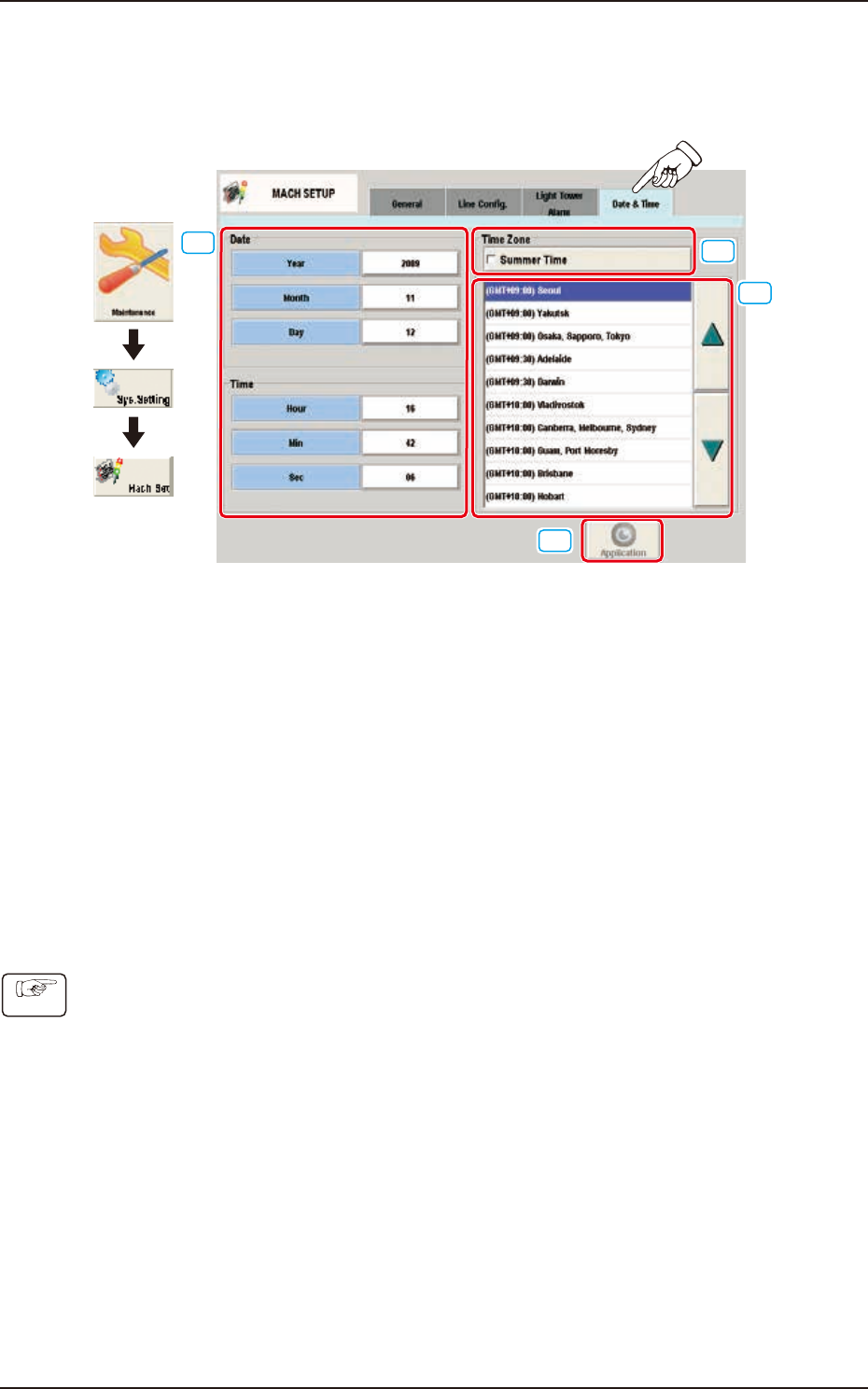
The system clock (year, month, day, hours, minutes, and seconds) can be adjusted and a time zone
can be selected.
Graphic
Development
[1]
[2]
[3]
[4]
F3B85
[1] Edit Buttons
The buttons to open the input window for Year, Month, Day, Hour, Min, and Sec are arranged.
[2] "Summer Time" Check Box
Tick this button to specify the summer time. A check mark appears inside the box, indicating that
the summer time is selected.
[3] "Time Zone" List
Select the proper time zone from this list.
[4] [Application] button
The data adjusted with the edit buttons is confirmed and set in the machine by means of this
button.
• How to specify the date and time
(1) When the [Year] button is pressed, the “Year” edit window opens.
(2) Enter a year in the entry field of the “Year” edit window and press the [Set] button.
The entered year appears in the corresponding text box.
(3) Follow the same procedure to specify a month, a day, hours, minutes, and seconds.
(4) Select the proper time zone from the “Time Zone” list pane.
(5) When the [Application] button is pressed, the settings are determined.
Procedure
EUKYX
2-78199-3100
5. Password Setting
5. Password Setting
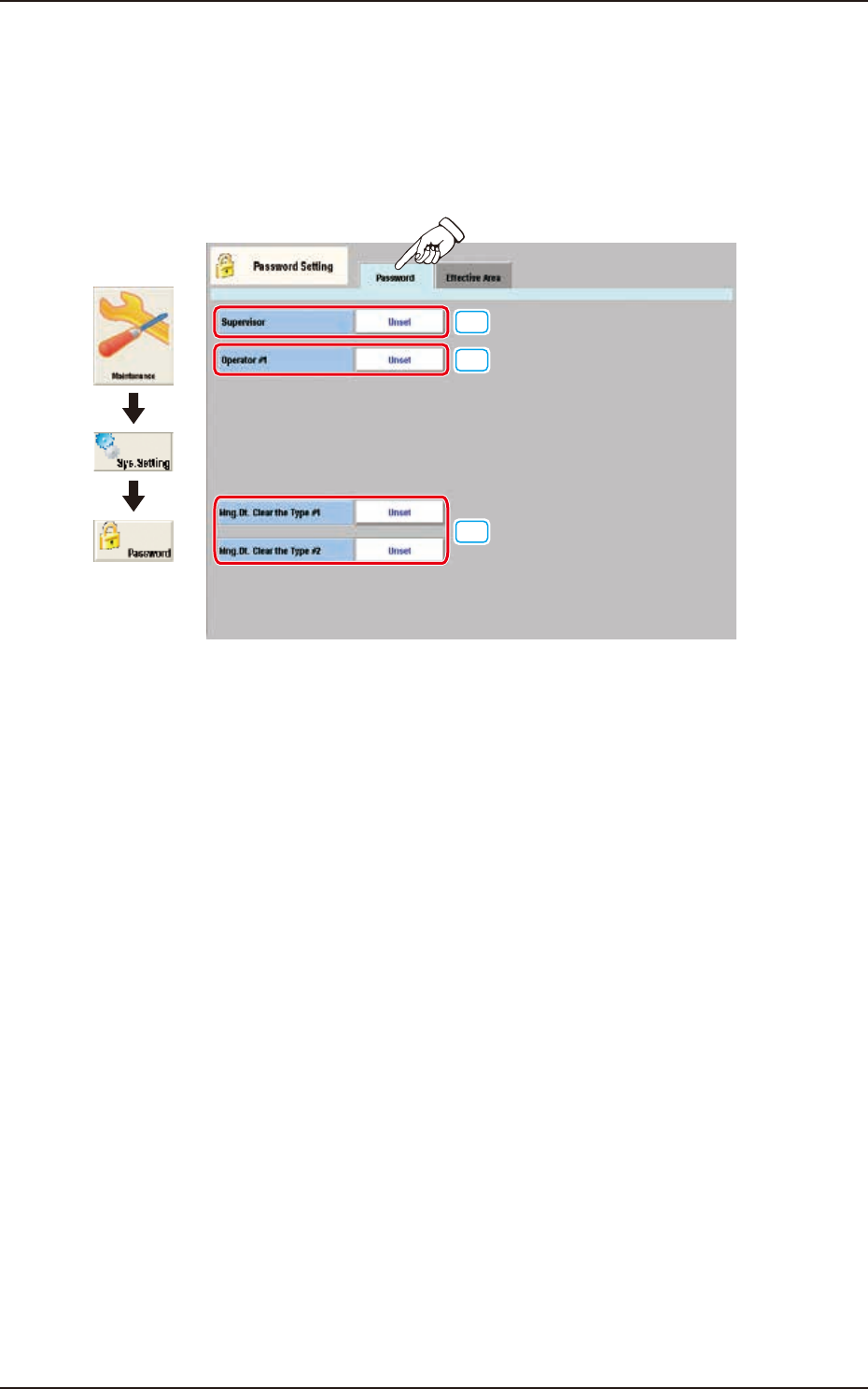
Pressing the [Sys. Setting] - [Password] buttons displays the following window.
5.1 Password
The password can be set according to the user authority on the following window.
[1]
[2]
[3]
Graphic
Development
F3B86
[1] Supervisor
A password can be set in this group box for the user who has the scope of authority as "Supervisor".
[2] Operator #1
A password can be set in this group box for the user who has the scope of authority as "Operator #1".
[3] Mng. Dt. Clear the Type #1
Mng. Dt. Clear the Type #2
A password can be set in this group box for the user who has the scope of authority for clearing the
management data type 1 and type 2 (totalization data).
EUKYX
2-79199-3100
5.1 Password
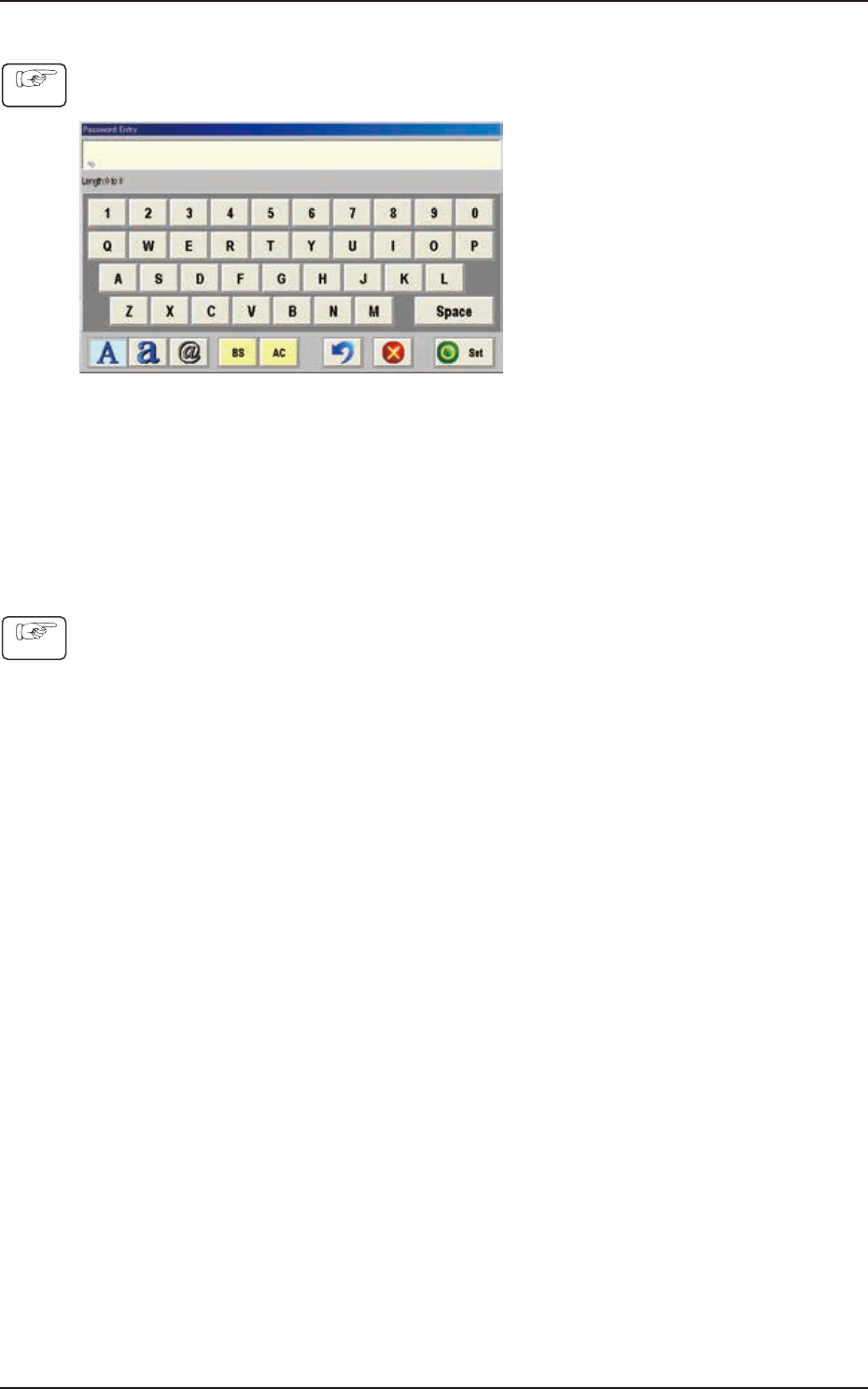
• How to set or change a password
(1) Press the button appropriate for the user's access authority.
(The "Password Entry" window will be displayed).
F3B87
(2) Enter the desired password.
(The entered string of characters are expressed using "*" in the "Password" entry box.)
(3) When the [Set] button is pressed, the "Password Reentry" window opens.
(Enter the same password again and press the [Set] button. The password is set or changed
and "Set" appears in red on the right side of the selected password entry button.)
• How to cancel the set password
(1) Press the button appropriate for the user's access authority.
(The "Password Entry" edit window will be displayed.)
(2) Press the [Set] button without entering any characters in the entry box. The "Password
Reentry" window opens. Press the [Set] button again without entering any characters.
(The preset password is canceled and "Not Set" appears in blue on the right side of the
selected password entry button.)
Procedure
Procedure