EUKYX-199-3100_G5S2_Instruction_Vol3_E.pdf - 第55页
EUKYX 1-6 199-3100 3.1 Head Unit 3. 1 . 1 Attached Head Judgment Window Thi s wi ndow is d isp la yed when the head option is not the same as one set as the head to be att ached when the ma ch ine i s s tar ted up. [1] […
EUKYX
1-5199-3100
3.1 Head Unit
3.1 Head Unit
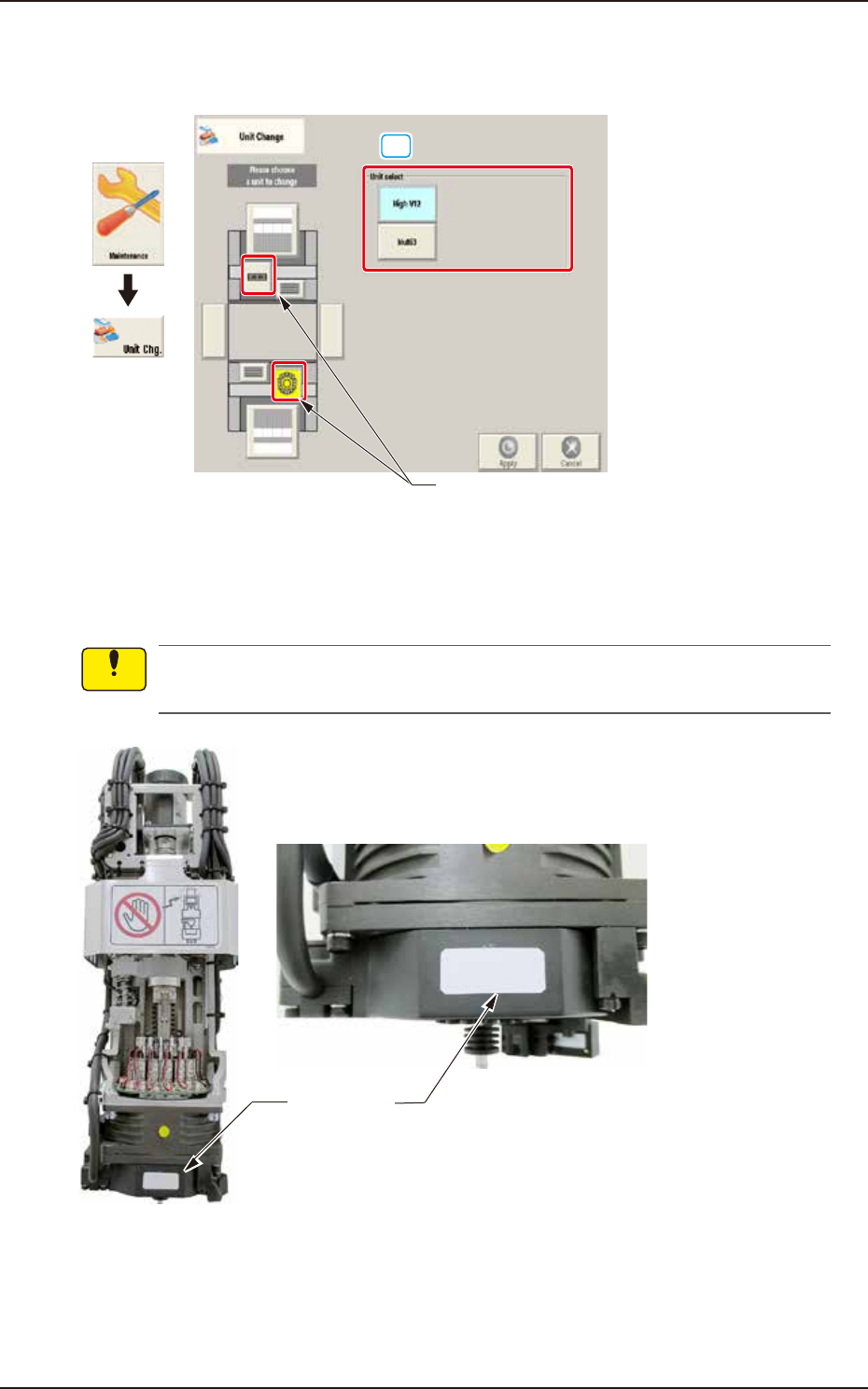
When the head unit button is pressed, the following window appears.
[1]
Head unit button
Graphic
Development
F3A6A
[1] Unit select
[High V12] Button : When pressed, the high-speed head is selected.
[Multi3] Button : When pressed, the multi-functional head is selected.
A white label is adhered to V12 head front. Make sure not to mount V10 head without label
when replacing head unit.
White label
Enlarged photo of head front
F3A6B
Notice
EUKYX
1-6199-3100
3.1 Head Unit
3.1.1 Attached Head Judgment Window
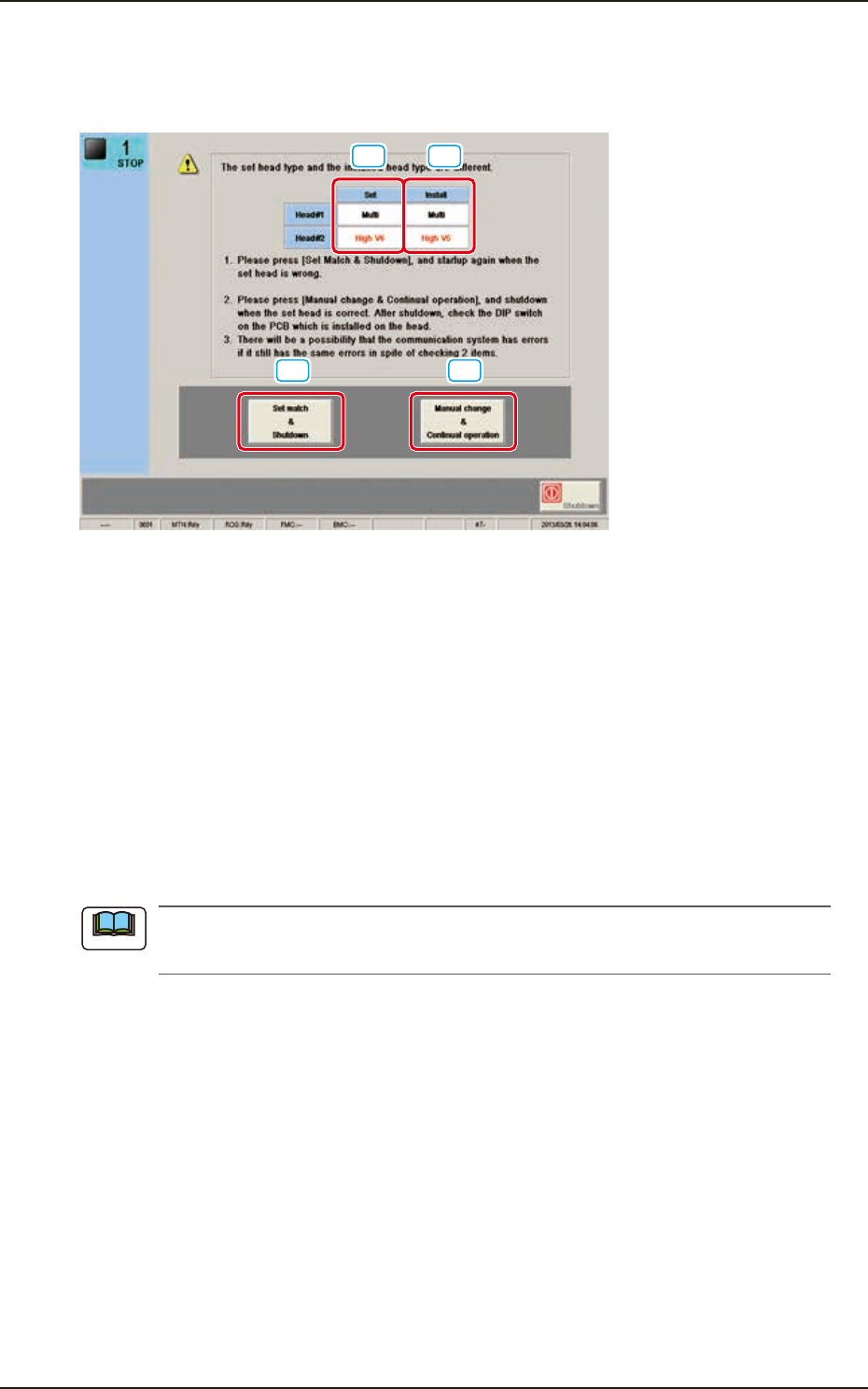
This window is displayed when the head option is not the same as one set as the head to be
attached when the machine is started up.
[1] [2]
[3] [4]
F3A7A
[1] Set
The head set in the machine is displayed in this data box.
In the case that the set head is "V12" head, "High-Speed V12" is displayed.
[2] Install
The head attached to the machine is displayed in this data box.
In the case that the attached head is "V12" head, "High-Speed V12" is displayed.
[3] [Set match & Shutdown] button
When the set head is not the same as the attached head, press this button to re-start the system.
[4] [Manual change & Continual operation] button
When the set head is the same as the attached head, press this button to shutdown the system.
Then, check the dip switch on the PCB mounted on the head.
If this error occurs again, even when the dip switch is checked, it might be caused by the
communication system error.
Note
EUKYX
1-7199-3100
3.2 Nozzle Stocker
3.2 Nozzle Stocker
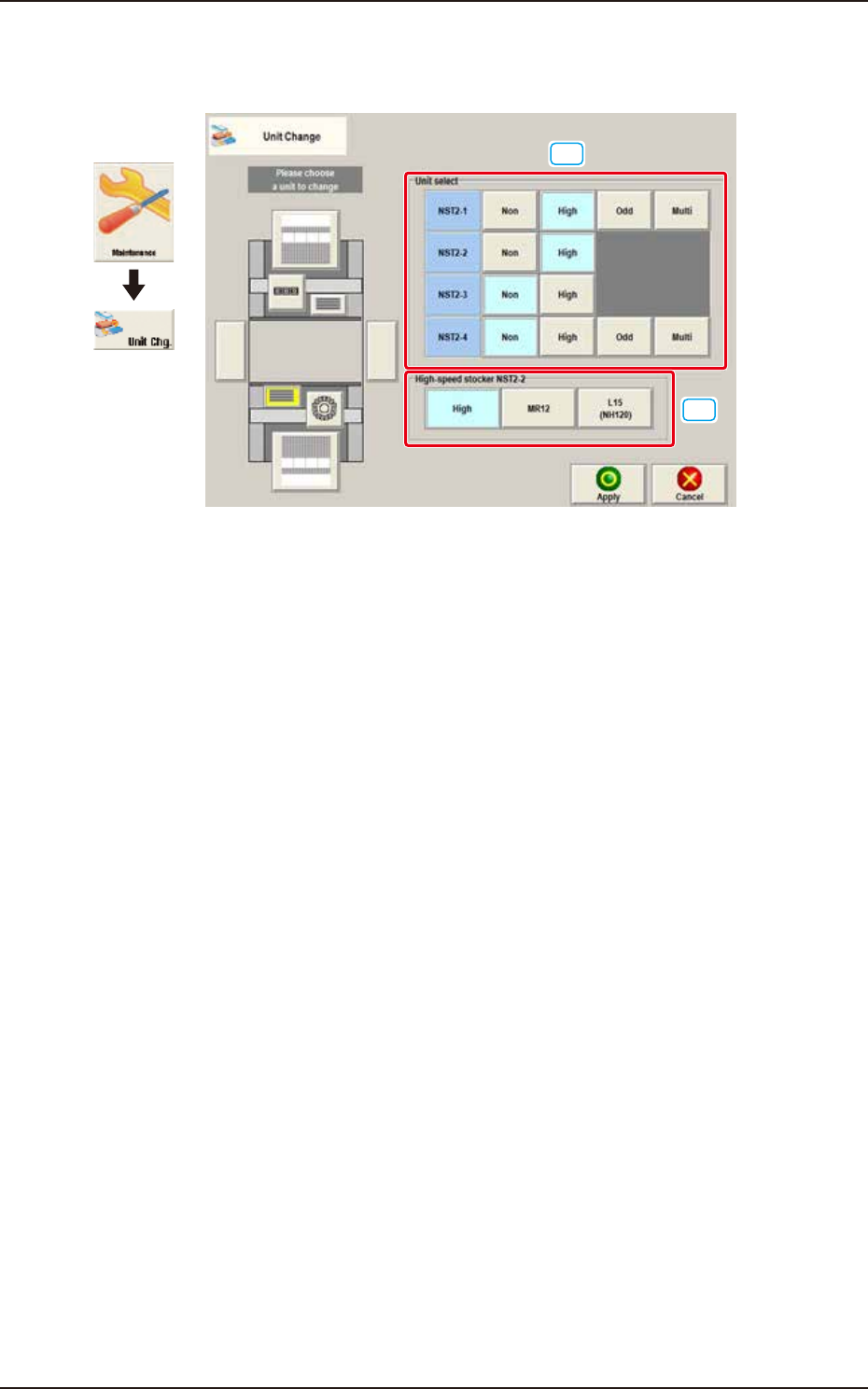
When the nozzle stocker button is pressed, the following window appears.
[1]
[2]
Graphic
Development
F3A8A
[1] Unit select
[Non] Button : The unit without nozzle stocker is selected.
[High] Button : The unit with high-speed nozzle stocker is selected.
[Odd] Button :
The unit with middle size and odd shape nozzle stocker (option) is selected.
[Multi] Button : The unit with multi-functional nozzle stocker (option) is selected.