EUKYX-199-3100_G5S2_Instruction_Vol3_E.pdf - 第117页
EUKYX 1-68 199-3100 6.2 MOTOR 6.2 . 2 Sys Info Pressi ng the [Sys In fo] but ton on the "MO TOR" w indow d ispla ys the fol low in g wi ndow . The window di spl a ys the mac hi ne current system i nforma tion ,…
EUKYX
1-67199-3100
6.2 MOTOR
[3] "Manual operation" Group Box
The following operation buttons are arranged.
"Continue operation" Group Box
Press either the [+] or the [-] button to specify the direction of manual axis operation for the
unit.
"Single operation" Group Box
Press either the [+] or the [-] button to specify the direction of manual axis operation for the
unit.
"Zero (Start)" Group Box
[All axis] Button : Zeroes all axes.
[Sel axis] Button : Zeroes the axis selected by the unit selection buttons.
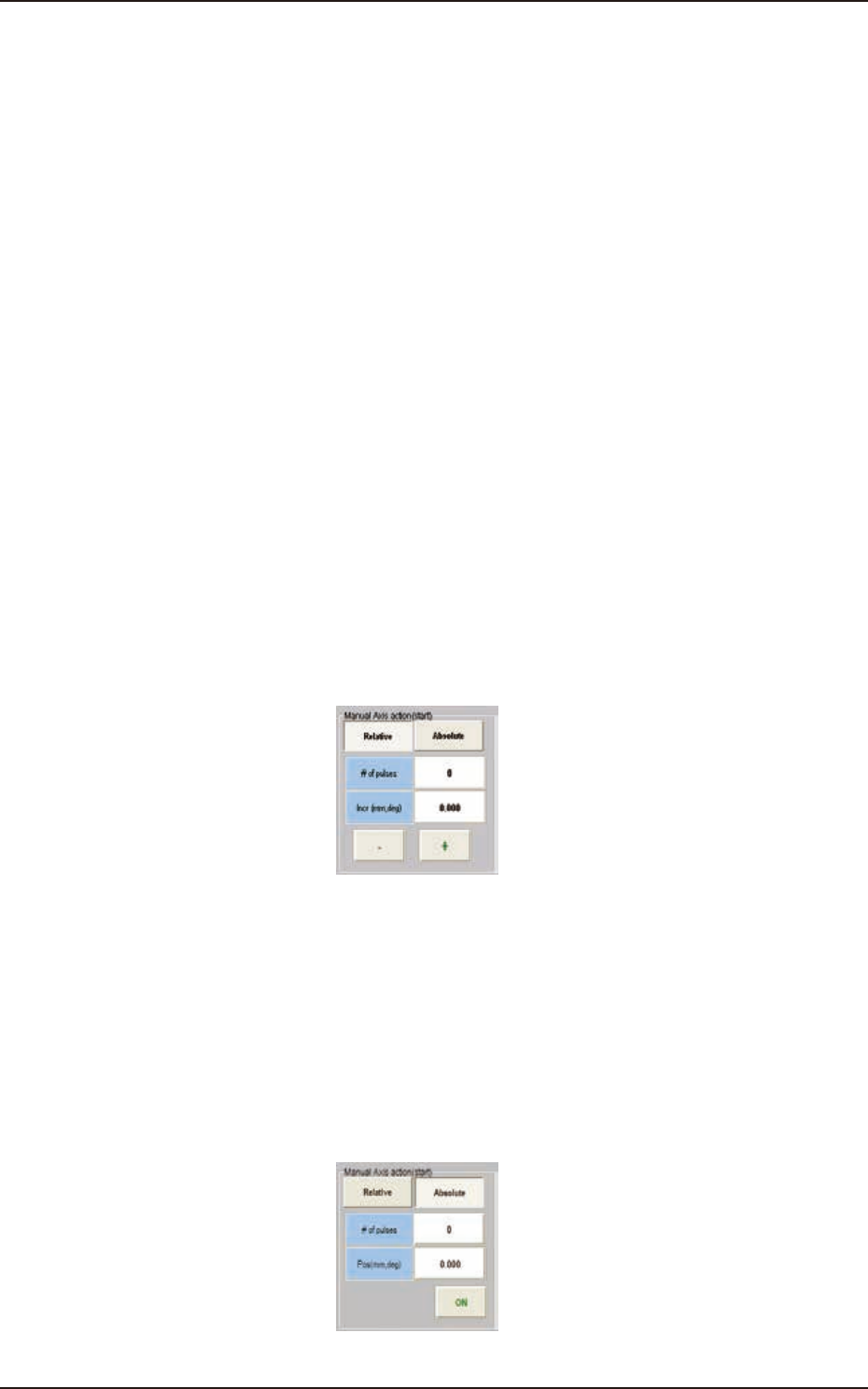
[4] "Manual Axis action (start)" Group Box
One of the following buttons can be selected to determine whether the manual axis action should
take place based on the relative or the absolute value.
[Relative] Button
When pressed, this button displays the relative values in the "# of pulses" and "Incr (mm, deg)" text
boxes for the selected unit.
When the [# of pulses] and [Incr (mm, deg)] buttons are pressed, the corresponding data entry
window opens.
When a numerical value is entered and the [Set] button is pressed, the entered numerical value is
set in the corresponding text box.
The [+] or the [-] button can be used to determine the direction of the manual axis (inching)
movement for the selected unit.
F3A55
[Absolute] Button
When pressed, this button displays the absolute values in the "# of pulses" and "Pos (mm, deg)" text
boxes for the selected unit.
When the [# of pulses] and [Pos (mm, deg)] buttons are pressed, the corresponding data entry
window opens.
When a numerical value is entered and the [Set] button is pressed, the entered numerical value is
set in the corresponding text box.
When the [START] button on the operation panel is pressed within 10 seconds after the [ON]
button, the selected axis is shifted to the specified position.
F3A56
EUKYX
1-68199-3100
6.2 MOTOR
6.2.2 Sys Info
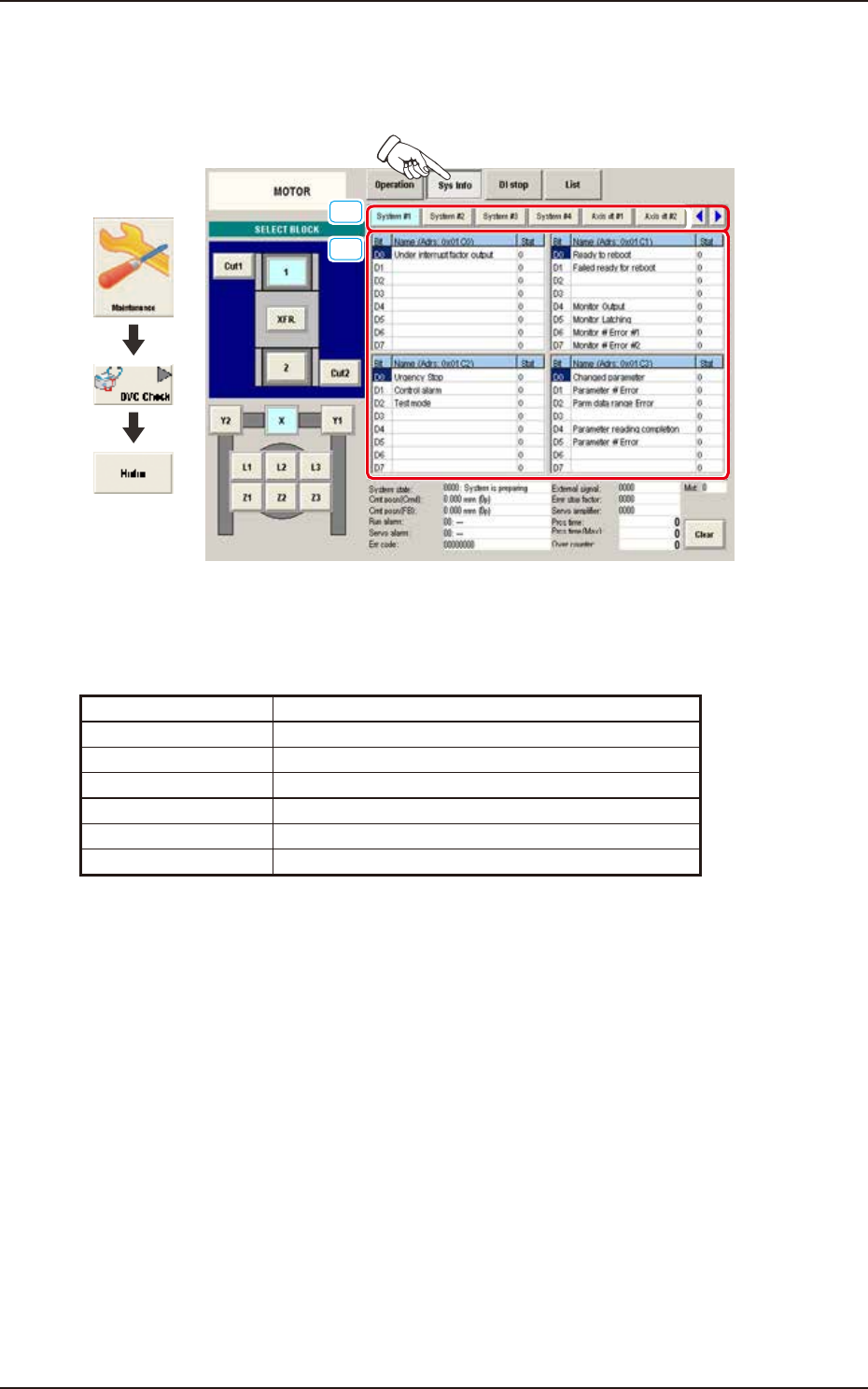
Pressing the [Sys Info] button on the "MOTOR" window displays the following window. The window
displays the machine current system information, etc.
[1]
[2]
Graphic
Development
F3A57A
[1] Display Change Buttons
The "Sys Info" windows are provided with the following item. When each button is pressed, the
corresponding window appears.
Button Description
System #1 to #4 Displayed is the status of System #1 through #4.
Axis dt #1 to #4 Displayed is the status of Axis dt #1 through #4.
Servo amp Displayed is the status of the servo amplifier.
Alarm Displayed is the status of the alarm.
Monitor Displayed is the status of the monitor.
Parameter Displayed is the status of the parameter.
EUKYX
1-69199-3100
6.2 MOTOR
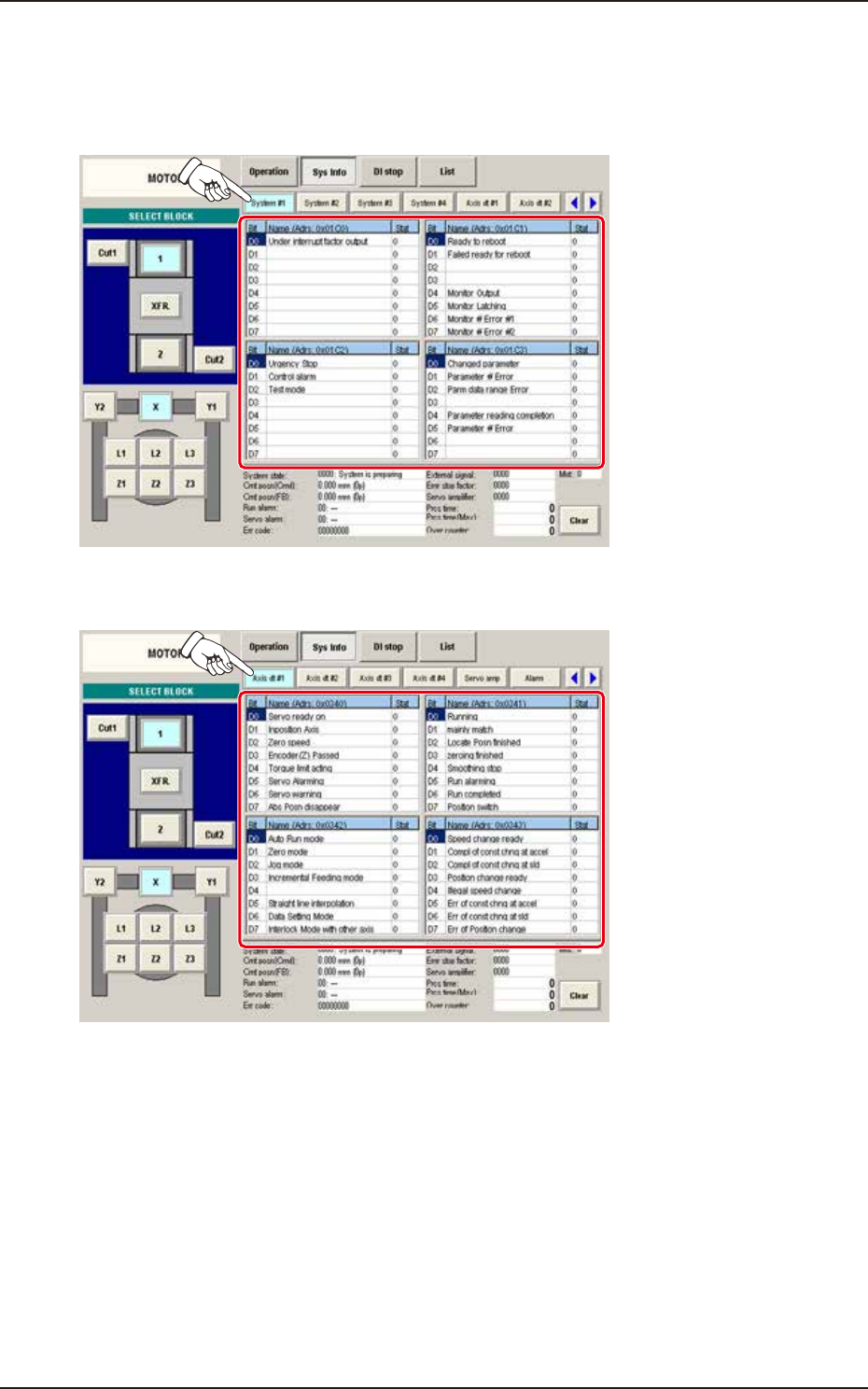
[2] Status Indicator
Displayed is the status of each section.
(1) System #1, #2, #3, and #4
The "System #1" window appears as an initial one of the "System Info" window.
F3A58A
(2) Axis dt #1, #2, #3, and #4
F3A59A