EUKYX-199-3100_G5S2_Instruction_Vol3_E.pdf - 第126页
EUKYX 1-77 199-3100 6.3 RECOG 6.3 R ECOG Thi s wi ndow di spl ays the checki ng st atus of I/ O si gna ls f or component and PE C recogniti on. Graphic Development F3A71 Ta b s The "RECOG" wi ndow is pro vided …
EUKYX
1-76199-3100
6.2 MOTOR
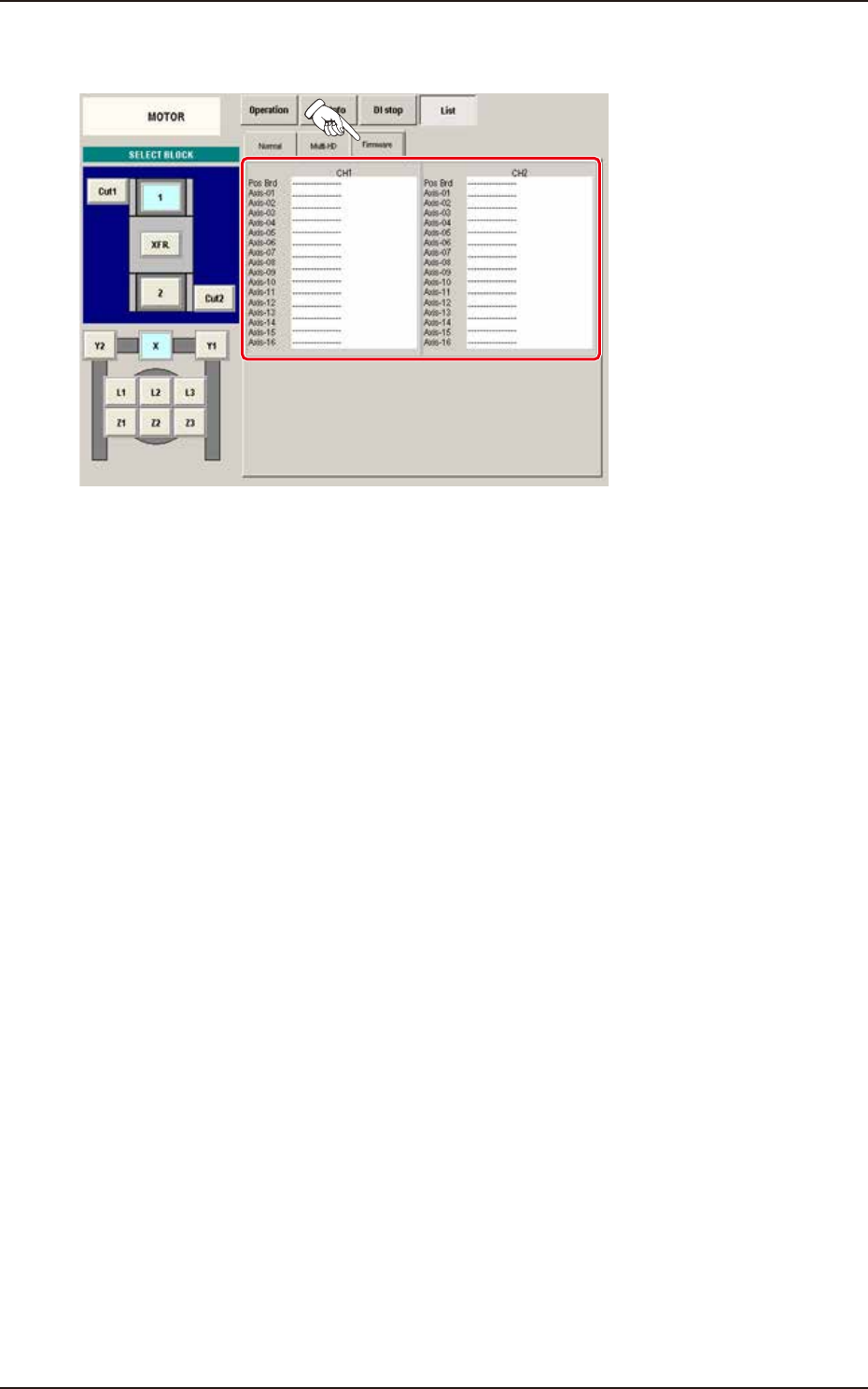
(3) Firmware
When the [Firmware] button is pressed on the "List" window, the "Firmware" window appears.
F3A70A
EUKYX
1-77199-3100
6.3 RECOG
6.3 RECOG
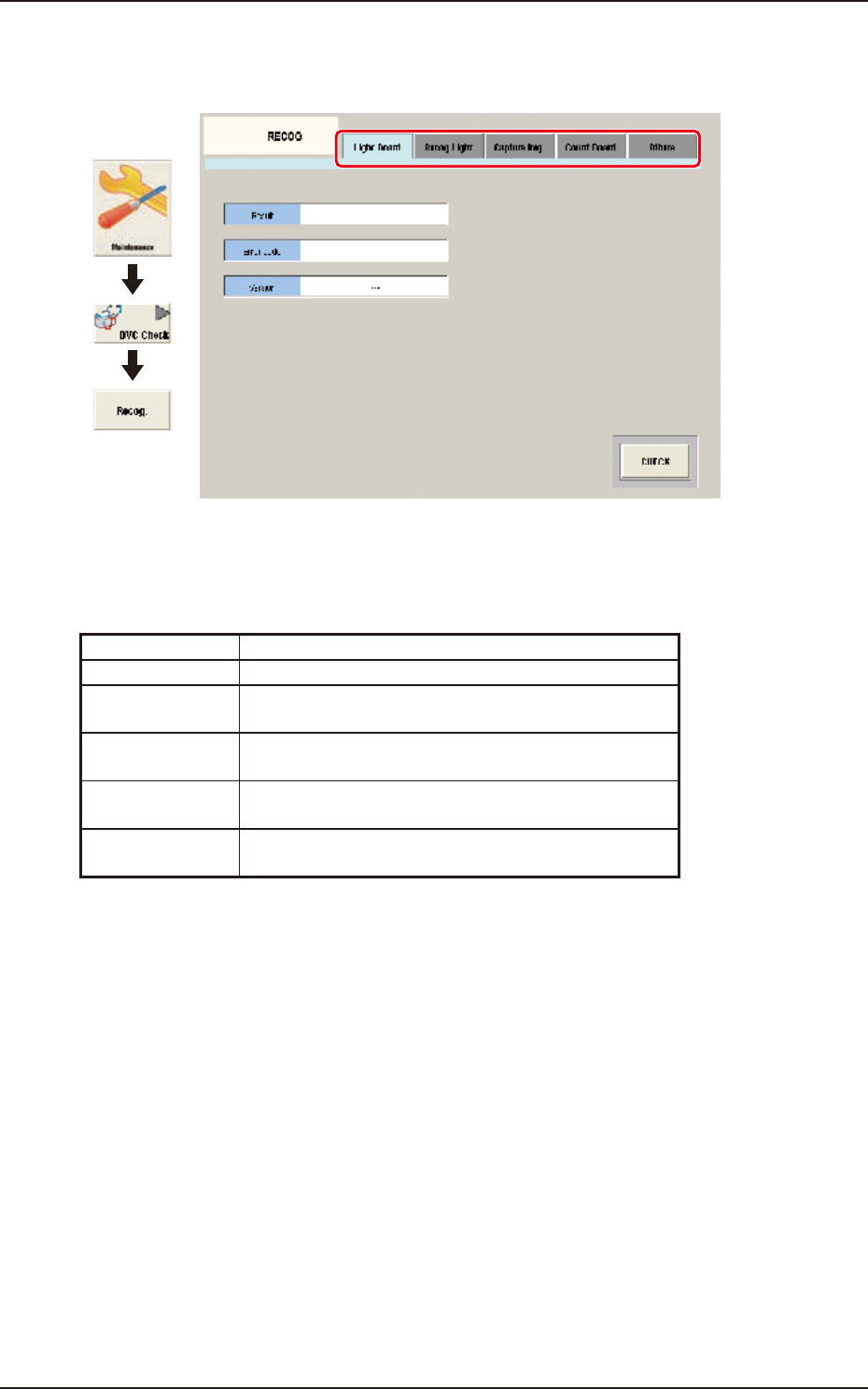
This window displays the checking status of I/O signals for component and PEC recognition.
Graphic
Development
F3A71
Tabs
The "RECOG" window is provided with the following five tabs.
When each tab is pressed, the corresponding tab sheet appears.
Tab Description
Light Board Diagnoses the lighting.
Recog Light Checks the component recognition lighting or PEC
recognition lighting.
Capture Img. Checks the component recognition camera or PEC
recognition camera.
Count Board Checks the beam count value, the wire connection
condition, and counter board condition.
Others Checks the optional 2-D bar code read license (GS-
DL10 0 ) .
EUKYX
1-78199-3100
6.3 RECOG
6.3.1 Light Board
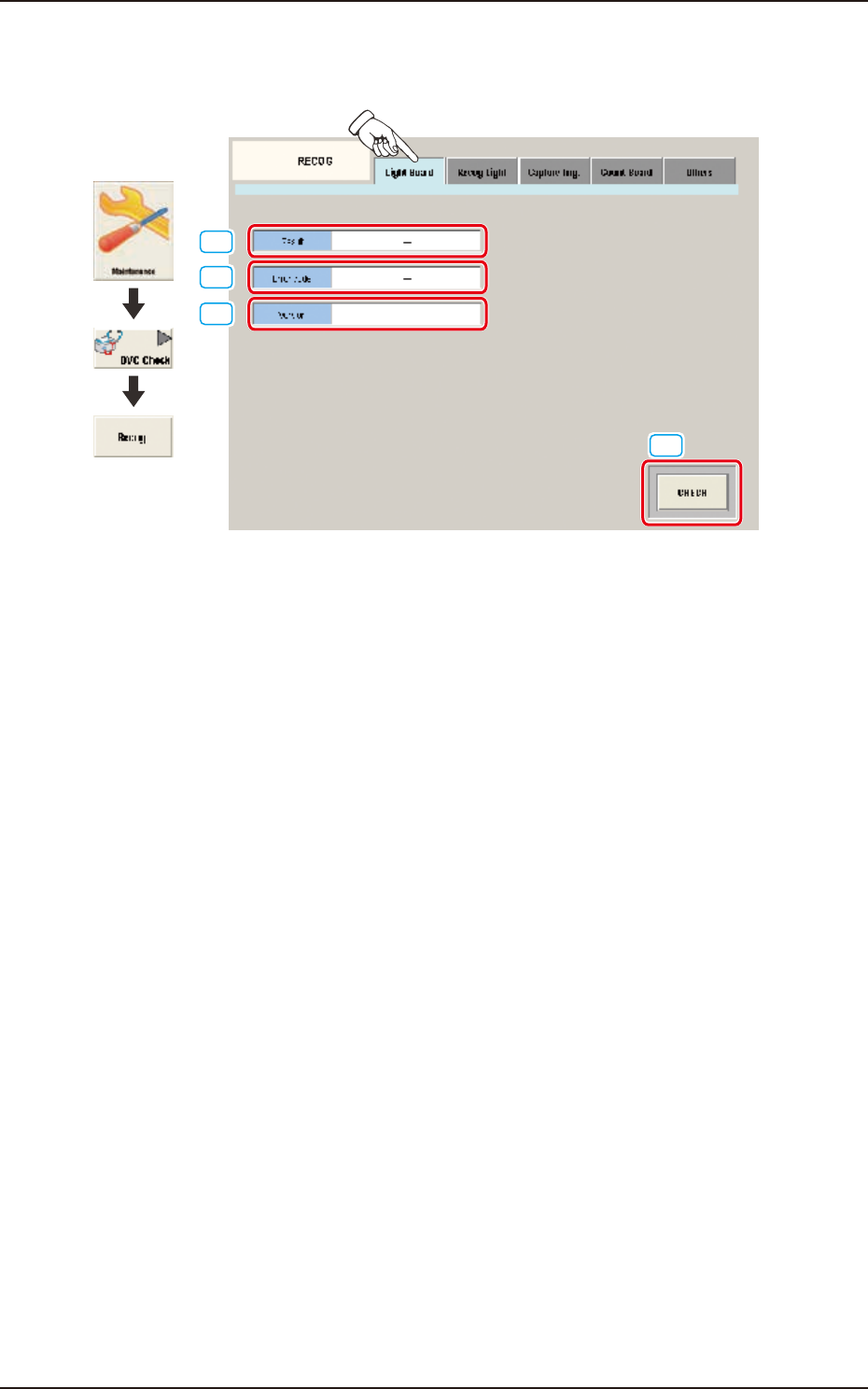
Pressing the [Light Board] tab on the "RECOG" window displays the following window.
[1]
[2]
[4]
[3]
Graphic
Development
F3A72
[1] Result
Displayed is the lighting board check result.
[2] Error code
Displayed is the lighting board error code.
[3] Version
When the diagnosis is performed and the result has no problem, the firmware version for the
lighting control panel is displayed.
[4] [CHECK] Button
When this button is pressed, the lighting control board check is executed.