EUKYX-199-3100_G5S2_Instruction_Vol3_E.pdf - 第203页
EUKYX 2-55 199-3100 2.12 Place Pos T able 2. 1 2 Place Pos T able Pressi ng the [Place P os T able] but ton on the "O f fset Data" w indow d ispla ys the fol low in g wi ndow . The di spla y of the [Head 2 ] i …
EUKYX
2-54199-3100
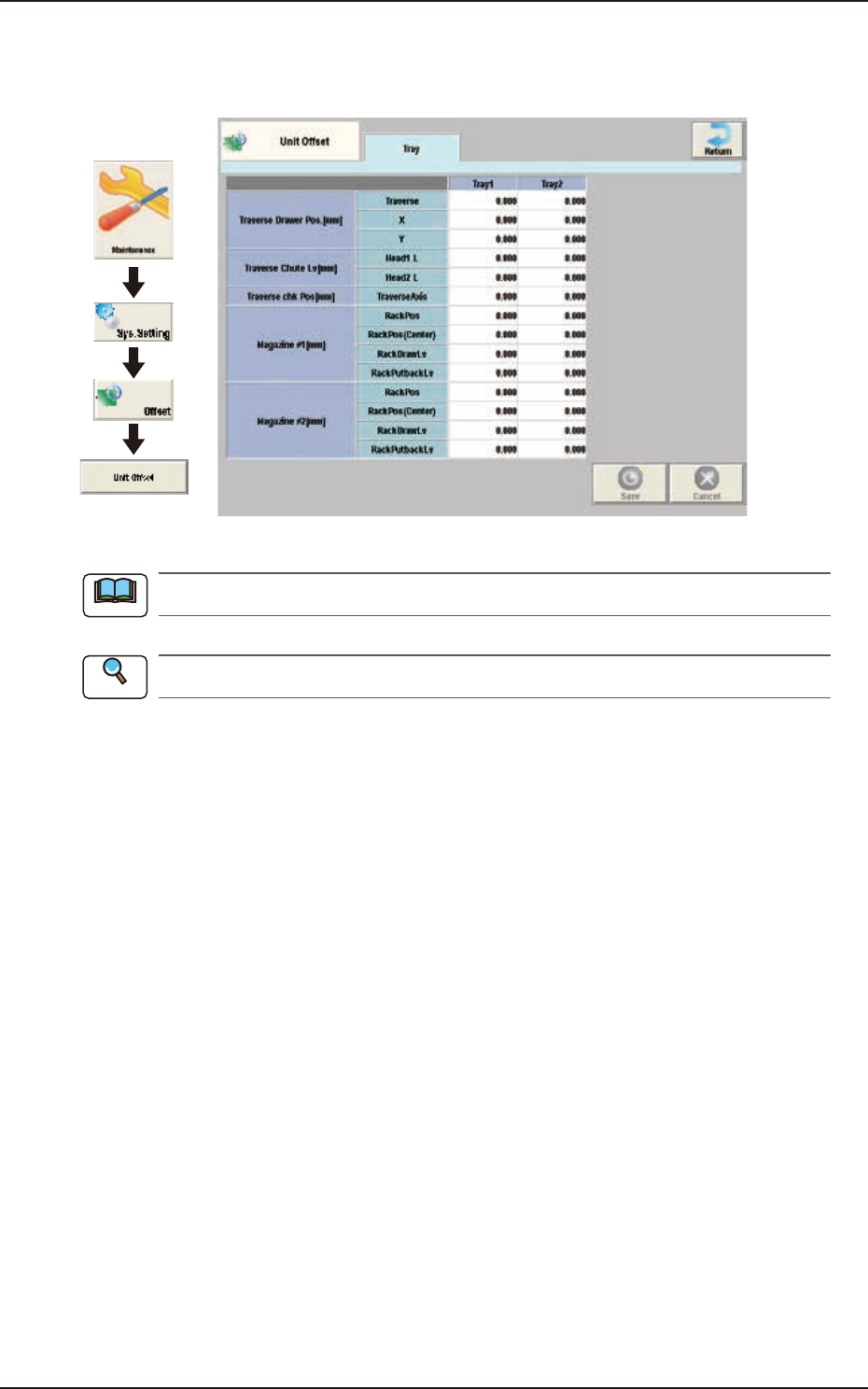
2.11 Unit Offset
2.11 Unit Offset
Pressing the [Unit Offset] button on the "Offset Data" window displays the following window.
Graphic
Development
F3B69
This setting is used as an option.
Refer to "GS-FP600 Multi-Layer Tray Feeder" for details.
Note
Reference
EUKYX
2-55199-3100
2.12 Place Pos Table
2.12 Place Pos Table
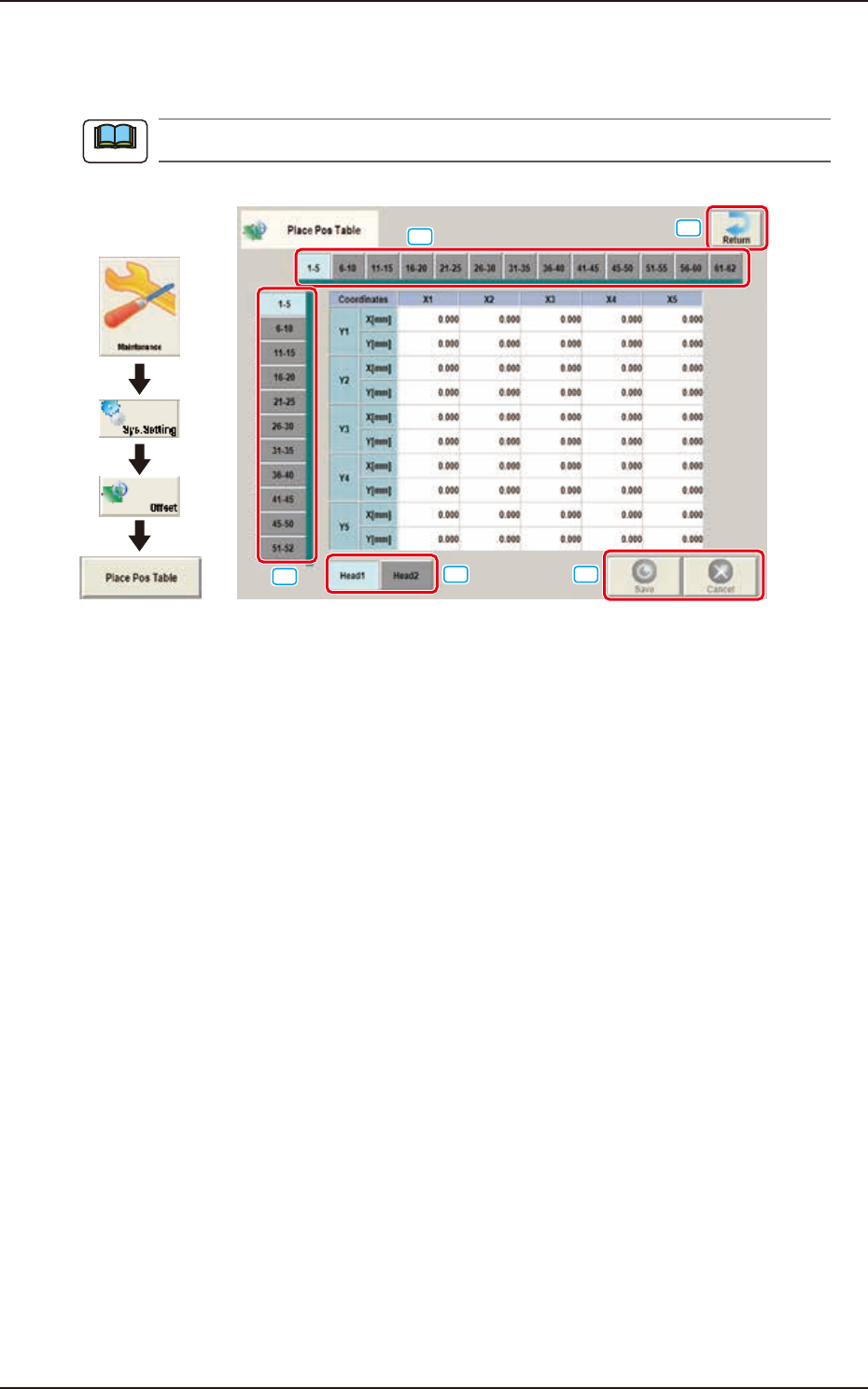
Pressing the [Place Pos Table] button on the "Offset Data" window displays the following window.
The display of the [Head 2] is same as the [Head 1].
Graphic
Development
[1]
[2]
[3]
[4]
[5]
F3B70
The window shows the place position table offset value from nozzle tip as a reference point. Place
components on a glass board in 10
×
10 mm grid pattern. At this time, the angle of head that picks
and mounts with nozzle 1 is 0 degree. Then enter the measured values (X and Y) on the window.
[1] Head Select Tab
The head to be input is selected.
[2] Direction “X” Select Tab
The point on the grid in the direction “X” for the selected tab, is displayed.
[3] Direction “Y” Select Tab
The point on the grid in the direction “Y” for the selected tab, is displayed.
[4] [Return] button
Returns to the “Offset Data“ window.
[5] [Save] button
Saves the entered data.
[Cancel] button
Cancels the entered data and returns to the saved data.
Note
EUKYX
2-56199-3100
3. Auto Operation
3. Auto Operation
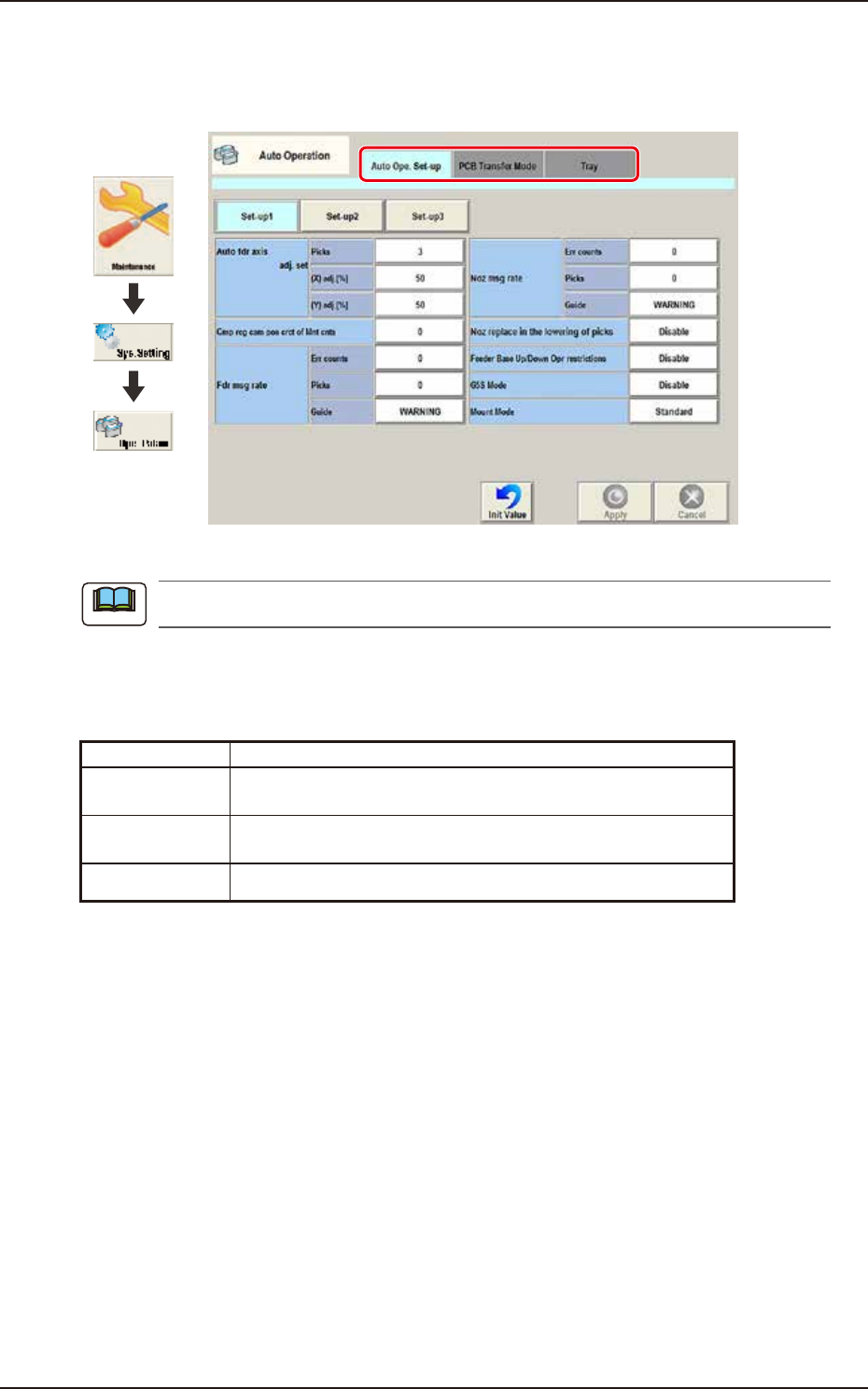
Pressing the [Sys. Setting] - [Ope. Palam] buttons displays the following window.
Graphic
Development
F3B71A
The tab sheet may look different, depending on which options are selected.
[1] Tab sheet
The "Auto Operation" window is provided with the following 3 tabs. When each tab is pressed, the
corresponding tab sheet appears.
Tab Description
Auto Ope.
Set-up
Set various types of parameters related to the automatic
operation of the machine.
PCB Transfer
Mode
Set the operation mode of the input and output machines and the
requirements for PCB transfer and positioning operations.
Tray Set the information of tray matrix when a tray unit is used.
Note