EUKYX-199-3100_G5S2_Instruction_Vol3_E.pdf - 第146页
EUKYX 1-97 199-3100 7.5 Feeder 7 .5 F eeder When the [ Fee der] tab is pressed on the "Main t. WM" wi nd ow , the fol low ing tab sheet appears. Graphic Development [3] [2] [1] F3A90 [ 1 ] Present St atus Displ…
EUKYX
1-96199-3100
7.4 Design
7.4 Design
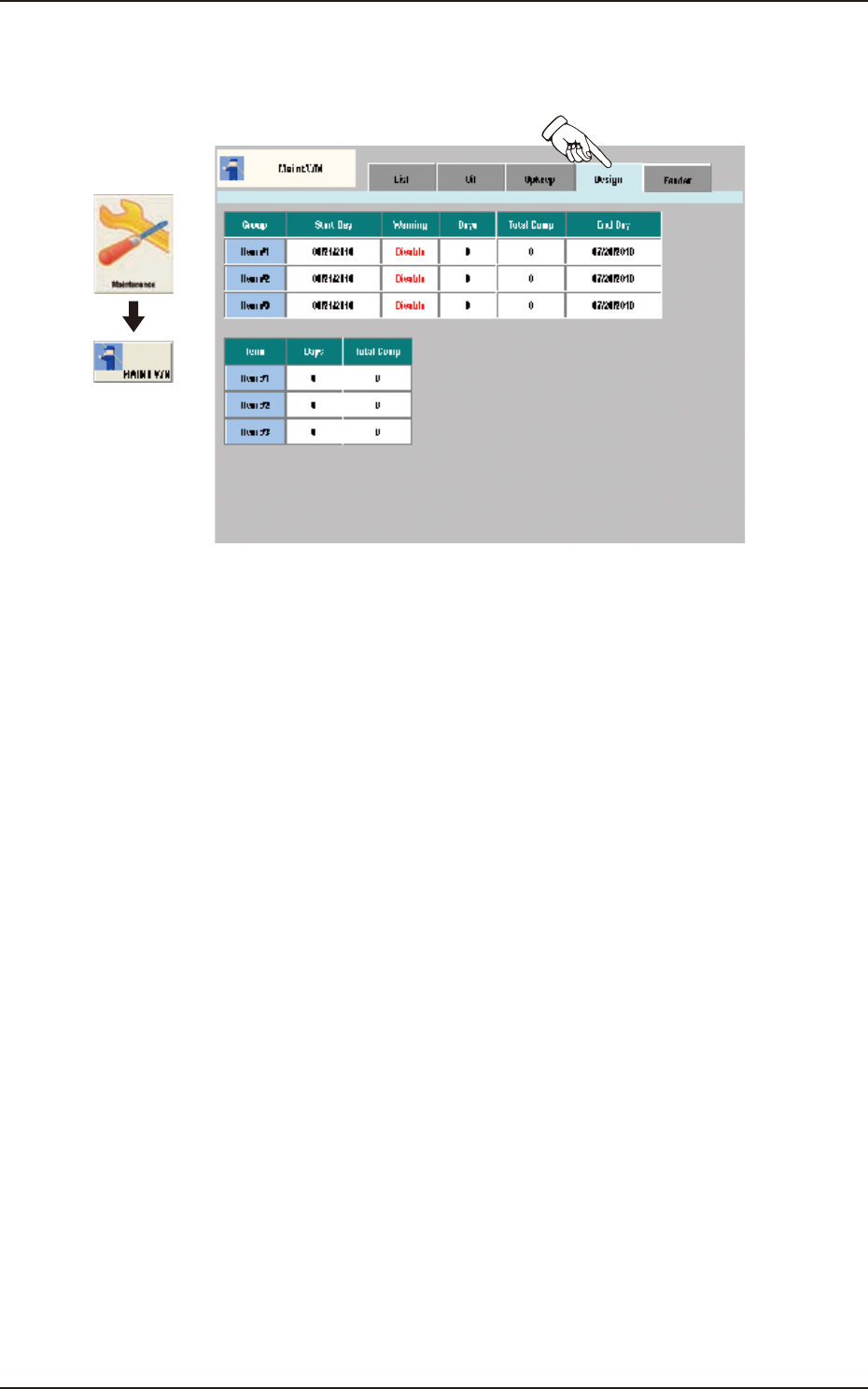
When the [Design] tab is pressed on the "Maint.WM" window, the following tab sheet appears.
Graphic
Development
F3A89
The corresponding tab sheet enables the operator to display the setting status and present status for
the additionally set maintenance check-up items (Maintenance 1, Maintenance 2 or Maintenance 3
for maintenance announcements.)
EUKYX
1-97199-3100
7.5 Feeder
7.5 Feeder
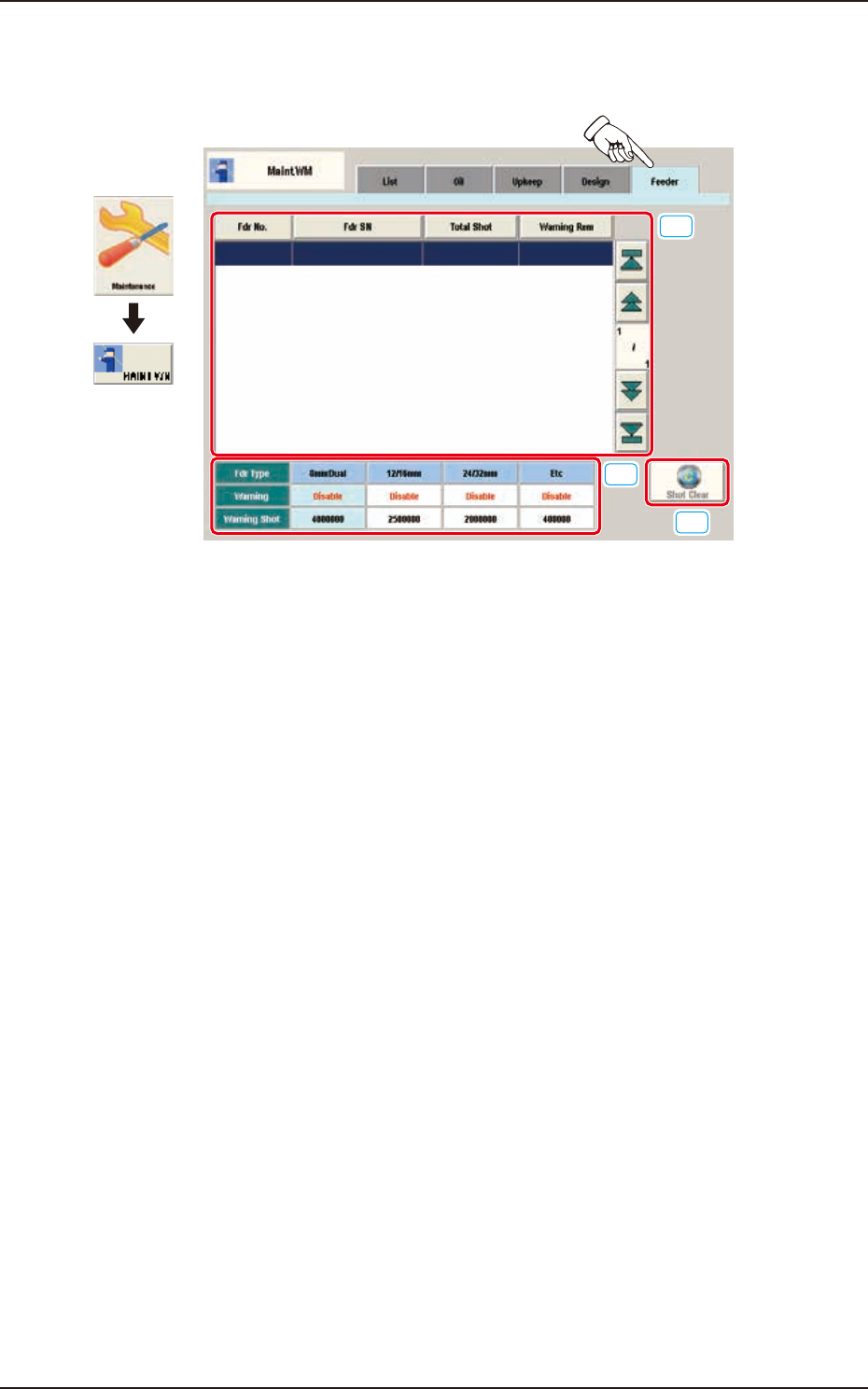
When the [Feeder] tab is pressed on the "Maint.WM" window, the following tab sheet appears.
Graphic
Development
[3]
[2]
[1]
F3A90
[1] Present Status Display Section
Fdr No.
The feeder No. is displayed in this section.
Fdr SN
The feeder serial No. is displayed in this section.
Total Shot
The current No. of shots is displayed in this section.
Warning Rem
The No. of remaining shots until the announcement is issued, which has been set using the
NT-100 system software, is displayed in this section.
[2] Setting Status Display Section
The values set using the NT-100 system software, are displayed in this section.
[3] [Shot Clear] Button
Using this button, the current No. of shots is cleared.
After performing maintenance, press this button.
EUKYX
1-98199-3100
8. Pass Operation (for Emergency)
8. Pass Operation (for Emergency)
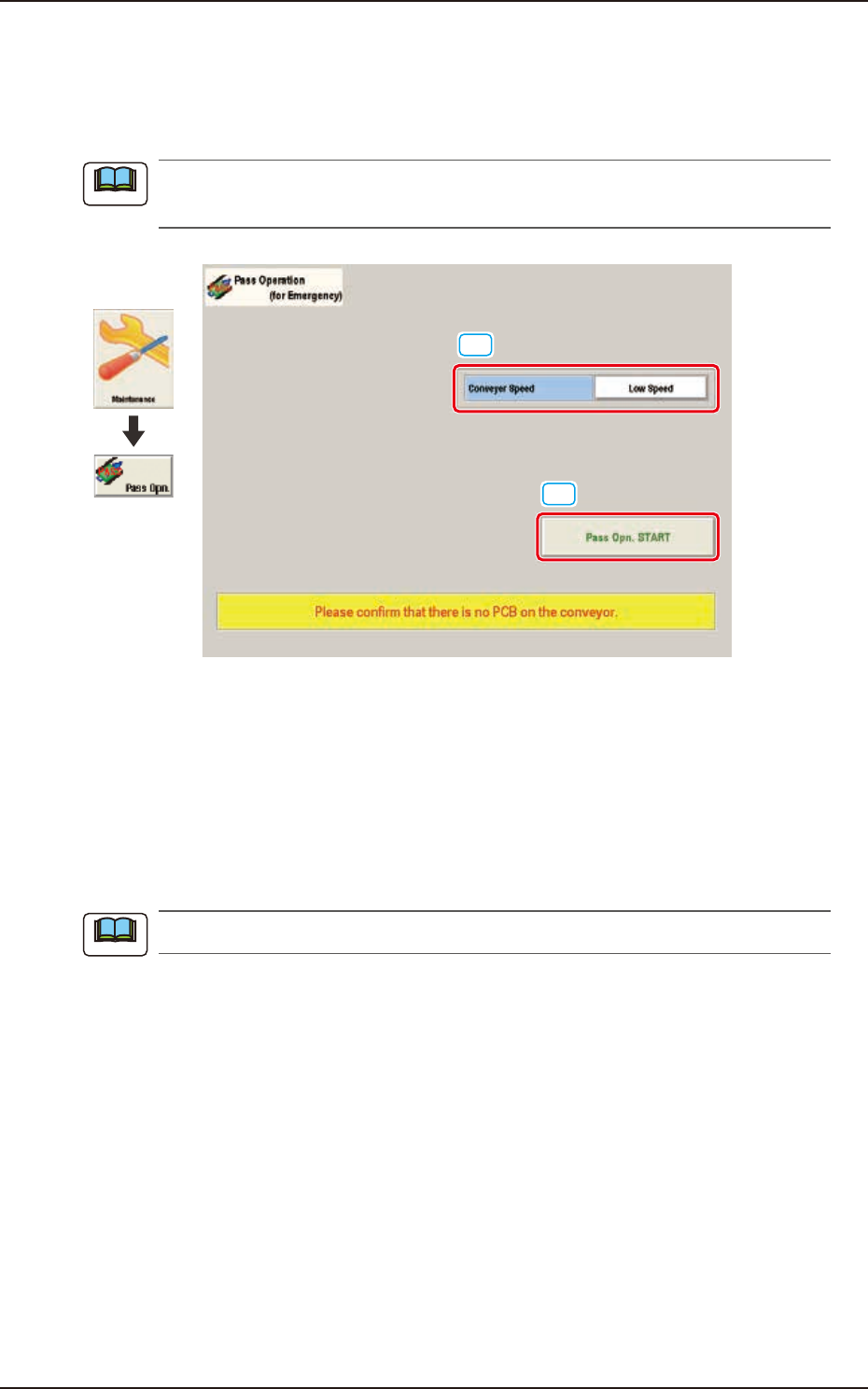
This function enables the operator to continue the production operation without rearranging the
line when the machine is broken down.
The setting is available only when the login is performed with the access authority of
"Supervisor".
[1]
[2]
Graphic
Development
F3A91
[1] Conveyer Speed
The conveyor operation speed in the pass operation, is selected from "Low" or "High" in this
selection box.
[2] [Pass Opn. START] Button
When the [Pass Operation Start] button is pressed, and within 10 seconds the [START] button is
pressed on the operation panel, the pass operation is started up and the window is locked.
It can be selected in the "Stop" or "Pause" mode of the machine.
Note
Note