EUKYX-199-3100_G5S2_Instruction_Vol3_E.pdf - 第137页
EUKYX 1-88 199-3100 6.5 PRGM.INFO. 6 .5 PR G M . IN FO. Thi s wi ndow di spl ays the curren t program i nform ation a nd setup logs used for the mach ine. Graphic Development F3A82A Ta b s The "PRG M.INFO . " w…
EUKYX
1-87199-3100
6.4 COM.STAT
6.4 COM.STAT
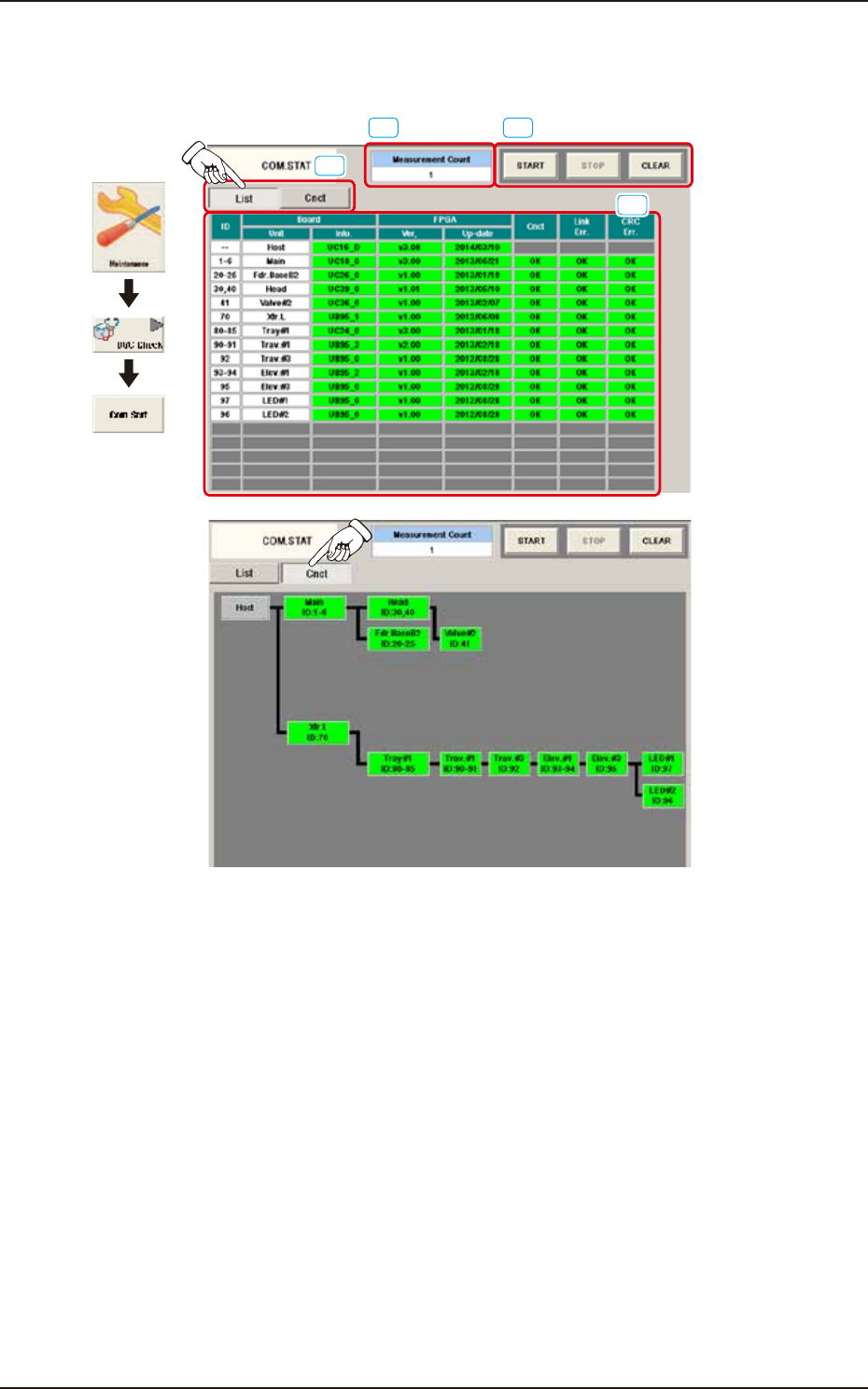
The corresponding window checks the communication status of each section.
Graphic
Development
[4]
[1]
[2][3]
F3A81_A
[1] [List] and [Cnct] buttons
These buttons switch the display of communication status per unit.
[2] [START], [STOP], and [CLEAR] Buttons
[START] Button: Measures the communication status every 500 msec.
[STOP] Button : Stops the measurement.
[CLEAR] Button : Clears the measurement count.
[3] “Measurement Count” Field
The measurement counts from pressing the [Start] button to pressing the [Stop] button in [2] are
displayed.
[4] Communication status display area
This area displays the communication status with the display format selected in [1].
EUKYX
1-88199-3100
6.5 PRGM.INFO.
6.5 PRGM.INFO.
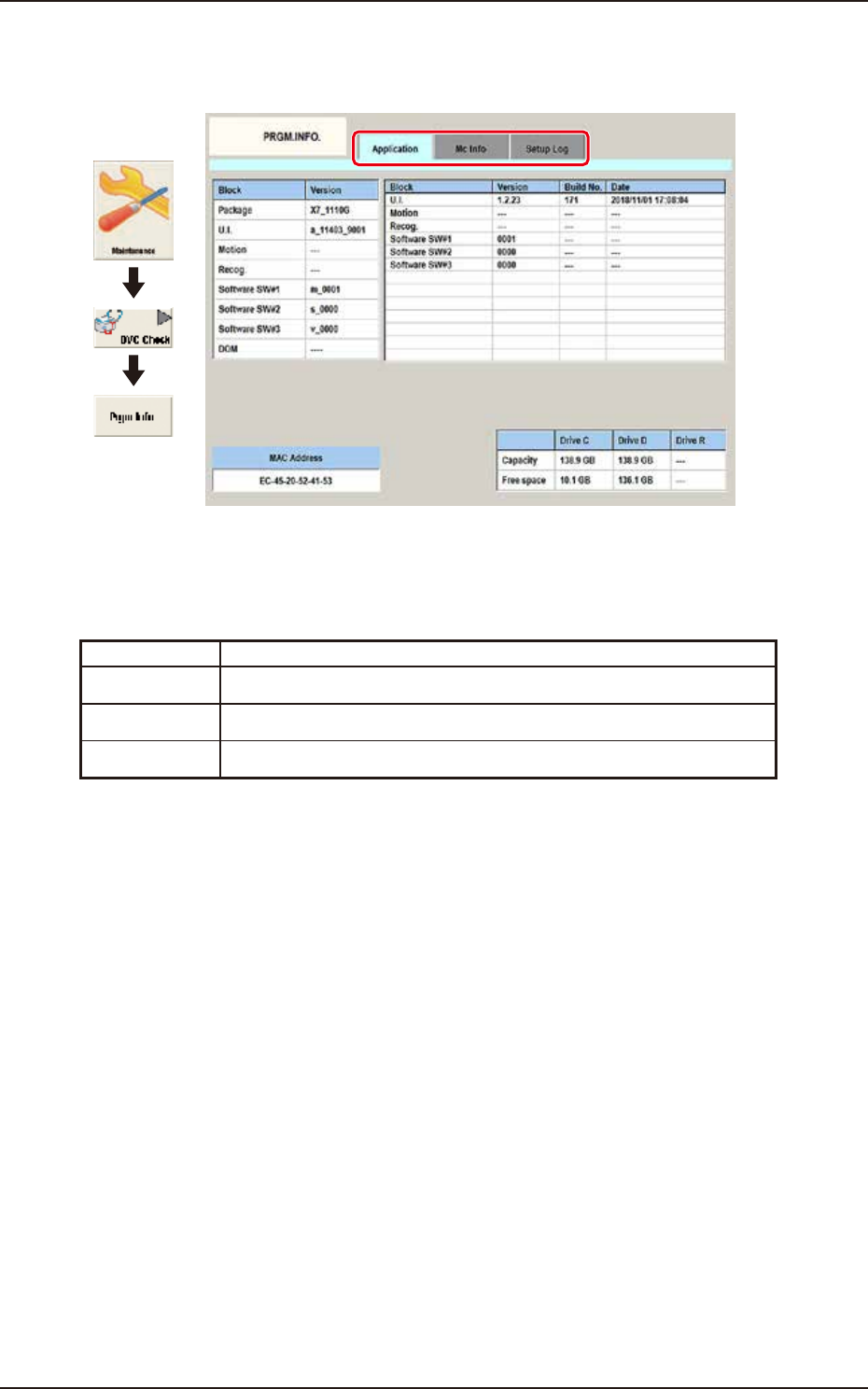
This window displays the current program information and setup logs used for the machine.
Graphic
Development
F3A82A
Tabs
The "PRGM.INFO." window is provided with the following two tabs.
When each tab is pressed, the corresponding tab sheet appears.
Tab Description
Application When this button is pressed, the "Application" window appears.
MC Info When this button is pressed, the “Machine information” window appears.
Setup Log When this button is pressed, the "Setup Log" window appears.
EUKYX
1-89199-3100
6.5 PRGM.INFO.
6.5.1 Application
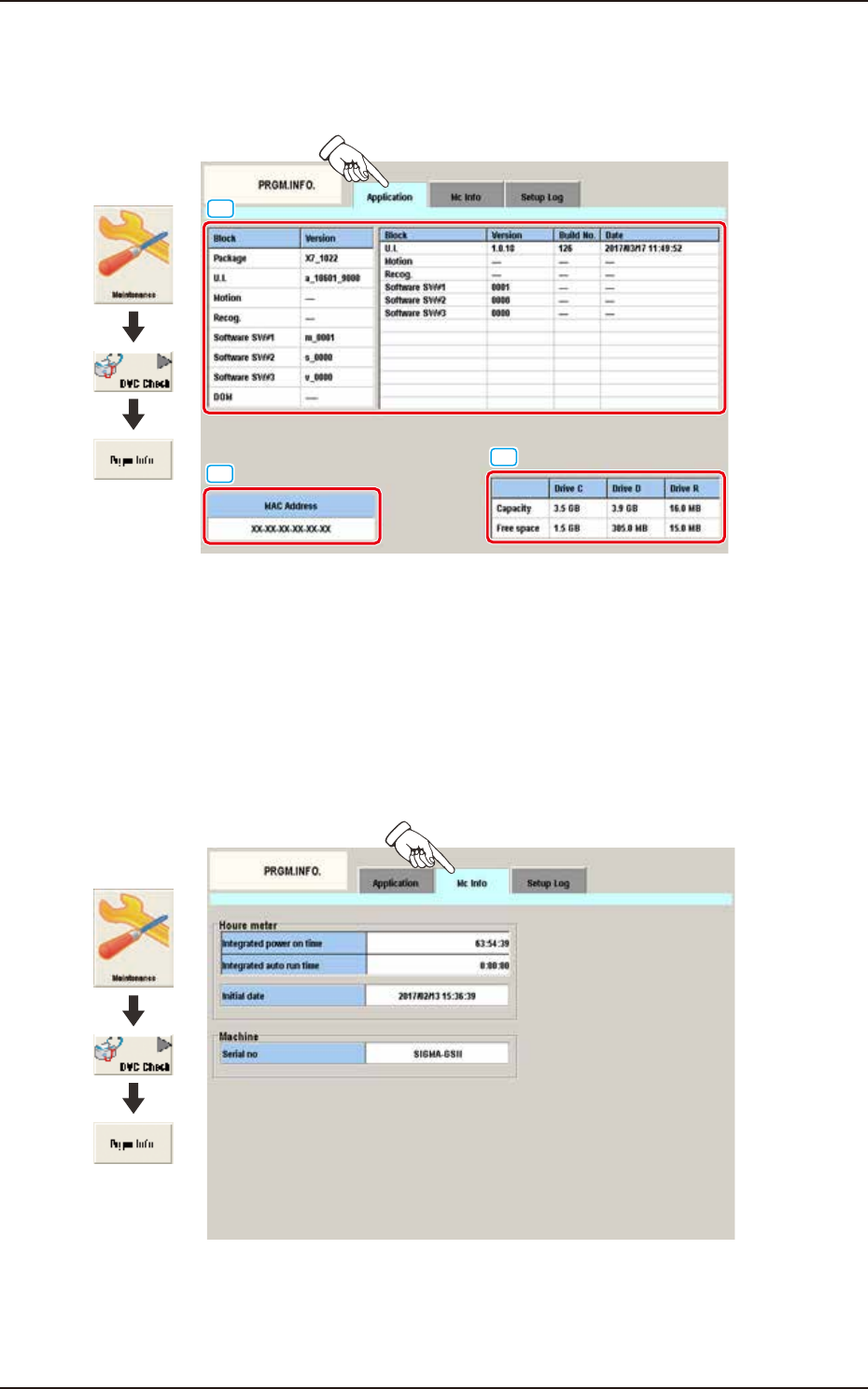
Pressing the [Application] tab on the [PRGM.INFO] window displays the following window. The
application information is displayed.
[2]
[3]
[1]
Graphic
Development
F3A83A
[1] Detailed Display:
Displays the application versions and the updated time per block.
[2] Mac Address:
Displays the Mac Address.
[3] Capacity / Free Space:
Displays the capacity and free space of each drive of U. I.
6.5.2 MC Info
Pressing the [Mc Info] tab on the [PRGM.INFO] window displays the following window. The
machine information is displayed.
Graphic
Development
F3A83B
Detailed Display
The integrated power on time, the integrated auto run time, the initial date and the serial number
are displayed.