EUKYX-199-3100_G5S2_Instruction_Vol3_E.pdf - 第58页
EUKYX 1-9 199-3100 3.3 Feeder Unit 3.3 Feeder Unit When the feed er un it button is pressed, the fol lowin g wi ndow appears. [1] [2] [3] Feeder unit button Graphic Development F3A1 1A [ 1 ] Unit sele ct [ Feeder ] Butt …
EUKYX
1-8199-3100
3.2 Nozzle Stocker
[2] High-speed stocker
The high-speed stocker type is selected in this selection box.
[High] Button : The unit with high-speed nozzle stocker is selected.
[MR12] Button : The unit with MR12 nozzle stocker is selected.
[L15 (NH120)] Button : The unit with nozzle stocker for special large nozzles (GS-NM101) is
selected.
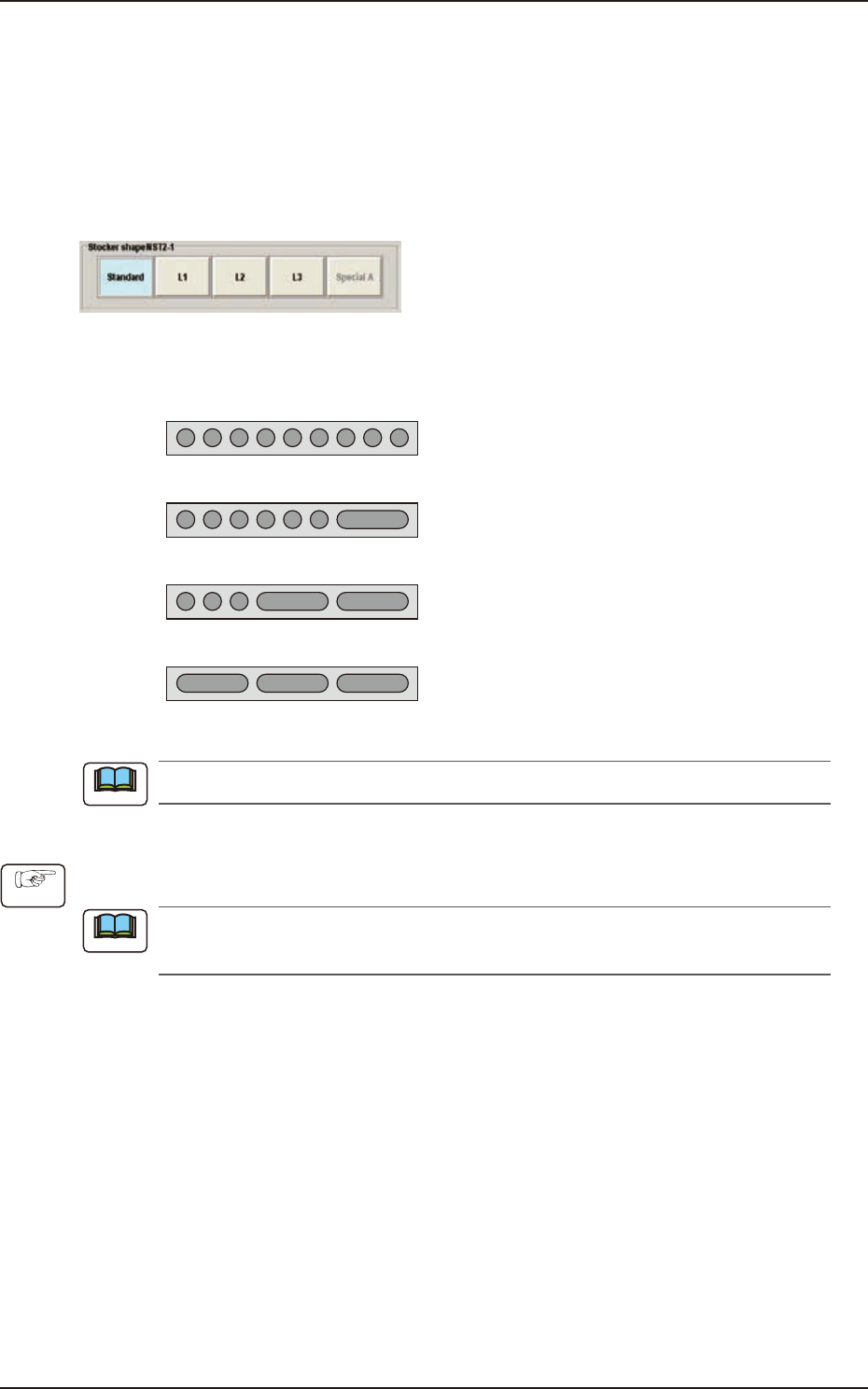
Multi-Functional Stocker Shape Selection
F3A9
The multi-functional nozzle stocker shape is selected in this section.
Standard
L1
L2
L3
KYB-M9640-000 (GS-NM110) : Max. 9 Nozzles
KYB-M96E0-000 (GS-NM111) : Max.7 Nozzles
KYB-M96E0-100 (GS-NM112 ) : Max.5 Nozzles
KYB-M96E0-200 (GS-NM113 ) : Max.3 Nozzles
F3A10A
When the nozzle stocker is to be added, an optional unit is required separately.
• Nozzle Stocker Setting Procedure
(1) Press the button for the installed nozzle stocker in the "Unit Select" area.
For the high-speed nozzle stocker, the stocker type is displayed and for the multi-functional
nozzle stocker, the stocker shape is displayed.
(2) Press the stocker type or stocker shape button.
(3) Press the [Apply] button.
Note
Procedure
Note
EUKYX
1-9199-3100
3.3 Feeder Unit
3.3 Feeder Unit
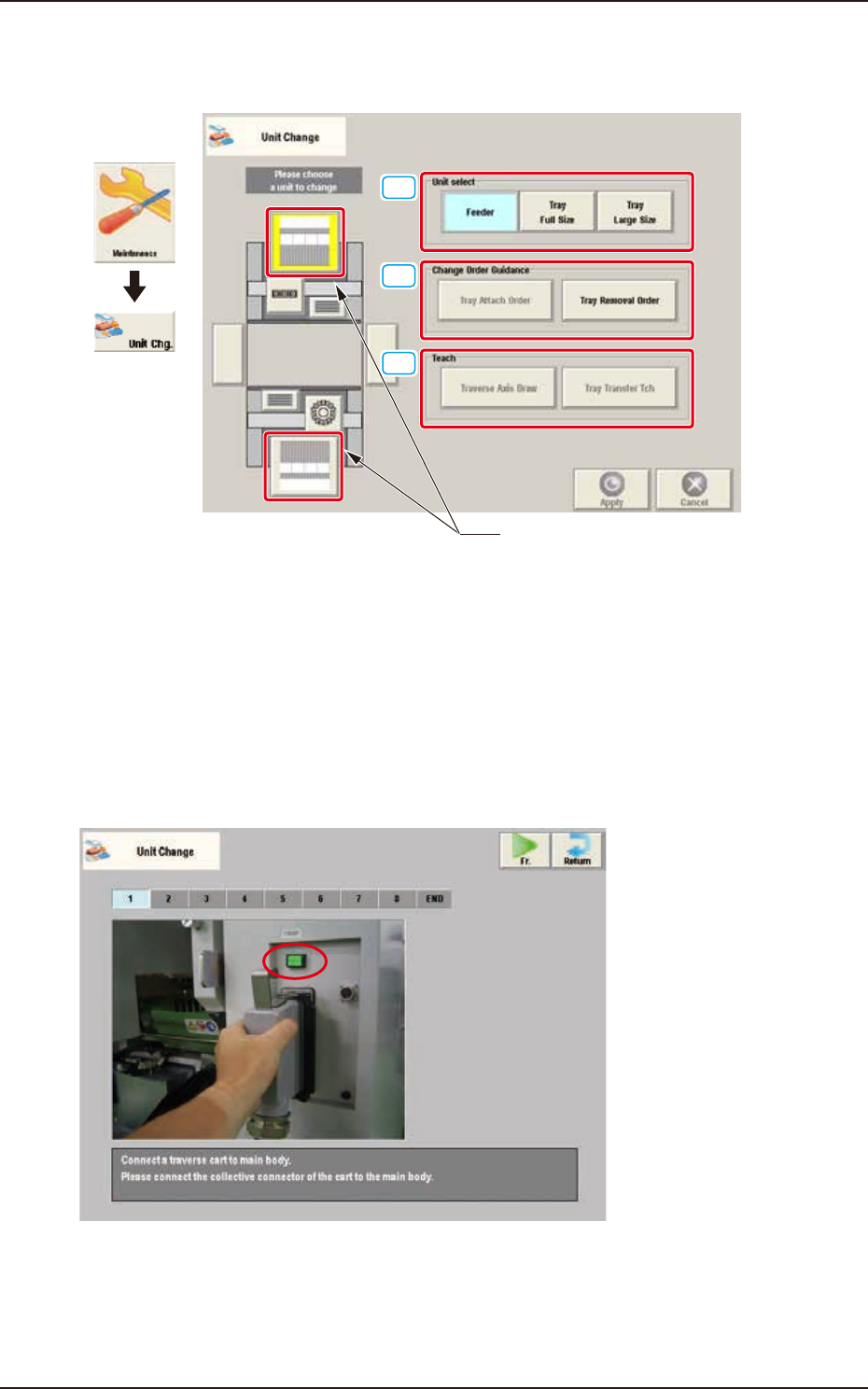
When the feeder unit button is pressed, the following window appears.
[1]
[2]
[3]
Feeder unit button
Graphic
Development
F3A11A
[1] Unit select
[Feeder] Button : The unit with feeder is selected.
[Tray Full Size] Button : The FULL size tray feeder (option) is selected.
[Tray Large Size] Button : The Large size tray feeder (option) is selected.
[2] Change Order Guidance
When one of these buttons is pressed, the attachment or removal window for the "Tray Large-Size"
(Option) or "Tray Full-Size" (Option) appears.
F3A12
EUKYX
1-10199-3100
3.3 Feeder Unit
[3] Teach
[Traverse Axis Draw] Button
Using this button, the traverse drawing operation offset teaching for each machine is performed by
teaching the mark position located on the traverse chuck claw section.
For this operation, the traverse drawing teaching pin is required separately.
[Tray Transfer Tch] Button
Using this button, the tray pallet delivery teaching is performed. After attaching the multi-layer tray
feeder to the main machine, select the delivery teaching. If this teaching operation is not performed,
the pallet will not be delivered correctly to the traverse cart.
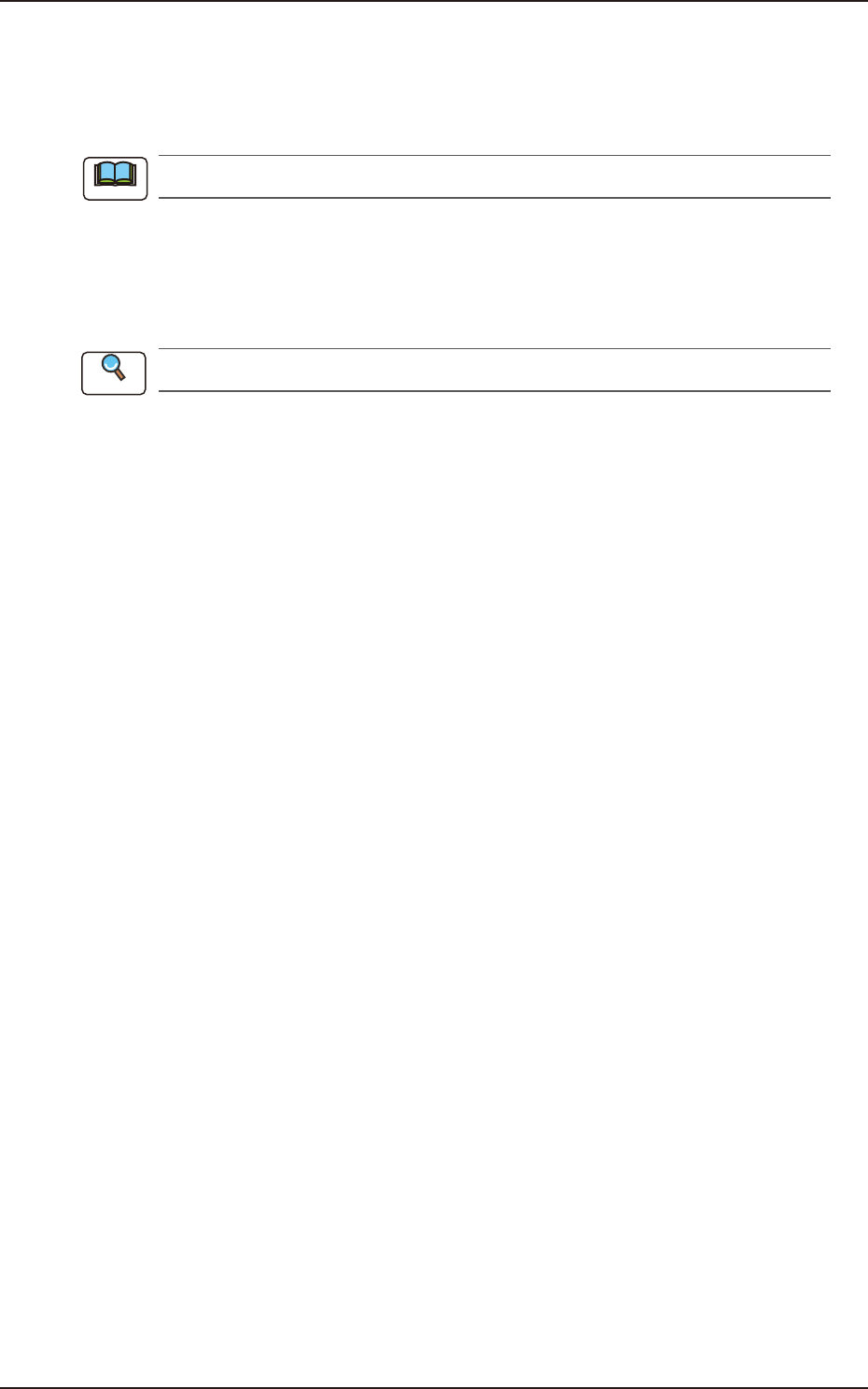
Refer to "Chapter 3: Maintenance Menu" in "GS-FP600 Multi-Layer Tray Feeder" for details.
Note
Reference