EUKYX-199-3100_G5S2_Instruction_Vol3_E.pdf - 第182页
EUKYX 2-34 199-3100 2.5 Head 2.5 .9 Nozzle Incln Pressi ng the [Nozzl e Inc ln] tab on the "Head" window d isp la ys the fol low in g wi ndow . Graphic Development F3B43A Hea d 1 / Hea d 2 thet a X [ deg] / the…
EUKYX
2-33199-3100
2.5 Head
2.5.8 Head Incln
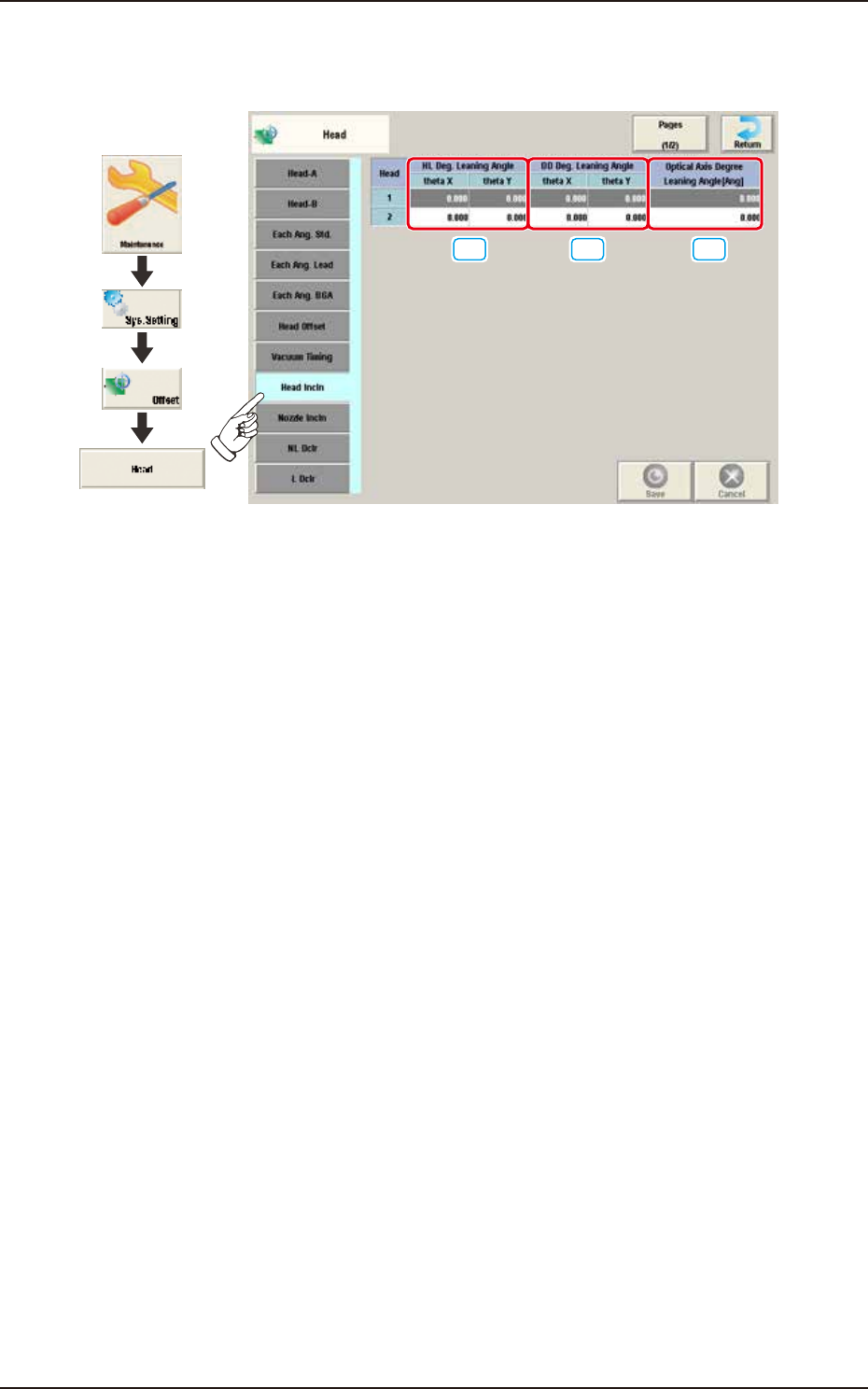
Pressing the [Head Incln] tab on the "Head" window displays the following window.
[1] [2] [3]
Graphic
Development
F3B42A
[1] HL Deg. Leaning Angle
theta X [deg], theta Y [deg]
The set parameter is used to correct the deviations in the X and Y direction that will be caused
while the HL-axis is moving down if the axis is tilted.
[2] DD Deg. Leaning Angle
theta X [deg], theta Y [deg]
The set parameter is used to correct the deviations in the X and Y direction that will be caused
while the HL-axis is moving down if the DD-axis is tilted.
[3] Optical Axis Degree Leaning Angle [Ang]
The set parameter is used to correct the angle of the component recognition camera shot.
EUKYX
2-34199-3100
2.5 Head
2.5.9 Nozzle Incln
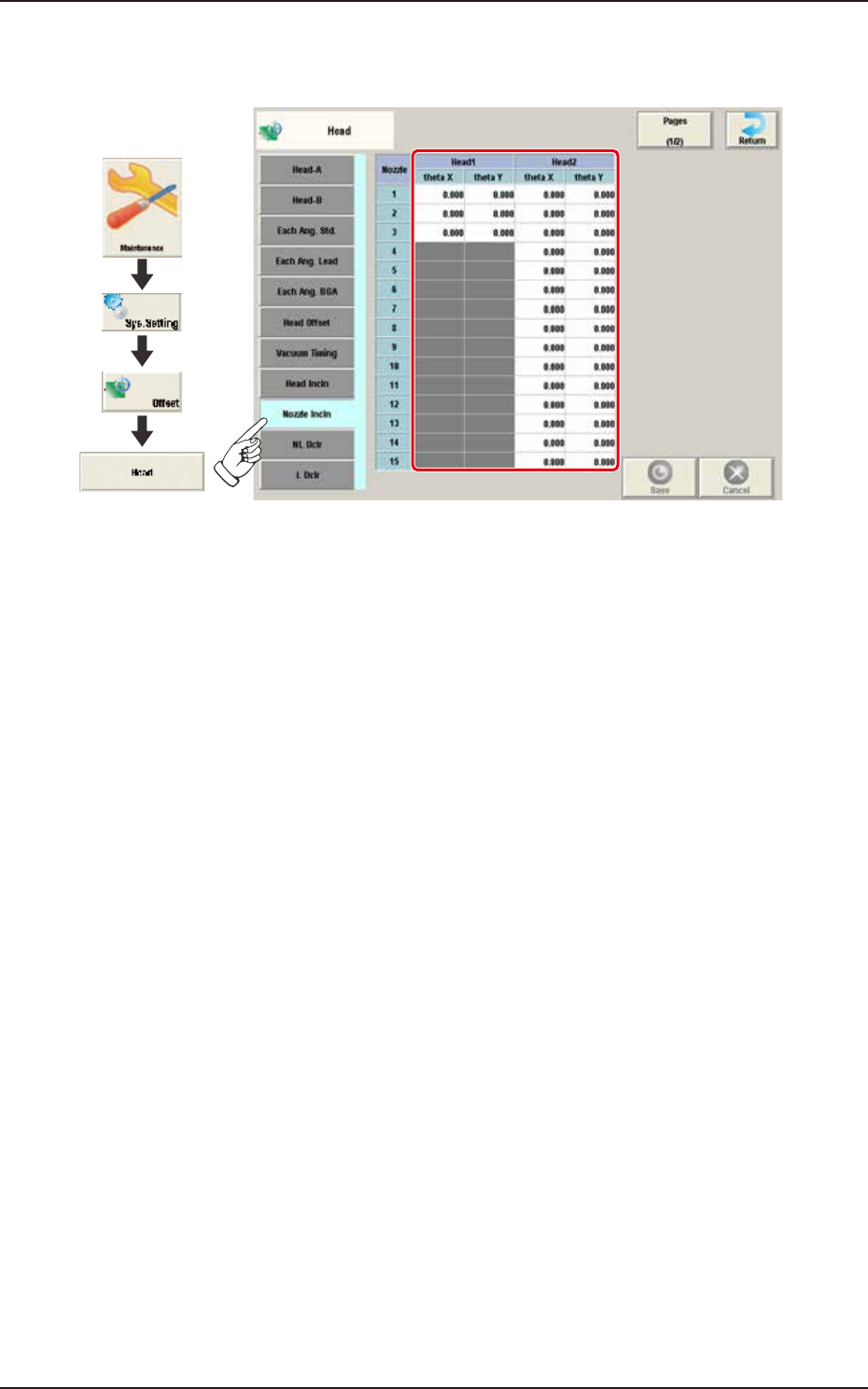
Pressing the [Nozzle Incln] tab on the "Head" window displays the following window.
Graphic
Development
F3B43A
Head 1 / Head 2
theta X [deg] / theta Y [deg]
These offsets are used to correct the deviations in the X and Y directions that will be caused due to
the inclination of the nozzle shaft while the NL-axis is moving down.
EUKYX
2-35199-3100
2.5 Head
2.5.10 NL Dclr / L Dclr
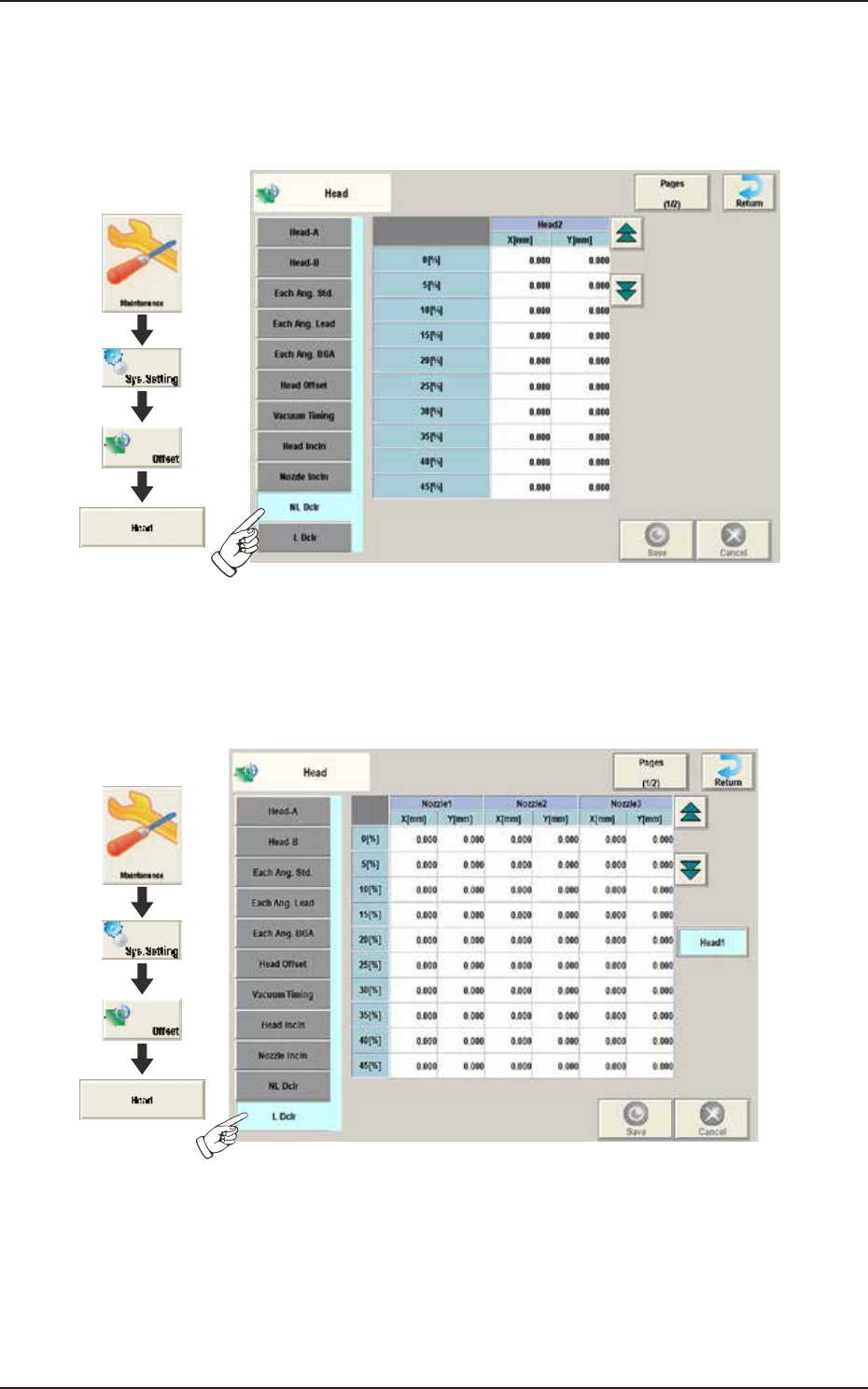
When the machine is equipped with the high-speed head, the following window is displayed by
pressing the [NL Dclr] tab on the "Head" window.
The X/Y deviation occurring during NL deceleration is corrected.
Graphic
Development
F3B44A
When the machine is equipped with the multi-functional head, the following window is displayed
by pressing the [L Dclr] tab on the "Head" window. The X/Y deviation occurring during L-axis
deceleration is corrected.
Graphic
Development
F3B44B