PathMaster-REV-L-4.5-1.pdf - 第120页
Machine Operati on Manual Revision L / February 2020 Page 120 of 200 12. Teach the f irst and la st points . The coordi nates entered are relative to the point of origin taug ht before . PathM aster ® calculate s the dis…
Machine Operation Manual
Revision L /
February 2020
Page 119 of 200
Figure 145: Place Random Routine
8. Select “Next” when you have taught all the necessary coordinates.
9. Select “Finish”.
Create an Array
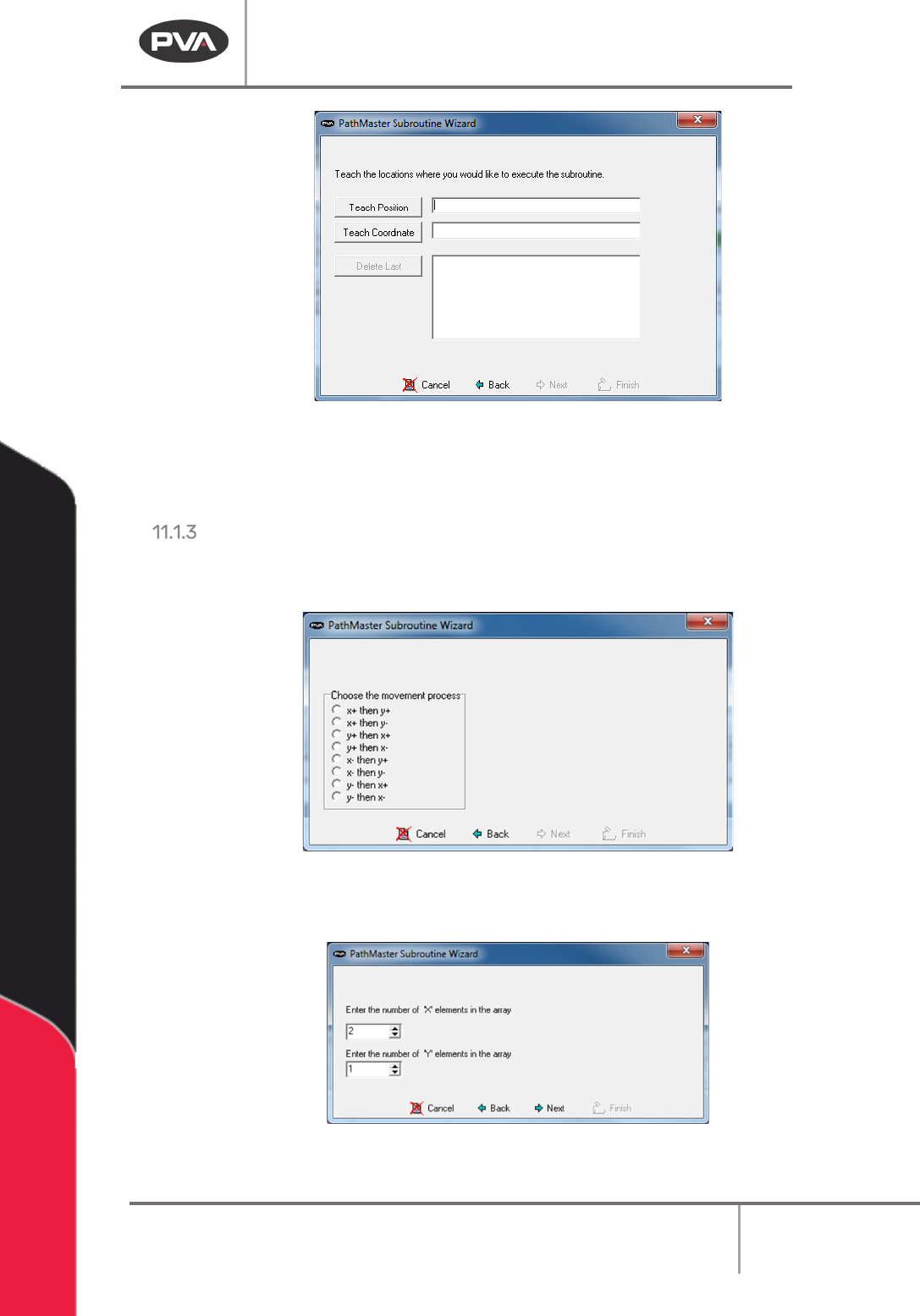
10. Select the direction of the array. The arrows show direction as related to X, Y 0, 0
origin of the current machine.
Figure 146: Create an Array Routine
11. Select the number of elements in the X direction and the Y direction.
Figure 147: X and Y Elements
Machine Operation Manual
Revision L /
February 2020
Page 120 of 200
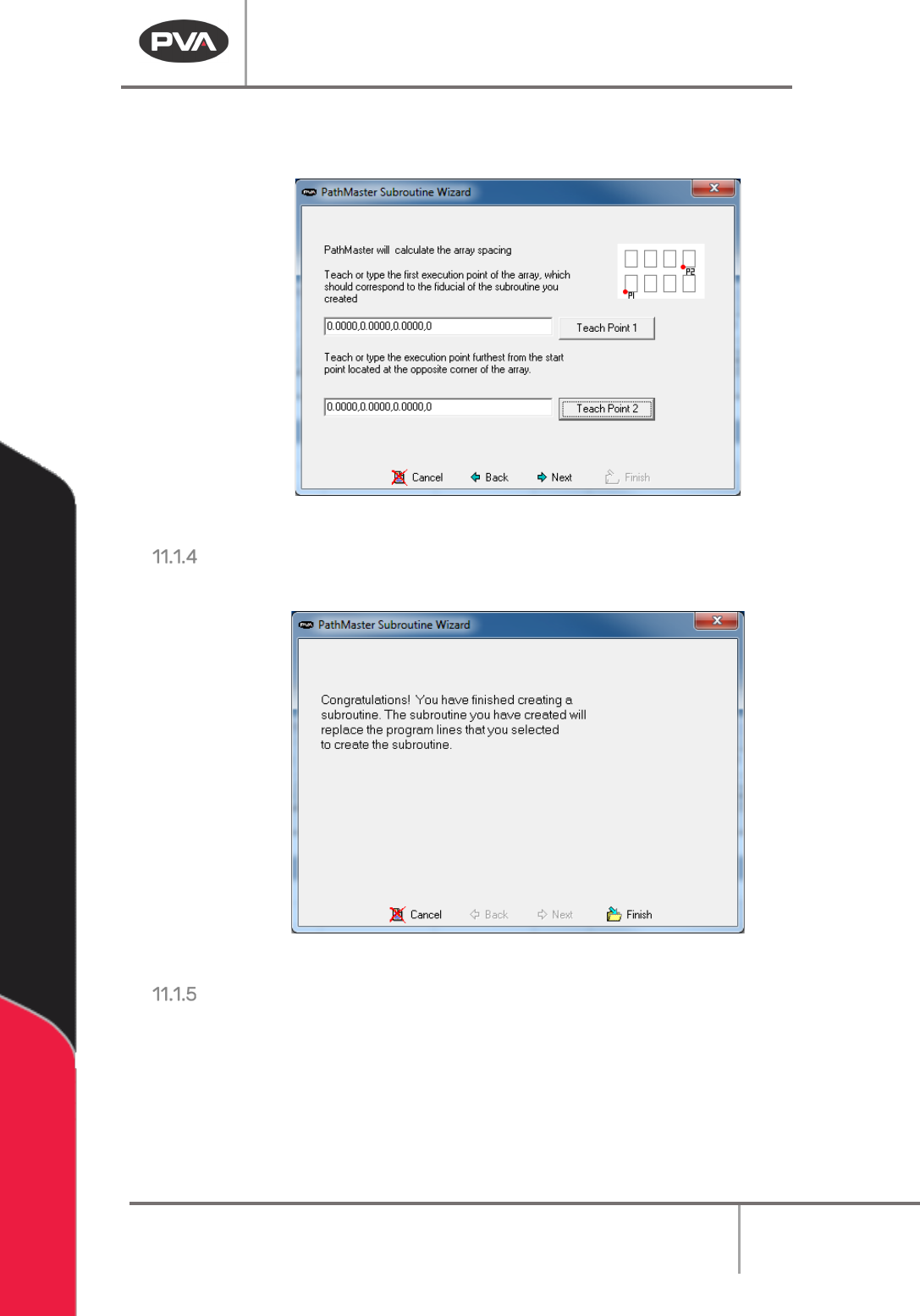
12. Teach the first and last points. The coordinates entered are relative to the point of
origin taught before. PathMaster® calculates the distance for X and Y spacing.
Figure 148: Teach First and Last Points
Finish
13. Select “Finish” to save the subroutine, or “Cancel” to exit and not save changes.
Figure 149: Finish Window
Edit the Subroutine
1. Save the current project.
2. Select
File -> Open -> Subroutine
and choose the subroutine from the list.
3. Edit the routine as necessary.
4. Save the subroutine and open the current project again.
Machine Operation Manual
Revision L /
February 2020
Page 121 of 200
I/O (Input/Output)
The operator can control outputs or wait for an input to be in a set state. Only operators
who understand discrete I/O and its use should use this tool.
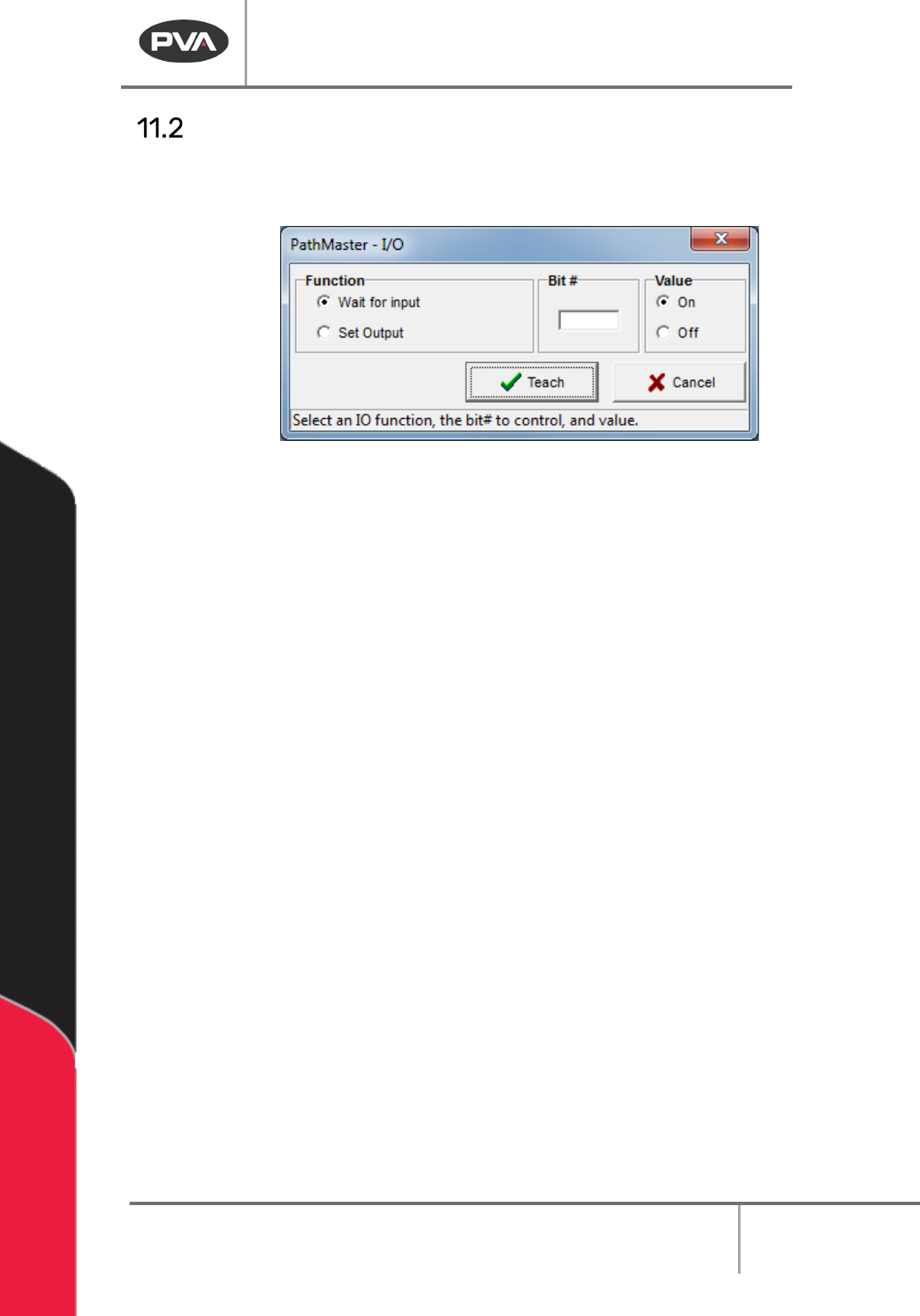
Figure 150 Teach I/O
1. Select
Teach->I/O
from the main menu.
2. Select the necessary function.
3. Select “Wait for input” to hold the program until an input is in the set state. Select
“
Set Output” to turn a discrete output on or off.
4. Put the necessary value in the Bit # box. This is the location of the discrete I/O bit
referenced.
5. Select the necessary Value, “ON” or “OFF”.
6. Select “Teach” to add your selections to the program or “Cancel” to exit and not
save changes.