PathMaster-REV-L-4.5-1.pdf - 第26页
Machine Operati on Manual Revision L / February 2020 Page 26 of 2 00 Figure 12 : Run Fiducial s / Surf aces Status Col ors Run Sequ ence – Plays the e ntire path pro gram . The highli ghted colo r for Run F iducial s and…
Machine Operation Manual
Revision L /
February 2020
Page 25 of 200
Legacy / DMC2000 Tool Operations
The controller can be selected in setup mode. When the controller is set as Legacy or a
2000 series controller, polyline and surface height commands are not available.
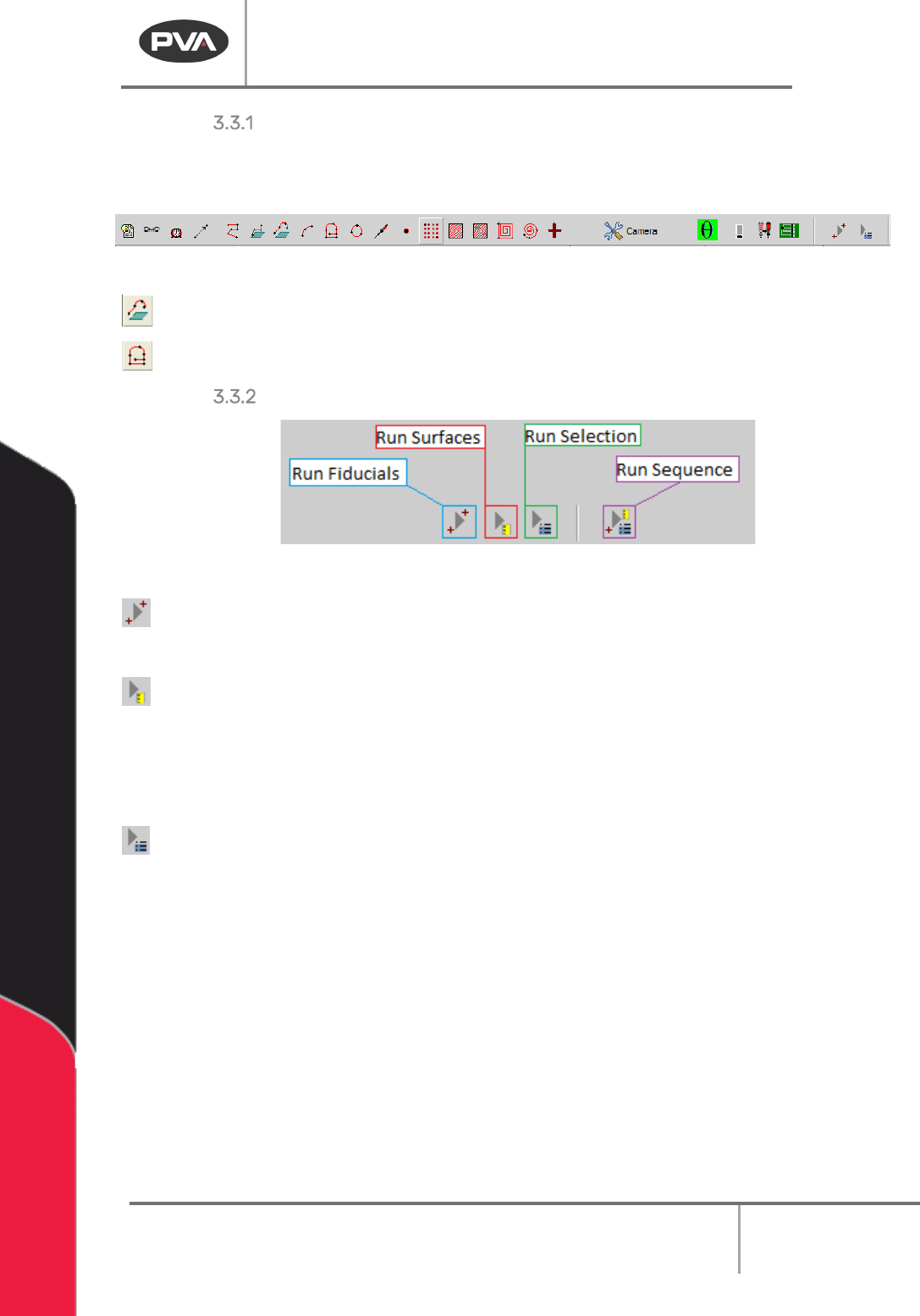
Figure 10: Legacy Mode, DMC2000 Toolbar
Polyline3D – Teach a path segment with 3D lines and arc commands.
PolyLine – Teach a path segment with of 2D, circle, and arc path segments.
Run Fiducials / Surfaces / Selection / Sequence
Figure 11: Run Commands
Run Fiducials – Plays back any fiducials at the top of the path program and enters
“corrected” teaching space. See Section 9.4 for more details.
Run Surfaces – Plays back any taught surface height commands and enumerates the
surfaces to be used in and polylines taught after these surfaces.
NOTE: Subroutines cannot access Surfaces outside of the subroutine, and any Surfaces in a
subroutine are localized to that subroutine and are inaccessible outside of it.
Run Selection – Plays back the selected line(s) of path program.
Machine Operation Manual
Revision L /
February 2020
Page 26 of 200
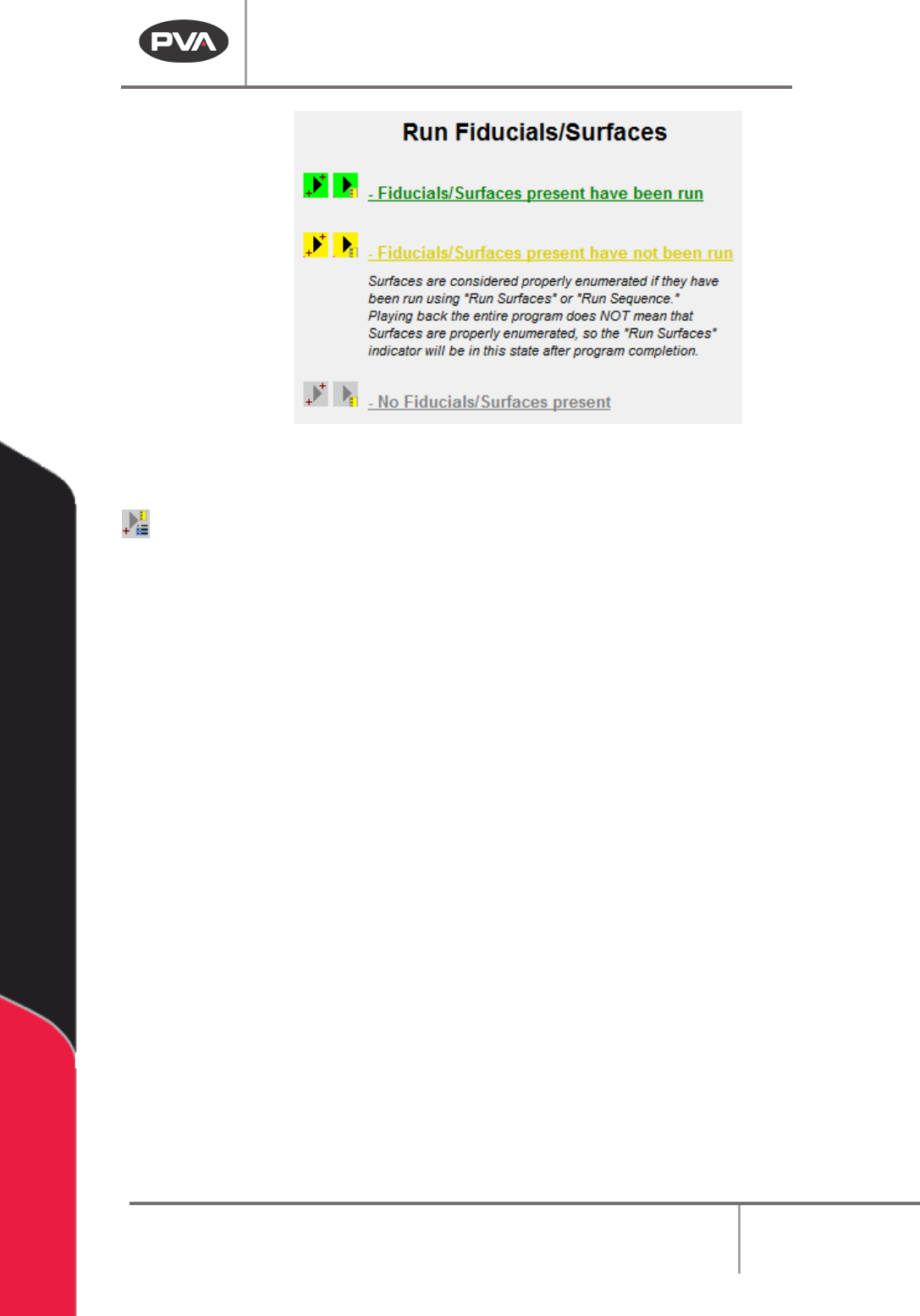
Figure 12: Run Fiducials / Surfaces Status Colors
Run Sequence – Plays the entire path program.
The highlighted color for Run Fiducials and Run Surfaces will change based on certain
conditions. The buttons for Fiducials and Surfaces will be yellow if the related command is
in the current path program but the command has not been run. This refers to teaching in
“Corrected Space” for Fiducials, and Surface Order Enumeration for Surfaces. The playback
button for Fiducials will be green when Fiducials have been run for the selected Path
Program. The playback button for Surfaces will be green when Surfaces have been run and
correctly enumerated.
NOTE: If a Fiducial is present in the path program and has not been run, the user cannot
run, teach, or edit surface commands.
Machine Operation Manual
Revision L /
February 2020
Page 27 of 200
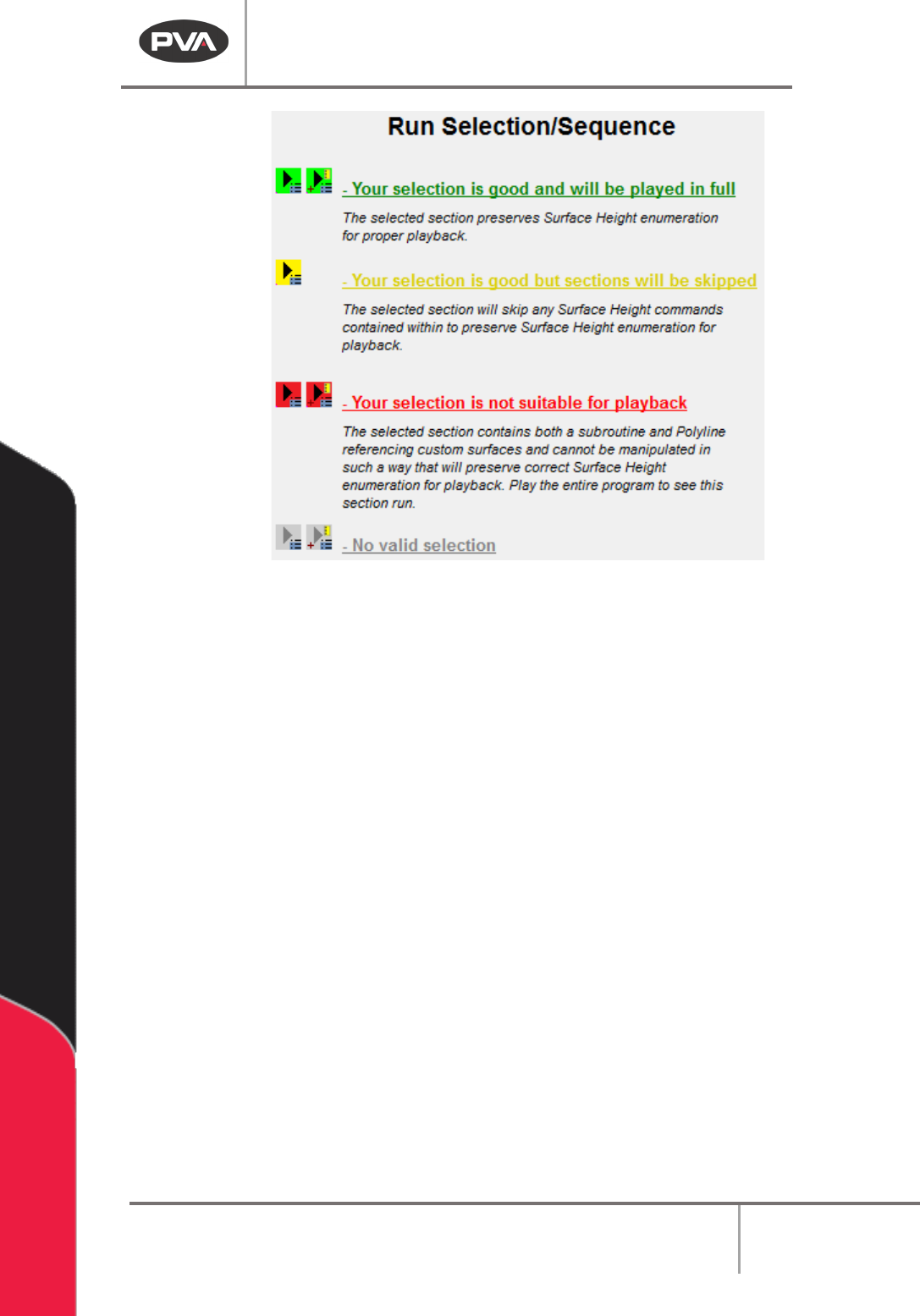
Figure 13:Run Selection / Sequence Status Colors
Once any multiple-line selection is made by the user, the Run Selection / Sequence
buttons will change color based on several factors. If the selection is cannot be played, the
button will be red. This shows that the enumeration for surface heights will not be correct
at the time of playback. If the selection can be played but will skip some surface height
commands in order to preserve the Surface Height enumeration, the selection will be
highlighted yellow. If a valid selection is made that can be played in full, the play button will
be highlighted green.