PathMaster-REV-L-4.5-1.pdf - 第38页
Machine Operati on Manual Revision L / February 2020 Page 38 of 200 Di spen sing Pa rame ters The dispen sing parame ters are the defa ult para meters for a ll coordina ted pa th motion. These para meters ca n be modi fi…
Machine Operation Manual
Revision L /
February 2020
Page 37 of 200
Machine Parameters
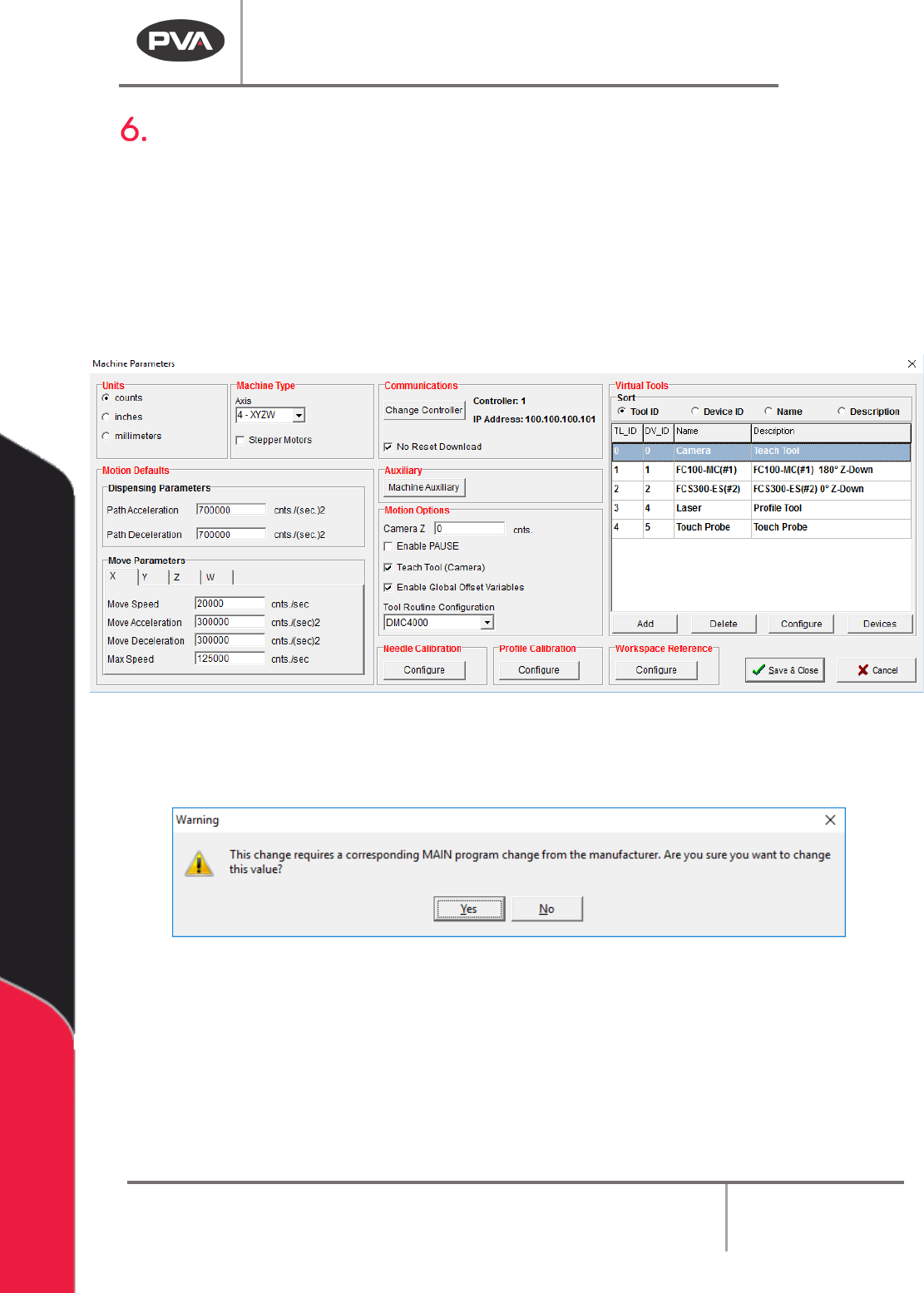
You must setup the Machine Parameters the first time you use PathMaster®. The Machine
Parameter window is used to set software and hardware properties. The settings in the
Machine Parameter window apply only to the current machine profile. The current machine
profile is shown in the Upper Status Bar of the main PathMaster® window.
1. Select
Setup->Machine Parameters
from the Main menu to open the Machine
Parameters window.
Figure 25: Setup Machine Parameters
NOTE: If you attempt to make changes that require a MAIN program change, a window will
be shown to confirm the changes.
Figure 26: MAIN Program Change Conformation
2. To exit the Machine Parameters window, select “Save & Close” to save changes and
exit or “
Cancel” to exit and not save changes. The changes are not applied until you
select “
Save & Close”.
Machine Operation Manual
Revision L /
February 2020
Page 38 of 200
Dispensing Parameters
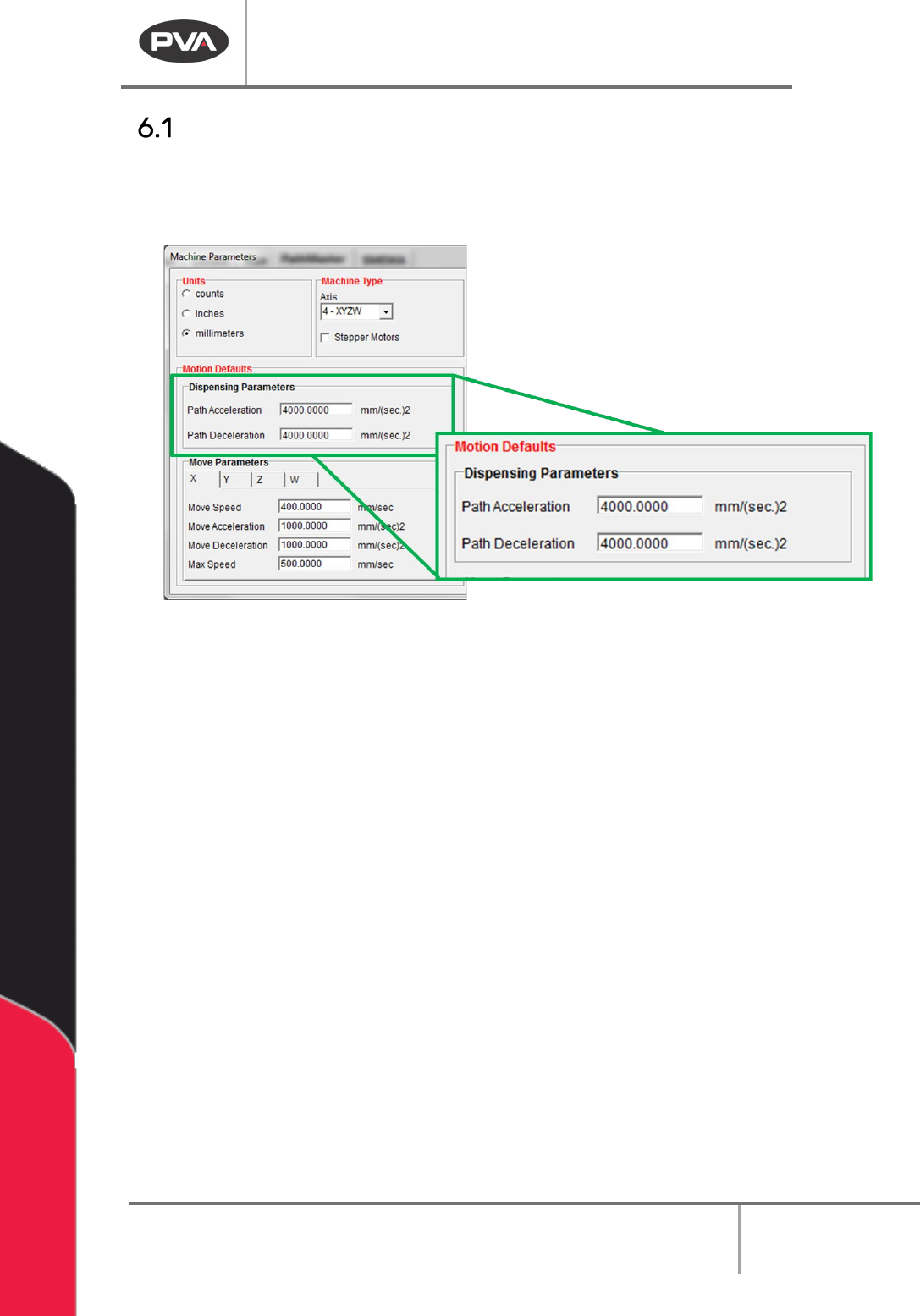
The dispensing parameters are the default parameters for all coordinated path motion.
These parameters can be modified in each programming function for each path segment.
These settings are found in the Machine Parameters window.
Figure 27: Dispensing Parameters
1. Select
Setup->Machine Parameters
from the Main menu to open the Machine
Parameters window.
2. Set the Path Acceleration and the Path Deceleration speed. This will be the default
acceleration and deceleration for all coordinated motion.
Machine Operation Manual
Revision L /
February 2020
Page 39 of 200
Move Parameters
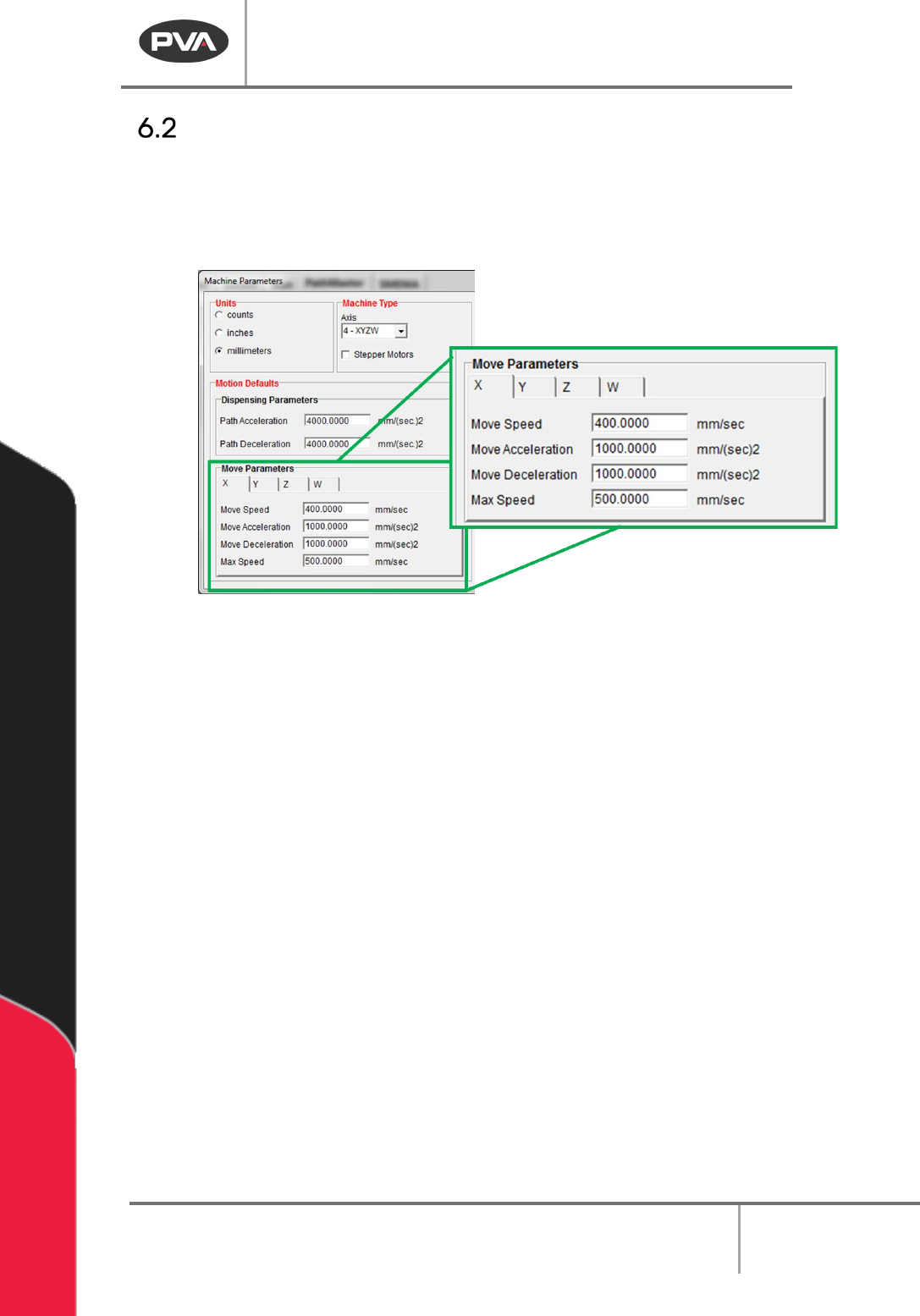
The move parameters are the default parameters for all independent path motion for each
axis of motion that does not include any dispensing. Select the necessary axis from the
tabs available to view and change the move parameters. These settings are in the Machine
Parameters window.
Figure 28: Move Parameters
1. Select
Setup->Machine Parameters
from the Main menu to open the Machine
Parameters window.
2. Select the necessary Axis Tab (X, Y, Z, W).
3. Set the Move Speed. This is the default speed for all independent path motion.
4. Set the Move Acceleration and Move Deceleration in speed. This is the default
acceleration and deceleration for all independent path motion.
5. Set the Max Speed. This is the greatest speed for an independent path motion.