PathMaster-REV-L-4.5-1.pdf - 第187页
Machine Operati on Manual Revision L / February 2020 Page 187 of 2 00 Bond Offsets Wizard 1. After the othe r three bo nding pl ugins ha ve been setup , selec t the Bon d Offsets Wizard. Figure 201 : Bo nd Offset Wizard …
Machine Operation Manual
Revision L /
February 2020
Page 186 of 200
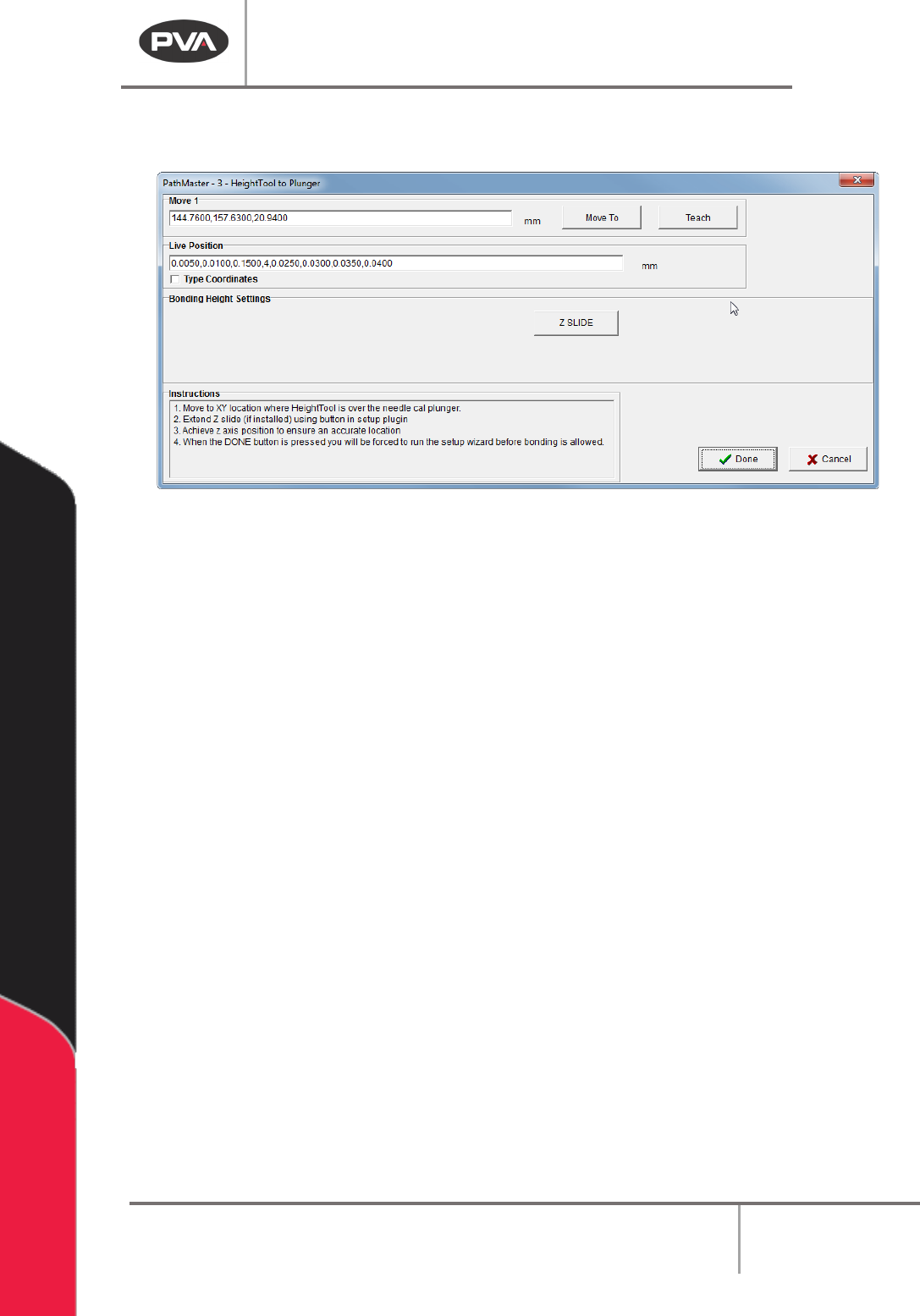
3. Use the teach pendant to teach the value; push the “Teach” button and release the
button to record the value.
Figure 200: HeightTool to Plunger
4. Select “Done” to save the values and return to the Setup Plugins window.
Machine Operation Manual
Revision L /
February 2020
Page 187 of 200
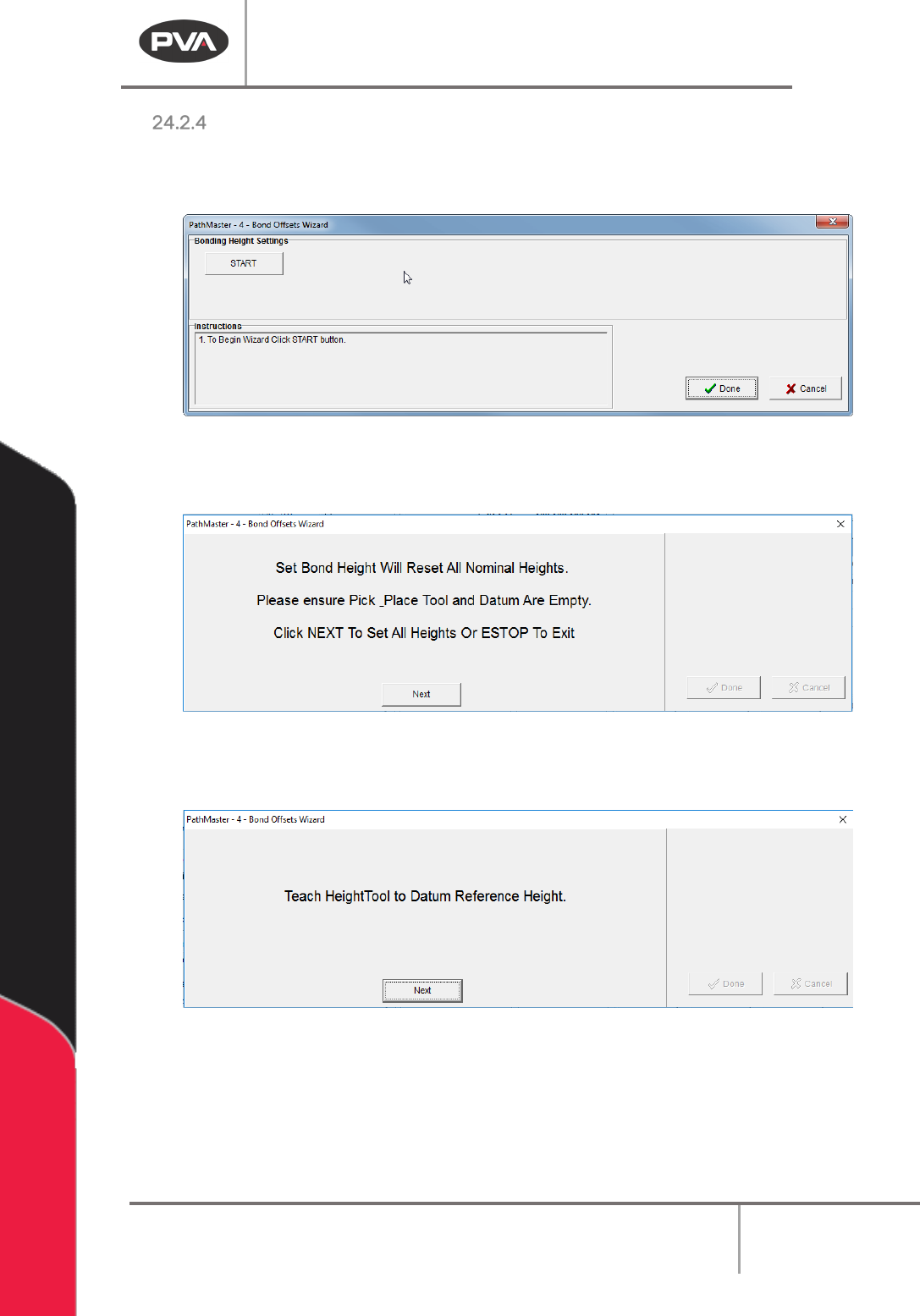
Bond Offsets Wizard
1. After the other three bonding plugins have been setup, select the Bond Offsets
Wizard.
Figure 201: Bond Offset Wizard
2. Select the “Start” Button.
Figure 202: Make Sure Pick Tool and Datum are Empty
3. Select the “Next” button when the datum and pick tool are empty.
Figure 203: Teach the HeightTool to Datum Reference Height
4. Use the teach pendant to teach the HeightTool to the Datum Reference Height.
Machine Operation Manual
Revision L /
February 2020
Page 188 of 200
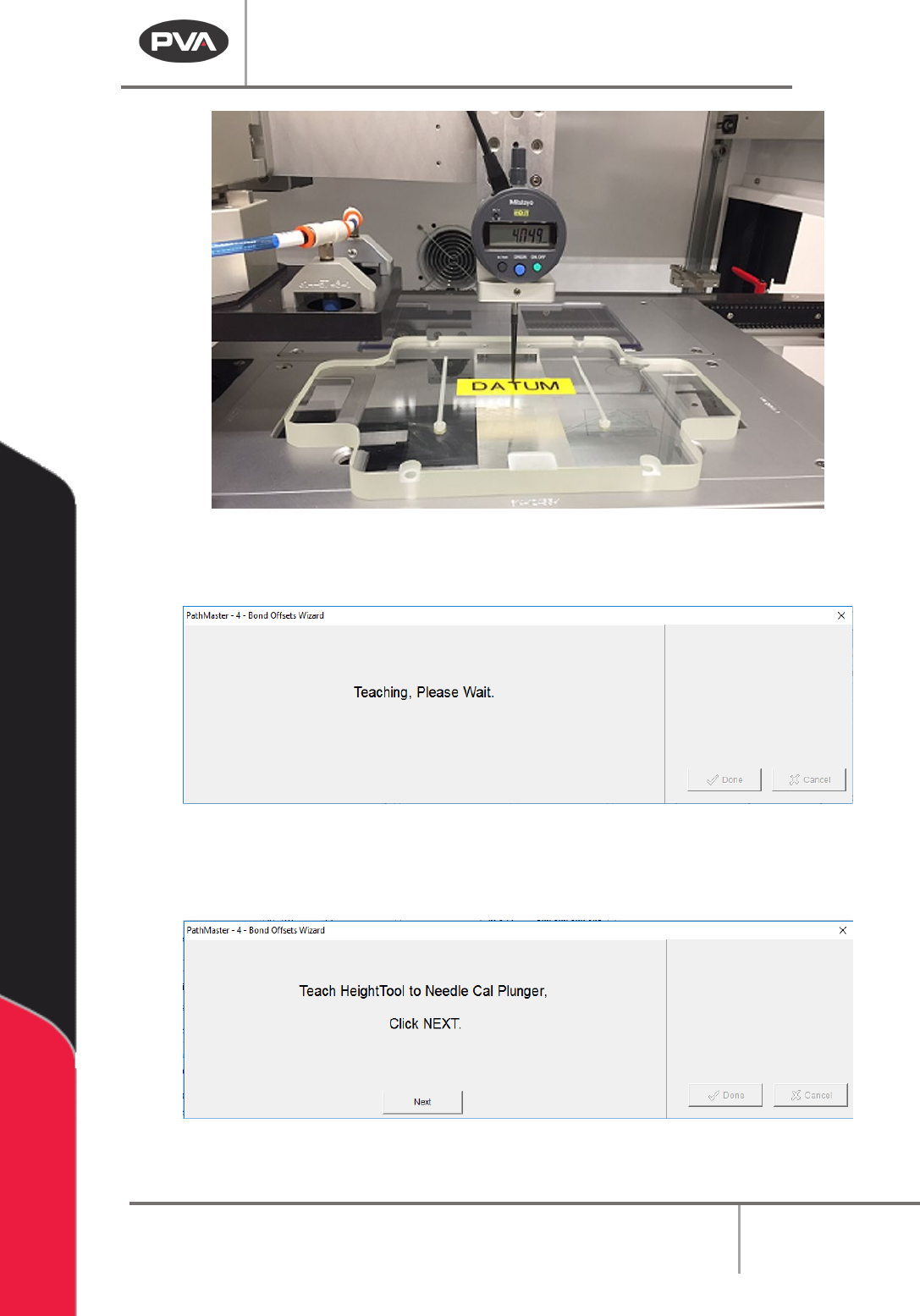
Figure 204: Datum Reference Height
The “Teaching, Please Wait” screen will be shown.
Figure 205: Teaching, Please Wait
5. Next the HeightTool to the Needle Cal plunger is taught. The height is automatically
detected by the wizard, there is no user input.
Figure 206: Teach HeightTool to Needle Cal Plunger
6. Click “Next”. The Teaching, Please Wait screen will be shown.