PathMaster-REV-L-4.5-1.pdf - 第185页
Machine Operati on Manual Revision L / February 2020 Page 185 of 2 00 3. Use the te ach penda nt to te ach the value ; push the “ Teach ” button a nd rel ease the button to re cord the va lue. Figure 198 : HeightTool t o…
Machine Operation Manual
Revision L /
February 2020
Page 184 of 200
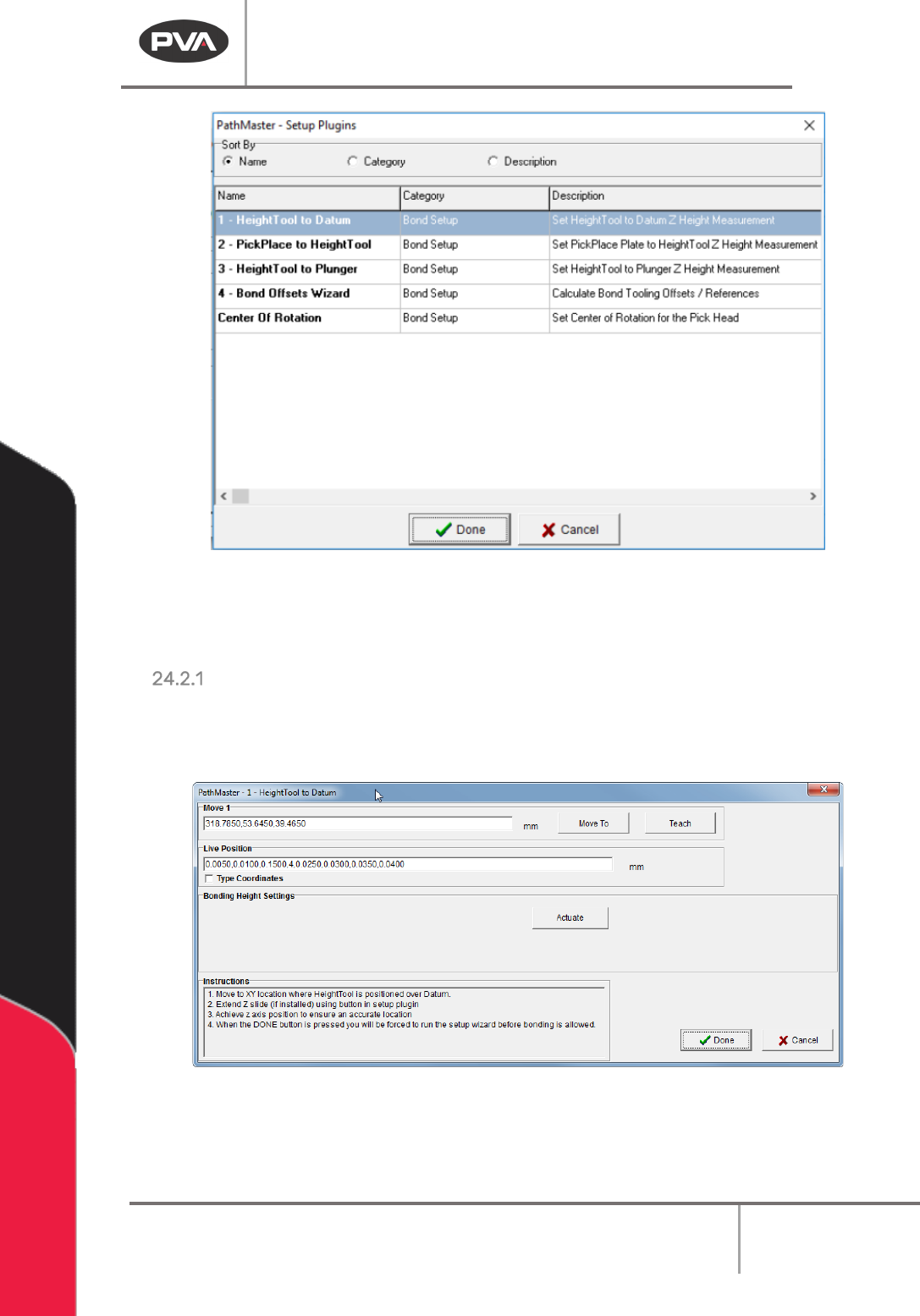
Figure 196: Setup Plugins
NOTE: Plugins must be done in numerical order, as shown. If done out of order, the setup
window for the plugin will close and you will return to the previous screen.
HeightTool to Datum
1. In the Bond Setup category, select 1-HeightTool to Datum.
The HeightTool to Datum window will open.
Figure 197: HeightTool to Datum
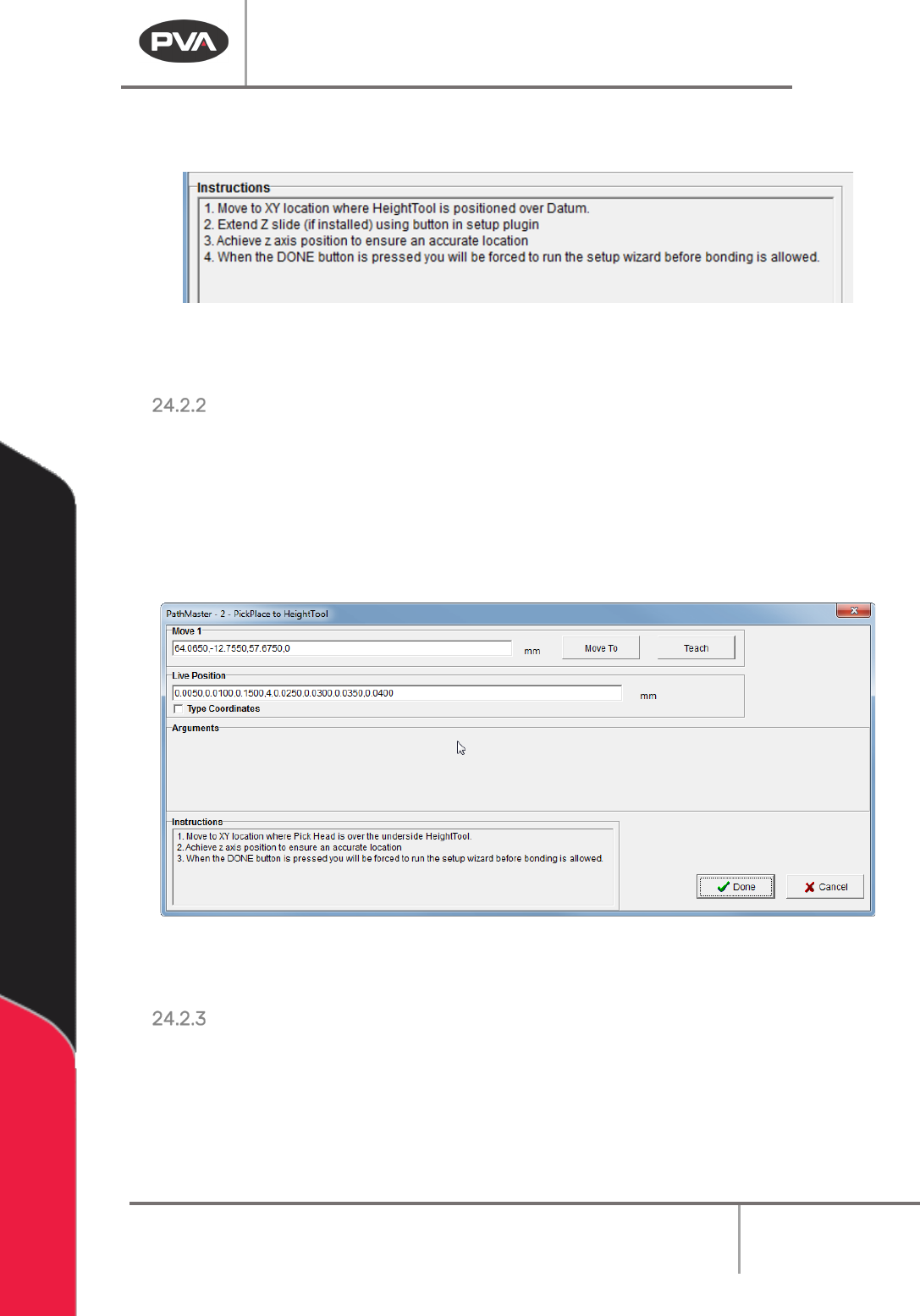
2. Refer to the instructions in the window to set the correct position.
Machine Operation Manual
Revision L /
February 2020
Page 185 of 200
3. Use the teach pendant to teach the value; push the “Teach” button and release the
button to record the value.
Figure 198: HeightTool to Datum Instructions
4. Select “Done” to save the values and return to the Setup Plugins window.
PickPlace to HeightTool
1. After the HeightTool Datum, select plugin 2-PickPlace to HeightTool.
The PickPlace to HeightTool window will open.
2. Refer to the instructions in the window to set the correct position.
3. Use the teach pendant to teach the value; push the “Teach” button and release the
button to record the value.
Figure 199: PickPlace to HeightTool
4. Select “Done” to save the values and return to the Setup Plugins window.
HeightTool to Plunger
1. After PickPlace to HeightTool, select plugin 3- HeightTool to Plunger.
The HeightTool to Plunger window will open.
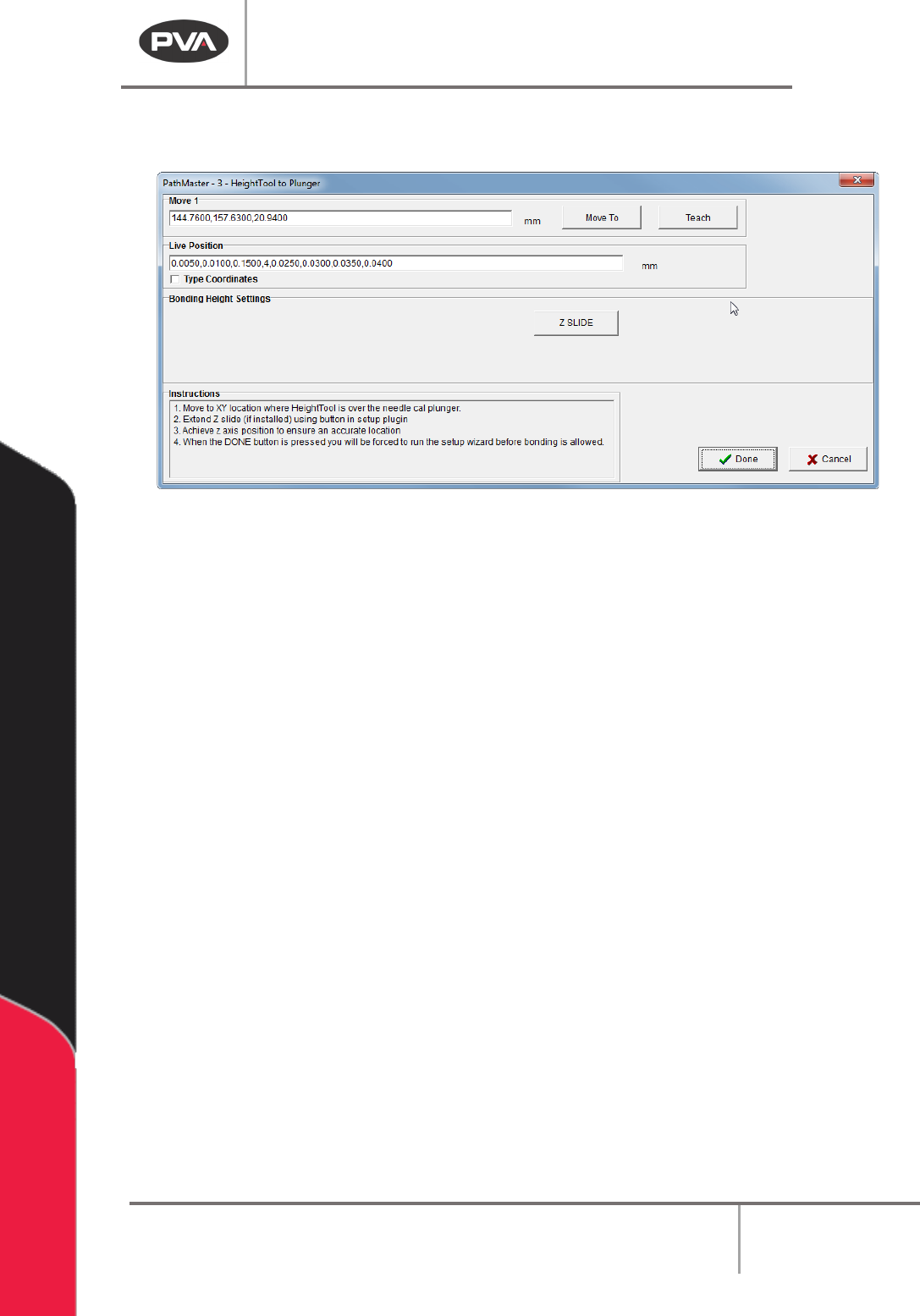
2. Refer to the instructions in the window to set the correct position.
Machine Operation Manual
Revision L /
February 2020
Page 186 of 200
3. Use the teach pendant to teach the value; push the “Teach” button and release the
button to record the value.
Figure 200: HeightTool to Plunger
4. Select “Done” to save the values and return to the Setup Plugins window.