PathMaster-REV-L-4.5-1.pdf - 第149页
Machine Operati on Manual Revision L / February 2020 Page 149 of 200 Utilities PathMa ster® ha s functions to hel p with de buggi ng the workc ell and pa th prog rams. These functions ca n be fou nd under the Utilitie s …
Machine Operation Manual
Revision L /
February 2020
Page 148 of 200
Area Spacing
Modify Area Spacing
1. Select
Modify -> Area Spacing.
2. Select either
Program
or
Selection.
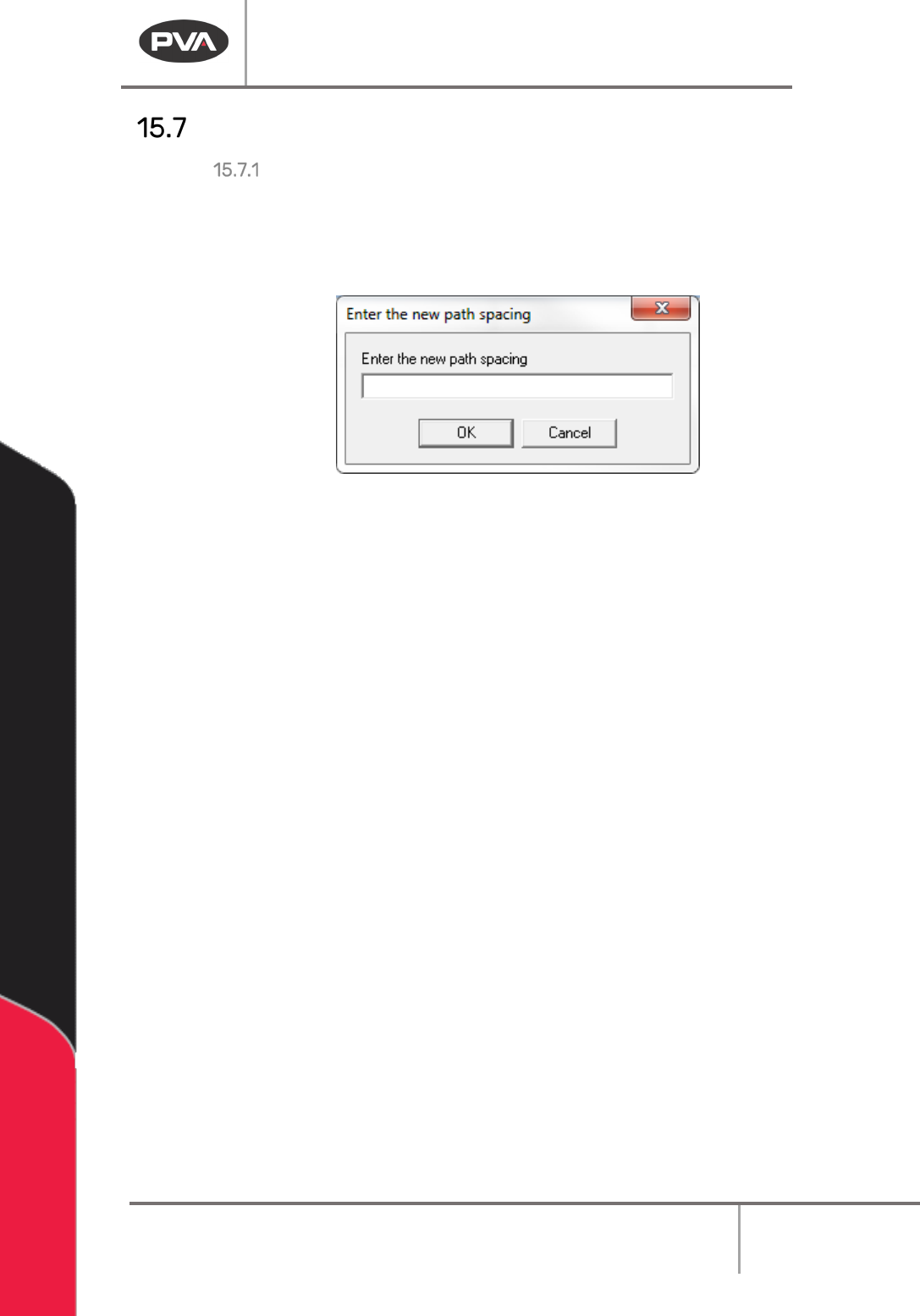
3. Enter the new desired spacing in the text box.
Figure 181: Area Spacing
4. Click “OK.”
All selected areas now have an updated spacing.
Machine Operation Manual
Revision L /
February 2020
Page 149 of 200
Utilities
PathMaster® has functions to help with debugging the workcell and path programs. These
functions can be found under the Utilities menu.
View FastPath
Open the FastPath™ window for offline programming.
• Select
Utilities -> View FastPath
option from the main menu.
NOTE: The FastPath™ window can also be accessed using the FastPath™ button on the
programming toolbar.
Measure Distance
The measure distance tool is used to find the distance between two points in current
measurement units.
• Select
Utilities -> Measure Distance
option from the main menu.
To Measure Distance
1. Move the tool to the first point with the teach pendant.
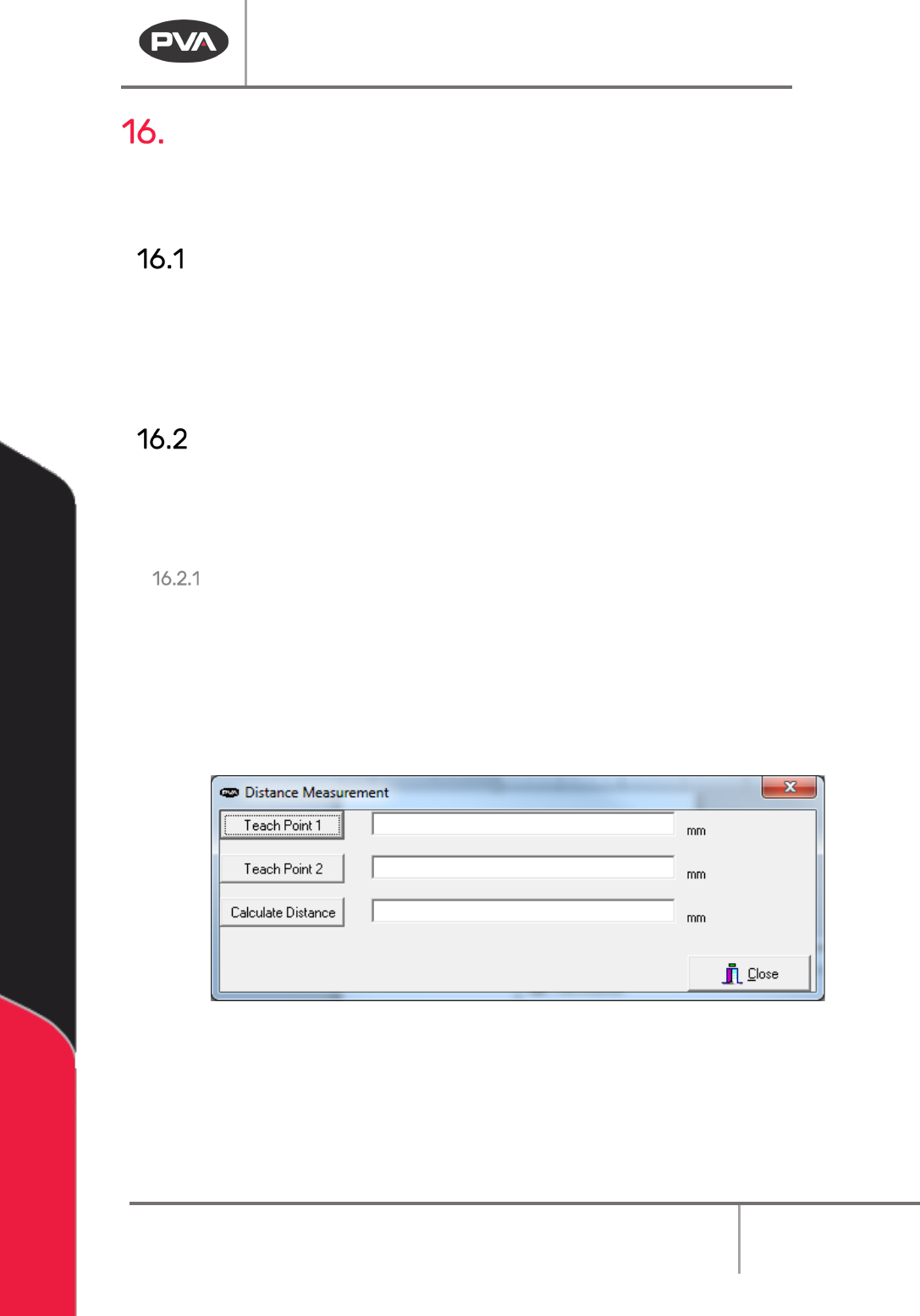
2. Select “Teach Point 1”.
3. Move the tool to the second point with the teach pendant.
4. Select “Teach Point 2”.
5. Select “Calculate Distance”. The distance will be calculated and shown.
Figure 182: Distance Measurement
6. Select “Close” when you are finished.
Machine Operation Manual
Revision L /
February 2020
Page 150 of 200
Refresh Communication
If PathMaster® loses communication with the workcell the communication must be
refreshed.
• Select
Utilities -> Refresh Communications
from the main menu. If communication
is not reestablished, check cables and communication settings.
Jog Toolbar
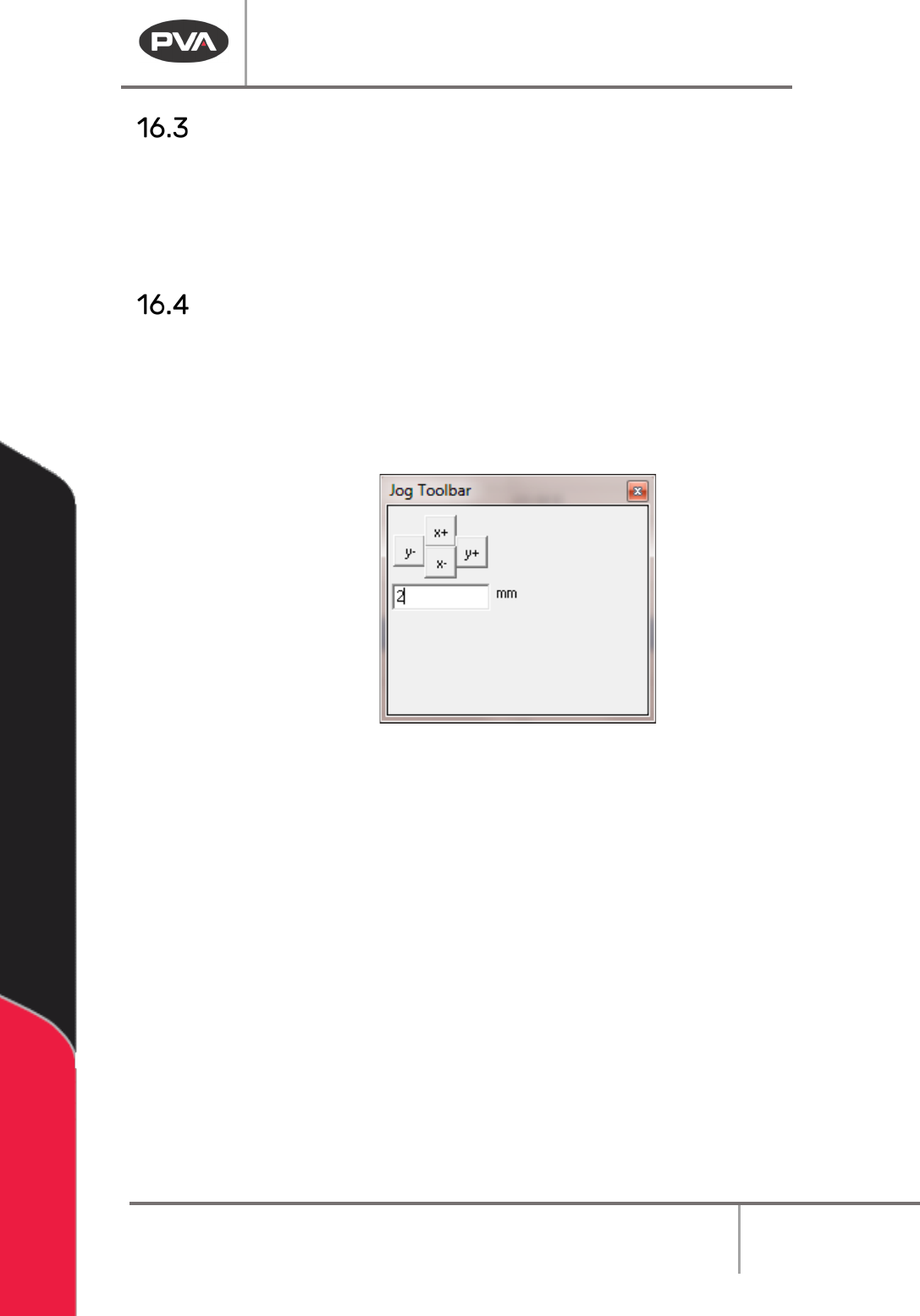
The jog toolbar can be used to jog the X or Y axis a specified distance.
1. Select
Utilities -> Jog Toolbar
from the main menu.
2. Enter the distance to jog, and select the button with the necessary axis and
direction.
Figure 183: Jog Toolbar