PathMaster-REV-L-4.5-1.pdf - 第44页
Machine Operati on Manual Revision L / February 2020 Page 44 of 2 00 Figure 35 : Needle Calibration Setup Window 3. Click the “ Move To Po int ” button to mo ve to th e last progra mmed nee dle c alibrati on reference p …
Machine Operation Manual
Revision L /
February 2020
Page 43 of 200
Enable Pause
If you select this feature a program can be stopped and then restarted mid-cycle in
automatic production. The main program of the machine must be programmed for this
feature. If the main program has not been changed, the workcell will show a Command
Error (refer to the Troubleshooting manual).
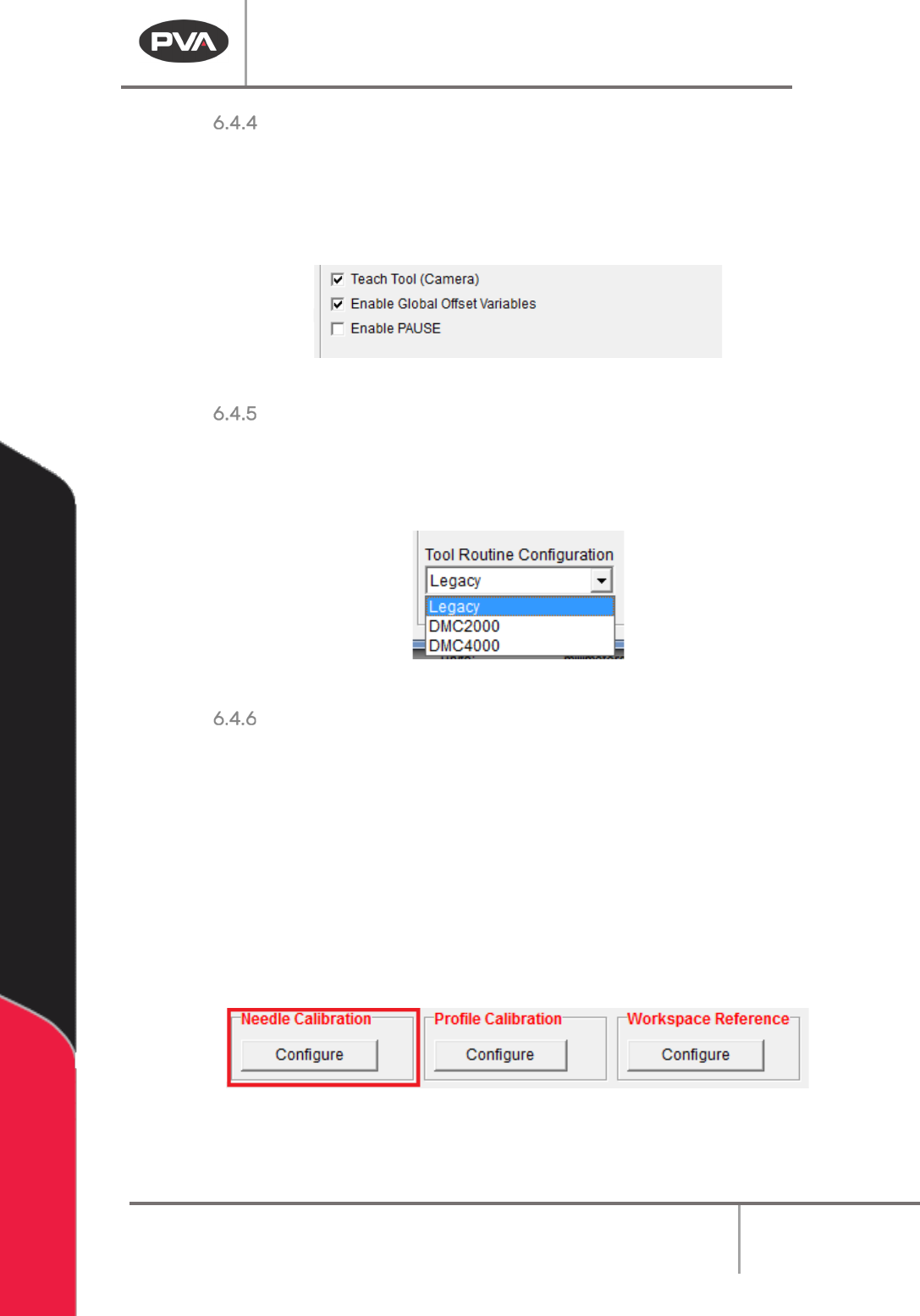
Figure 32: Machine Parameters, Tools Section Options
Tool Routine Configuration
The Tool Routine Configuration drop down menu will come set from the factory or will be
selected as “Legacy” if PathMaster has been updated. If you change this setting, Main
program changes will be necessary or you will have program errors.
Figure 33: Tool Routine Configuration
Needle Calibration
The Needle Calibration Reference Position defines where the needle calibration unit is
physically located in the system. The needle calibration setup is a two-part setup. First, the
needle calibration reference position is set, then, the needle calibration sensor locate
sequence runs.
WARNING: The tool offsets must be configured before the needle calibration is set up. If
Tool Offsets are not configured correctly when the Sensor Locate Sequence is run, the
system could be damaged.
1. Select the “Configure” button to set the Needle Calibration Reference position and
run the sequence.
Figure 34: Needle Calibration
2. To set the Needle Calibration Reference Position, line the teach tool up with the
cross hair on the needle calibration unit and select the “
Teach” button.
Machine Operation Manual
Revision L /
February 2020
Page 44 of 200
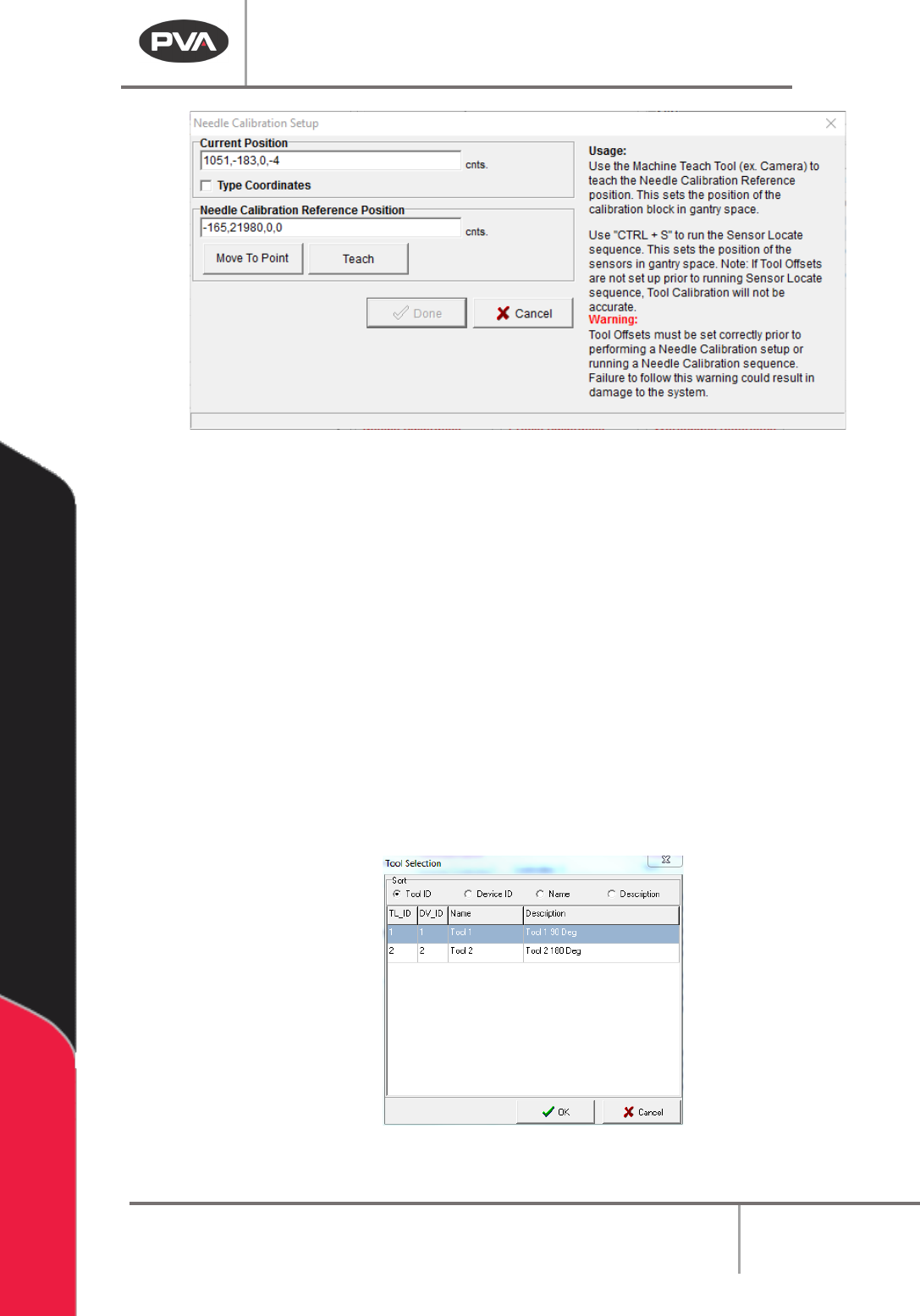
Figure 35: Needle Calibration Setup Window
3. Click the “Move To Point” button to move to the last programmed needle calibration
reference position.
4. Next, push “CTRL + S” on the keyboard to run the needle calibration Sensor Locate
sequence. It is not necessary to run this every time a needle calibration reference is
set, but it must be done initially and if the sensor is damaged or replaced. This
sequence establishes the X, Y, Z relationship of each sensor as it relates to the
crosshair on the needle calibration unit. The tool offsets and needle calibration
reference position are combined with relative sensor locations to find each tool in
the needle calibration unit.
5. Push “Ctrl + S” on the keyboard to run needle calibration Sensor Locate sequence.
6. The first time the sensor locate sequence runs, the user will be shown a list of tools.
Select the tool that will be used for the sensor locate sequence. The selection is
saved and the prompt will not be shown again.
Figure 36: Tool Selection
Machine Operation Manual
Revision L /
February 2020
Page 45 of 200
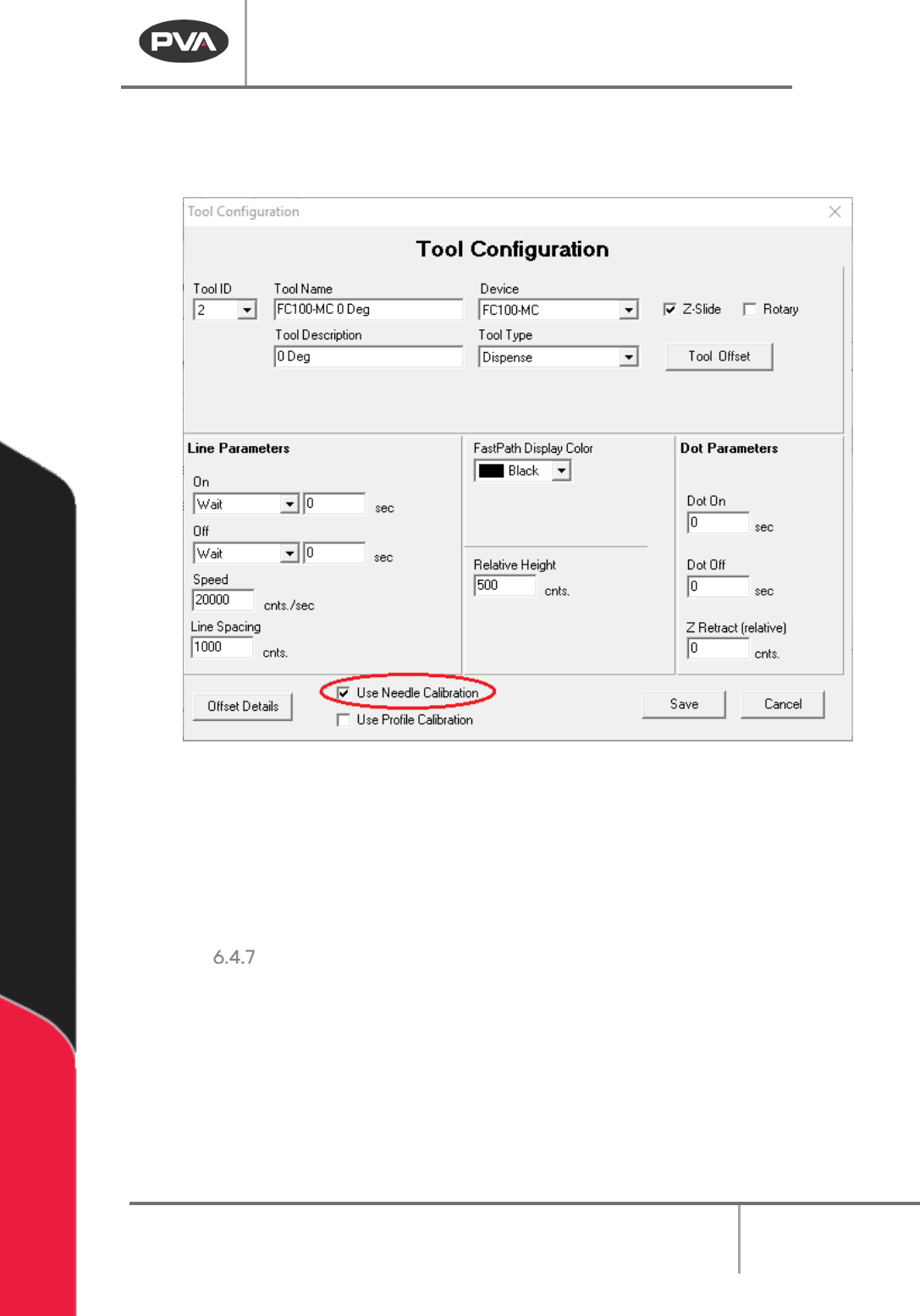
NOTE: For a tool to show up in the tool selection list, the “Needle Calibration” checkbox
needs to be checked in the Tool Configuration window, which is hidden if the tool type is
either Teach Tool or Profile Tool.
Figure 37: Use Needle Calibration Checkbox
NOTE: It is not necessary to run the Sensor Locate Sequence again unless the position of a
sensor relative to the needle calibration cross hair changes, such as if the needle
calibration circuit board is replaced or is damaged.
7. When the needle calibration reference position has been taught, select the “Done”
button, or select
“Cancel” to exit and not save changes.
Profile Calibration
Height profiling (new in PathMaster 4.3) uses two height-reading devices, with the polyline
programming tool, to adjust the Z-height of dispenses on parts based on surface readings
done at the start of the path program. One height reading device is mounted inside the
machine at a fixed location, facing up, called the Profile Base, the second is mounted on
the gantry and is either at a fixed Z-height or moves along the Z-axis, and is called the
Profile Tool.