PathMaster-REV-L-4.5-1.pdf - 第125页
Machine Operati on Manual Revision L / February 2020 Page 125 of 200 Moti on S m oothing The motion s moothi ng comma nd is a je rk limiting func tion ap plied to ind ependen t and vector moti on profi les. You mu st hav…
Machine Operation Manual
Revision L /
February 2020
Page 124 of 200
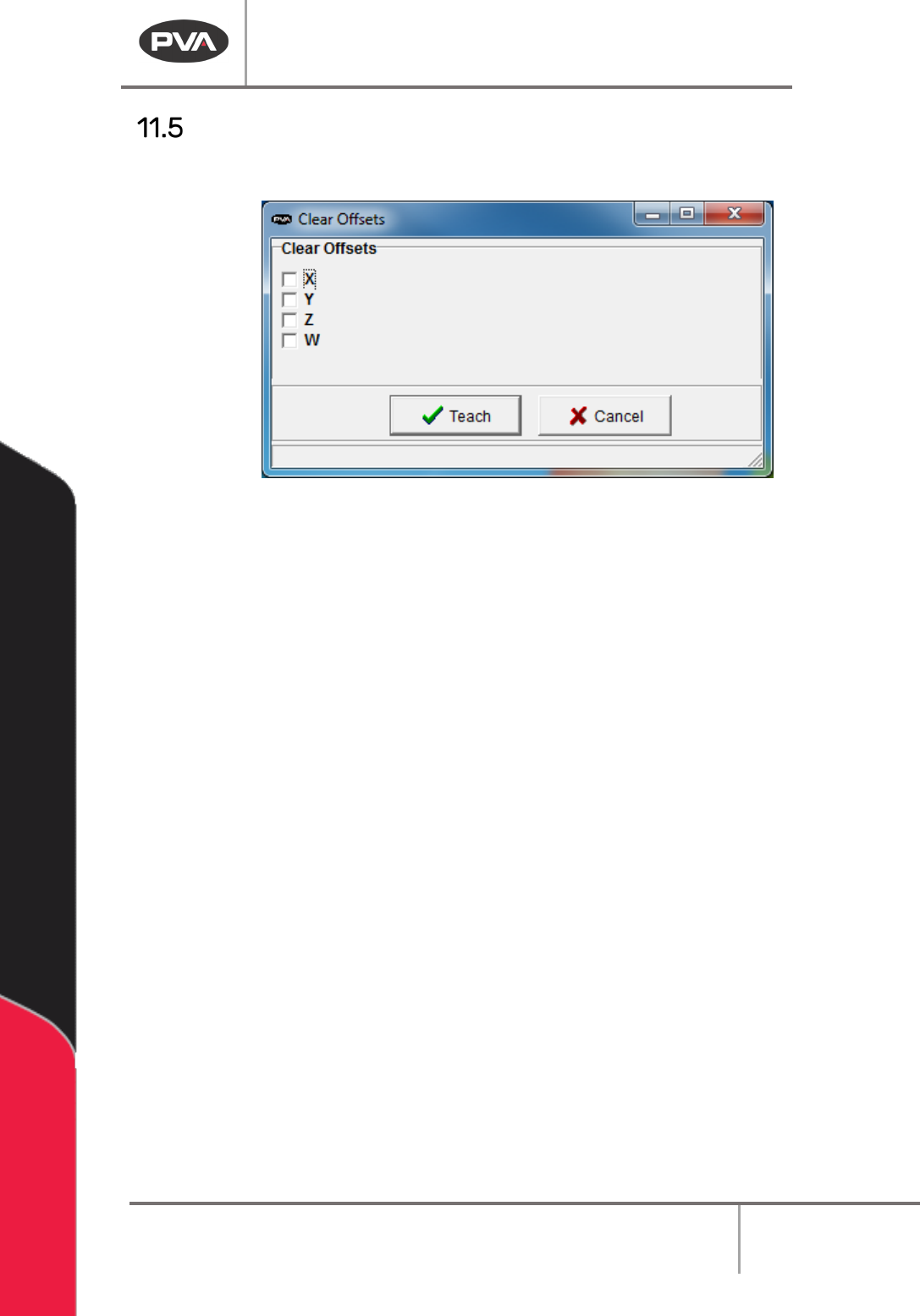
Clear Global Offsets
Clear any X, Y, Z, or W offset associated with the GX, GY, GZ, and GW variable.
Teach Clear Global Offsets
1. Select
Teach->Clear Global Offsets
from the main menu.
2. Select the boxes you want the global offsets cleared from.
3. Select “Teach” to clear the offsets (X, Y, Z, W).
4. Select “Cancel” to exit and not change the command.
Machine Operation Manual
Revision L /
February 2020
Page 125 of 200
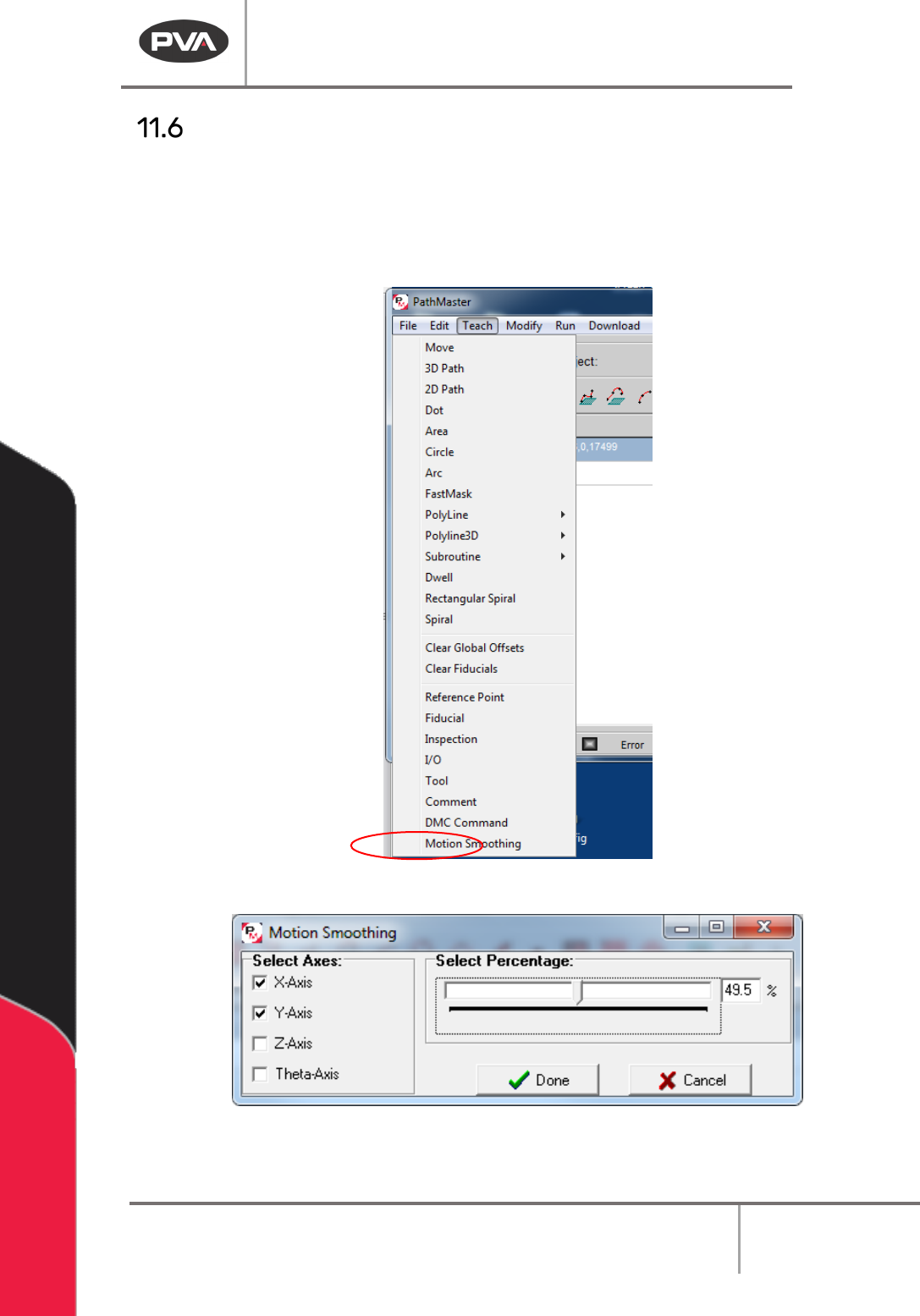
Motion Smoothing
The motion smoothing command is a jerk limiting function applied to independent and
vector motion profiles. You must have a DMC4000 or DMC 4200 series motion controller to
use this function.
1. Select the Motion Smoothing function from the Teach menu.
Figure 153: Motion Smoothing
Figure 154: Motion Smoothing Window
Machine Operation Manual
Revision L /
February 2020
Page 126 of 200
2. Select the Axes boxes you want the smoothing to be applied to. If an axis is not
checked, no smoothing change will be applied to that axis.
3. Select a percentage of smoothing within the configured range in the motion
smoothing interface window. The smoothing percentage is applied to all axes with
checked boxes.
4. Create multiple smoothing commands to use different smoothing values for
different axes.
5. When a smoothing function is used, it is applied to all motion that follows in that
path program or until another smoothing command is applied. Smoothing is reset at
the beginning of every path by default.
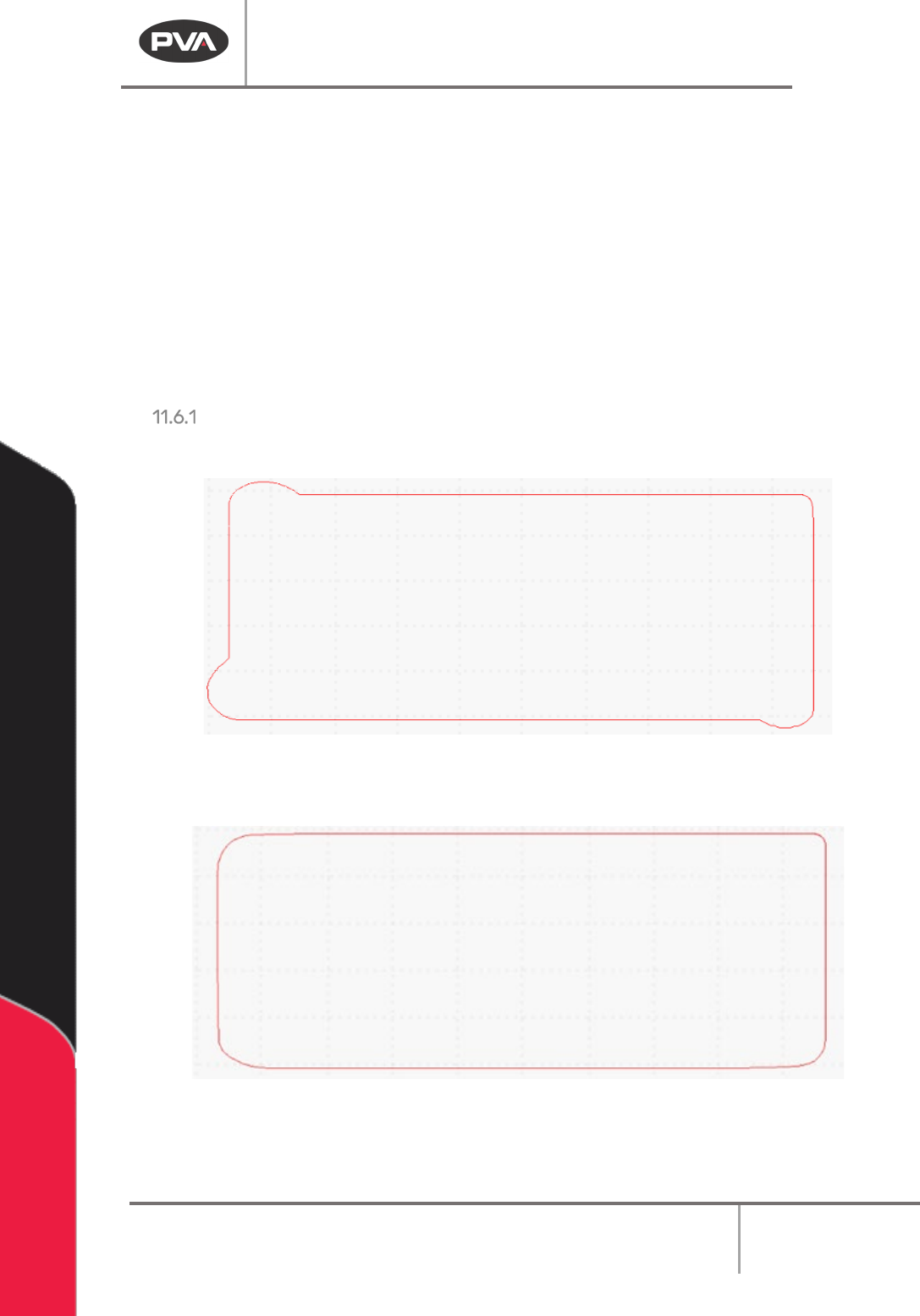
Smoothing Examples:
No Smoothing applied can cause overshooting on corners.
Figure 155: No Smoothing Applied
Smoothing applied minimizes the following error on corners.
Figure 156: Smoothing Applied