PathMaster-REV-L-4.5-1.pdf - 第198页
Machine Operati on Manual Revision L / February 2020 Page 198 of 200 Figure 224 : Tea ching in Prog ress The Dwell time is shown wh en a dwell st ep is being rec orded. Figure 225 : C urrent Dw ell 6. Repea t the proced …
Machine Operation Manual
Revision L /
February 2020
Page 197 of 200
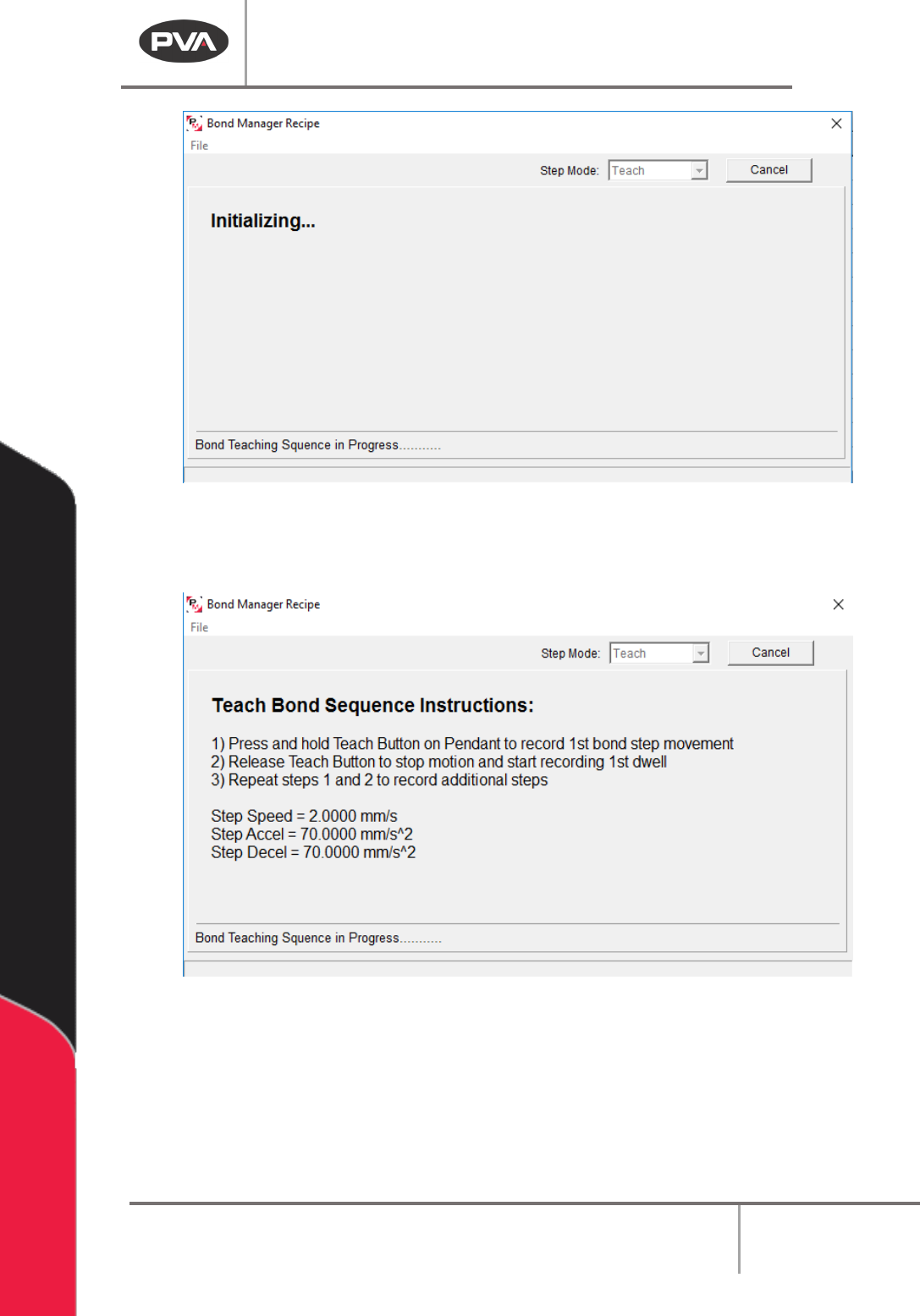
Figure 222: Bond Sequence, Initializing
5. Press and hold the “Teach” button on teach pendant to record the first bond step.
Release the “
Teach” button to stop the motion and start to record the first dwell.
Figure 223: Teach Bond Sequence
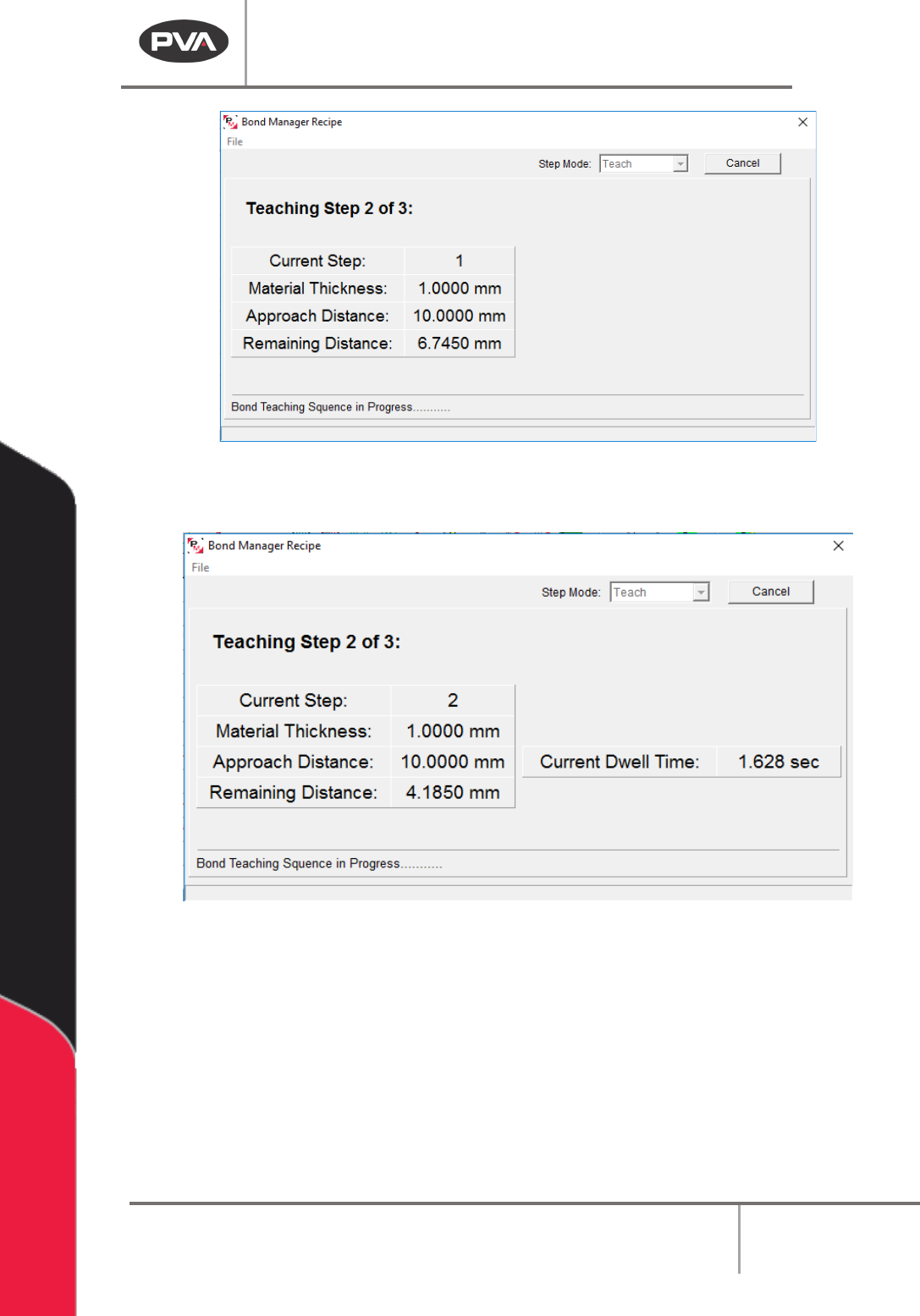
The Step Number, Material Thickness, Approach Distance, and Remaining Distance are
shown when a step movement is being recorded.
Machine Operation Manual
Revision L /
February 2020
Page 198 of 200
Figure 224: Teaching in Progress
The Dwell time is shown when a dwell step is being recorded.
Figure 225: Current Dwell
6. Repeat the procedure to record additional bonding steps. The values will be shown
in the table.
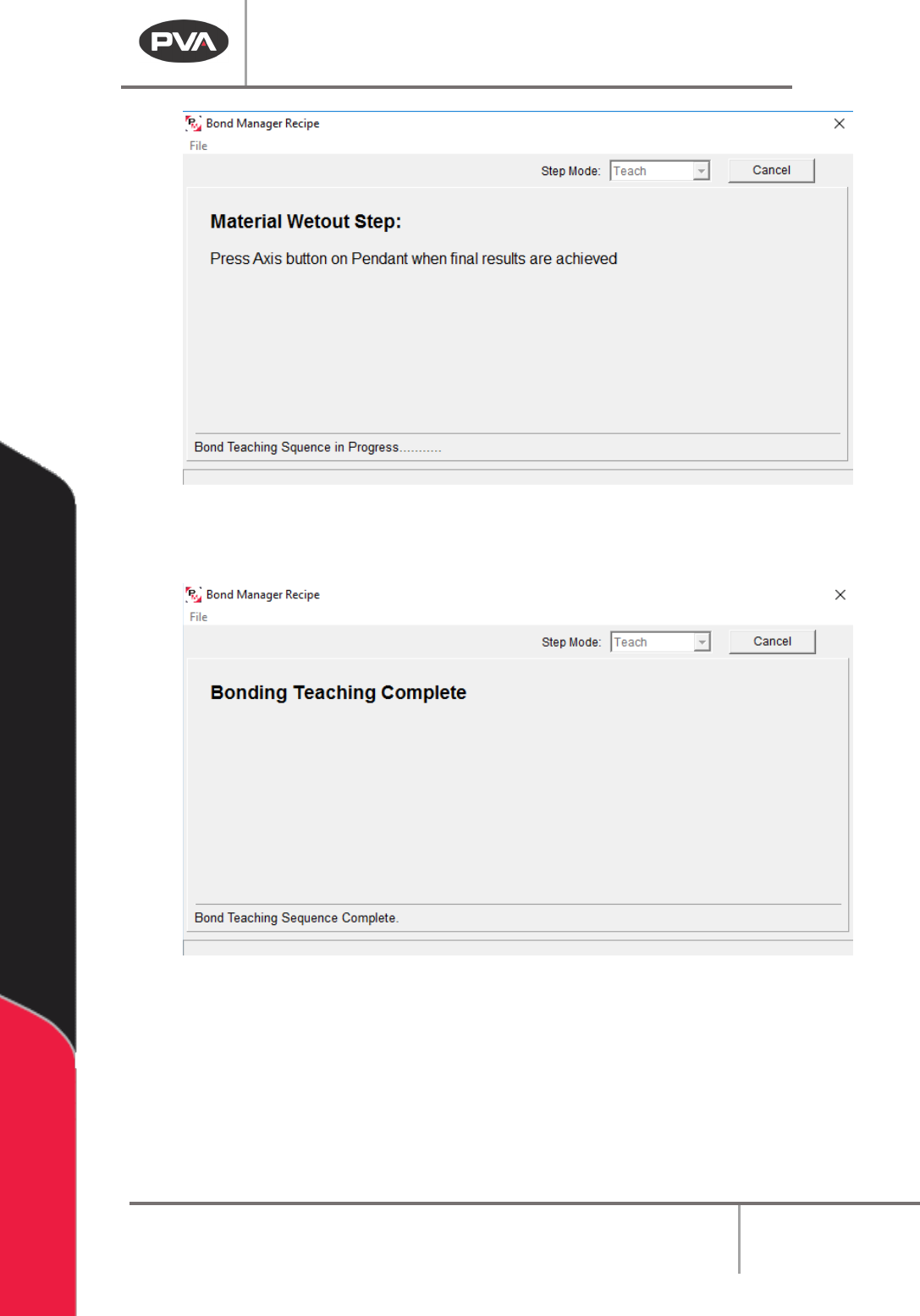
7. Press the “Axis” button on the teach pendant when the wet out is complete. This
will save the value.
Machine Operation Manual
Revision L /
February 2020
Page 199 of 200
Figure 226: Material Wet Out
The screen below will be shown when the complete bonding sequence has been taught.
Figure 227: Bonding Complete