PathMaster-REV-L-4.5-1.pdf - 第123页
Machine Operati on Manual Revision L / February 2020 Page 123 of 200 Inspection The function move s to the ta ught gantry positi on with X and Y off sets applied. On ce the tool is in positio n, the in spectio n progra m…
Machine Operation Manual
Revision L /
February 2020
Page 122 of 200
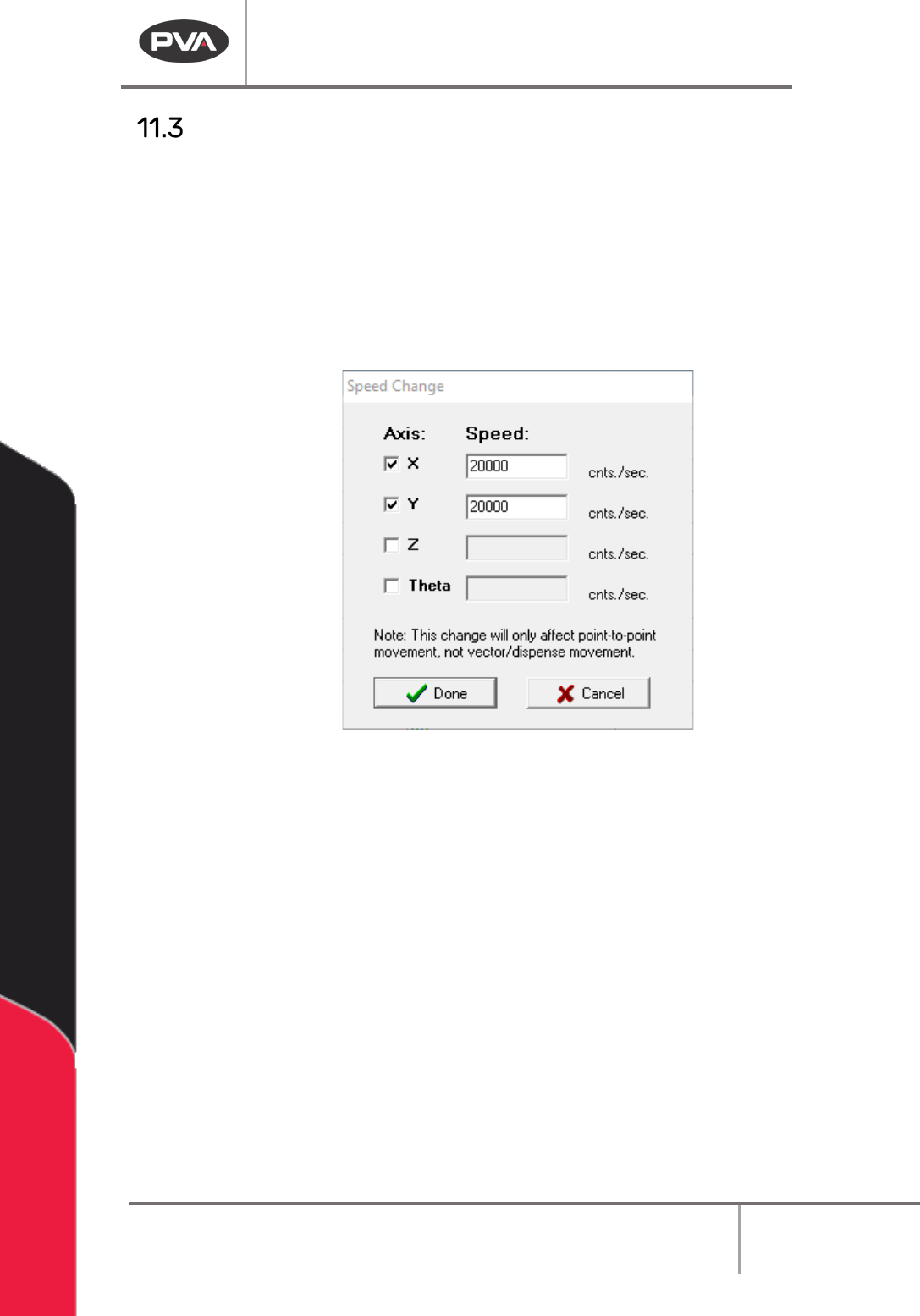
Move Speed Change Command
The Move Speed Change command is used to change the speed of independent axis
movements between dispense points. This command does not change the speed at which
the gantry moves when dispensing. All movements between dispenses are changed by this
command. This may be utilized multiple times in a path to change the rate of motion at any
time.
To access the Move Speed Change command, click
Teach > Move Speed
from the main
menu.
Figure 151: Move Speed Change Window
Machine Operation Manual
Revision L /
February 2020
Page 123 of 200
Inspection
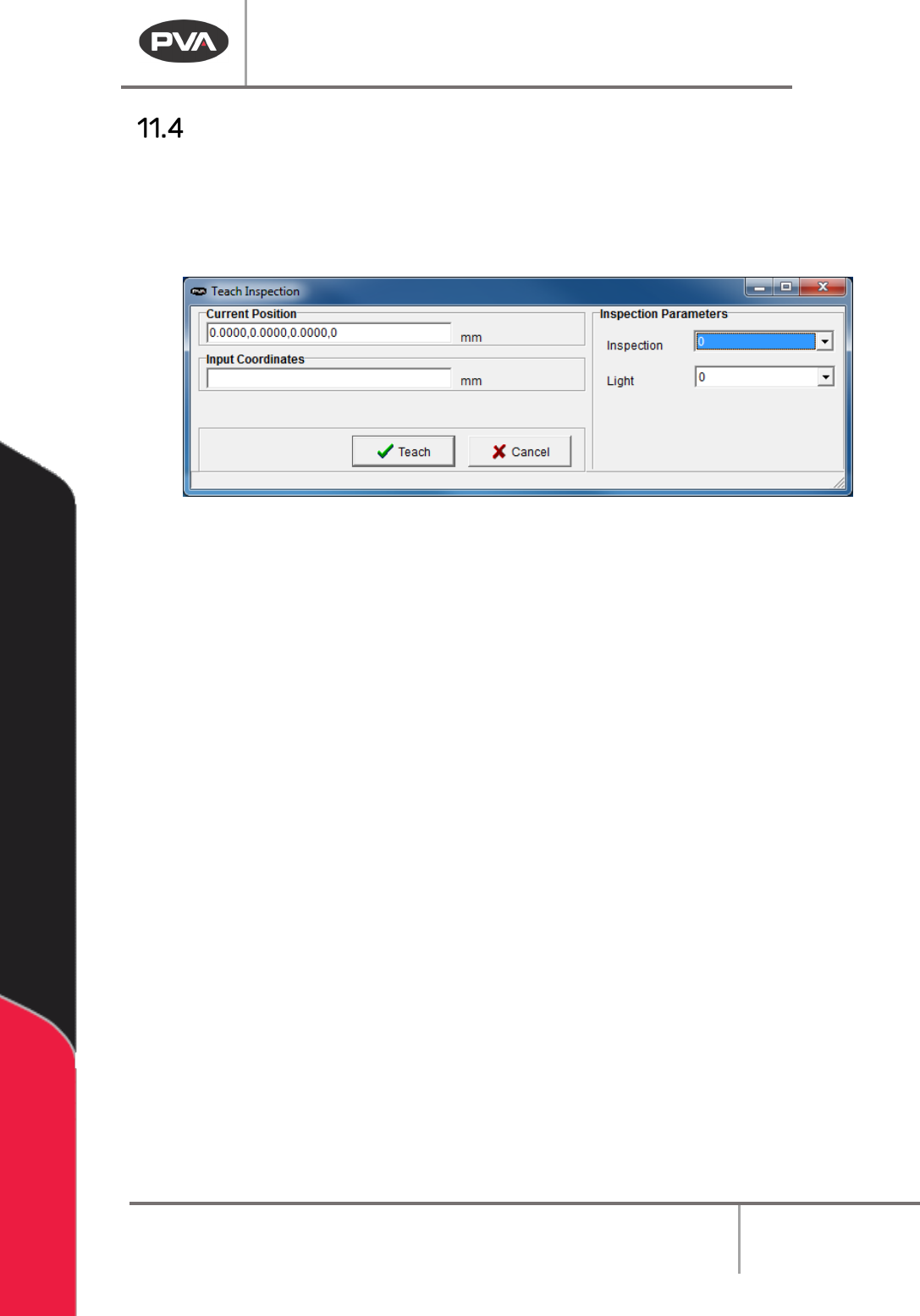
The function moves to the taught gantry position with X and Y offsets applied. Once the
tool is in position, the inspection program and light type DMC parameters are set and the
DMC inspection routines are called. The vision module reports a pass/fail status to the
controller based on the inspection result defined with the inspection project.
Figure 152: Teach Inspected
1. Select
Teach->Inspection
from the main menu.
2. Set the Inspection to be used.
3. Set the Light to be used.
4. Input the coordinates or use the teach pendant to teach the coordinates.
5. Select “Teach”, or select “Cancel” to exit and not change the command.
Machine Operation Manual
Revision L /
February 2020
Page 124 of 200
Clear Global Offsets
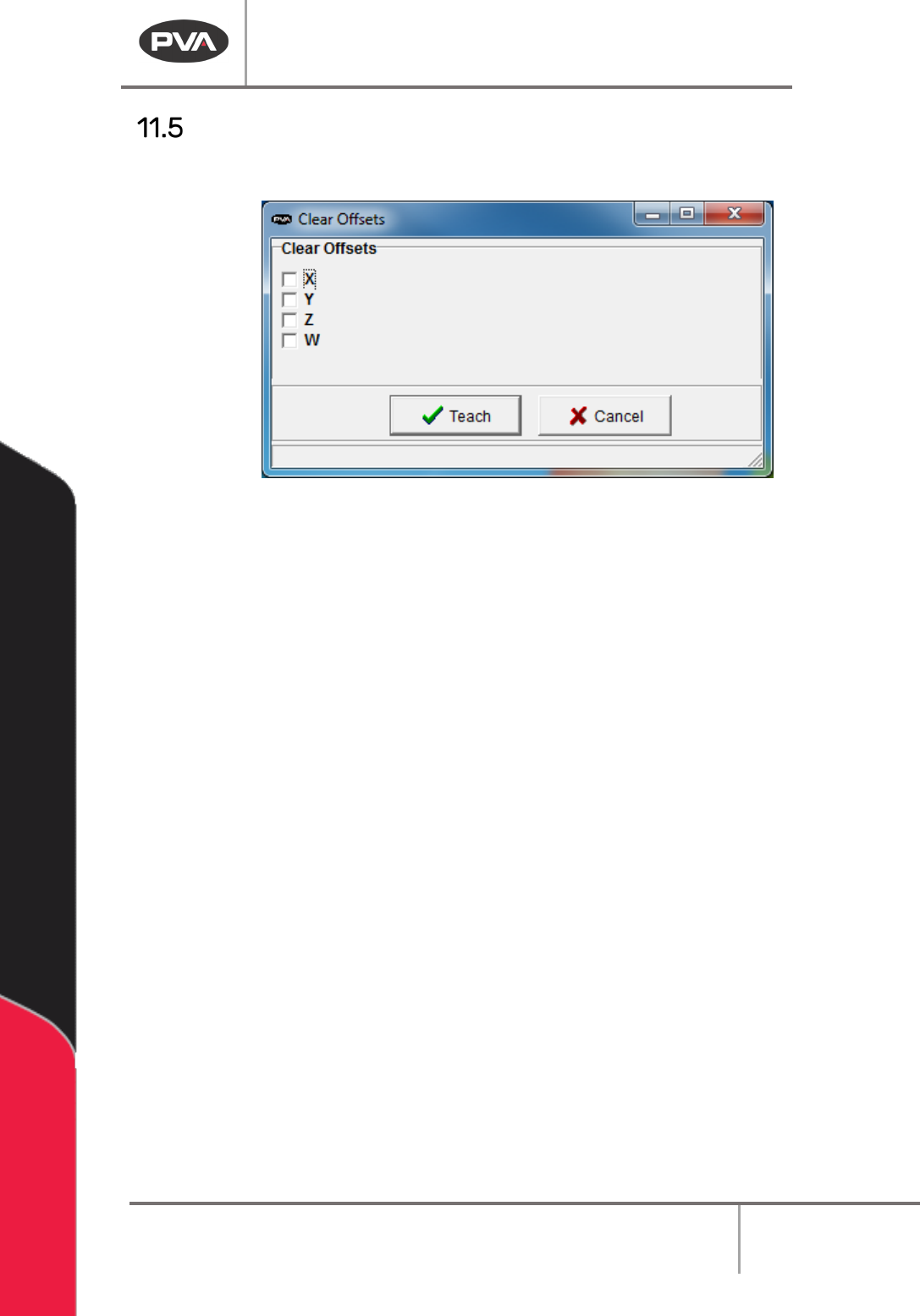
Clear any X, Y, Z, or W offset associated with the GX, GY, GZ, and GW variable.
Teach Clear Global Offsets
1. Select
Teach->Clear Global Offsets
from the main menu.
2. Select the boxes you want the global offsets cleared from.
3. Select “Teach” to clear the offsets (X, Y, Z, W).
4. Select “Cancel” to exit and not change the command.