PathMaster-REV-L-4.5-1.pdf - 第157页
Machine Operati on Manual Revision L / February 2020 Page 157 of 200 Resour ces The resour ces tool mo nito rs the contr oller reso urces suc h as avail able progra m labe ls, and progra m variable s. The type o f resour…
Machine Operation Manual
Revision L /
February 2020
Page 156 of 200
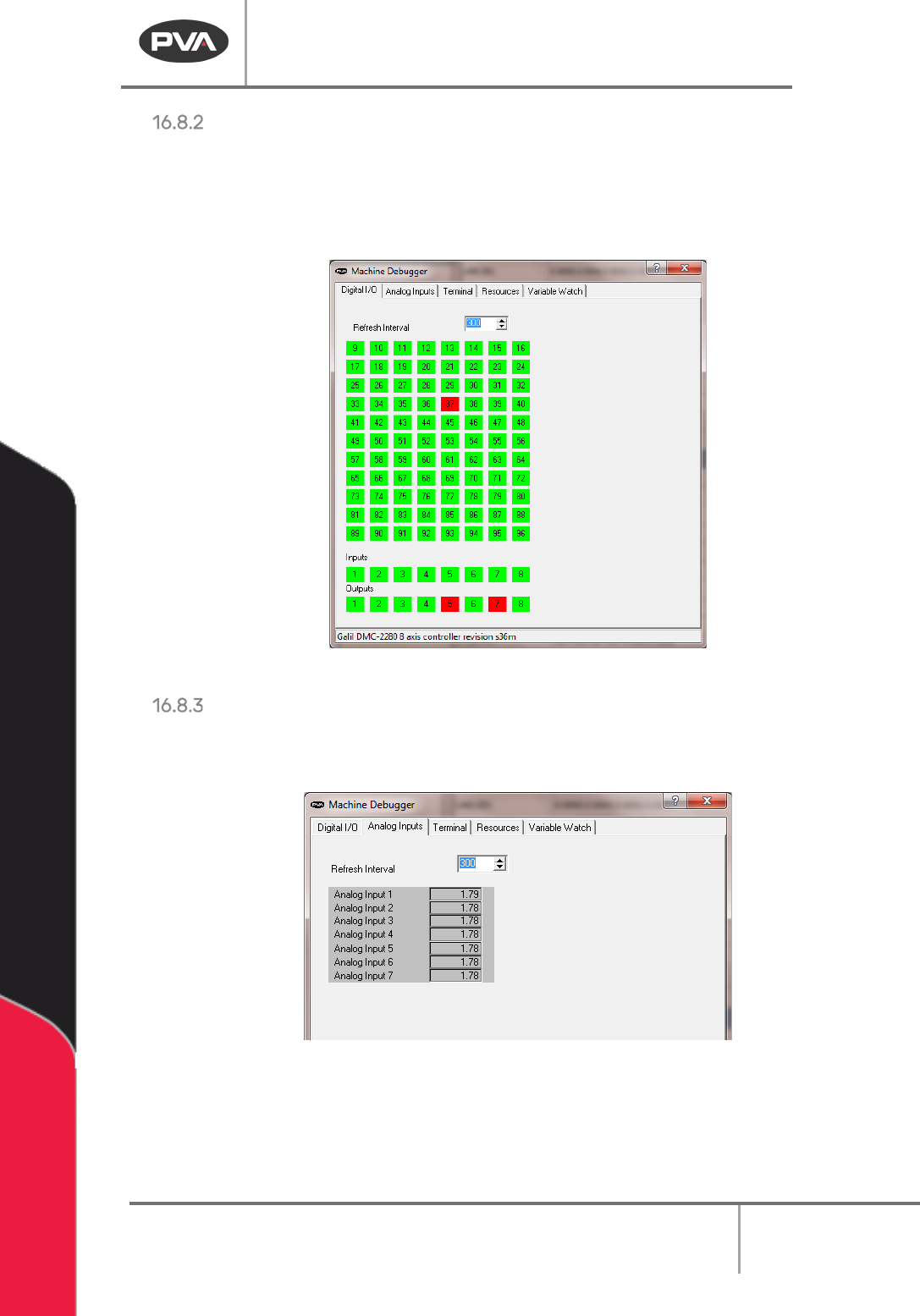
Digital I/O
The digital I/O tool allows for you to toggle most digital I/O points on the controller. Select
the button for the I/O point you wish to toggle. The buttons will change colors when the I/O
point changes state. The refresh interval is the frequency of the tool display refresh in
milliseconds.
Figure 191: Utilities Machine Debugger Digital I/O
Analog Input
The analog input tool will monitor the voltage of analog input feedback. The refresh interval
is the frequency of the tool display refresh in milliseconds.
Figure 192: Machine Debugger Analog Input
Machine Operation Manual
Revision L /
February 2020
Page 157 of 200
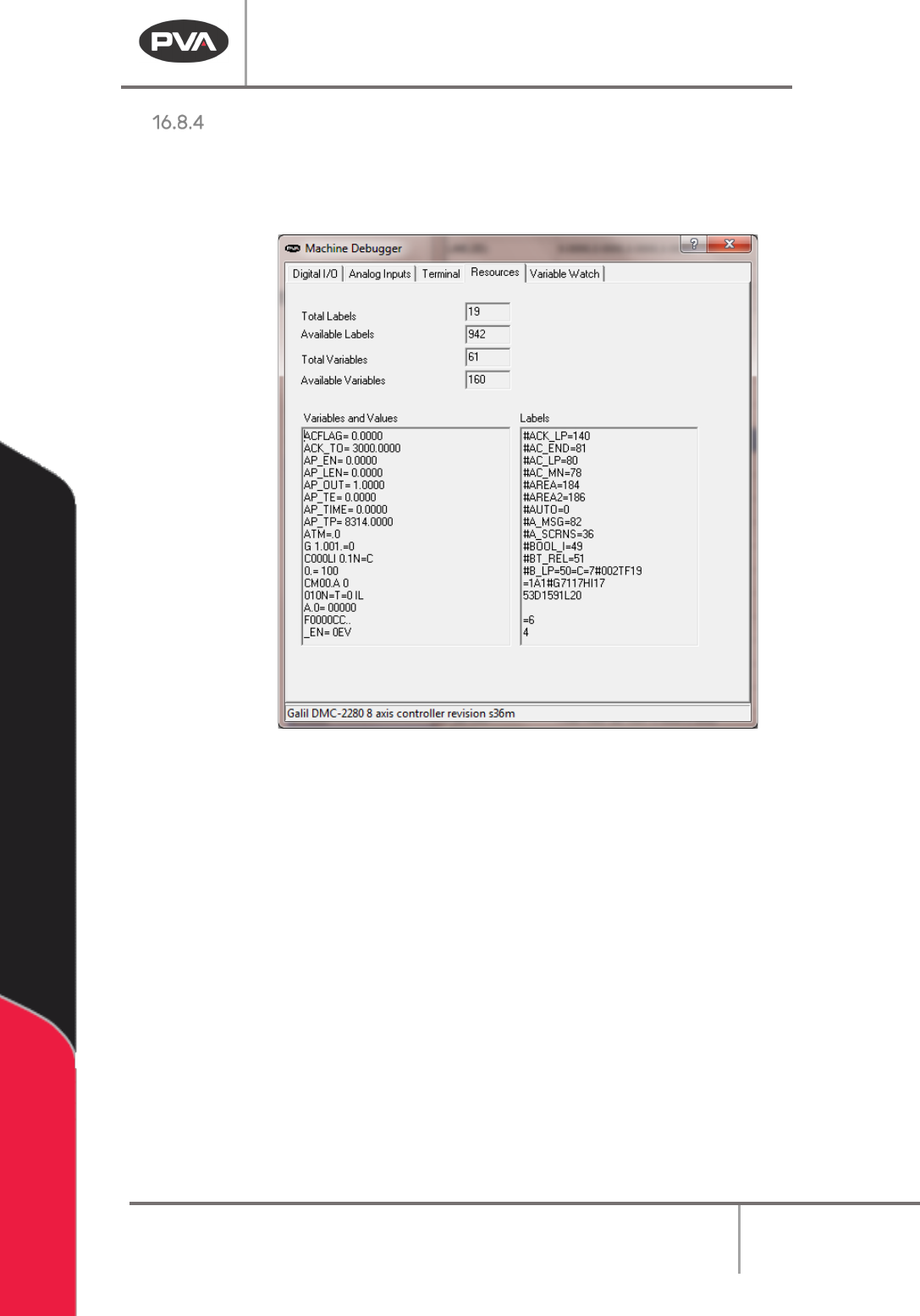
Resources
The resources tool monitors the controller resources such as available program labels, and
program variables. The type of resources displayed on this form will change with the model
of controller used.
Figure 193: Machine Debugger Resources
Machine Operation Manual
Revision L /
February 2020
Page 158 of 200
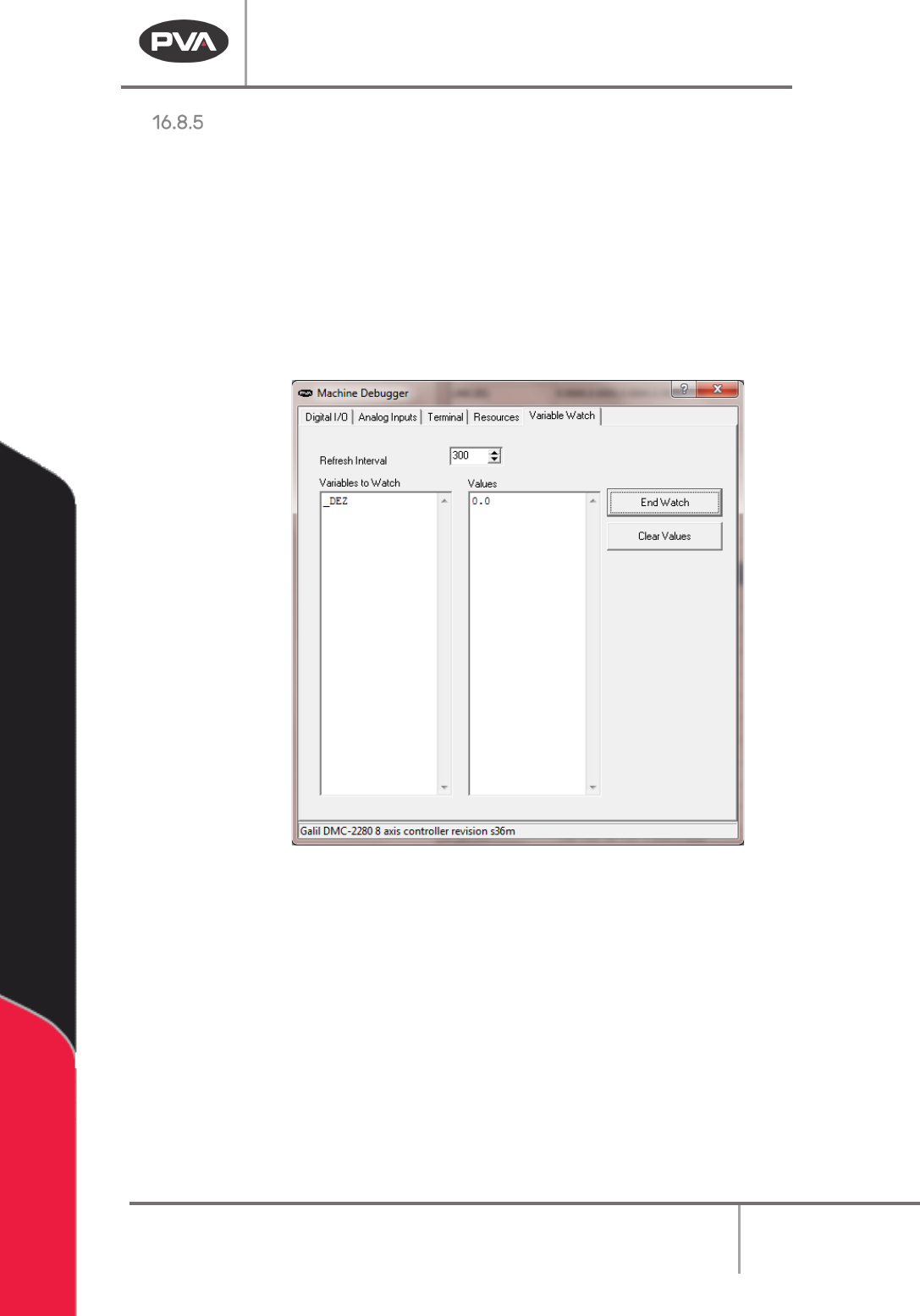
Variable Watch
The Variable Watch tool will monitor a list of program variables entered by the user.
3. Type a valid program variable name into the watch list on the left.
4. Select
“
Start Watch
”
and the value of the variable will be displayed on the right.
Multiple variables can be monitored at the same time. The refresh interval is the frequency
of the tool display refresh in milliseconds.
5. Select “Clear Values” to erase the value shown.
6. Select “End Watch” to no longer watch that variable.
Figure 194: Variable Watch