PathMaster-REV-L-4.5-1.pdf - 第158页
Machine Operati on Manual Revision L / February 2020 Page 158 of 200 Variable Watch The Variabl e Watch to ol will mo nitor a list of pro gram vari able s entered b y the user. 3. Type a valid prog ram varia ble name i n…
Machine Operation Manual
Revision L /
February 2020
Page 157 of 200
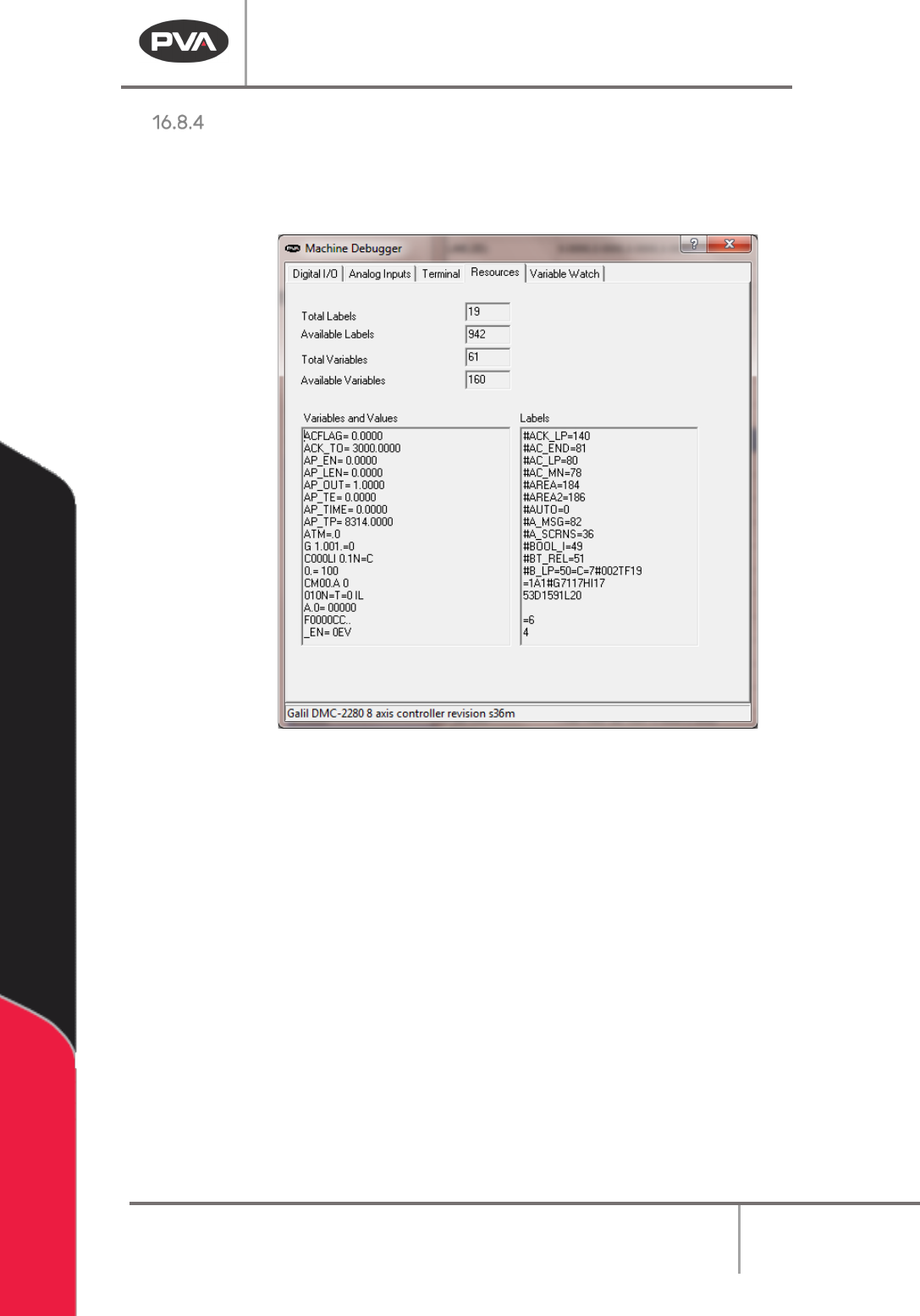
Resources
The resources tool monitors the controller resources such as available program labels, and
program variables. The type of resources displayed on this form will change with the model
of controller used.
Figure 193: Machine Debugger Resources
Machine Operation Manual
Revision L /
February 2020
Page 158 of 200
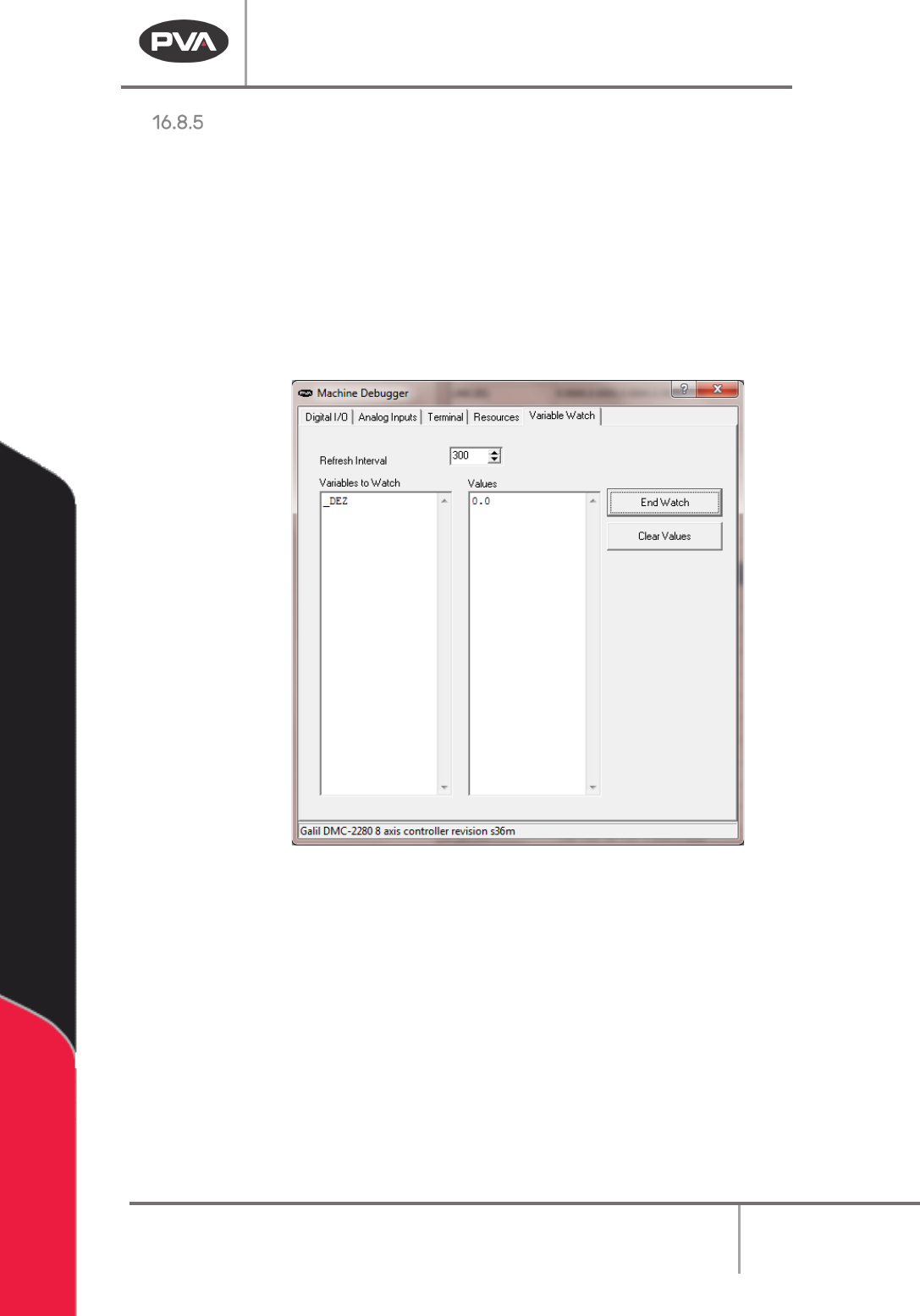
Variable Watch
The Variable Watch tool will monitor a list of program variables entered by the user.
3. Type a valid program variable name into the watch list on the left.
4. Select
“
Start Watch
”
and the value of the variable will be displayed on the right.
Multiple variables can be monitored at the same time. The refresh interval is the frequency
of the tool display refresh in milliseconds.
5. Select “Clear Values” to erase the value shown.
6. Select “End Watch” to no longer watch that variable.
Figure 194: Variable Watch

Machine Operation Manual
Revision L /
February 2020
Page 159 of 200
DMC Programming Basics
• All commands must be in uppercase letters.
• Positions are given in counts. In most cases there are 5080 counts per inch, 200
counts per millimeter.
• No line of code may contain more than 80 characters.
• A semicolon (;) is used as a carriage return. This allows for multiple commands on
the same line and can be used to save space in the program.
Labels
Sections of a program (subroutines) are defined by labels. PathMaster® generates its own
labels for programs. These labels do not appear in the edit window, so the operator cannot
alter them.
• Labels start with the pound (#) sign followed by a maximum of seven characters.
• The first character must be a letter, after there can be numbers.
• There can be no spaces.
• There can be no duplicate labels anywhere in memory. The
Main
program and
PathMaster® are written without any duplicate labels.
• If the operator must put special labels into programs it can cause duplicate labels. If
any duplicate labels occur, the operator must find the duplication and fix it.
This usually happens when a section of code has been copied and pasted. There can be no
duplicates anywhere within a project, which includes all 30 programs in that project.
• Labels must be at the start of a line. When code is entered manually, make sure
there are no labels in the middle of a line. This causes an error when the program is
run.
Important Commands
The DMC programming language contains over 135 commands. The program for the
workcell does not use most of these commands, and even fewer are used to create a
dispense path.
The commands in the table below are the most important for an advanced operator to
know. A complete list of commands can be found in the separate DMC-4000 or 4200
manual that came with the machine. Any reference to manually changing or querying in
the examples below requires the use of the terminal option in PathMaster® to
communicate directly with the controller.