PathMaster-REV-L-4.5-1.pdf - 第196页
Machine Operati on Manual Revision L / February 2020 Page 196 of 2 00 3. Set the val ues for A pproac h distance , Material Thicknes s, Speed, Accel eration, and Deceleration. Figure 220 : B ond Mana ger Recipe 4. Mak e …
Machine Operation Manual
Revision L /
February 2020
Page 195 of 200
Bond Manager
After all of the Bond Setup plugins have been run, the path template values have been set
for your parts and the part inspection has passed, you can use the bond manager to create
the Bond Manger recipe.
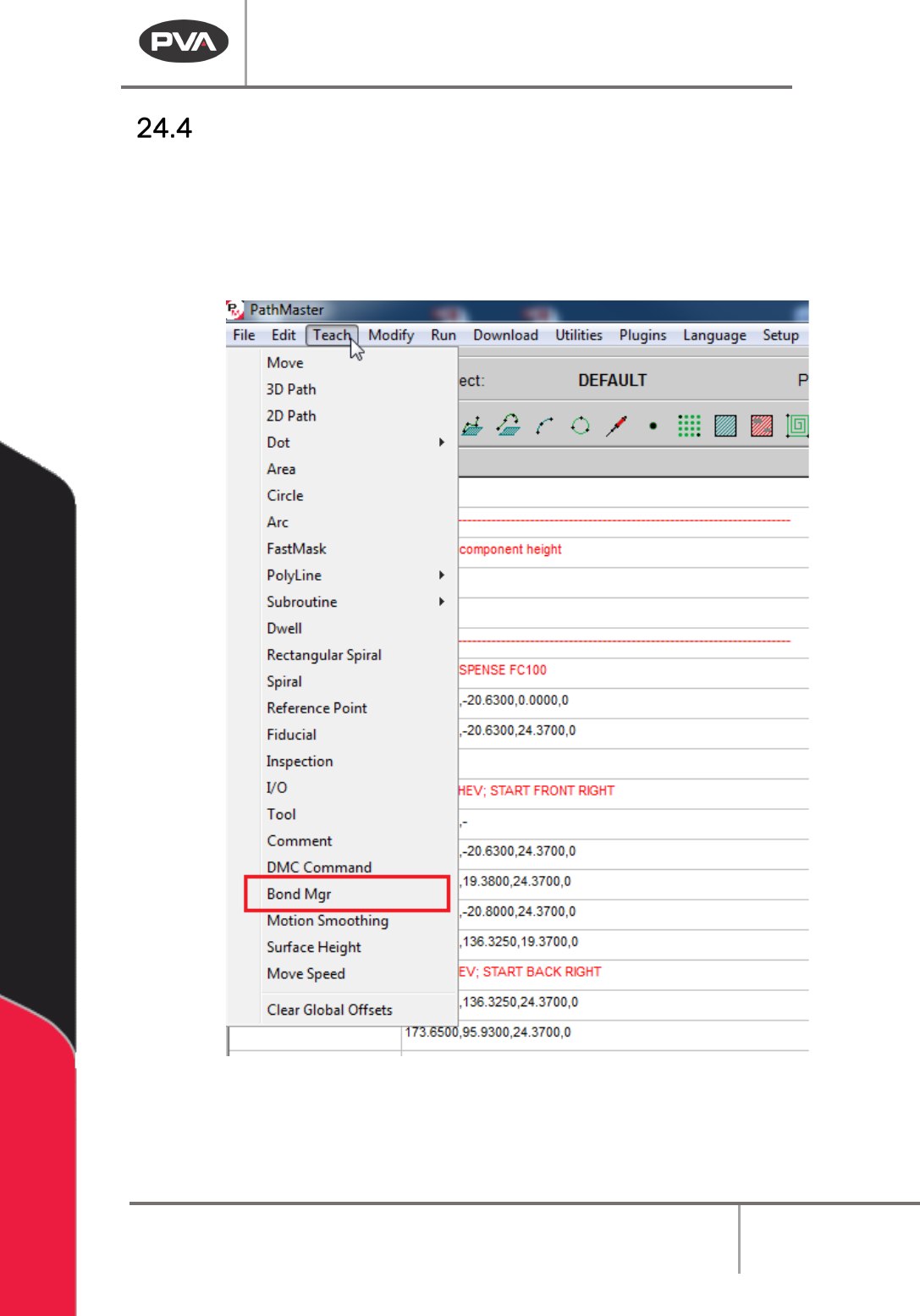
1. Select
Teach->Bond Mgr
from the main menu.
Figure 219: Teach Menu, Bond Manager
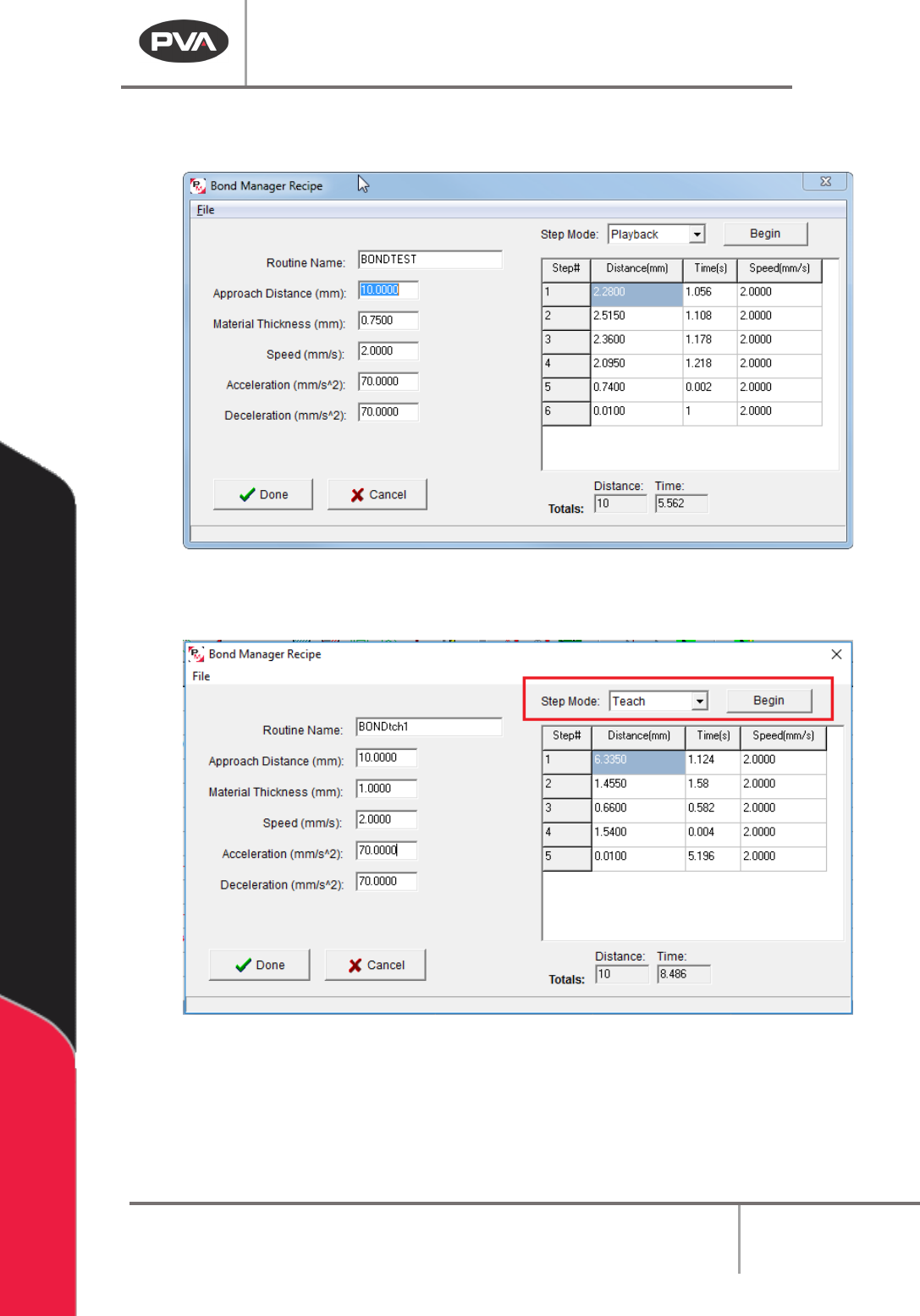
2. The bond manager window will open. Set the Routine Name.
Machine Operation Manual
Revision L /
February 2020
Page 196 of 200
3. Set the values for Approach distance, Material Thickness, Speed, Acceleration, and
Deceleration.
Figure 220: Bond Manager Recipe
4. Make sure Setup Mode is set to “Teach” and Select the “Begin” button.
Figure 221: Bond Manager "Begin"
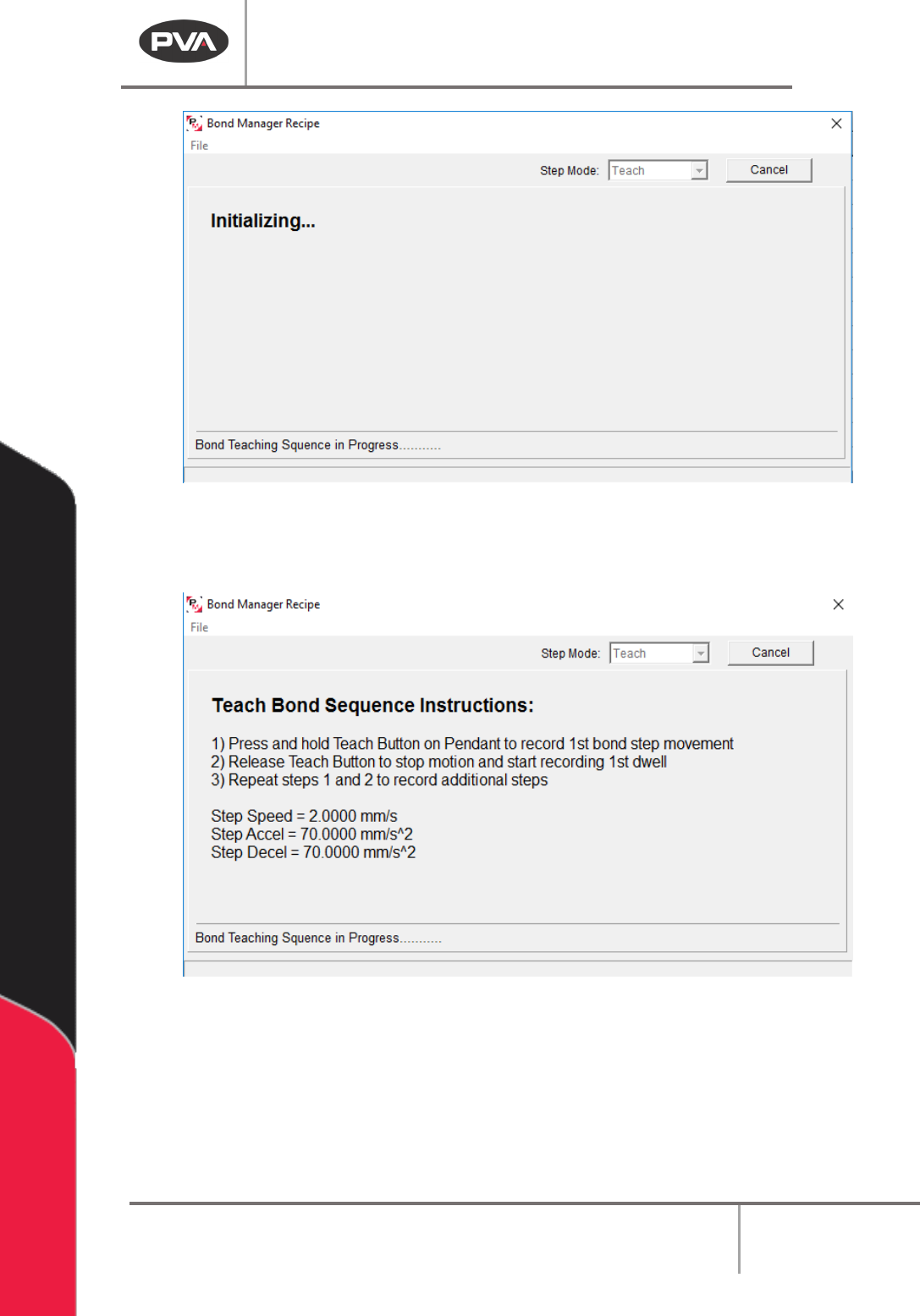
The Initializing screen will be shown.
Machine Operation Manual
Revision L /
February 2020
Page 197 of 200
Figure 222: Bond Sequence, Initializing
5. Press and hold the “Teach” button on teach pendant to record the first bond step.
Release the “
Teach” button to stop the motion and start to record the first dwell.
Figure 223: Teach Bond Sequence
The Step Number, Material Thickness, Approach Distance, and Remaining Distance are
shown when a step movement is being recorded.