PathMaster-REV-L-4.5-1.pdf - 第145页
Machine Operati on Manual Revision L / February 2020 Page 145 of 2 00 Sp eed Modif y Speed 1. Select Modify - > Speed. 2. Select ei ther Program or Selection . 3. Selec t either “Incr ement/Decrem ent Speed” or “R epl…
Machine Operation Manual
Revision L /
February 2020
Page 144 of 200
Rotate
Rotating a Path
1. Select
Modify -> Rotate.
2. Select either
Program
or
Selection.
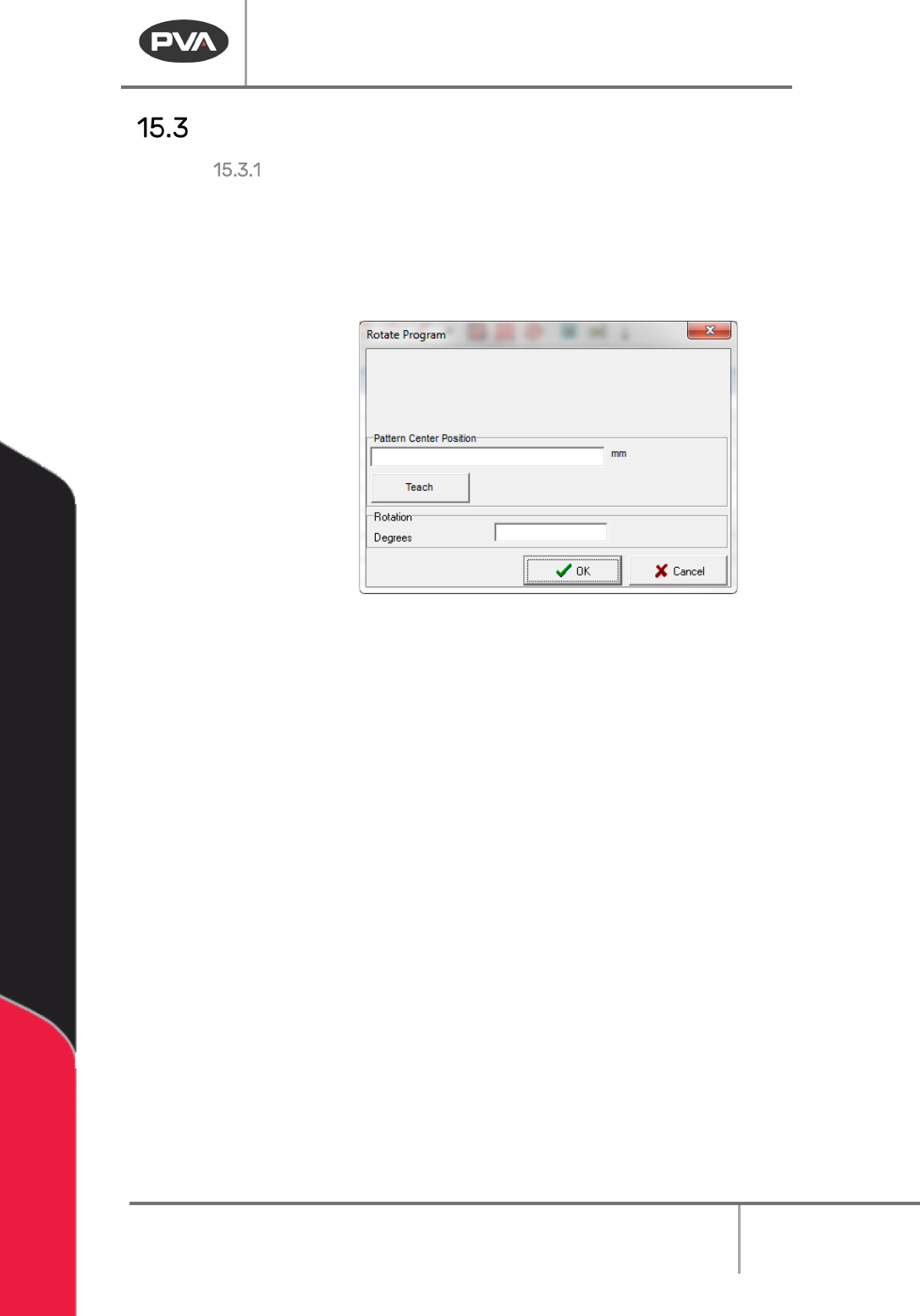
3. Move the robot to the necessary center point for the path. This point is used as the
point to rotate the path around.
Figure 177: Rotate Path Window
4. Enter the degrees you would like to rotate the program. This will rotate the program
counter-clockwise.
5. Click ‘OK’.
Your program/selection has now been successfully rotated.
NOTE: This will only mirror the X and Y axes, and will not affect the Z or W axes.
Machine Operation Manual
Revision L /
February 2020
Page 145 of 200
Speed
Modify Speed
1. Select
Modify -> Speed.
2. Select either
Program
or
Selection.
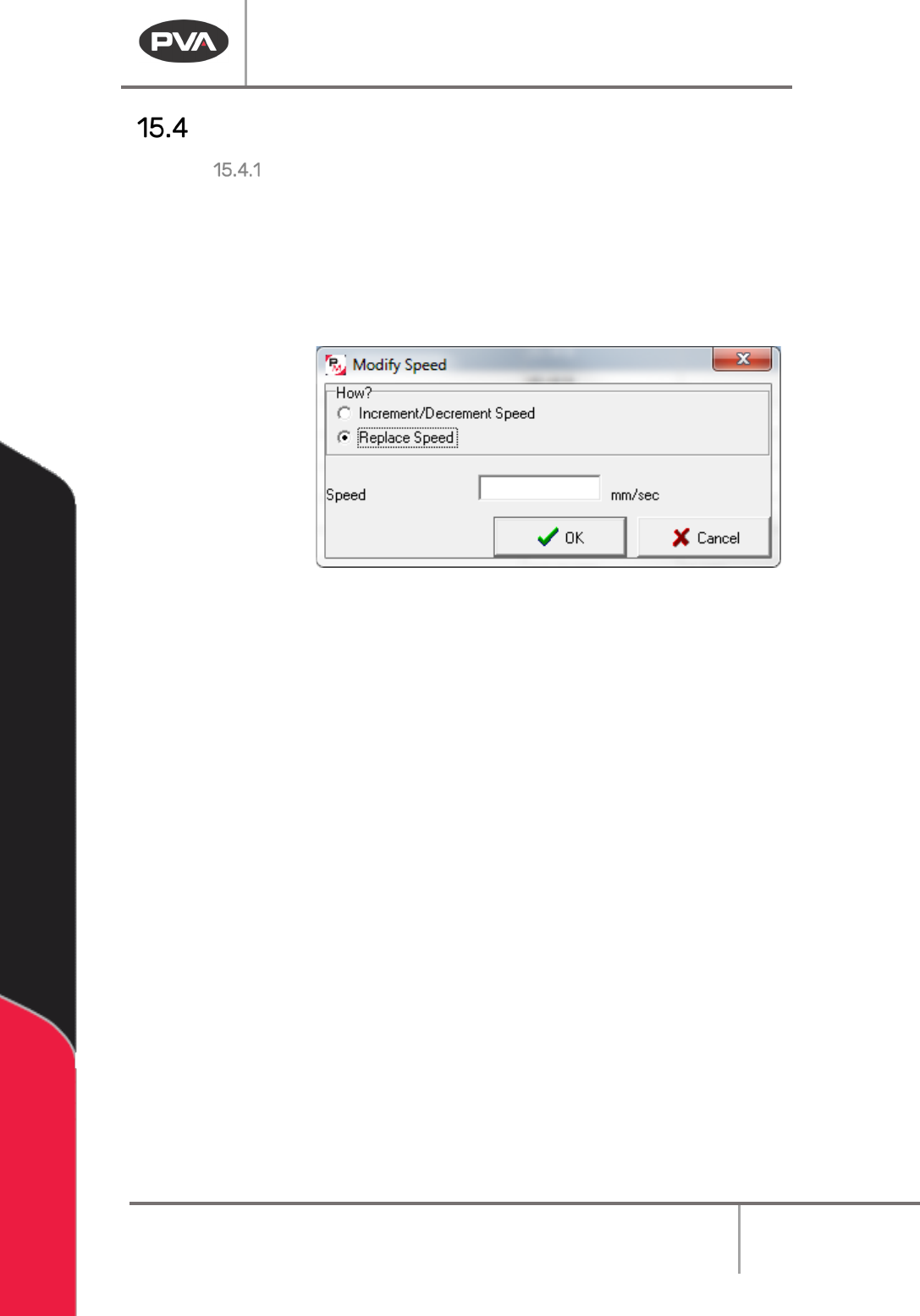
3. Select either “Increment/Decrement Speed” or “Replace Speed”.
Increment/Decrement Speed will offset all speeds in in each command by the value
given. Replace Speed sets each command at the value given.
Figure 178: Modify Speed Window
4. Click “OK”.
Your program/selection speed has now been changed.
NOTE: If you change the speed you override existing speeds that are pre-programmed in
the tool configurations. New commands use the default tool configuration values. Move
Speed command values are not affected by this modification.
Machine Operation Manual
Revision L /
February 2020
Page 146 of 200
Tool Parameters
Modify Tool Parameters
1. Select
Modify -> Tool Parameters.
2. Select either
Program
or
Selection.
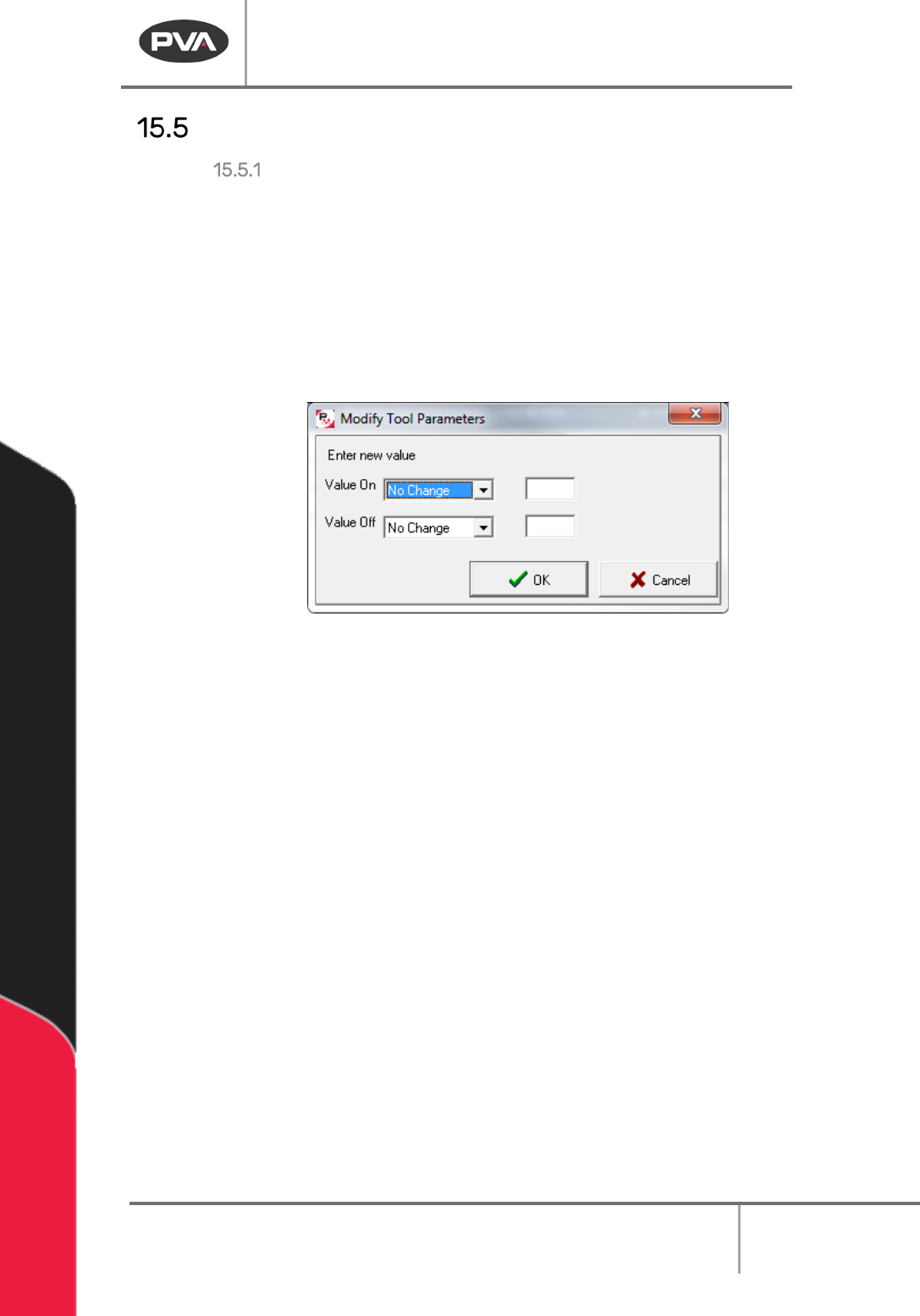
3. For “Tool On” select either “No Change”, “Wait”, or “Distance”.
4. Enter the new value in the box to the right.
5. For “Tool Off” select either “No Change”, “Wait”, or “Distance”.
6. Enter the new value in the box to the right.
Figure 179: Modify Tool Parameters Window
7. Click “OK”.
The tool parameters have now been updated.
NOTE: If you change the tool parameters you override existing speeds pre-programmed in
the tool configurations. New commands will use the default tool configuration values.
NOTE: Only commands with the same tool may be selected at the same time. You may not
change multiple commands that have different tools at the same time.