2OM-1075-002.pdf - 第110页
AHB01ESPP 1.2.4 Menus for Data Editing • • • • • Menu Selection 1. When the [DA T A EDIT] button on the main menu bar is pressed, the "EDIT SEL." menu opens. 2. Select the desired option from the "EDIT SEL…
AHB01ESPP
(From the previous page)
Tab
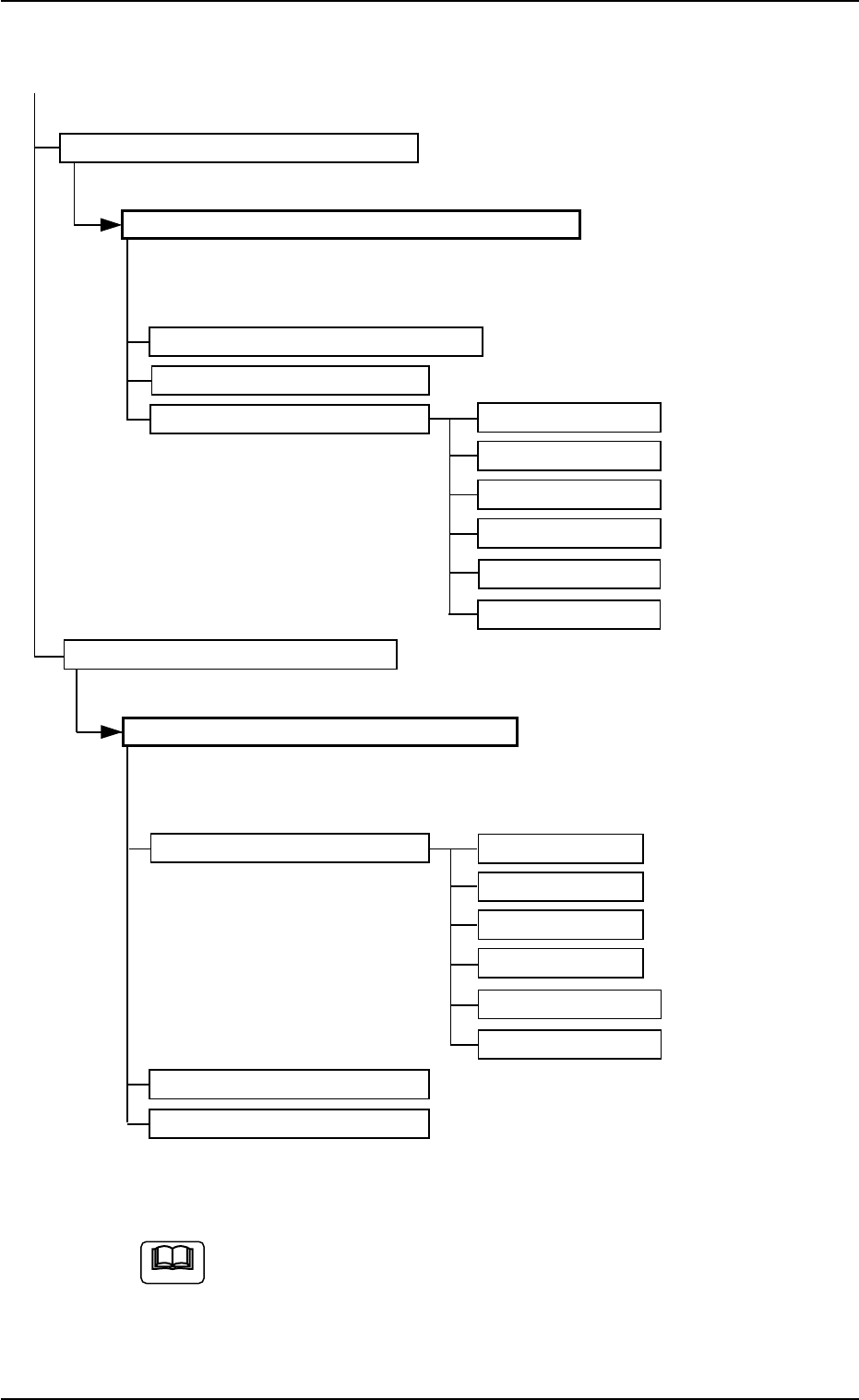
Pattern Program Management Data
Select a pattern program (model) and press the [Open] button.
"Pattern Program Management Data" Window
Tabs Tabs Reference No.
Pattern Program Product History "4" in "Section 4 (Vol. 3)"
Machine Performance Data
Handling Errors Per Feeder Feeder Base #1
Feeder Base #3
Feeder Base #4
Tray 2 (R)
FB #3 VIB Feeder
FB #3 VIB Feeder
Comp. Handling Err. Rate Dt.
[Comp. Handling Err. Rate Dt.] Button
"Comp. Handling Err. Rate Dt." Window
Tabs Tabs Reference No.
Feeder Message Rate Feeder Base #1 "5" in "Section 4 (Vol. 3)"
Feeder Base #3
Feeder Base #4
Tray 2 (R)
FB #3 VIB Feeder
FB #3 VIB Feeder
Nozzle Message Rate
Nozzle Bypass Rate
Fig. 2D9-1 Composition of Menus for Management Data (2)
The above tree structure is based on the selection of the multi-
layer tray feeder (option).
1.2 Using the Menus
01 12-002 4-9
Note
AHB01ESPP
1.2.4 Menus for Data Editing
••
••
• Menu Selection
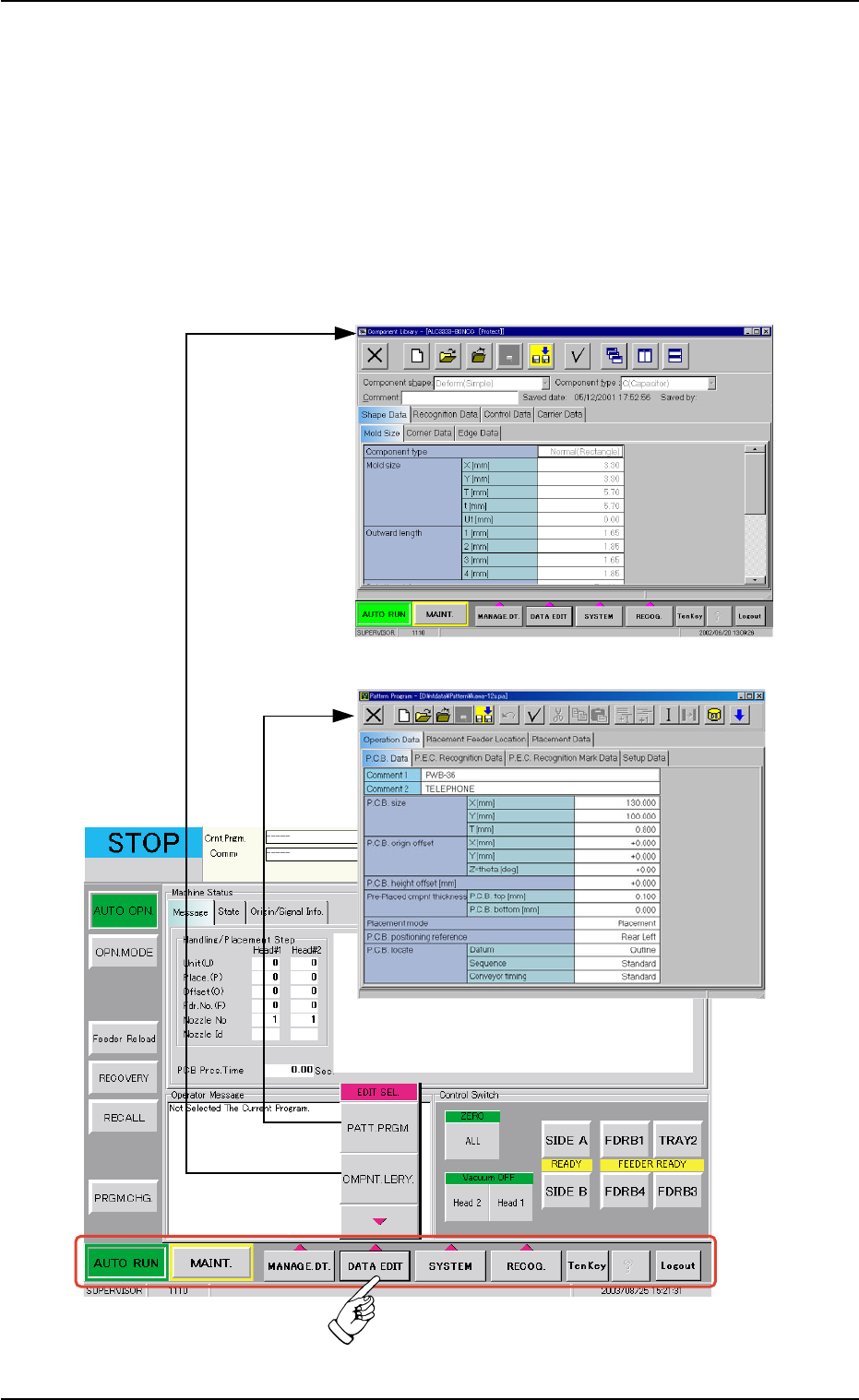
1. When the [DATA EDIT] button on the main menu bar is pressed, the
"EDIT SEL." menu opens.
2. Select the desired option from the "EDIT SEL." menu. The corre-
sponding window opens separately.
3. Select the data to be edited. The corresponding edit window opens.
Fig. 2D10 Selection of Menus for Data Editing
1.2 Using the Menus
0308-004 4-10
"Pattern Program" Edit Window
"Component Library" Edit Window
AHB01ESPP
••
••
• Composition of Menus for Data Editing
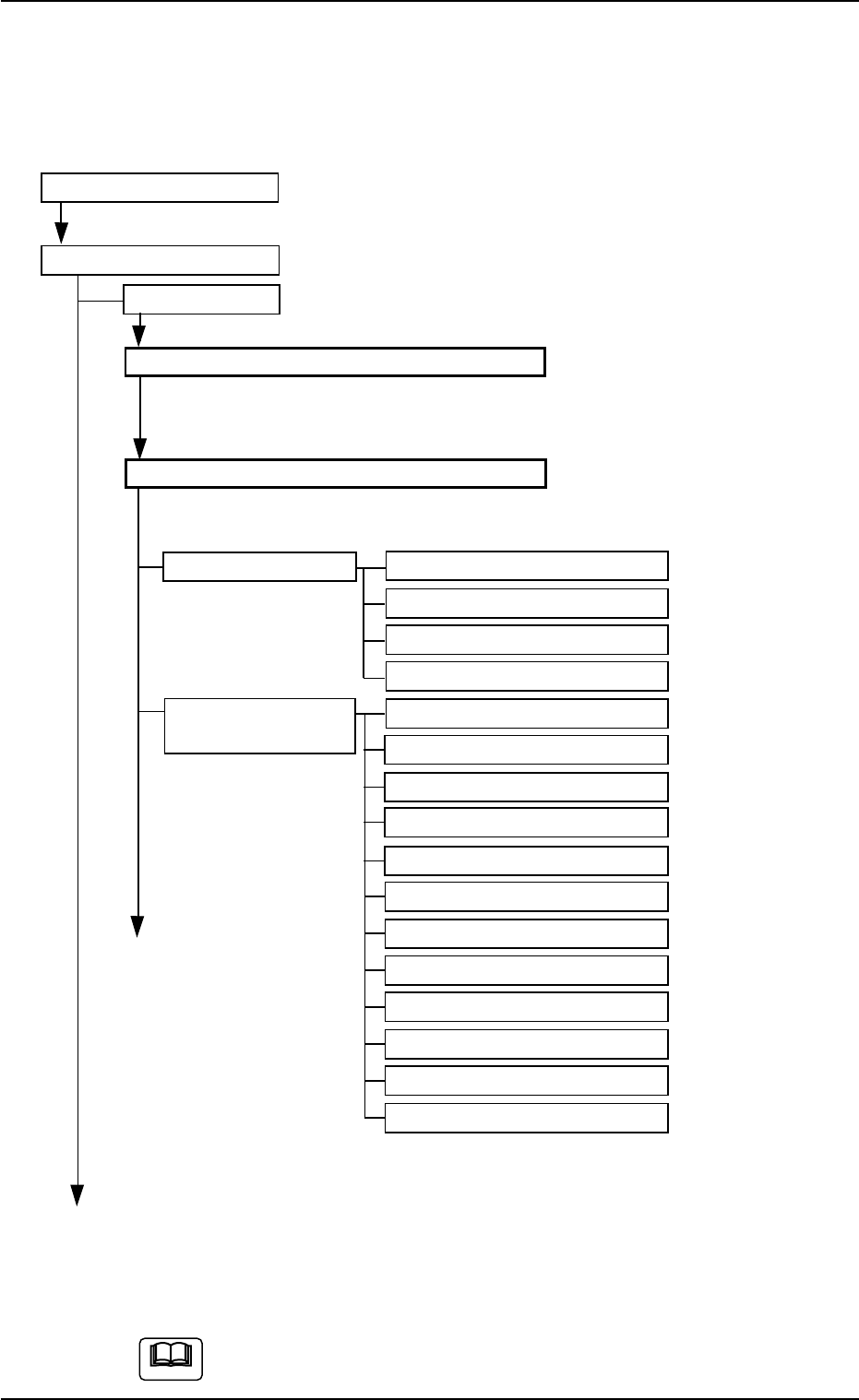
The following edit windows can be opened by selecting the menus for
data editing.
Refer to "2.1" in "Section 4" for the tabs and tab sheets.
"DATA EDIT" Menu
"EDIT SEL." Menu
PATT. PRGM.
"Pattern Program Edit" Selection Window
Select the desired program name and press the [Edit Prgm] or the [Create
New] button.
"Pattern Program" Edit Window
Tabs Tabs Reference No.
Operation Data P.C.B. Data "Section 2" in "Vol. 3"
P.C.B. Recognition Data
P.C.B. Recognition Mark Data
Setup Data
Placement Feeder Feeder Base #1
Location
Feeder Base #3
Feeder Base #4
Tray #2 F701-F799
Tray #2 F801-F899
Tray #2 STEP
FB #3 VIB Feeder 1
FB #3 VIB Feeder 2
FB #3 VIB Feeder 3
FB #4 VIB Feeder 1
FB #4 VIB Feeder 2
FB #4 VIB Feeder 3
(To the next page)
Fig. 2D11 Composition of Menus for Data Editing (1)
The above tree structure is based on the selection of the multi-
layer tray feeder (option).
01 12-002 4-11
1.2 Using the Menus
(To the next page)
Note