2OM-1075-002.pdf - 第455页
AHB01ESPP [EB005] Button When this button is pressed, the following sheet appears. Fig. 2F141 "Machine Prgm. Info." T ab Sheet ([EB005] Button Selected) The information pane will show the software version of Mo…
AHB01ESPP
*4 "Version" Group Box
The following buttons are provided in this group box.
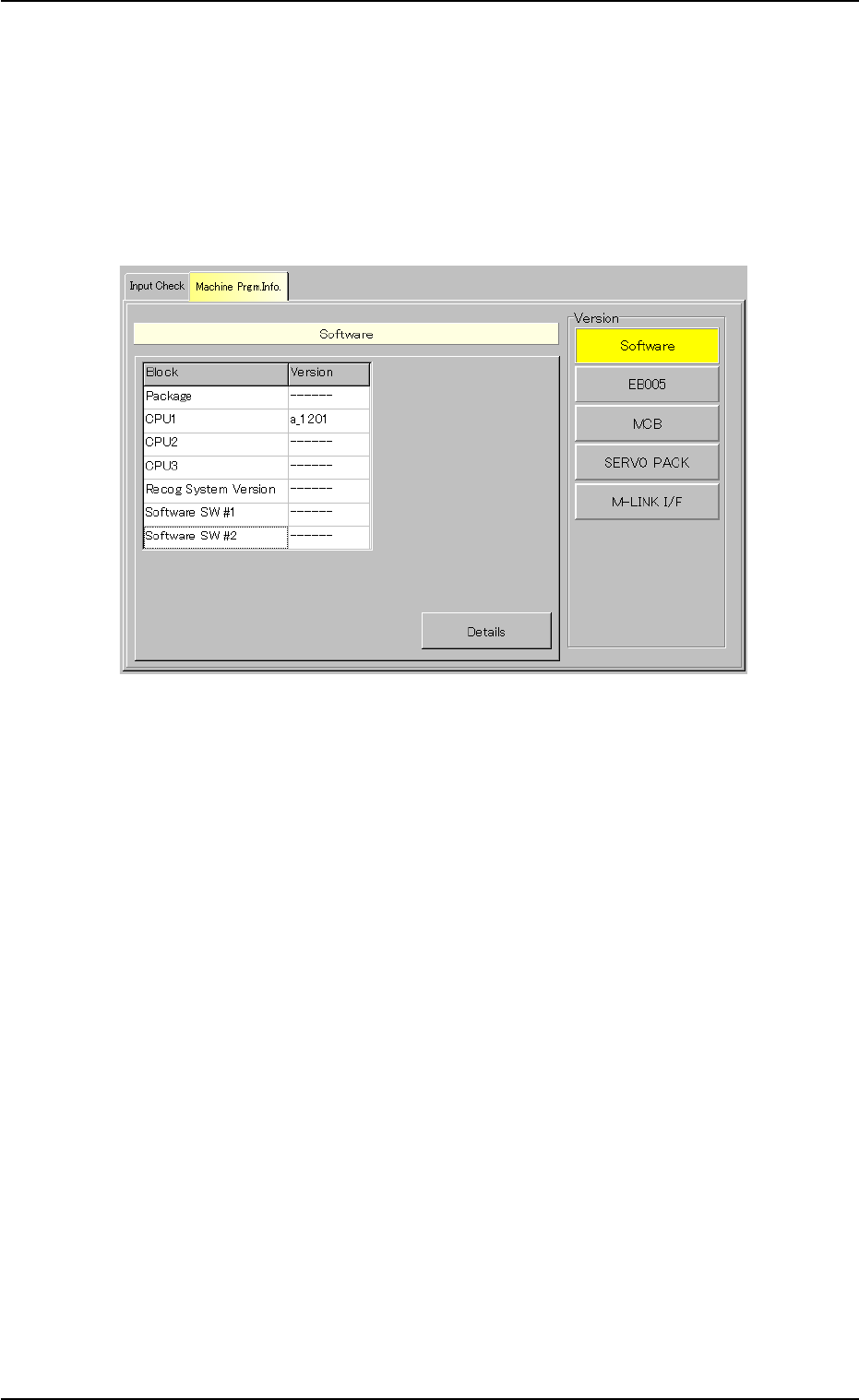
[Software] Button
When this button is pressed, the following sheet appears.
This sheet appears first (as a default) when the "Machine Prgm.
Info." tab is pressed.
Fig. 2F140 "Machine Prgm. Info." Tab Sheet
([Software] Button Selected)
The information pane will give you the versions and the updated
time of the applications for each individual blocks of the machine.
0308-004 6-216
7.2 "Machine Prgm. Info." Tab
AHB01ESPP
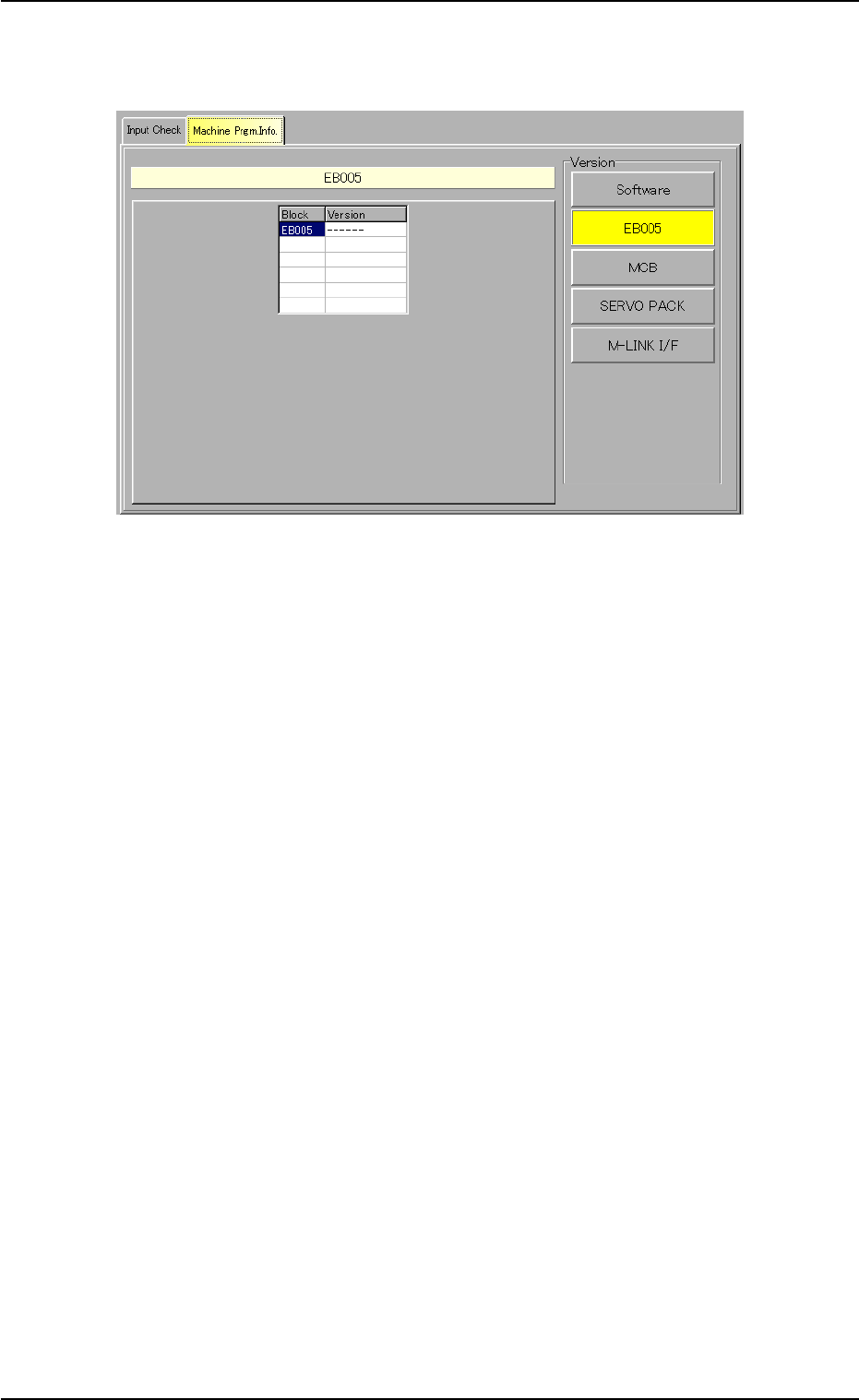
[EB005] Button
When this button is pressed, the following sheet appears.
Fig. 2F141 "Machine Prgm. Info." Tab Sheet
([EB005] Button Selected)
The information pane will show the software version of Motor Con-
trol EB005.
0206-003 6-217
7.2 "Machine Prgm. Info." Tab
AHB01ESPP
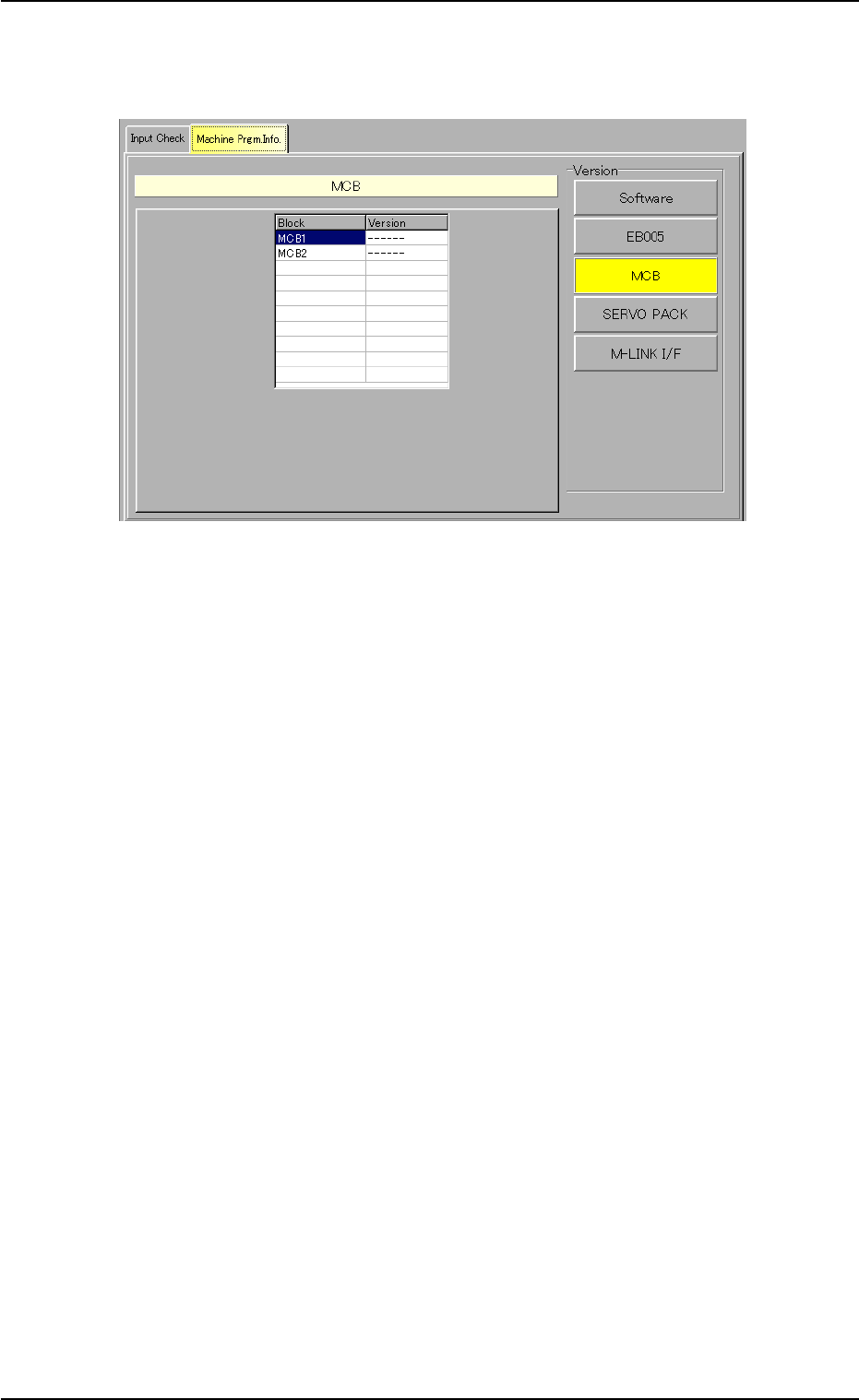
[MCB] Button
When this button is pressed, the following sheet appears.
Fig. 2F142 "Machine Prgm. Info." Tab Sheet
([MCB] Button Selected)
The information pane will show the software versions of Motor Con-
trols MCB1 and MCB2.
0206-003 6-218
7.2 "Machine Prgm. Info." Tab