2OM-1075-002.pdf - 第193页
AHB01ESPP U: Displayed are the unit Nos. P: Displayed are P-Nos. O: Displayed are O-Nos. Head : Displayed are the head Nos. Nozzle : Displayed are the nozzle Nos. Nozzle ID : Displayed are the Nozzle IDs. Component Id : …
AHB01ESPP
6.2 "Handling Err" Tab
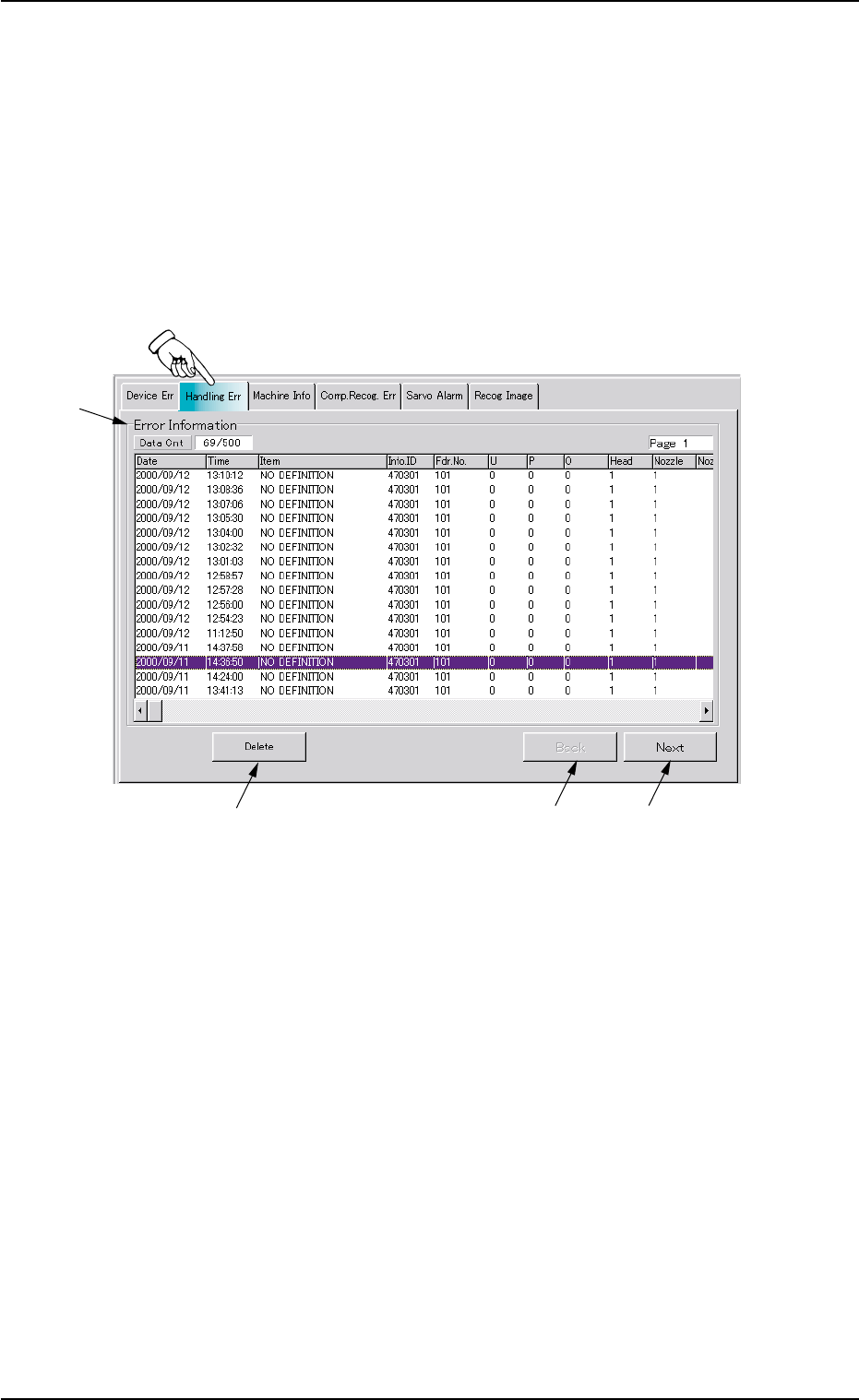
The corresponding tab sheet enables the operator to check the error-
caused feeder Nos., the date & time, information IDs, and error descrip-
tion.
• Sheet Layout
When the "Handling Err" tab is pressed in the "RECALL" window
(submenu), the following tab sheet appears inside the window.
Fig. 2E27 "Handling Err" Tab Sheet
• Sheet Composition
*1 Error Information
The following items are displayed with respect to handling errors.
Data Cnt : Displayed in the text box are the number of handling
errors and the current display information Nos.
Date : Displayed is the date of handling error occurrence.
Time : Displayed is the time of handling error occurrence.
Item : Displayed are the types (classification) of handling er-
rors.
Info. ID : Displayed are the error IDs.
Fdr. No. : Displayed are the feeder Nos.
0308-004 5-30
6.2 "Handling Err" Tab
*1
*2
*3
*4
AHB01ESPP
U:Displayed are the unit Nos.
P:Displayed are P-Nos.
O:Displayed are O-Nos.
Head : Displayed are the head Nos.
Nozzle : Displayed are the nozzle Nos.
Nozzle ID : Displayed are the Nozzle IDs.
Component Id : Displayed are the component IDs.
*2 [Delete] Button
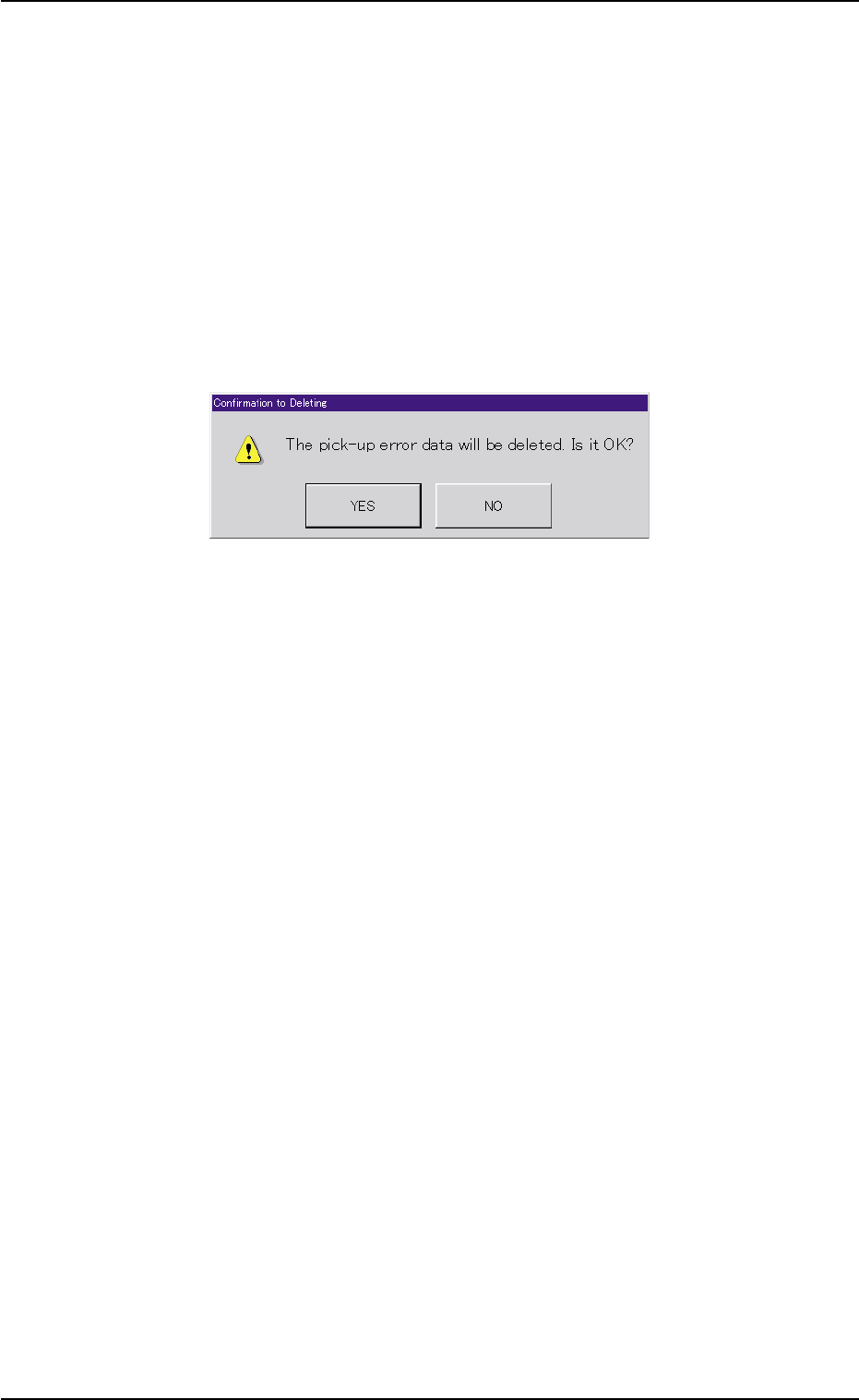
When this button is pressed, the following dialog box opens for con-
firmation to deletion.
Fig. 2E28 "Confirmation to Deleting" Dialog Box
When the [YES] button is pressed, the handling error data is de-
leted.
When the [NO] button is pressed, the dialog box closes without de-
leting the handling error data.
*3 [Back] Button
When this button is pressed, the previous list of errors (previous
details) is displayed.
*4 [Next] Button
When this button is pressed, the next list of errors (next details) is
displayed.
0308-004 5-31
6.2 "Handling Err" Tab
AHB01ESPP
6.3 "Machine Info" Tab
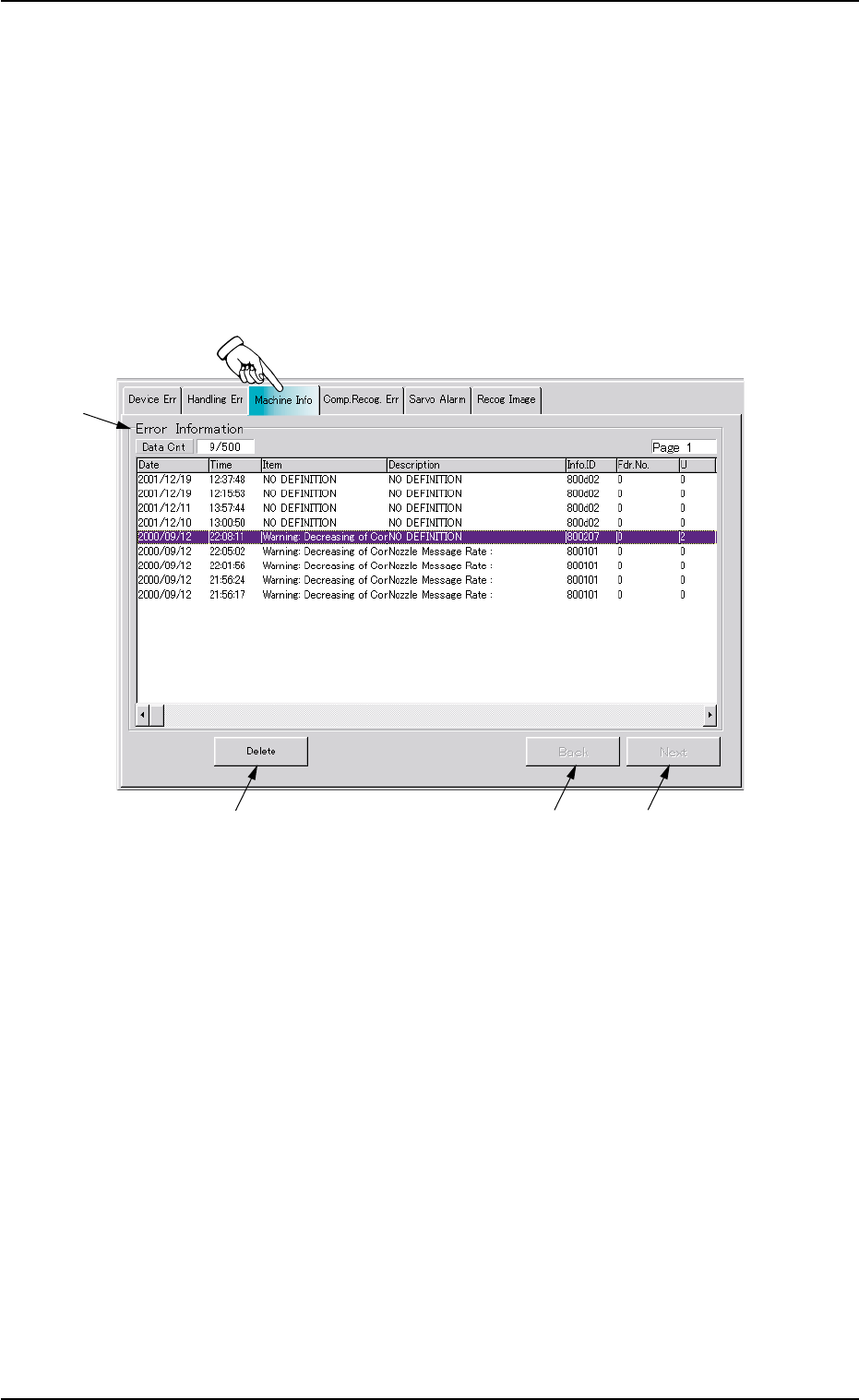
The corresponding tab sheet enables the operator to check the date &
time of message issuance, device status, information IDs, the contents
of messages, and user names.
• Sheet Layout
When the "Machine Info" tab is pressed in the "RECALL" window
(submenu), the following tab sheet appears inside the window.
Fig. 2E29 "Machine Info" Tab Sheet
• Sheet Composition
*1 Error Information
The following items are displayed with respect to machine informa-
tion.
Data Cnt : Displayed in the text box are the number of errors
and the current display information Nos.
Date : Displayed is the date when the machine information
is issued.
Time : Displayed is the time when the machine information
is issued.
Item : Displayed are the types (classification) of machine
information.
0308-004 5-32
6.3 "Machine Info" Tab
*1
*2
*3
*4