2OM-1075-002.pdf - 第122页
AHB01ESPP 2 . 4 Activation of Machine When one of the control buttons (the [ALL] button (entitled "ZERO") or the [ON] button (entitled "MOVE") is pressed, the [ENABLE] button on the operation panel il…
AHB01ESPP
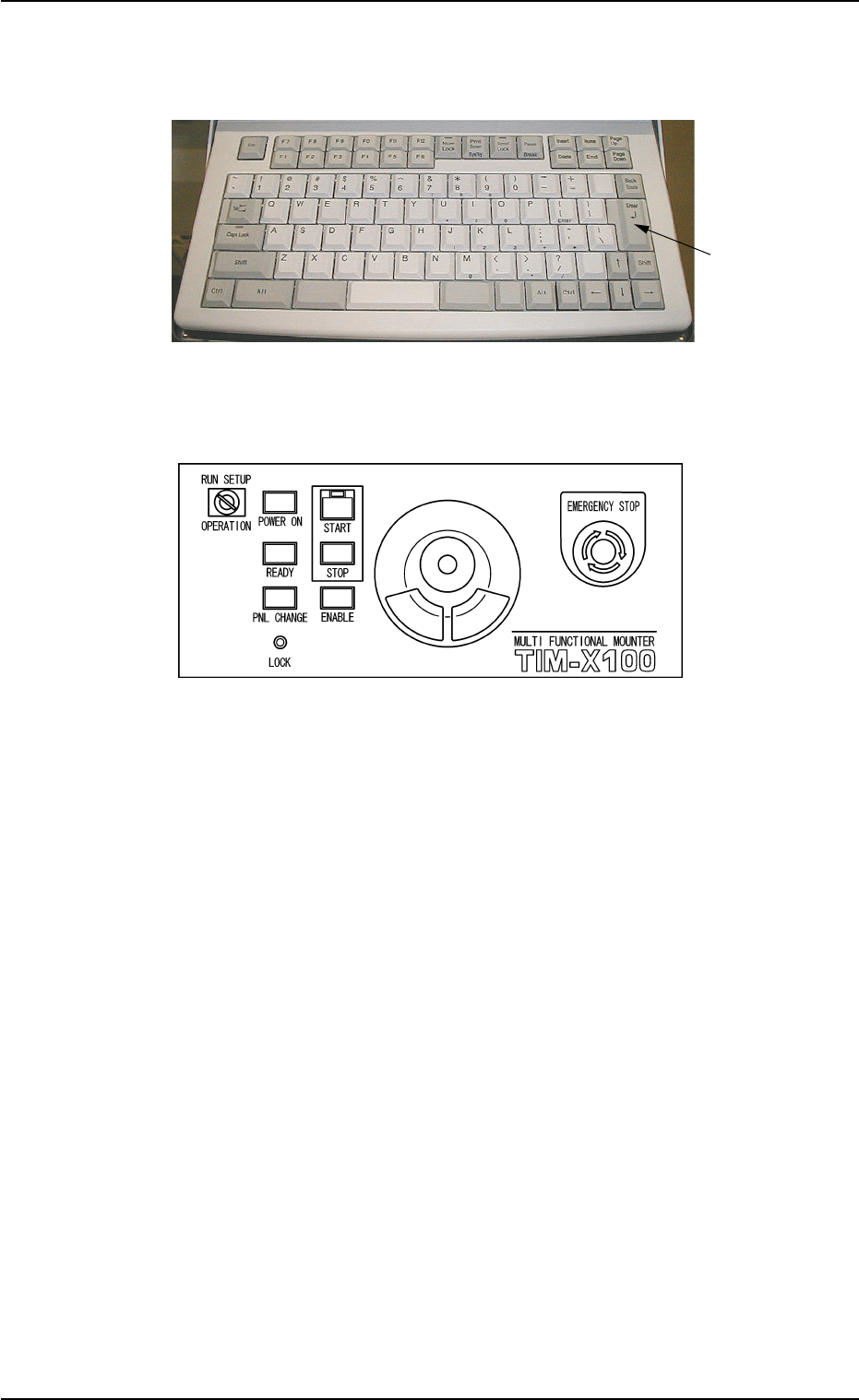
2.3.3 Data Entry with Keyboard and Pointing Device
Fig. 2D18-1 Keyboard
Fig. 2D18-2 Pointing Device
Operation Procedure
(1) The pointing device on the operation panel can be used to enter a
numerical value or a string of characters in a text box. When you
click a text box, a cursor appears in the box, indicating that a param-
eter should be entered.
(2) When a value is entered with the keyboard, it appears in the se-
lected text box.
(3) Confirm the entered value and press the [Enter] key.
0308-003 4-21
2.3 Data Entry
[Enter] Key

AHB01ESPP
2.4 Activation of Machine
When one of the control buttons (the [ALL] button (entitled "ZERO") or
the [ON] button (entitled "MOVE") is pressed, the [ENABLE] button on
the operation panel illuminates for two seconds.
When the [ENABLE] button is pressed with the lamp kept "ON", the
machine is activated according to the function related to the control but-
ton.
01 12-002 4-22
2.4 Activation of Machine

AHB01ESPP0308-001 4-23