2OM-1075-002.pdf - 第370页
AHB01ESPP 5.2.8 Helpful Hints for Parameter V erification After a teaching operation is completed, press the [T able Disp] button to verify the parameters. Special attention should be paid to the following items because …
AHB01ESPP
Operation Procedure
(1) Press the [Component Collection] button.
(2) Press the [ON] button (entitled "MOVE"). In 2 seconds, press the
[ENABLE] button on the operation panel.
Components are discharged to the component storage box or the
recycle conveyor (option).
When the recycle conveyor (option) is provided, components
are discharged to the conveyor.
Press the [Manual] button of the recycle conveyor to collect the
components.
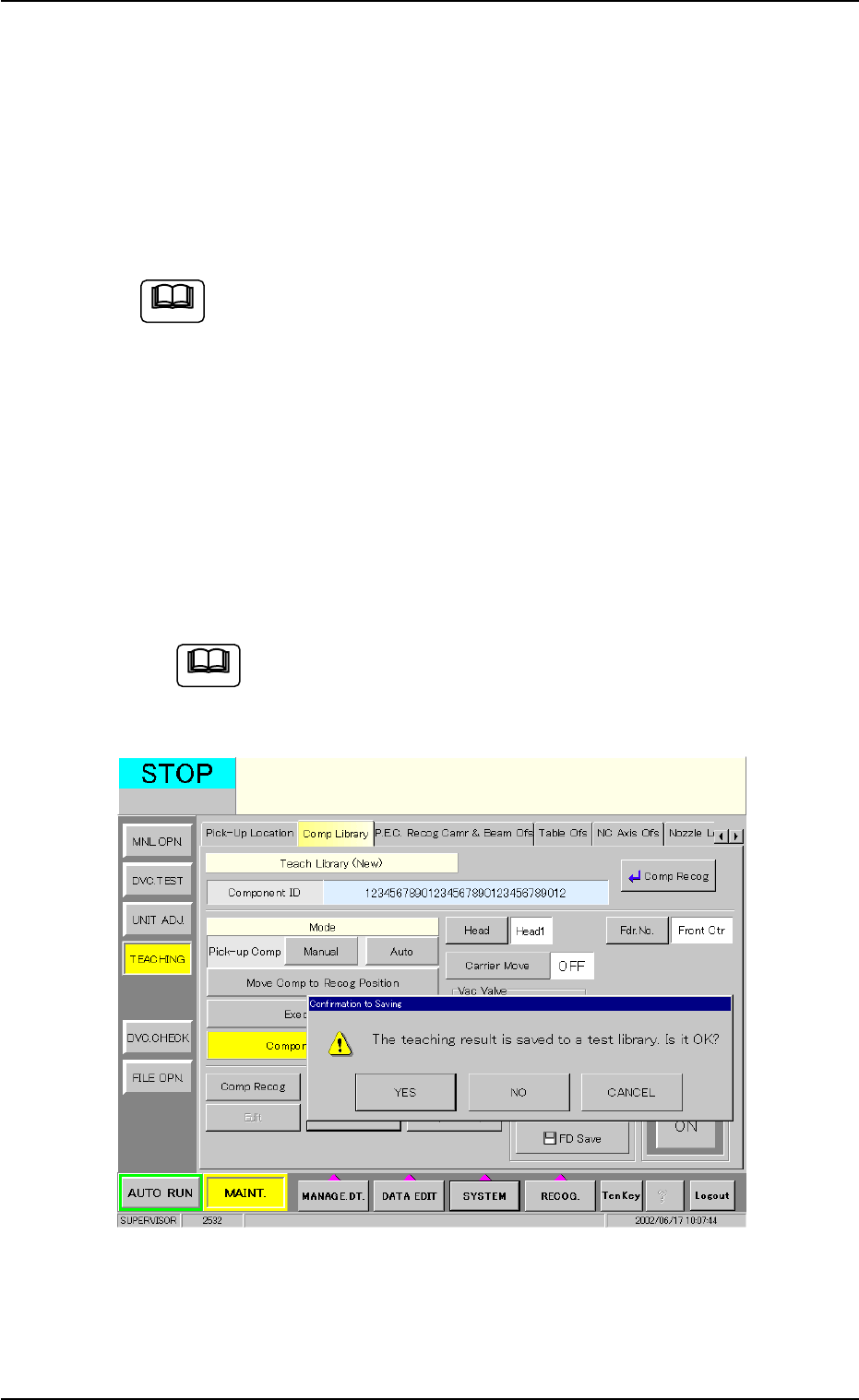
(3) When the [End] button is pressed, a dialog box opens, asking the
operator to determine whether or not the results of the teaching op-
eration must be saved in the test library.
To save the results, press the [YES] button. When the [NO] button
is pressed, the results are discarded. Pressing the [CANCEL] but-
ton resumes the previous operation.
After verifying the data and making the other operations, be
sure to press the [Component Collection] button to collect
the components.
Fig. 2F104-11 "Confirmation to Saving" Dialog Box
0308-004 6-137
5.2 Library Teaching
Note
Note
AHB01ESPP
5.2.8 Helpful Hints for Parameter Verification
After a teaching operation is completed, press the [Table Disp] button to
verify the parameters.
Special attention should be paid to the following items because the
amount of correction for component recognition is affected by them.
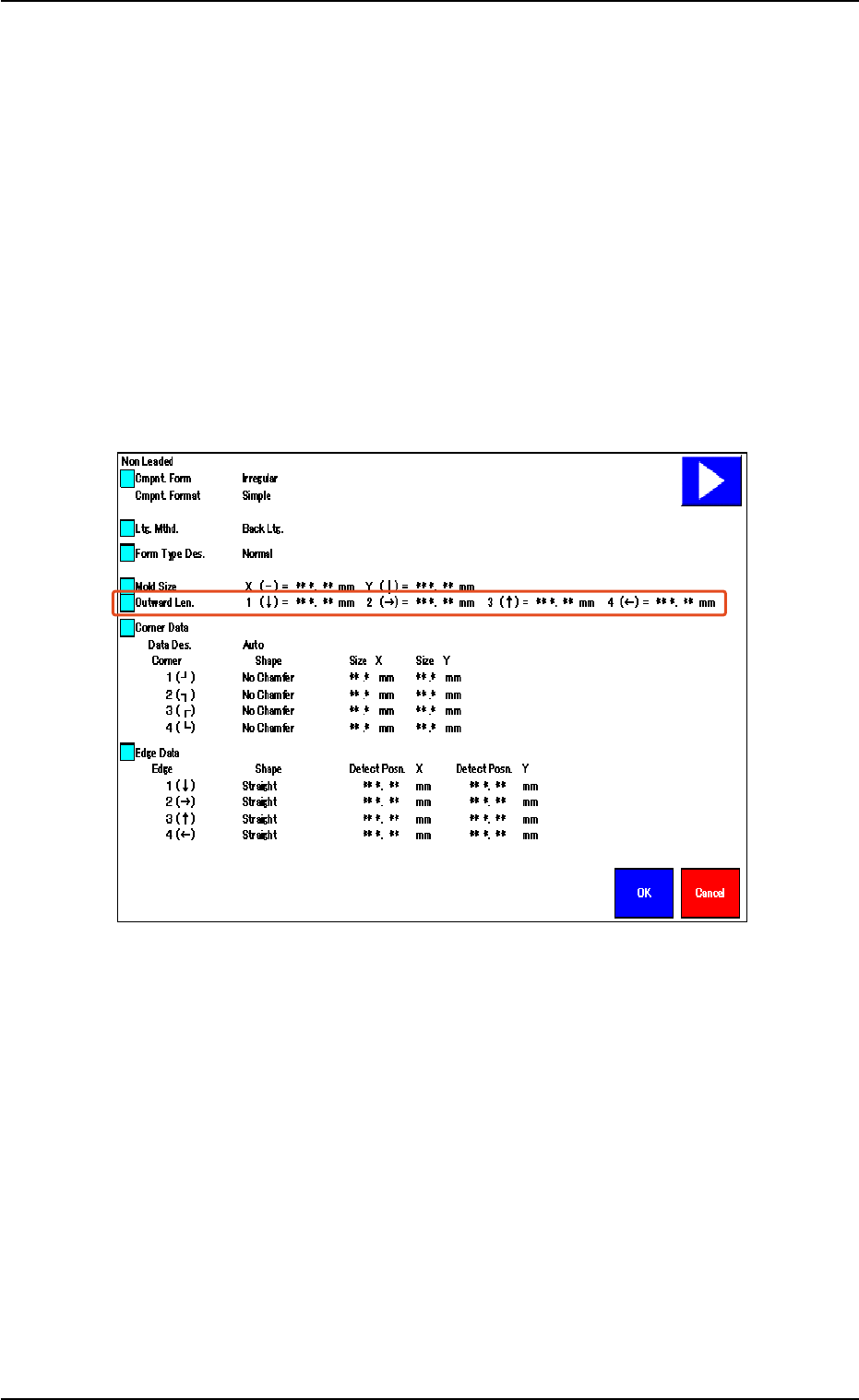
• When the shape of the leadless component is "Deform (Simple)",
verify the following.
Verify that the same values are obtained for "1 (È)" and "3 (Ç)" en-
titled "Outward Len." for the vertically symmetrical component.
Verify that the same values are obtained for "2 (Æ)" and "4 (Å)" en-
titled "Outward Len." for the horizontally symmetrical component.
Fig. 2F104-12
5.2 Library Teaching
0308-004 6-138
AHB01ESPP
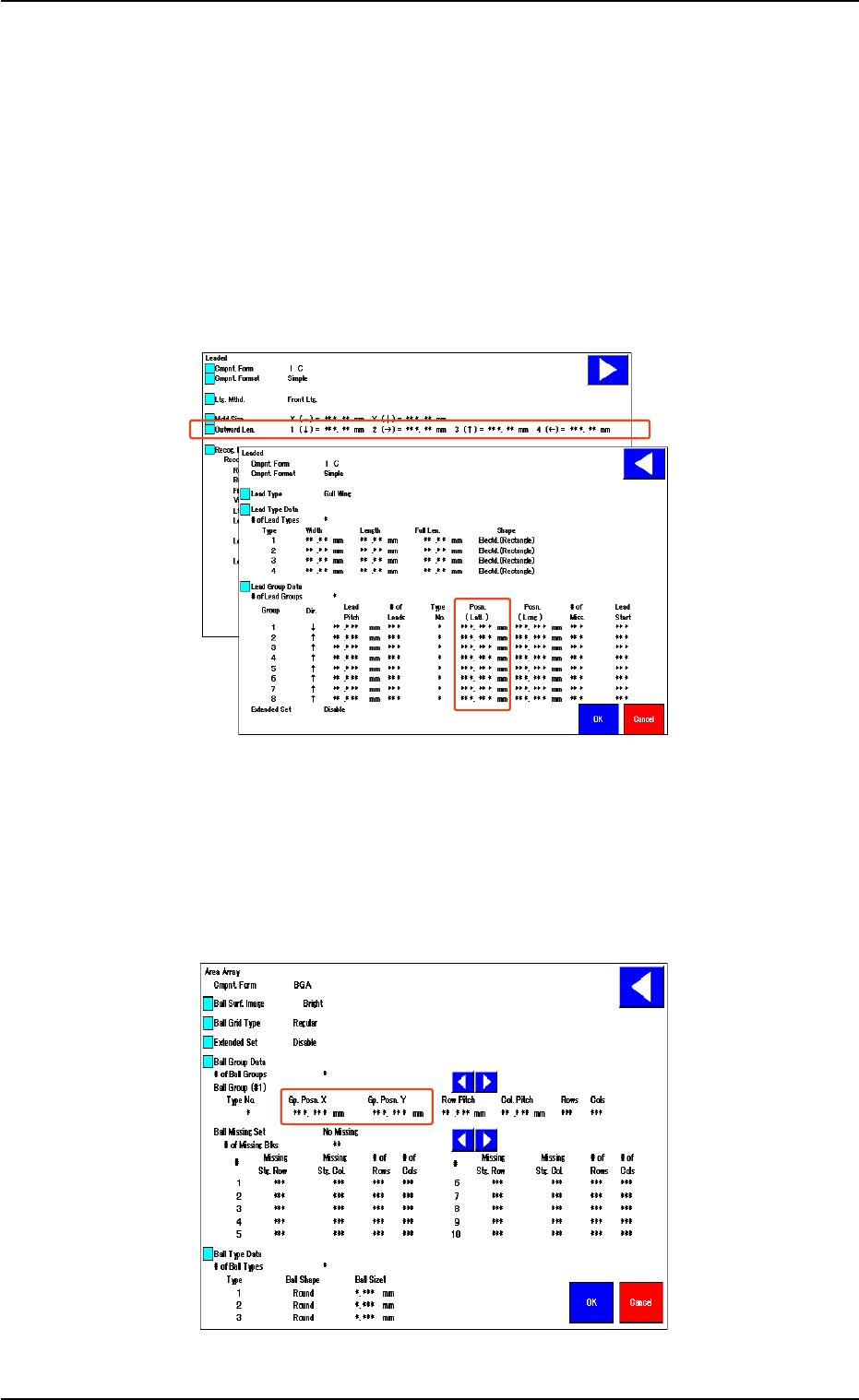
• When the shape of the leaded component is "IC (Simple)", "IC
(Complex)", "Connector (Simple)", "Connector (Complex)", or
"Other Leaded (Simple)", verify the following.
Verify that the same values are obtained for "1 (È)" and "3 (Ç)" en-
titled "Outward Len." for the vertically symmetrical component.
Verify that the same values are obtained for "2 (Æ)" and "4 (Å)" en-
titled "Outward Len." for the horizontally symmetrical component.
When the center of the lead group is located at the center of the com-
ponent, verify that "0 (zero)" is obtained for "Posn. (Latl.)".
Fig. 2F104-13
• In the case of "Area Array", verify the following.
When the center of the grids is located at the center of the compo-
nent, verify that "0 (zero)" is obtained for "Gp. Posn. X" and "Gp. Posn.
Y".
Fig. 2F104-14
5.2 Library Teaching
0308-004 6-139