2OM-1075-002.pdf - 第264页
AHB01ESPP *12 "Control SW" Group Box When the [ENABLE] button on the operation panel is pressed in 2 seconds after one of the buttons in the "Mode" group box (*7) is selected and the [ON] button (enti…
AHB01ESPP
[Move To Recog Sta] Button
When the [ENABLE] button on the operation panel is pressed in
2 seconds after this button is selected and the [ON] button (*11
entitled "MOVE") is pressed, the head (specified in "*2") moves
the component recognition camera position (specified in "*3").
[Comp Recog (Manual)] Button
When this button is pressed, the "Comp Recog (Manual)" sheet
appears, enabling the operator to perform a component recog-
nition operation, the camera X/Y movement, the rotational move-
ment, etc.
[Hysteresis Test] Button
When pressed, the "Hysteresis Test" tab sheet appears,
making it possible to perform a hysteresis test.
[Comp. Collection] Button
Components are collected (discharged) and the X/Y beam is
zeroed.
Components are discharged to the nearest component storage
box or the recycle conveyor (option).
After components are collected completely, press the [Vac
Pick-Up On/Off] button (*10) to turn off the vacuum valve.
While the vacuum valve is kept "ON", the previous sheet
will not resume.
*8 "Result of Recog Test" Group Box
Displayed are the results of a component recognition test.
*9 [Carrier Move] Button
This button enables the operator to determine whether or not the
components should be fed from the feeder or the supply operation
for the multi-layer tray feeder should be performed.
When this button is pressed, the "Carrier Move" sheet appears.
*10 [Recog Angle] Button
Set the angle at which a component should be recognized.
When this button is pressed, the "Recog Angle" sheet appears.
*11 "Vac Valve" Group Box
The [Vac Pick-Up On/Off] button can be used to turn on or off the
vacuum valve for the nozzles.
Note
0308-004 6-31
3.3 "Cmpnt Recog Test" Tab
AHB01ESPP
*12 "Control SW" Group Box
When the [ENABLE] button on the operation panel is pressed in 2
seconds after one of the buttons in the "Mode" group box (*7) is
selected and the [ON] button (entitled "MOVE") is pressed, the func-
tion corresponding to the selected button is implemented.
*13 [Return] Button
When this button is pressed, the "Component Recog. Test" sheet
closes and the "Cmpnt Recog Test" tab sheet (Fig. 2F21) resumes.
• Common Operations for Component Recognition Test
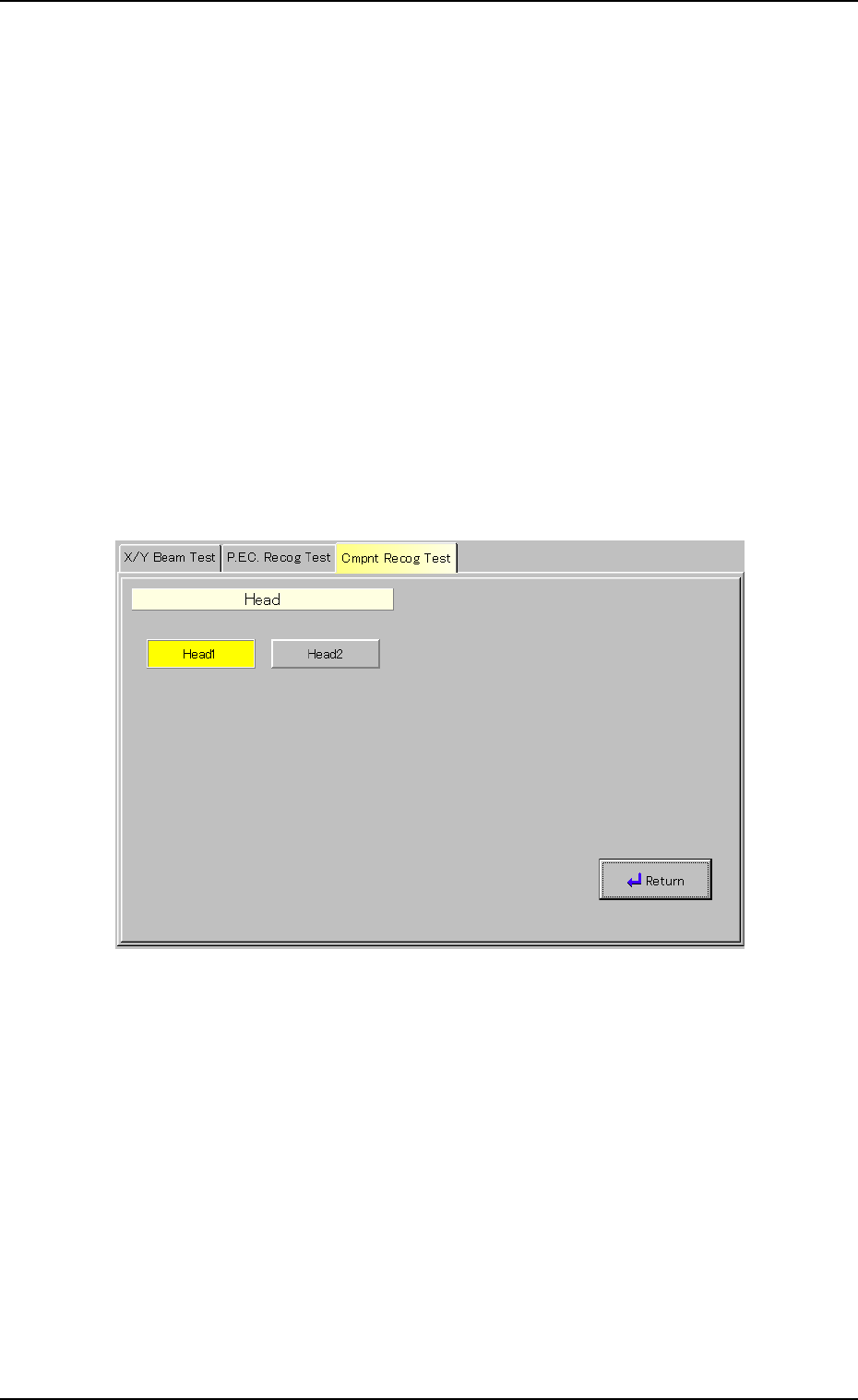
(1) Selection of Object Head for Component Recognition Test
When the [Head Select.] button (*2) is pressed in the "Component
Recog. Test" sheet (Fig. 2F22), the following sheet appears.
Fig. 2F23 "Head" Sheet
Select the [Head1] or the [Head2] button to select the No. 1 or the
No. 2 head and press the [Return] button.
0308-004 6-32
3.3 "Cmpnt Recog Test" Tab
AHB01ESPP
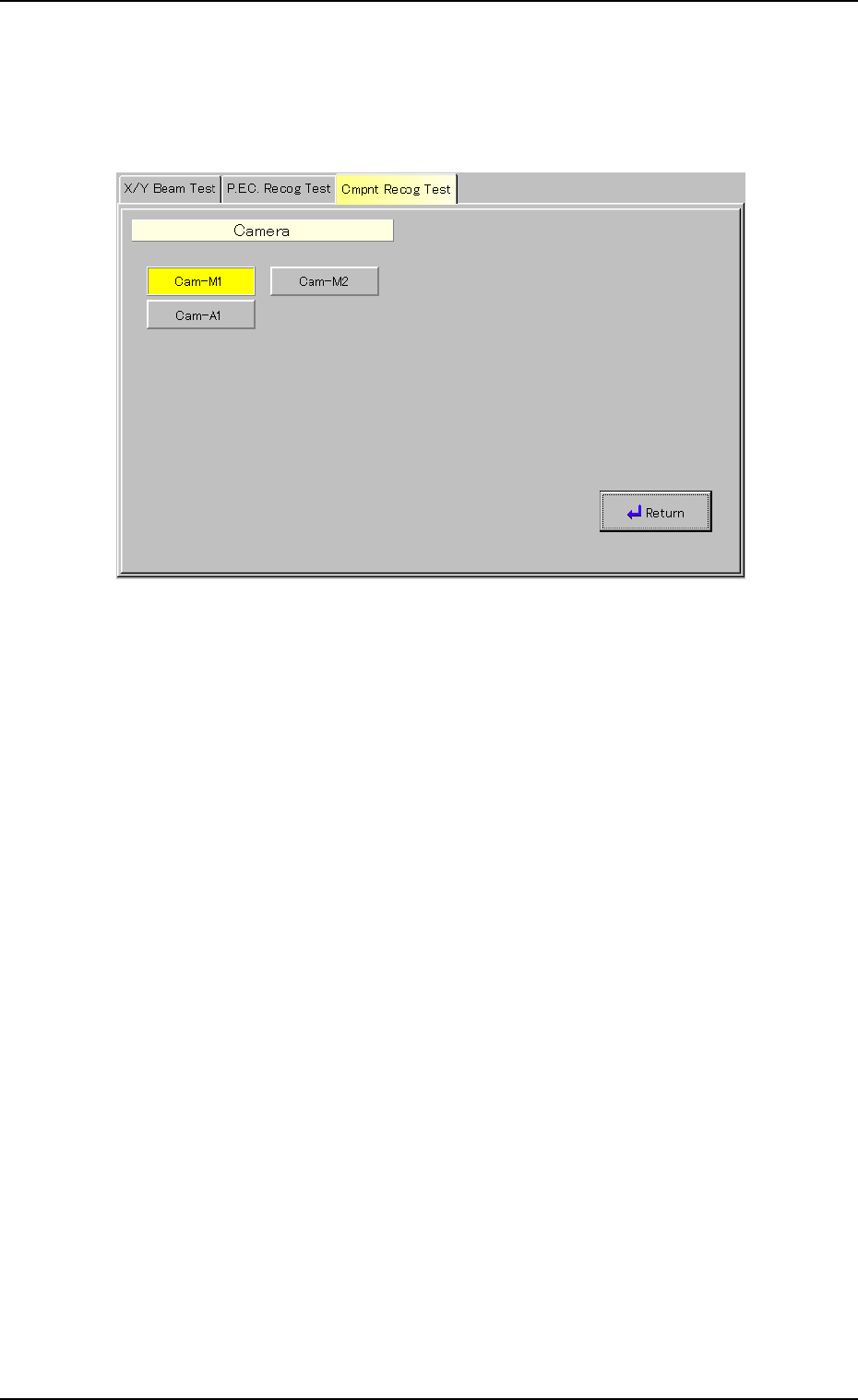
(2) Selection of Component Recognition Camera for Image Cap-
ture
When the [Camera] button (*3) is pressed in the "Component Recog.
Test" sheet (Fig. 2F22), the following sheet appears.
Fig. 2F24 "Camera" Sheet
Select one of the buttons to specify the required head and press the
[Return] button.
0206-003 6-33
3.3 "Cmpnt Recog Test" Tab