2OM-1075-002.pdf - 第247页
AHB01ESPP 3.2.1 V arious Data Settings for P .E.C. Recognition Marks Refer to "2.4 Placement Feeder Location Data" in "Section 2 Pattern Program" of "V ol. 3: Programming and Machine Data" f…

AHB01ESPP
[Recognition Algorithm] Button
[Fiducial Mark Image] Button
[Fiducial Mark Level] Button
[Fiducial Mark Theta] Button
[Set Mark] Button
[Gain] Button
[Level] Button
Refer to "3.2.1 Various Data Settings for P.E.C. Recognition Marks"
for the detailed information on each parameter.
*3 [beam Axis Move] Button
When pressed, this button moves the X/Y beam.
*4 [P.E.C. Recog Test] Button
When pressed, this button sets a P.E.C. recognition test ready for
being made.
*5 [beam Axis Origin] Button
When pressed, this button zeroes the X/Y beam.
*6 "Recog Result" Group Box
Displayed are the coordinates that represent how far the fiducial
mark shifted from the correct position when a recognition test was
performed.
*7 "Control SW" Group Box
Press the [P.E.C. Recog Test] button and the [ON] button (entitled
"MOVE"). After that, press the [ENABLE] button in two seconds.
The P.E.C. recognition test is conducted.
Refer to "3.2.2 Procedure for P.E.C. Recognition Test" for the
detailed information on how to make a P.E.C. recognition test.
0206-003 6-14
Note
3.2 "P.E.C. Recog Test" Tab
AHB01ESPP
3.2.1 Various Data Settings for P.E.C. Recognition Marks
Refer to "2.4 Placement Feeder Location Data" in "Section 2
Pattern Program" of "Vol. 3: Programming and Machine Data"
for the description of each parameter.
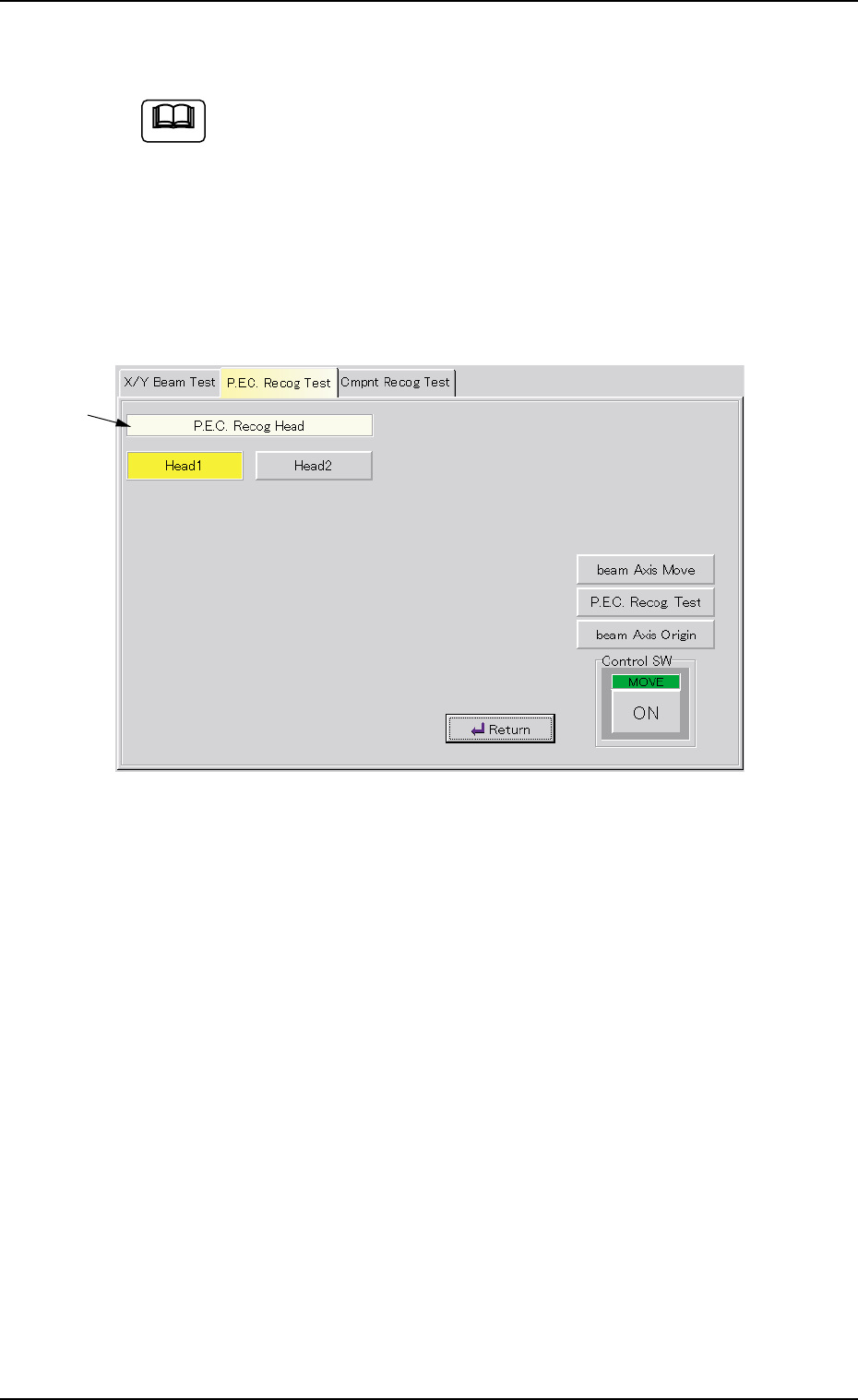
P.E.C. Recog Head
(1) When the [P.E.C. Recog Head] button is pressed in the "P.E.C. Recog
Test" tab sheet, the following sheet appears as follows.
Fig. 2F9
(2) Press the [Head1] or the [Head2] button.
The selected button turns yellow, indicating that the corresponding
head for P.E.C. recognition is selected.
(3) When the [Return] button is pressed, the "P.E.C. Recog Test" tab
sheet appears.
0206-003 6-15
3.2 "P.E.C. Recog Test" Tab
*1
Note
AHB01ESPP
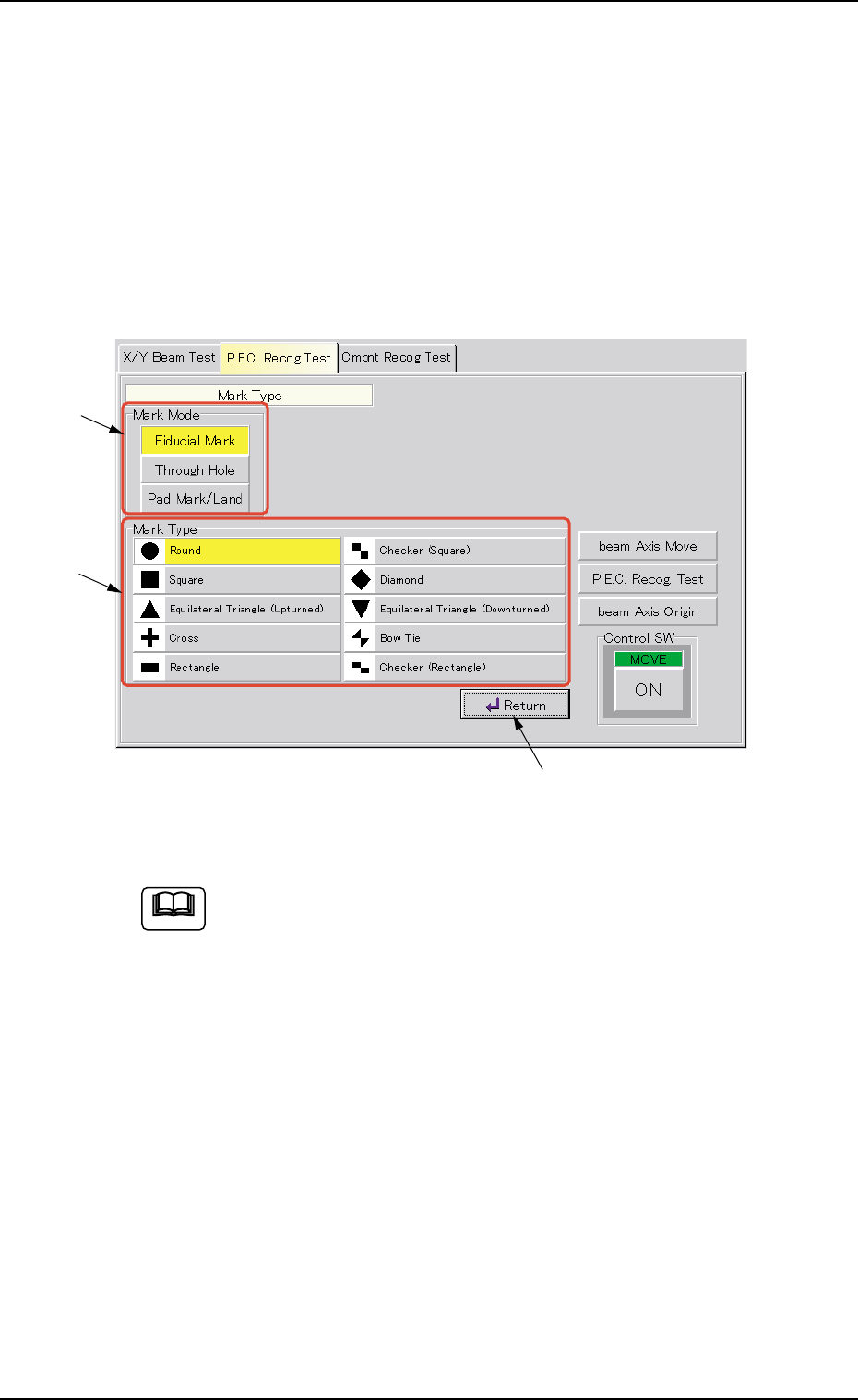
Mark Type
(1) When the [Mark Type] button is pressed in the "P.E.C. Recog. Test"
tab sheet, the "Mark Type" window appears.
Depending on which option is selected in the "Mark Mode" group
box (*1), various mark types (options) are displayed in the "Mark
Type" group box (*2).
After selecting a mark type in the "Mark Type" group box (*2), press
the [Return] button (*3).
Fig. 2F10
When the [Through Hole] or the [Pad Mark/Land] button in the
"Mark Mode" group box is selected, different buttons (mark types)
appear in the "Mark Type" group box.
0206-003 6-16
3.2 "P.E.C. Recog Test" Tab
*2
*1
*3
Note