2OM-1075-002.pdf - 第87页
3 . 3 Conveyor Width Adjustment Perform the all device overall setup operation, using the "Product Change" tab sheet of the "PRGM CHG." window (submenu). Fig. 2C7 "Product Change" T ab Sheet…
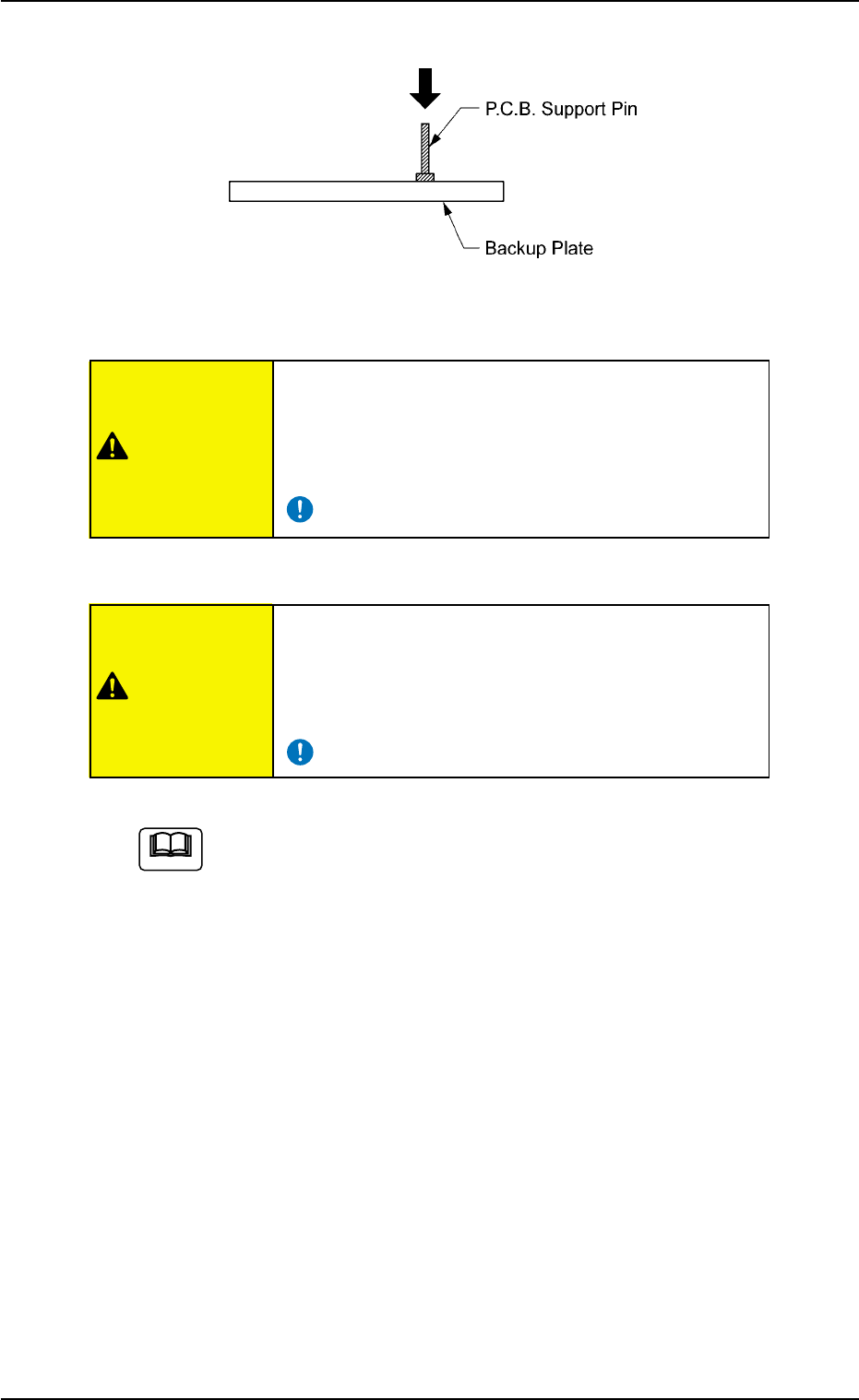
Fig. 2C6 Setting of P.C.B. Support Pins
Be sure to insert the P.C.B. support pins at right
angles.
If the pins are inserted improperly, the machine
will break down.
When some components are previously placed
on the back of the P.C.B. and P.C.B. support pins
are inserted, make sure that no pin touches a com-
ponent.
When a component is trapped or dust has accumulated on
the backup plate, the height of the P.C.B. support pins can-
not be set correctly.
In this case, remove the component or dust with a vacuum
cleaner, etc. (Air Blowing Prohibited)
0308-003 3-9 AHB01ESPP
3.2 Setting of P.C.B. Support Pins
CAUTION
CAUTION
Note
3.3 Conveyor Width Adjustment
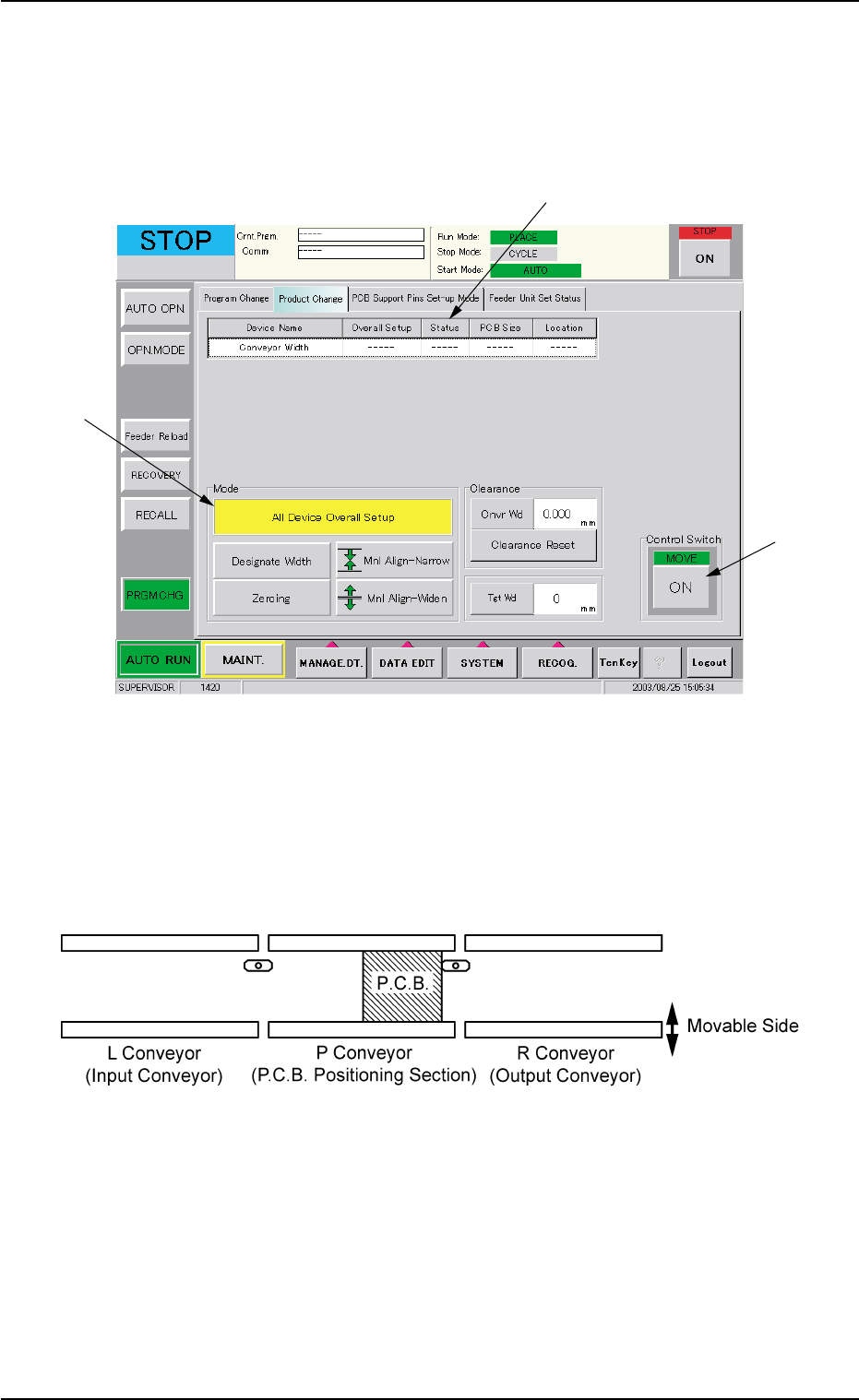
Perform the all device overall setup operation, using the "Product
Change" tab sheet of the "PRGM CHG." window (submenu).
Fig. 2C7 "Product Change" Tab Sheet
When the all device overall setup operation is performed, the following
devices are automatically adjusted.
Width Adjustment in Conveyor Section
Fig. 2C8 Conveyor Section
3.3 Conveyor Width Adjustment
0308-004 3-10 AHB01ESPP
*2
*1
*3

Operation Procedure
(1) Press the [All Device Overall Setup] button (*1).
(2) Enter the clearance data.
(3) When the [ENABLE] button on the operation panel is pressed in two
seconds after the [ON] button (*2) entitled "MOVE" in the "Control
Switch" group box, the all device overall setup operation is started
and the result appears in the "Status" text box (*3) for each device
as follows.
"Ready" : The setup operation is completed and the devices are
located at the position "P.C.B. Width + Clearance".
"Not Ready" : The devices are located at the position "P.C.B. Width
+ Clearance" but the current position is not under
control.
"---" : The current position or program is indefinite.
"---" (red) : "Disable" is set for the setup data.
(4) Confirm that "Ready" has appeared in the "Status" text box (*3) of
each device.
When "---" has appeared in the "Status" text box (*3), perform
the manual setup operation on the conveyor width.
Refer to "7.2.2" in "Section 5 Menus for Automatic Operation"
for the manual setup operation on the conveyor width.
0107-001 3-11
AHB01ESPP
3.3 Conveyor Width Adjustment
Note