2OM-1075-002.pdf - 第162页
AHB01ESPP 5 . 1 "Current Dt" T ab The corresponding tab sheet enables the operator to edit the current pattern program data. • Sheet Layout When the "Current Dt" tab is pressed in the "RECOVERY&q…

AHB01ESPP
Table 2E3
Tabs Description
Current Dt The corresponding tab sheet enables the operator to edit the
current pattern program data.
Comp Carriage Dt Edit The corresponding tab sheet enables the operator to easily
change the component carriage data in the current pattern pro-
gram.
PCB Origin Offset Teach The corresponding tab sheet enables the operator to correct
the overall deviations of the placement coordinates.
Place Pos Teach The corresponding tab sheet enables the operator to correct
the deviations of the placement coordinates for each individual
components.
5. "RECOVERY" Window (Submenu)
0308-003 5-25-1
AHB01ESPP
5.1 "Current Dt" Tab
The corresponding tab sheet enables the operator to edit the current
pattern program data.
• Sheet Layout
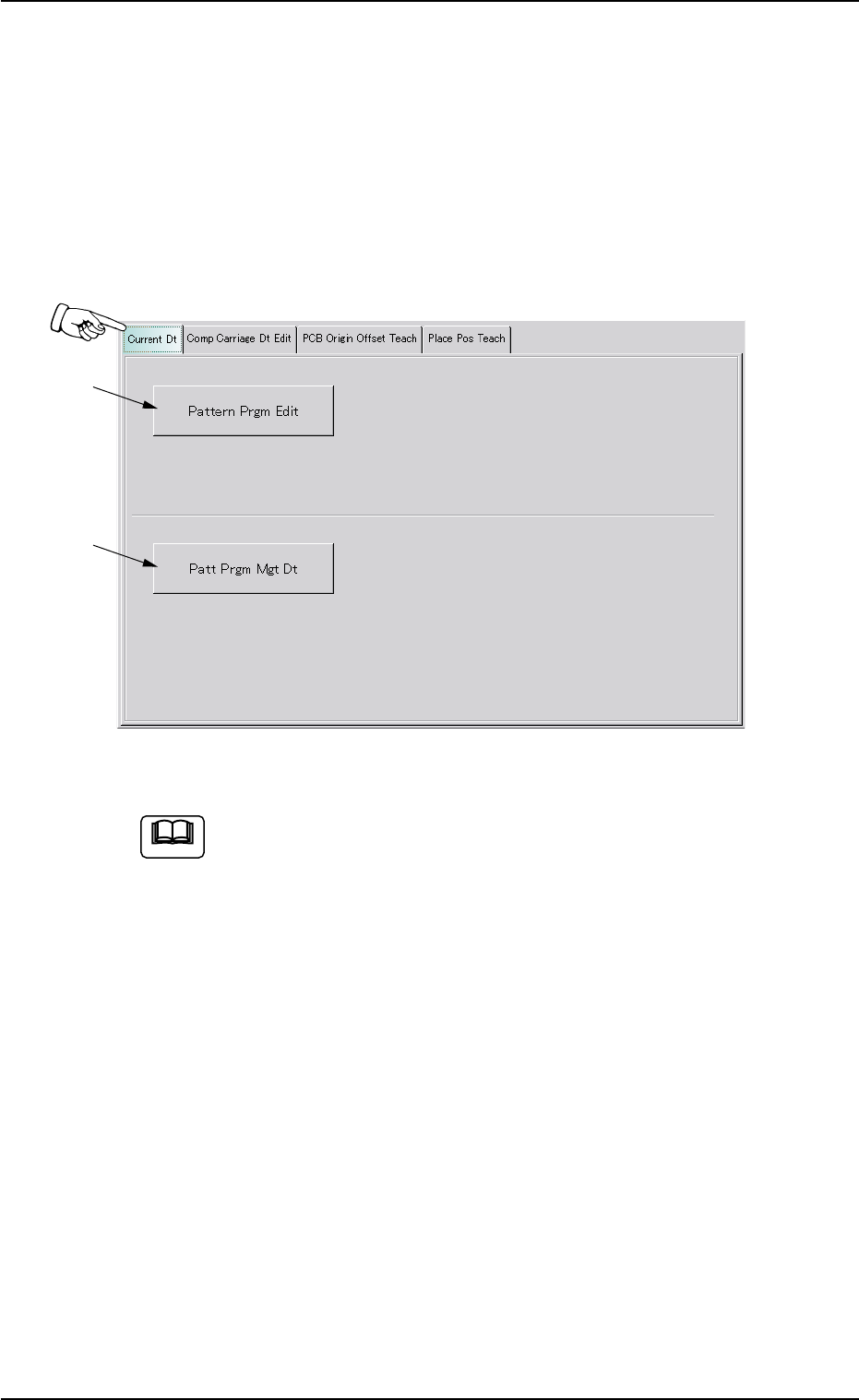
When the "Current Dt" tab is pressed in the "RECOVERY" window
(submenu), the following tab sheet appears inside the window.
Fig. 2E17 "Current Dt" Tab Sheet (Provided with Multi-Layer Tray Feeder 2)
The tab sheet may look different, depending on which options
are selected.
• Sheet Composition
5.1 "Current Dt" Tab
0308-003 5-25-2
*1
*2
Note
AHB01ESPP
*1 [Pattern Prgm Edit] Button
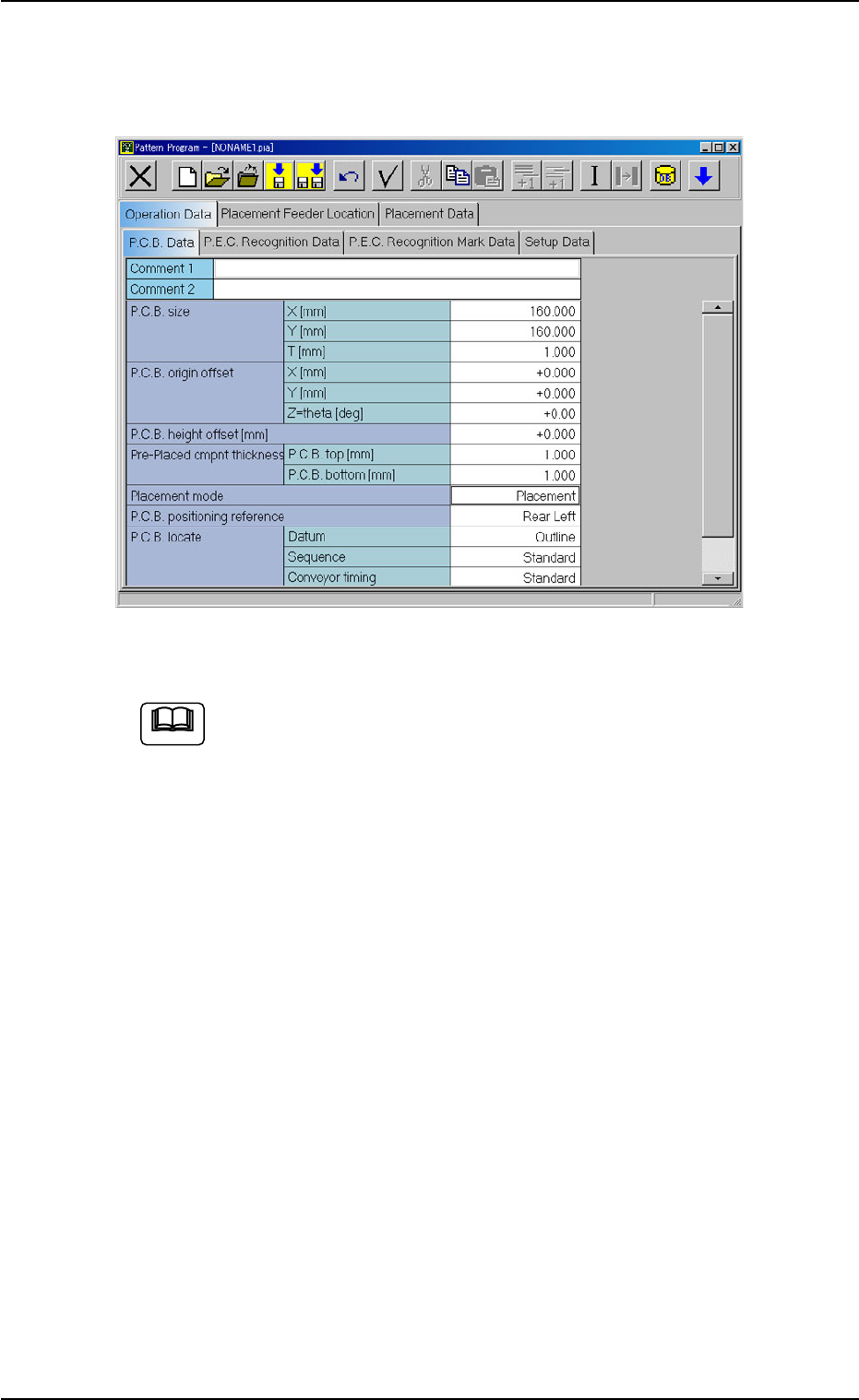
When this button is pressed, the "Pattern Program" window for the
current pattern program data appears.
Fig. 2E18 "Pattern Program" Window
(a) The data cannot be modified while the machine is in the
"RUN", "WAIT", or "PAUSE" mode.
(b) Refer to "Section 2 Pattern Program" in "Vol. 3" for how to
edit the pattern program.
5.1 "Current Dt" Tab
0308-003 5-25-3
Note