2OM-1075-002.pdf - 第197页
AHB01ESPP Description : Displayed are the description of component recognition errors. Item : Displayed are the types (classification) of com- ponent recognition errors. Algorithm : Recog. Err . Code : Displayed are the …
AHB01ESPP
6.4 "Comp. Recog. Err" Tab
The corresponding tab sheet enables the operator to check the date &
time of component recognition error occurrence, recognition error codes,
and error description.
• Sheet Layout
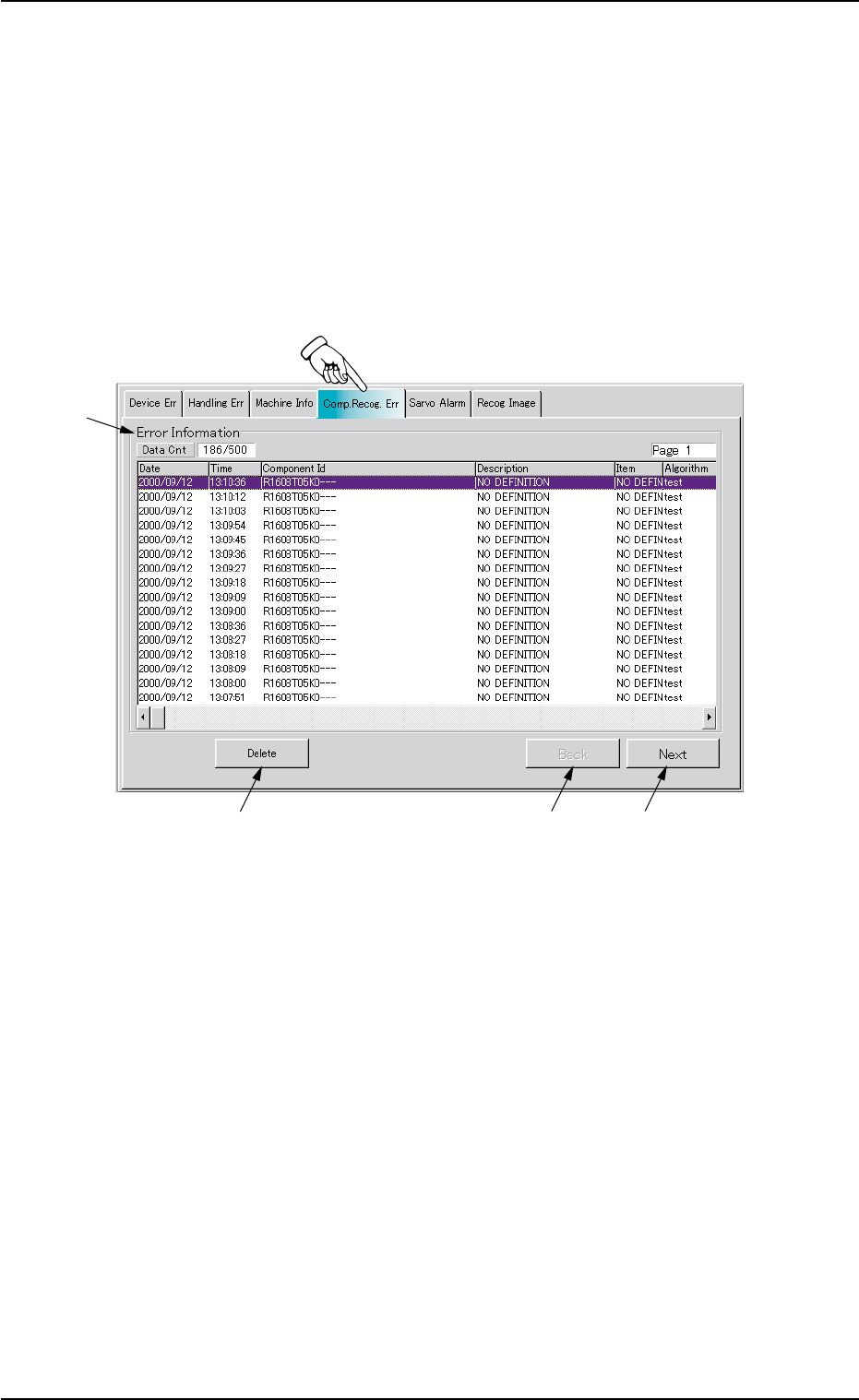
When the "Comp. Recog. Err" tab is pressed in the "RECALL" window
(submenu), the following tab sheet appears inside the window.
Fig. 2E31 "Comp. Recog. Err" Tab Sheet
• Sheet Composition
*1 Error Information
The following items are displayed with respect to component rec-
ognition errors.
Data Cnt : Displayed in the text box are the number of com-
ponent recognition errors and the current display
information Nos.
Date : Displayed is the date of component recognition
error occurrence.
Time : Displayed is the time of component recognition
error occurrence.
Component Id : Displayed are the Error IDs.
0308-004 5-34
6.4 "Comp. Recog. Err" Tab
*1
*2
*3
*4
AHB01ESPP
Description : Displayed are the description of component
recognition errors.
Item : Displayed are the types (classification) of com-
ponent recognition errors.
Algorithm :
Recog. Err. Code : Displayed are the recognition error codes.
Fdr. No. : Displayed are the feeder Nos.
U:Displayed are the unit Nos.
P:Displayed are P-Nos.
O:Displayed are O-Nos.
Head : Displayed are the head Nos.
Nozzle : Displayed are the nozzle Nos.
Nozzle ID : Displayed are the nozzle IDs.
*2 [Delete] Button
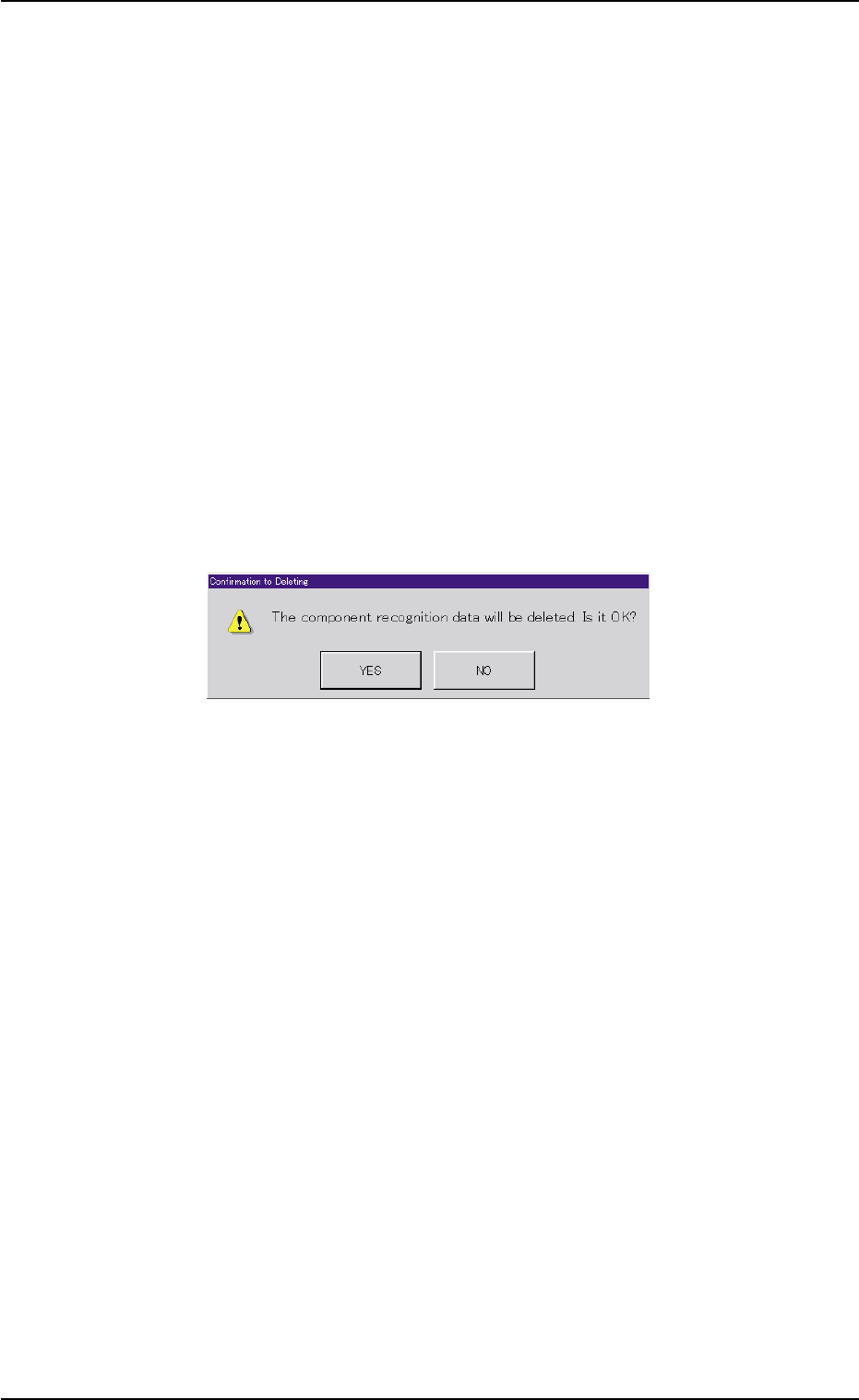
When this button is pressed, the following dialog box opens for con-
firmation to deletion.
Fig. 2E32 "Confirmation to Deleting" Dialog Box
When the [YES] button is pressed, the component recognition error
data is deleted.
When the [NO] button is pressed, the dialog box closes without de-
leting the component recognition error data.
*3 [Back] Button
When this button is pressed, the previous list of errors (previous
details) is displayed.
*4 [Next] Button
When this button is pressed, the next list of errors (next details) is
displayed.
0308-004 5-35
6.4 "Comp. Recog. Err" Tab
AHB01ESPP
6.5 "Servo Alarm" Tab
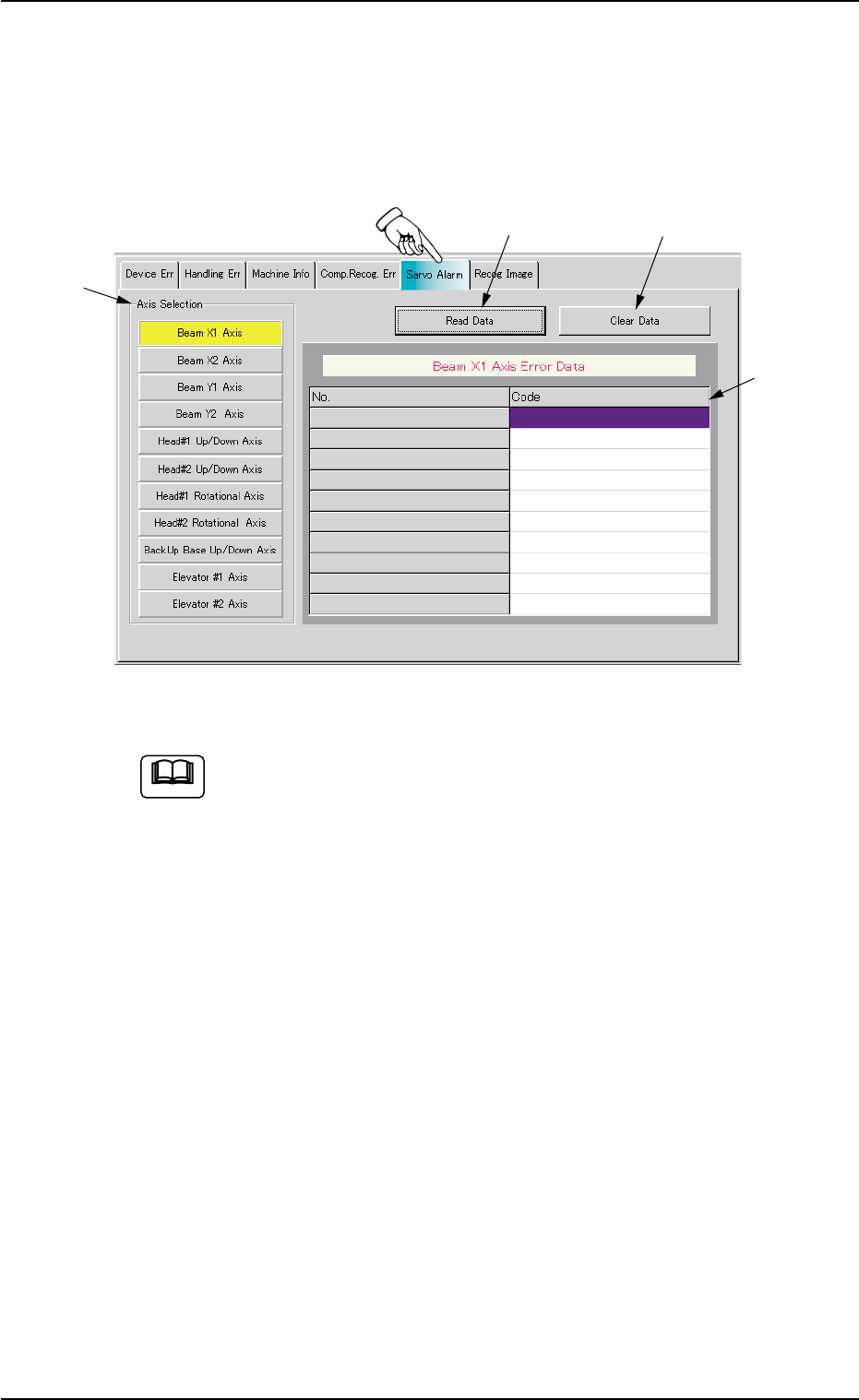
• Sheet Layout
When the "Servo Alarm" tab is pressed in the "RECALL" window
(submenu), the following tab sheet appears inside the window.
Fig. 2E33 "Servo Alarm" Tab Sheet (Provided with Multi-Layer Tray Feeder 2)
The tab sheet may look different, depending on which options
are selected.
• Sheet Composition
*1 "Axis Selection" Group Box
The following buttons are provided in this group box.
[Beam X1 Axis] Button
[Beam X2 Axis] Button
[Beam Y1 Axis] Button
[Beam Y2 Axis] Button
[Head#1 Up/Down Axis] Button
[Head#2 Up/Down Axis] Button
[Head#1 Rotational Axis] Button
[Head#2 Rotational Axis] Button
[BackUp Base Up/Down Axis] Button
[Elevator #1 Axis] Button
0308-004 5-36
6.5 "Servo Alarm" Tab
Note
*1
*2
*3
*4