00195941-03-UM SiplaceCA-EN.pdf - 第336页
5 Tasks on the Mach ine User Manual SIPLACE CA 5.2 Tasks on the SWS Edition 08/2011 EN 336 5.2 T asks on the SWS 5.2.1 Switching on the SIPLACE CA First switch on all SWSs of the SIPLACE CA. The modules are st arting u…

User Manual SIPLACE CA 5 Tasks on the Machine
Edition 08/2011 EN 5.1 Profile
335
– Providing all materials required to produce the job in a timely manner, such as
–PCBs
– Splicing Materials
– Soldering paste
– Components
– Feeder modules, etc.
– Setting up the station for a new production batch
– Checking the feeder module settings:
– Increment
– Pickup position
– Checking the management data
– Checking the management data from MaDaMaS or OIS
– Asking the responsible programmers to modify placement programs
– Ensuring a smooth flow of information between the individual groups
5.1.3 Service engineer
The service personnel should normally have attended the SIPLACE basic, refresher and service
engineer courses. 5
The service engineer's duties include: 5
– Major preventive maintenance jobs
– Mounting replacement parts
– Editing machine data
– Calibrating the machine
5.1.4 Programmer
The programming personnel should normally have attended the SIPLACE programming course.
The programmer's jobs are as follows: 5
– Preparing CAD files
– Creating and calibrating vision data (teaching)
– Writing placement programs
– Implementing a new job
– Data maintenance
– Data backup

5 Tasks on the Machine User Manual SIPLACE CA
5.2 Tasks on the SWS Edition 08/2011 EN
336
5.2 Tasks on the SWS
5.2.1 Switching on the SIPLACE CA
First switch on all SWSs of the SIPLACE CA.
The modules are starting up. As long as the placement machine is not yet switched on, an error
message will be displayed on the screen of the SWS module, which points out that the safety cir-
cuit is not closed.
Switch the placement machine on.
Station computer and machine controller are starting up.
As soon as the placement machine has been started up and the start button has been pressed,
the error message regarding the not-closed safety circuit vanishes from the SWS monitors. Initial-
ize the SWS module.
When the initializing process is completed, the SWSs are ready to operate and in standby.
5.2.2 Switching off the SIPLACE CA
Switching off the SWS
Complete all running processes at the SWSs.
In the GUI of the SWS computer switch in the Production -> Misc view and click the red stop
button.
SWS GUI and Linux are shut down properly. 5
Switch off the SWS at the main switch.
Repeat this, if necessary, for each other SWS module.
Switching off the Placement Machine
Close all current processes in the placement machine.
Shut down the station computer.
Switch the placement machine off at the main power switch.
User Manual SIPLACE CA 5 Tasks on the Machine
Edition 08/2011 EN 5.2 Tasks on the SWS
337
5.2.3 Refilling the Magazine
Refill the magazine with the wafer frames.The centering notches of the wafers frames must
point to the opening of the magazine.
NOTE 5
When using frame adapters for 5, 6 or 7 inch please take care to use each second slot only.
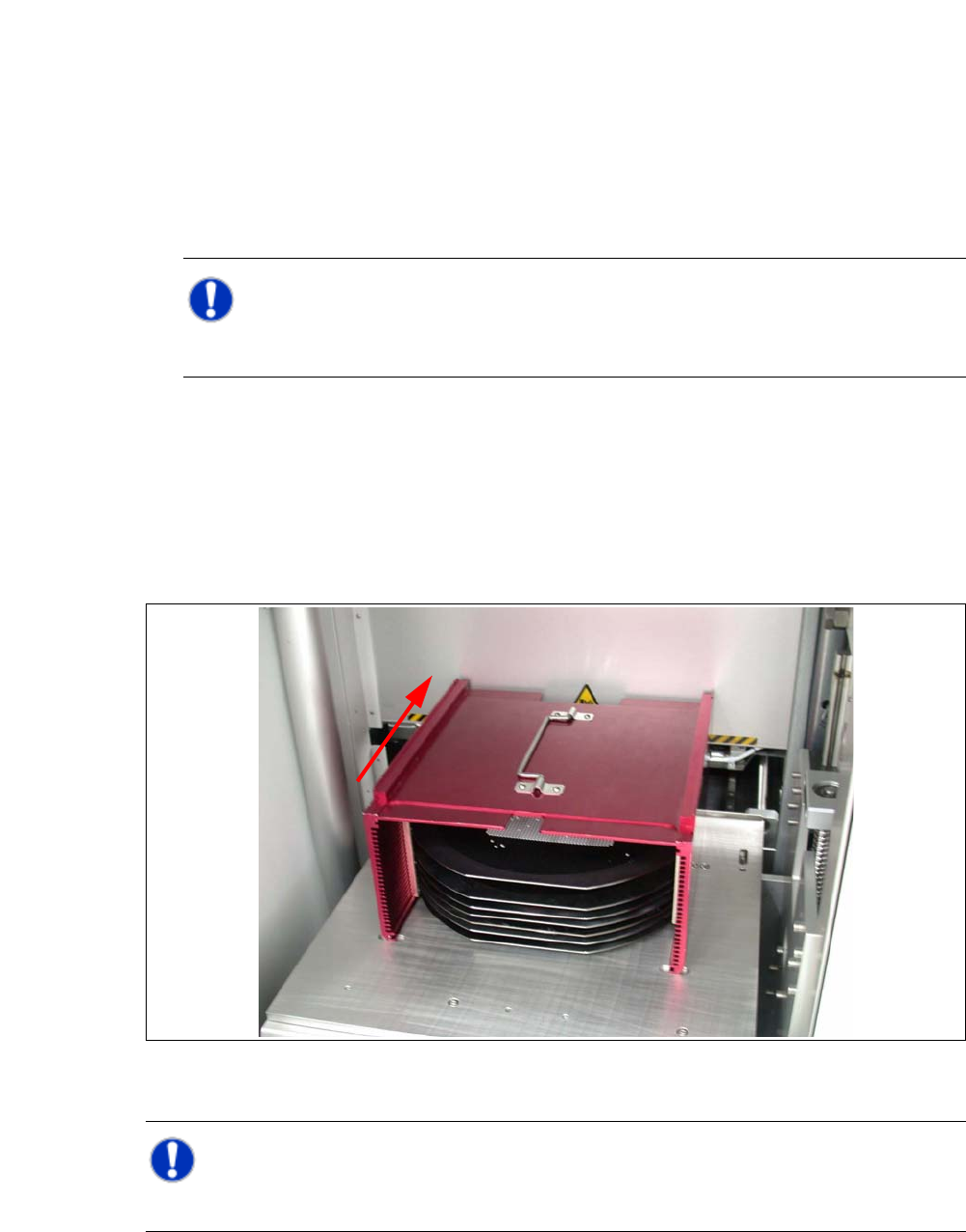
5.2.4 Inserting Magazines into the Magazine Lift
Open the sliding door of the magazine lift and place the magazine onto the plate. The center-
ing notches of the wafers must face the machine. Make sure that the magazine latches prop-
erly.
Fig. 5.2 - 1 Inserting the magazine
NOTE 5
While inserting the wafer frame the recesses of the wafer frame have to lie in feed in direction.