00195941-03-UM SiplaceCA-EN.pdf - 第359页
User Manual SIPLACE CA 5 Tasks on the Machine Edition 08/2011 EN 5.6 Configuring the X Feeder 359 5.6 Configuring the X Feeder Setting up the X feeder modules is described in the job guide. 5.7 LCD and S t atus Display a…
5 Tasks on the Machine User Manual SIPLACE CA
5.5 Configuring Feeders Edition 08/2011 EN
358
5
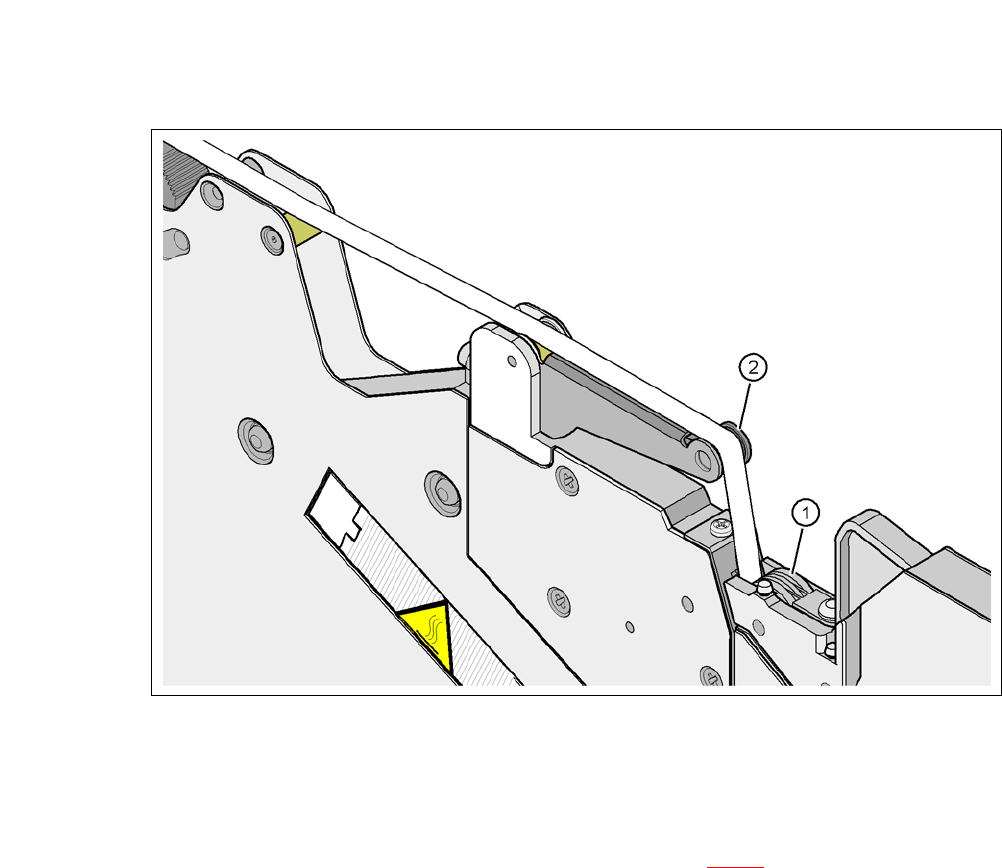
Fig. 5.5 - 7 Guiding the cover foil to the foil packing wheels
(1) Cover foil packing wheels
(2) Cover foil
5
Press the FOIL button on the operator panel (item 3 in fig. 5.5 - 6) until the cover foil is ten-
sioned. The cover foil rocker points down and stops the drive motor.
Cut the component tape flush with the front end of the feeder module.

User Manual SIPLACE CA 5 Tasks on the Machine
Edition 08/2011 EN 5.6 Configuring the X Feeder
359
5.6 Configuring the X Feeder
Setting up the X feeder modules is described in the job guide.
5.7 LCD and Status Display at the X-Feeder Module
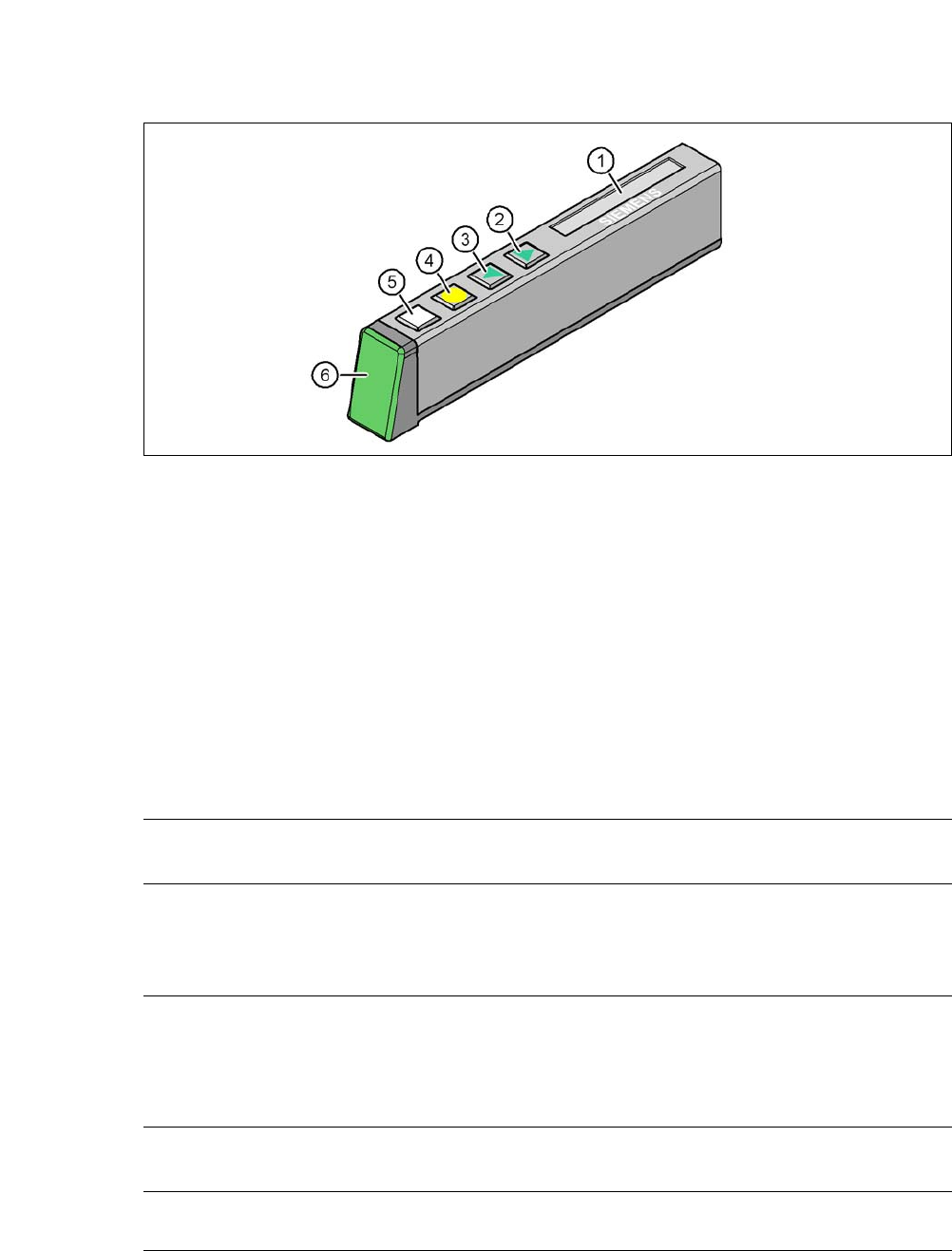
The X feeder modules have a multicolor status display (item 6) for signaling the operating statuses
and an LCD display (item 1) to display the texts.
– If the status display lights up green, the feeder module is on standby and is contained in
the current setup. If the feeder module is not contained in the current setup, the status
display remains off.
– If the status display lights up orange, it is signaling a warning. The text of the warning
appears on the LCD display.
– If the status display lights up red, a malfunction has occurred. The error message is out-
put on the LCD display.
5 Tasks on the Machine User Manual SIPLACE CA
5.7 LCD and Status Display at the X-Feeder Module Edition 08/2011 EN
360
5
Fig. 5.7 - 1 Buttons, LCD and status displays on the X feeder module
The following tables show the wording of the LCD display, the color and the mode of the status
display, the description of the errors and measures for troubleshooting.
5.7.1 Warnings
5
5
5.7.2 Error Messages and Troubleshooting
5
(1) LCD display (2) FORWARD button
(3) BACK button (4) FOIL button
(5) SET button (6) Status display, multicolor
Text on the
LCD display
Status
display
Meaning Troubleshooting
Remove Foil
(Remove the foil)
Orange The selected function is not
permitted when the cover foil
is tensioned (foil rocker is
pressed down).
If you wish to carry out that function, remove
the foil from the pair of gear wheels and cut
it off to relieve the pressure on the foil rocker.
Text on the
LCD display
Status
display
Meaning Troubleshooting
none Red,
flashing
Feeder module software not
jumping to the application
Reload the application software
Load feeder module software