00195941-03-UM SiplaceCA-EN.pdf - 第372页
5 Tasks on the Mach ine User Manual SIPLACE CA 5.12 Docking the Component Trolley In or Out Edition 08/2011 EN 372 5 Fig. 5.12 - 4 Component trolley X-series - swivel handles down (1) Push sleeve up (2) Fold handle down
User Manual SIPLACE CA 5 Tasks on the Machine
Edition 08/2011 EN 5.12 Docking the Component Trolley In or Out
371
CAUTION 5
The component trolley may only be docked into its docking unit. Take care when inserting the
component trolley of the SIPLACE X series machine, so that you do not hit any obstacles with
the locking latches (item 3 in fig. 5.12 - 3).
NOTE 5
Cut the component tapes off flush with the front end of the X feeder modules before you dock in
the component trolley.
CAUTION 5
Check that the placement head is outside the range of the component trolley.
Carefully push the component trolley into machine as far as the stop.
NOTE 5
Close the protective covers since the component trolley can only be docked in if the covers are
closed.
Press the appropriate button on the input or output side of the machine (item 1, 2, 3 or 4 in
fig. 5.12 - 1
until the trolley is completely docked.
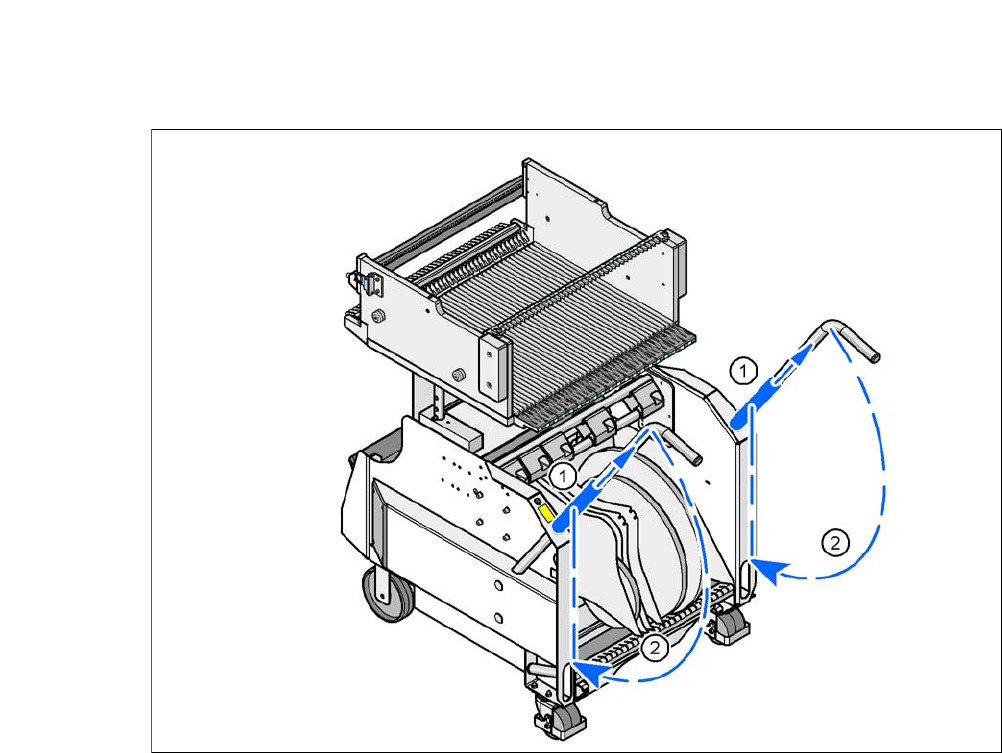
Push the sleeves (item 1 in fig. 5.12 - 4) on both handles up and swing the handles down (item
2 in fig. 5.12 - 4
).
5 Tasks on the Machine User Manual SIPLACE CA
5.12 Docking the Component Trolley In or Out Edition 08/2011 EN
372
5
Fig. 5.12 - 4 Component trolley X-series - swivel handles down
(1) Push sleeve up
(2) Fold handle down
User Manual SIPLACE CA 5 Tasks on the Machine
Edition 08/2011 EN 5.13 Noting the Operating Status Indicator Lamp
373
5.13 Noting the Operating Status Indicator Lamp
The indicator lamp is used to signal operating statuses and malfunctions of the placement system.
NOTE 5
For SWS operating states, refer to the SWS software guide.
5.13.1 Functional Description
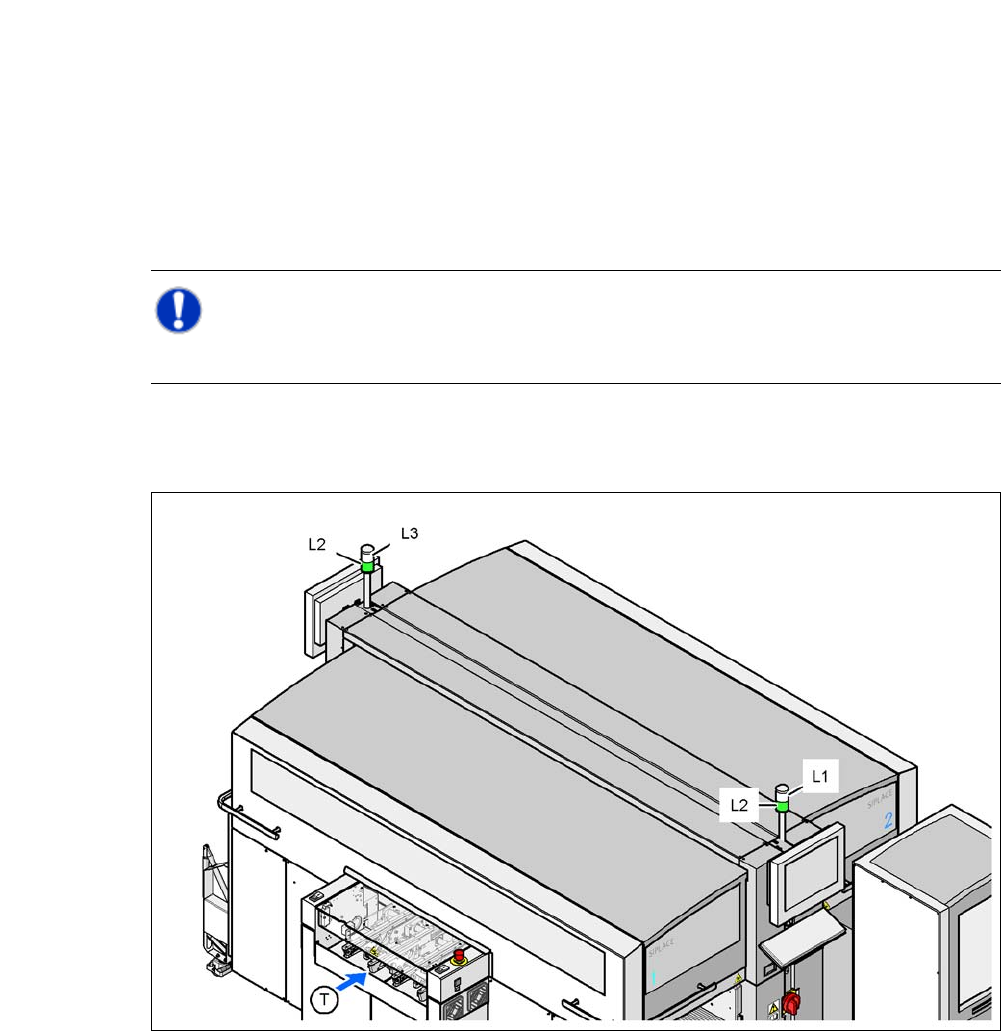
Fig. 5.13 - 1 Operating status indicator lamp
L1 Fault indicator lamp (white, right)
L2 Operating status indicator lamp (green, both lamps switched in parallel)
L3 Fault indicator lamp (white, left)
T Direction of PCB transport