00195941-03-UM SiplaceCA-EN.pdf - 第96页
2 Operational Safety User Manual SIPLACE CA 2.8 Safety Equipment Edition 08/2011 EN 96 In these cases the SIPLACE and the SWS EMERGE NCY STOP circ uits are inter r upted and the corresponding EMERGENCY ST OP s witching d…

User Manual SIPLACE CA 2 Operational Safety
Edition 08/2011 EN 2.8 Safety Equipment
95
2.8.4.4 Structure and Control of the SWS EMERGENCY STOP Circuits
The following input and output signals control the EMERGENCY STOP circuit:
– Input 1 = 1 > EMERGENCY STOP button on the SWS is not pressed
– Input 16 = 1 > SWS EMERGENCY STOP circuit for switching device K3 is closed
– Input 1 = 0 / IN16 = 0 > EMERGENCY STOP activation of the SWS (internal)
– Input 1 = 1 / IN16 = 0 > EMERGENCY STOP activation of the SWS (external)
– Input 15= 1 > Contactors K1/K2 = on, 48 V DC control for the motor amplifiers = OK
– Output 1 = K4 (on/off 150 ms) > Resetting EMERGENCY STOP > Starting SWS
– Output 16 = 1 > K5 = On "Feeder Present" signal to the SIPLACE
2.8.4.5 Functional Description of the SWS EMERGENCY STOP Circuit
The EMERGENCY STOP switching device K3 is activated after switching on the SWS, if the fol-
lowing conditions are met:
– The SWS EMERGENCY STOP circuit is closed, i.e. the EMERGENCY STOP button on the
SWS is not pressed.
– The SIPLACE- EMERGENCY STOP circuit is closed, i.e. the protective cover is closed and
the start button is pressed.
– The initial condition of the inputs IN1 and IN16 is 1.
After that, the reset / start circuit is closed (by means of output 1 = K4 (on/off 150 ms) > resetting
the SWS EMERGENCY STOP).
– The contactors K1/K2 are being switched on (24 VDC coil).
– The link voltage of 48 V DC to the motor amplifiers DMC-19540(20) is supplied.
– The motor voltage is activated afterwards via the Enable signal from the motor controller.
– The ABORT signal (motor amplifier DMC-19540(20)) is deactivated via K2.
– A 24 V DC EMERGENCY STOP voltage is supplied.
– The compressed air main valve Y1/PRS for the die ejector lift is switched on.
– The operating status indicator (white) on the SWS is switched on.
The SWS is ready to operate.
Activating the EMERGENCY STOP
An EMERGENCY STOP can be triggered by:
– Pressing the EMERGENCY STOP button on the SWS.
– Pressing the EMERGENCY STOP button on the placement machine.
– Opening one of the protective covers of the placement machine.

2 Operational Safety User Manual SIPLACE CA
2.8 Safety Equipment Edition 08/2011 EN
96
In these cases the SIPLACE and the SWS EMERGENCY STOP circuits are interrupted and the
corresponding EMERGENCY STOP switching devices switch the contactors off (delayed by 500
ms). Thus, there is a remaining time for a controlled stop function:
– The 48 V link voltage for the servo motors is switched off.
– The operating status indicator (white) on the SWS is switched off.
– The compressed air main valve Y1/PRS for the die ejector lift is switched off.
– The compressed air valves of the cylinders for tool Z (pickup) and tool X (die attach unit) are
switched off.
– The drives are switched off and the tools are held in a secure position by means of spring
elasticity.
– The braking magnet for the magazine lift function is switched off. The brake is active and the
magazine lift is held in position.
Resetting the EMERGENCY STOP
To reset an EMERGENCY STOP the EMERGENCY STOP circuits of the SIPLACE and the SWS
must be closed again.
– Release the pressed EMERGENCY STOP button on the SWS or the placement machine.
– Close any opened protective covers on the placement machine.
Switch the SWSs and the placement machine on.
The modules are starting up. As long as the placement machine is not yet switched on, an
error message will be displayed on the screen of the SWS module, which points out that the
safety circuit is not closed.
As soon as the placement machine has started up, the start circuit is closed (by means of out-
put 1 = K4 (on/off 150 ms). The error message regarding the not-closed safety circuit van-
ishes from the SWSs. Initialize the SWS module.
User Manual SIPLACE CA 2 Operational Safety
Edition 08/2011 EN 2.8 Safety Equipment
97
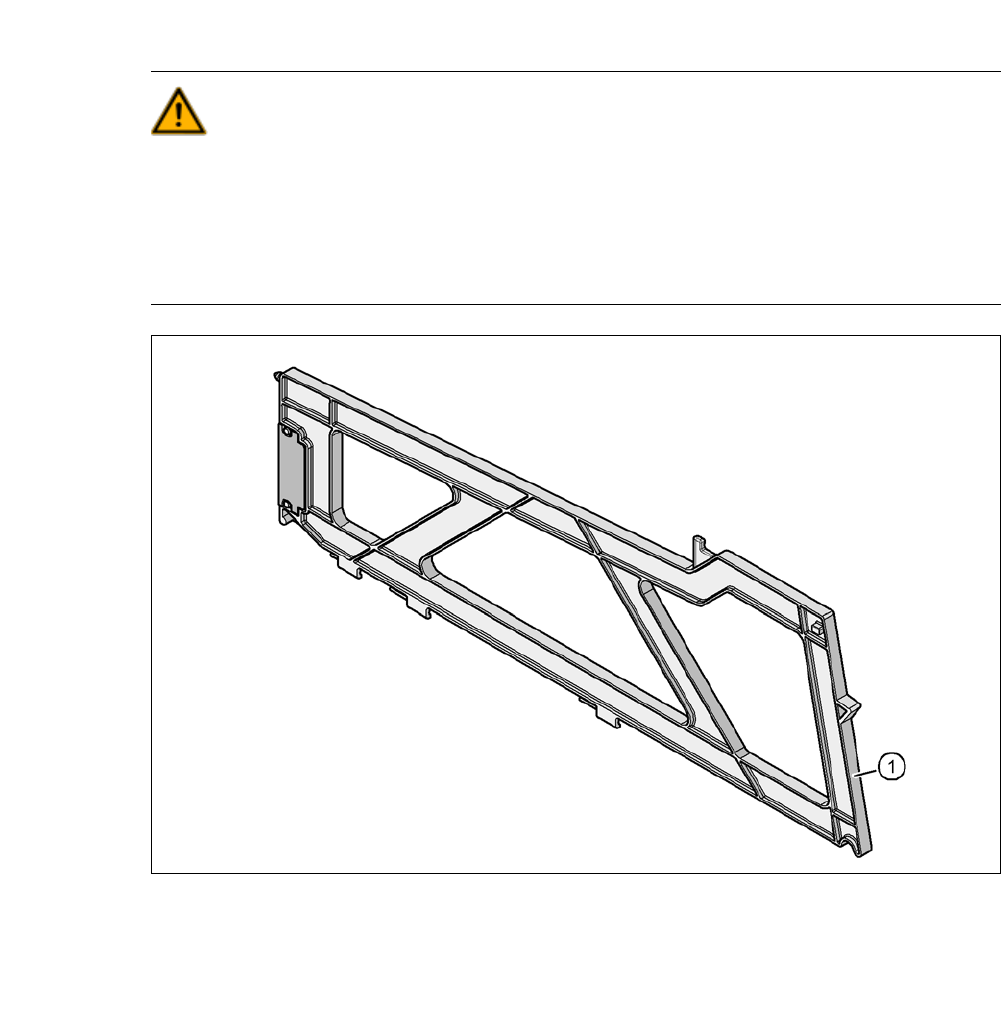
2.8.5 Hand Guard at the Component Trolley Locations, SIPLACE X-Series
WARNING 2
Component trolleys from the SIPLACE X-series are guaranteed to be safe to use if at least every
other free location is filled with a feeder module or a hand guard (dummy feeder). When a waffle-
pack holder is set up, every other free locations should again be protected again with a hand
guard. In other words, there must be no more than one free location between two adjacent
feeder modules or feeder module and waffle-pack tray holder.
Fig. 2.8 - 9 Hand guard at the component trolley locations, SIPLACE X-series
2
(1) Hand guard for 1 location [03028842-01]
The hand guard uses an 8 mm location and can be changed during placement progress.