00196044-05 - sg x und x4i fse_en.pdf - 第215页
Gantry PCB Boards on the Gantry Settings S tudent Guide (FSE) SIPL ACE X Series and X4I Edition 01/2009 EN Gantry 215 6.3.2.1 Head Interface C500 6-7: Head interface (C500) Legend 1 X16 temperatu re sensor for X axis 4 X…
Gantry
Settings PCB Boards on the Gantry
Student Guide (FSE) SIPLACE X Series and X4I
Gantry Edition 01/2009 EN
214
6.3.2 PCB Boards on the Gantry
The printed circuit boards which are described in this chapter are basically identical on each gantry and
do not depend on the head configuration. The gantry identification settings and the CAN bus terminating
resistance settings are defined at the DIP switch on the head interface.
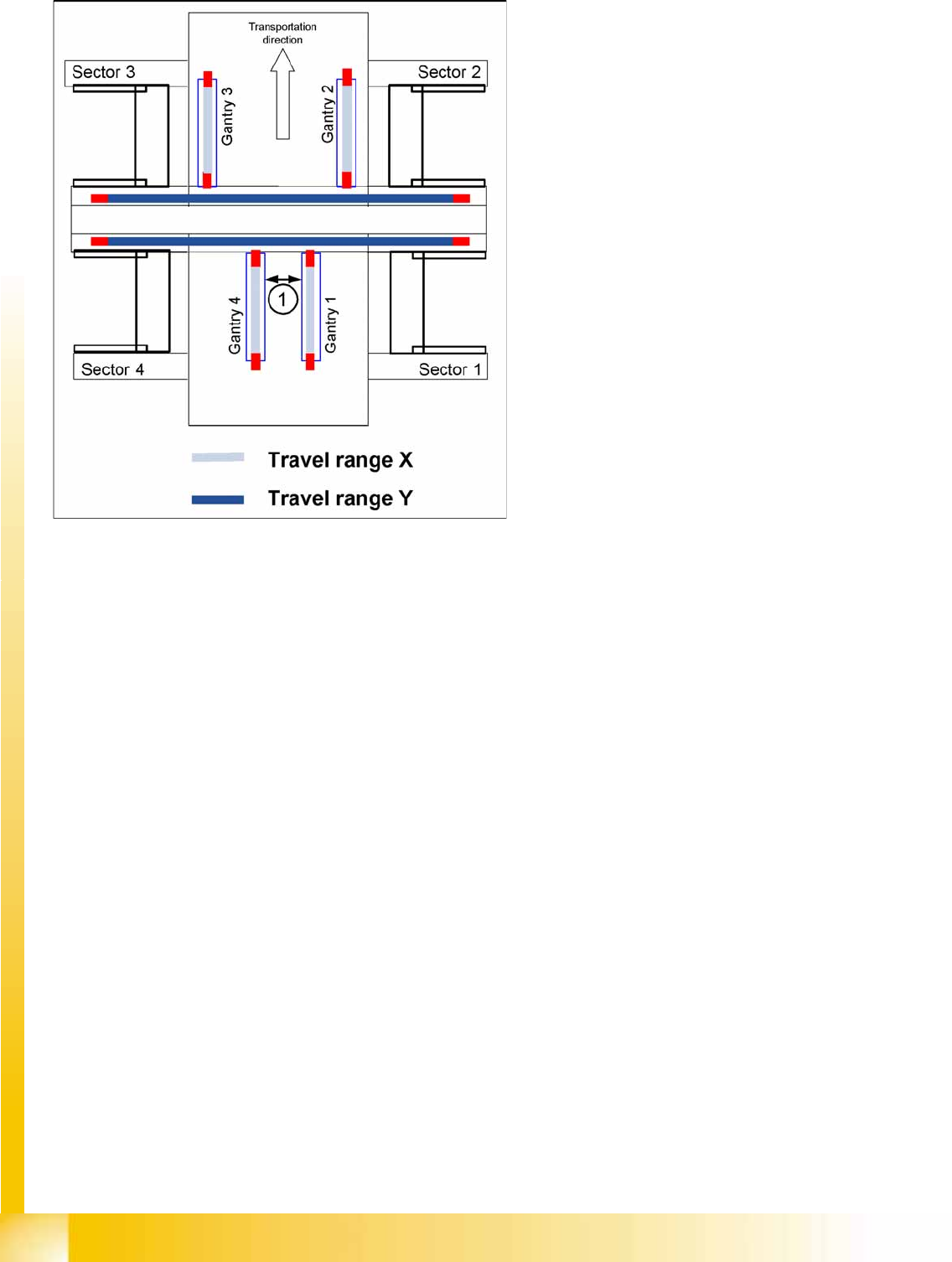
6-6: Travel ranges for X and Y axes
Legend
1. The minimum safety distance between the
gantries, during placement: minimum 4 mm.
Depending on the placement mode (i-placement
or alternating), the gantries will operate in one
placement area fully independently. This means
that one gantry does not need to know the position
of the other one.
Gantry
PCB Boards on the Gantry Settings
Student Guide (FSE) SIPLACE X Series and X4I
Edition 01/2009 EN Gantry
215
6.3.2.1 Head Interface C500
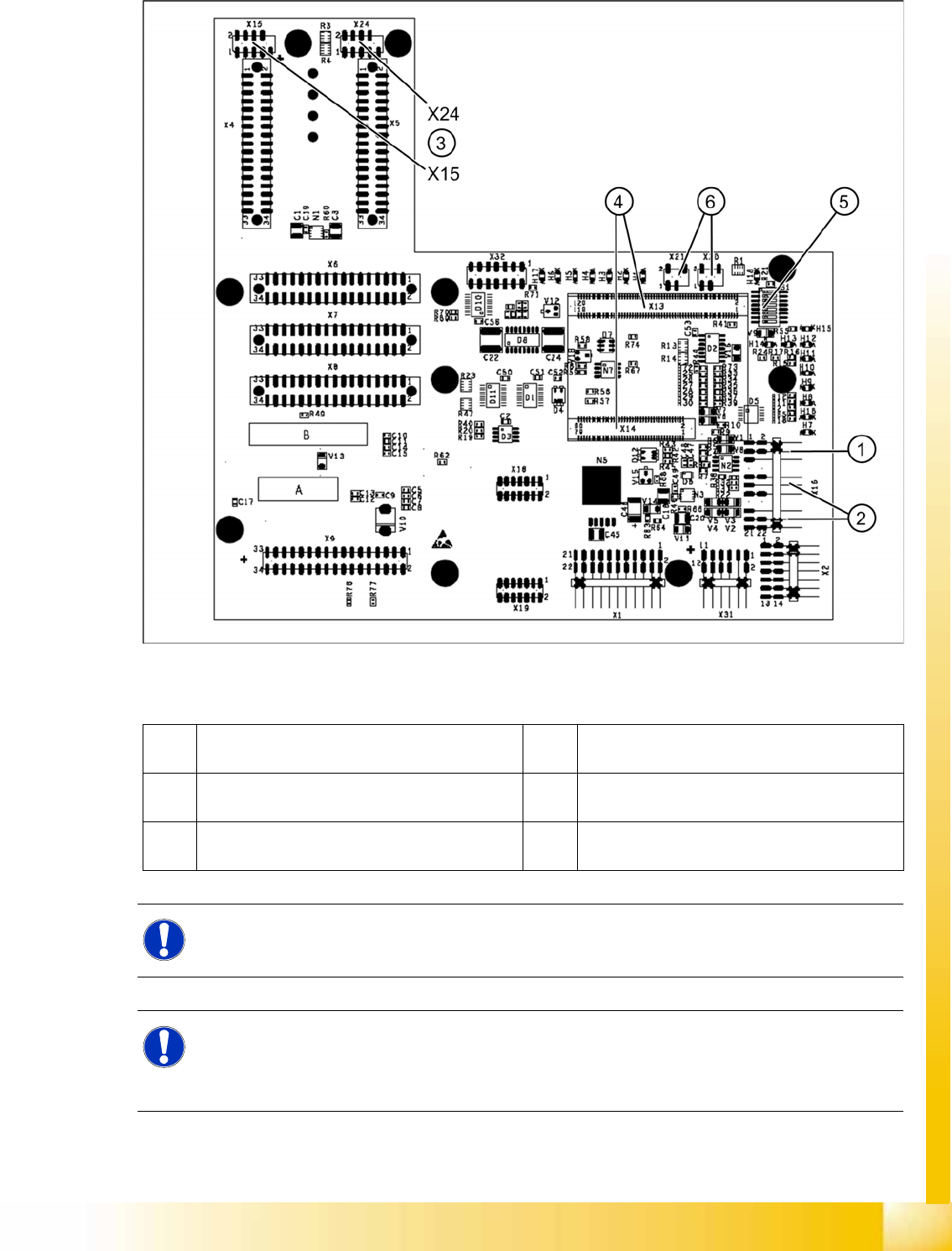
6-7: Head interface (C500)
Legend
1 X16 temperature sensor for X axis 4 X13 / X14 connector for 16 Bit processor board
(TQM module)
2 Proximity switches for X axis travel range (not
with A364)
5 DIP switch
3 X15 connector for incremental encoder X axis
(X24 connector digital track signals X axis)
6 X20/X21 both connections can be used for the
temperature sensors.
NOTE:
The DIP switch configuration for the gantry configuration is described in chapter Gantry.
NOTE: X4I
In SIPLACE X4I machines, a mirrored version of the C500 head interface is used on gantries 2
and 4.
X Note the different item number!
Gantry
Settings PCB Boards on the Gantry
Student Guide (FSE) SIPLACE X Series and X4I
Gantry Edition 01/2009 EN
216
LEDs on the Head Interface
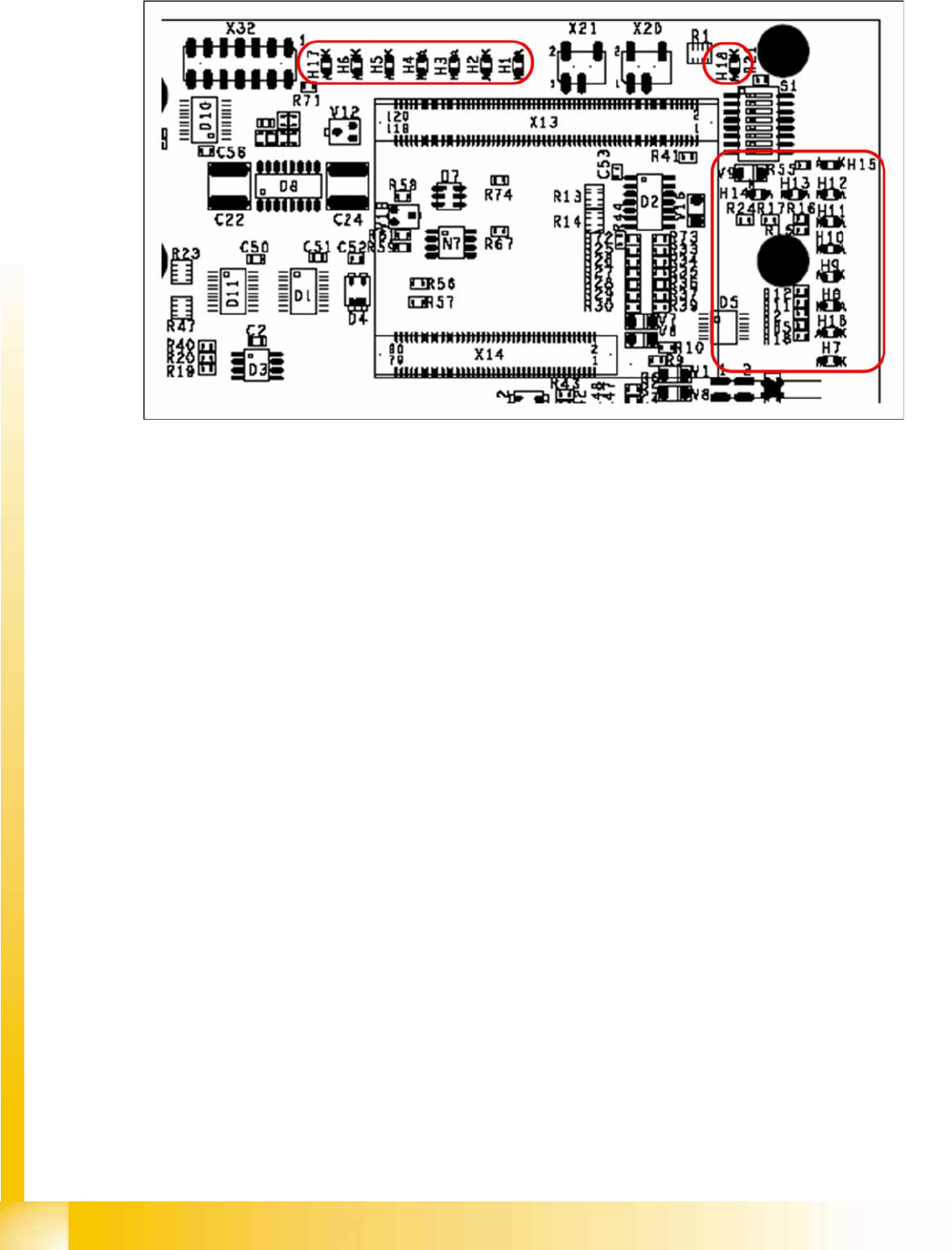
6-8: Head interface with status LEDs
LED H1-H6,H17,H18 (functional check)
H17 SPI - Serial parallel interface (Test)
H6 D-ON - digital ON 5V DC/DC converter (power supply head interface, generated from the 24V)
H5 H-OK - Head adapter board connected
H4 C-In - CAN Internal (status off)
H3 MRST - Main Reset (always off)
H2 F-UC – Failure - UC test
F-UC flashes red after switching on the machine:
- eSW unable to perform one or more functions or initialization of a subsystem.
- flashes while the production power fail signal is active or 15 V missing.
H1 MP - Main Power fail, mean 5 V power supply being missing at the machine (e.g. CAN Bus)
H18 1 Wire LED shows the high level on PIN 1 of 5V ON is green --> OK
LED H7- H15, H1B (LEDs for voltages)
H14 Vcc - shows the output signal of the DC/DC converter (H6) +5 V
H13 N15V – -15 V for Twin Head --> force measurement board (not for X4I)
H15 P3,3V - Controller OK
H12 P15V - Plus 15 Volt light barrier bottom C&P head
H11 P24V - 24 V power supply (e.g.stepping motor)
H10 AV ER - Failure 5 V
H9 EN AN – 16 bit processor connected --> supply voltage OK
H8 P5V - 5 V power supply track signals X axis --> red LED ON at error
H1 B P5V – 5 V power supply for digital switching --> outside tolerance
H7 X-Temp - Temperature monitoring X axis