00196044-05 - sg x und x4i fse_en.pdf - 第461页
Modular Conveyor Lifting Table Functions Conveyor Settings S tudent Guide (FSE) SIPL ACE X Series and X4I Edition 01/2009 EN Modular Conveyor 461 1 1.3.8 Lifting T able Functions Lifting table up function Requirements fo…
Modular Conveyor
Conveyor Settings Board Clamping Functions
Student Guide (FSE) SIPLACE X Series and X4I
Modular Conveyor Edition 01/2009 EN
460
11.3.7.1 Setting Board Clamping
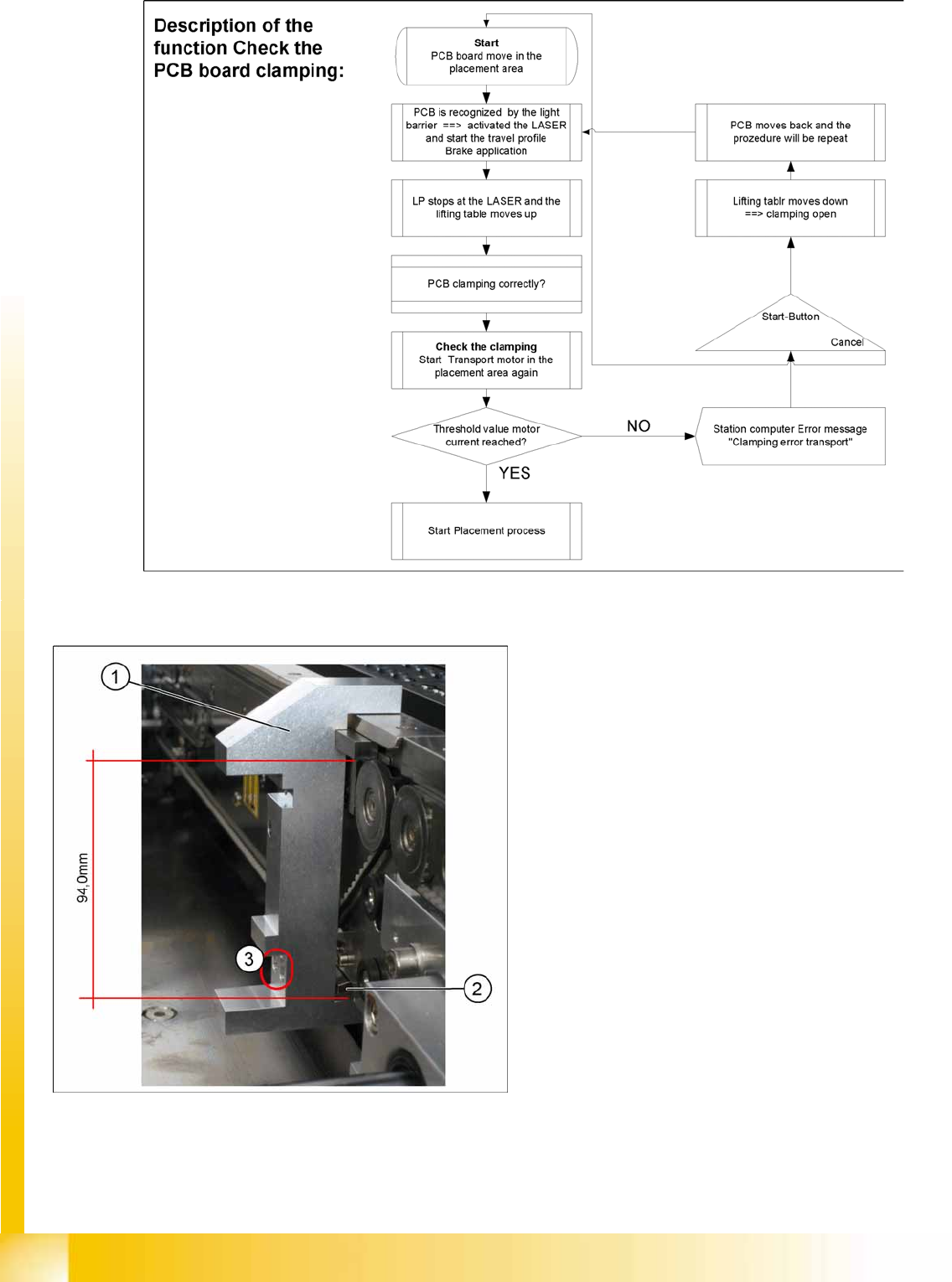
11-18: Setting the actuator
Legend
1. Gauge [00369202-01]
2. Actuator
3. Drilling, for fixing the actuator screws, when
the gauge is fitted
If the conveyor control issues the error
Clamping
error transport
, check the distance from the lifting
table actuator to the top edge of the conveyor belt.
Use the setting gauge to check and set the
actuator. The distance from the clamping actuator
(lifting table) to the top edge of the belt should be
94.0 mm at all four contact points. (see diagram)
Modular Conveyor
Lifting Table Functions Conveyor Settings
Student Guide (FSE) SIPLACE X Series and X4I
Edition 01/2009 EN Modular Conveyor
461
11.3.8 Lifting Table Functions
Lifting table up function
Requirements for detecting that the lifting table is up:
30-35 pulses from the incremental disc
Check performed by software (see Section (11.3.7 Board Clamping Functions
J
459 ) )
Dynamic response for board clamping of approx. 500 ms
Lifting table down function
Requirements for detecting that the lifting table is down:
30-35 pulses from the incremental disc
Proximity switch on the lifting table cylinder
Dynamic response for board release of approx. 480 ms
11.3.8.1 Adjusting the Speed of the Lifting Table (from SW701)
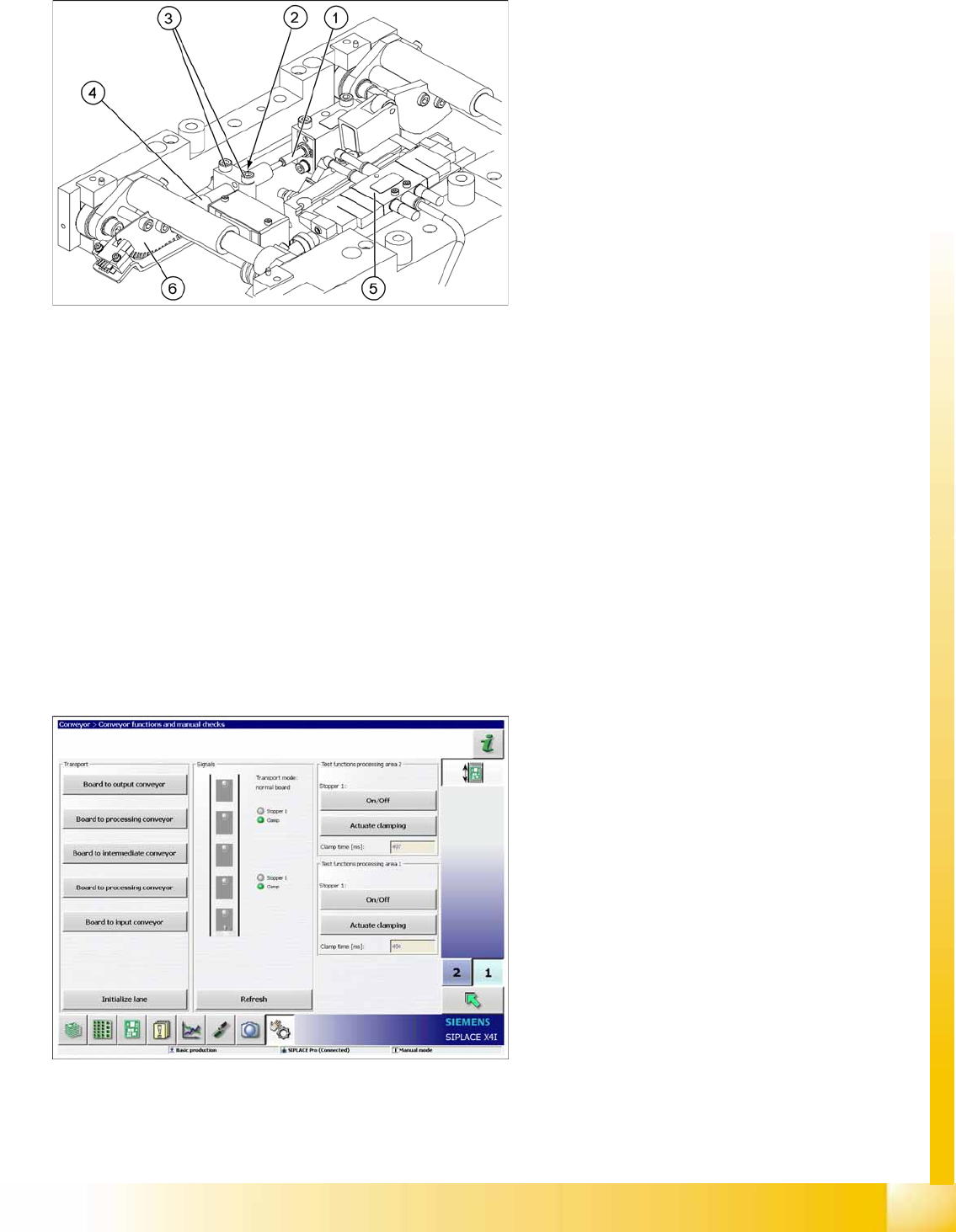
11-19: Lifting table unit
Legend
1. Actuator
2. Lock nut damper
3. Fastening screws for mounting block
4. Damping unit
5. 3/5 way solenoid valve mounted on lifting table
drive cylinder
6. Fork-type light barriers / incremental disk
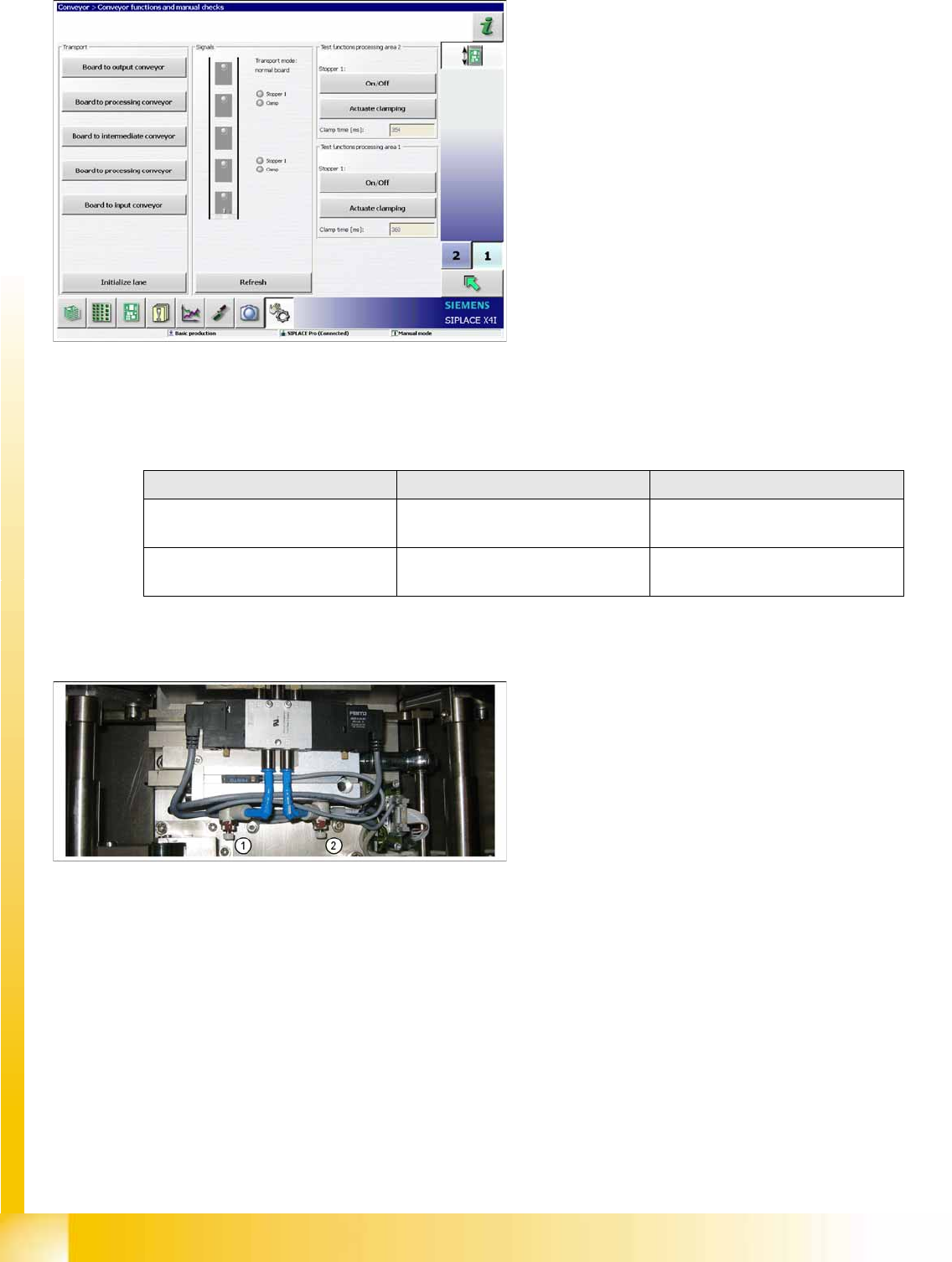
11-20: Time needed to move lifting table up with lifting table plate
X Switch the machine on.
X In the
Conveyor --> Conveyor functions and
manual checks
menu, you can move the
lifting table up and down. The time is shown
directly.
X Select
Actuate Clamp
.
Modular Conveyor
Conveyor Settings Lifting Table Functions
Student Guide (FSE) SIPLACE X Series and X4I
Modular Conveyor Edition 01/2009 EN
462
X If the travel times are not inside the tolerance range or if error messages appear during production,
adjust the travel times as follows:
X Adjust the valve on the lifting table cylinder, so that you get the following values:
X If malfunctions occur during the downwards movement or if the board is shaken, reduce the lowering
speed accordingly.
Setting valve anticlockwise: Decrease the lifting table moving time
Setting valve clockwise: Increases the lifting table moving time
11-21: Time needed to move lifting table down with lifting table plate
X The lifting table will be moved up and the travel
time will be displayed (see diagram).
X Press the
Actuate Clamp
button again to
move the lifting table downwards and to view
the travel time for the downwards movement.
Lifting table Move upwards Move downwards
Lifting table (standard)
bumper: 20 mm
520 ms +/- 20 ms 480 ms +/- 20 ms
Lifting table (X4I)
bumper: 35 mm
430 ms +/- 20 ms 400 ms +/- 20 ms
Legend
1. Adjust valve downwards
2. Adjust valve upwards