00196044-05 - sg x und x4i fse_en.pdf - 第497页
Calibration Zero Point Correction for Z and Star Axes Additional Functions S tudent Guide (FSE) SIPL ACE X Series and X4I Edition 01/2009 EN Calibration 501 12.6.3 Zero Point C orrec tion for Z and St ar Axes NOTE: The f…
Calibration
Additional Functions Head Exchange SIPLACE X
Student Guide (FSE) SIPLACE X Series and X4I
Calibration Edition 01/2009 EN
500
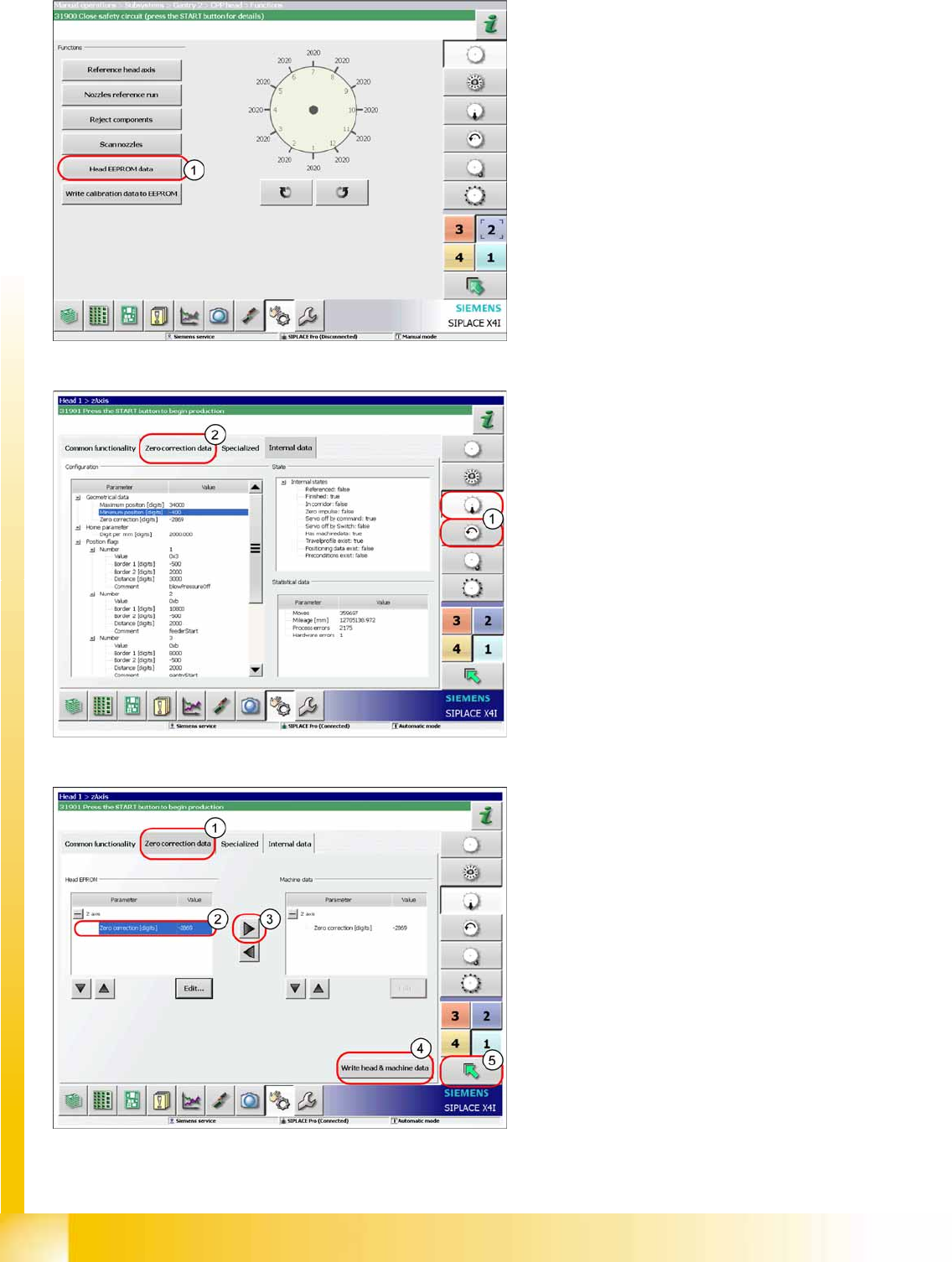
X Click on
Head EEPROM data
(1). The data
for the head will be read out of the EEPROM
and written in the machine data.
X For checking or manual entries, proceed as
follows.
X Select the Z axis/star axis (1).
X Select
Zero correction data
(2).
This is where the axis data (Z and star axes) can
be written from the head EPROM to the machine
data. You can also write the Z and star axis data
from the machine data to the head EPROM.
X In the
Zero correction data
(1) select the line
Zero point correction
(2).
X ;Move the value out of the head EPROM and
into the machine data (3).
X Select
Write head & machine data
(4).
X The arrow button (5) takes you back one menu
level.
Calibration
Zero Point Correction for Z and Star Axes Additional Functions
Student Guide (FSE) SIPLACE X Series and X4I
Edition 01/2009 EN Calibration
501
12.6.3 Zero Point Correction for Z and Star Axes
NOTE:
The function Calibrate zero point correction must be carried out after certain service work to the
C&P20A head.
X This work may only be performed by Siemens service technicians.
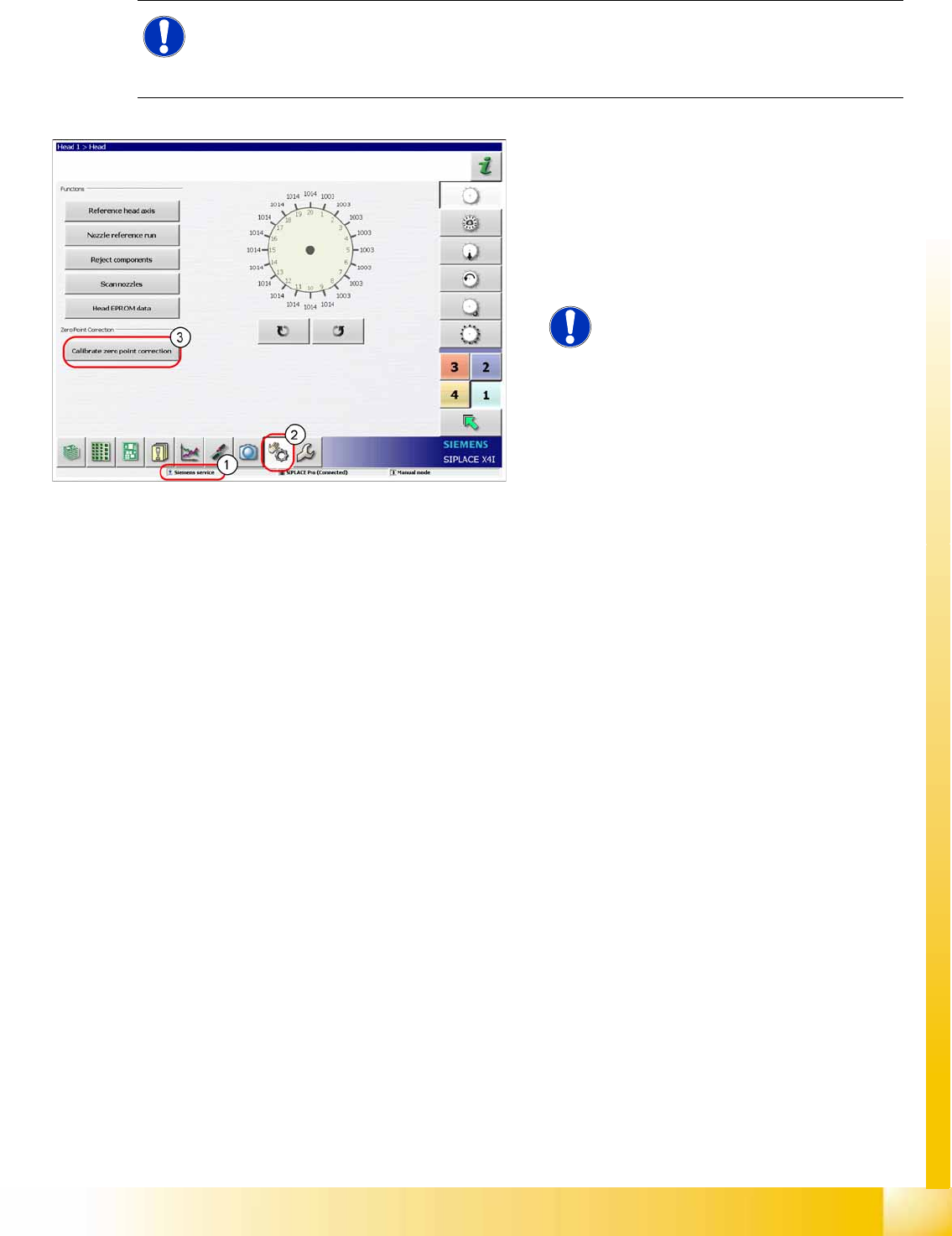
This function can be performed with the user level
(1)
Siemens service
.
A referenced head (star, Z axis) is a precondition.
X Switch over to the menu
Check sensors and
functions
(2).
X Click on
Calibrate zero point correction
(3).
NOTE:
This function is only available for the
C&P20A head.
Calibration
Additional Functions Zero Point Correction for Z and Star Axes
Student Guide (FSE) SIPLACE X Series and X4I
Calibration Edition 01/2009 EN
502
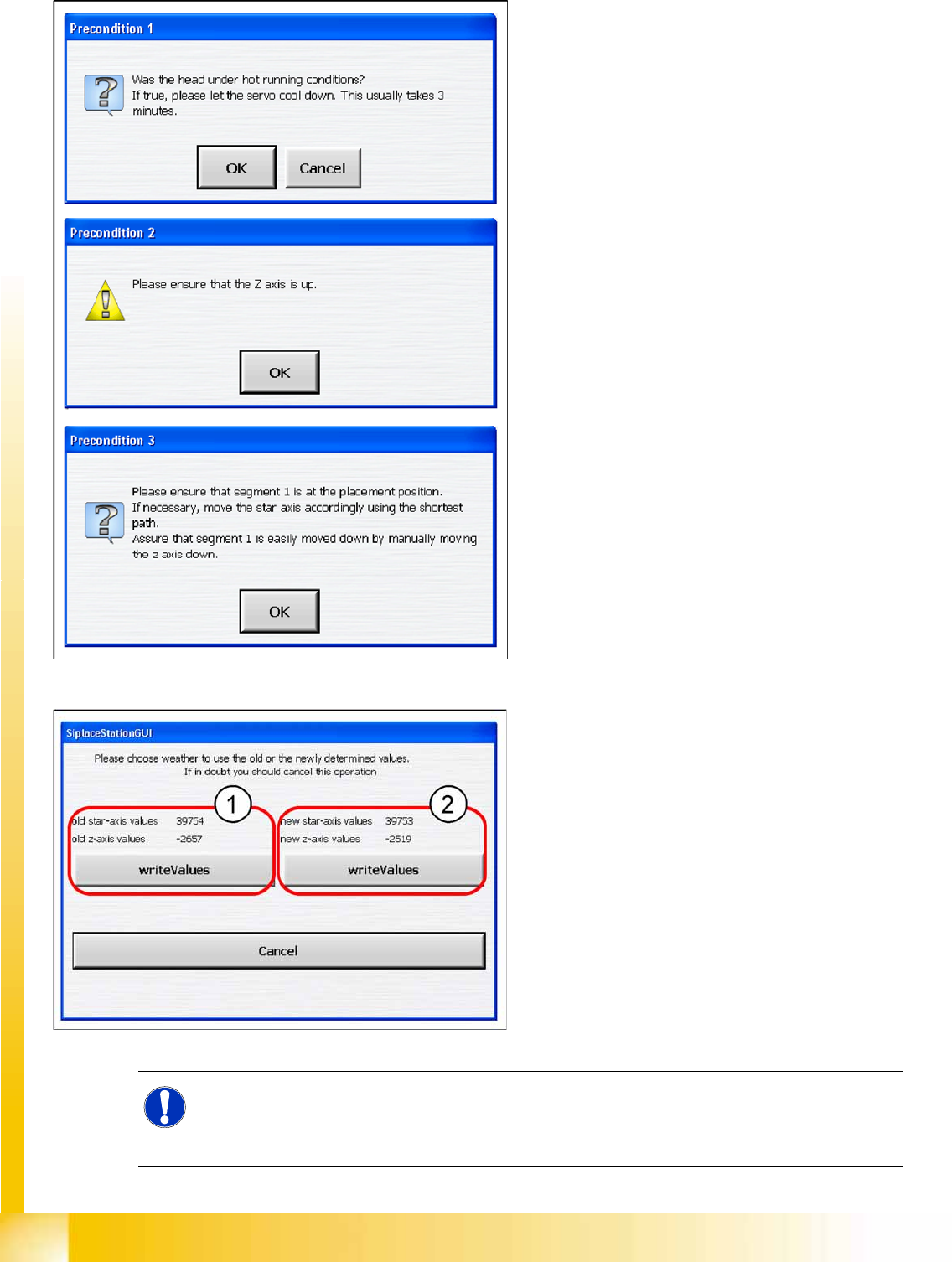
X Check whether the following conditions are
fulfilled and confirm the messages shown:
Check whether the servo has cooled down.
Check the position of the Z axis.
Rotate the star with segment 1 by the shortest
route, into the placement position.
X Close the machine cover.
X Press the
Start button
on the machine.
X Select
OK
on the monitor.
Result
X You can now save the old (1) or new (2)
values.
These values will be saved in the head
EPROM and in the XML file.
NOTE:
If the calibration run was not successful, please check the travel range of the Z axis. The max.
and min. travel of the Z axis (C&P20A) is 34000 digits and -400 digits. The data can be found at
C:\Sirio\Type\Subsystems\PlaceHead.VHS.A364.xml
.