00196044-05 - sg x und x4i fse_en.pdf - 第495页
Calibration Head Exchange SIPLACE X Addition al Functions S tudent Guide (FSE) SIPL ACE X Series and X4I Edition 01/2009 EN Calibration 499 12.6.2 Head Exchange SIPLACE X Head data 1. Selection butto n, BIOS applicat ion…
Calibration
Additional Functions Firmware Download (SW 70x)
Student Guide (FSE) SIPLACE X Series and X4I
Calibration Edition 01/2009 EN
498
12.6 Additional Functions
12.6.1 Firmware Download (SW 70x)
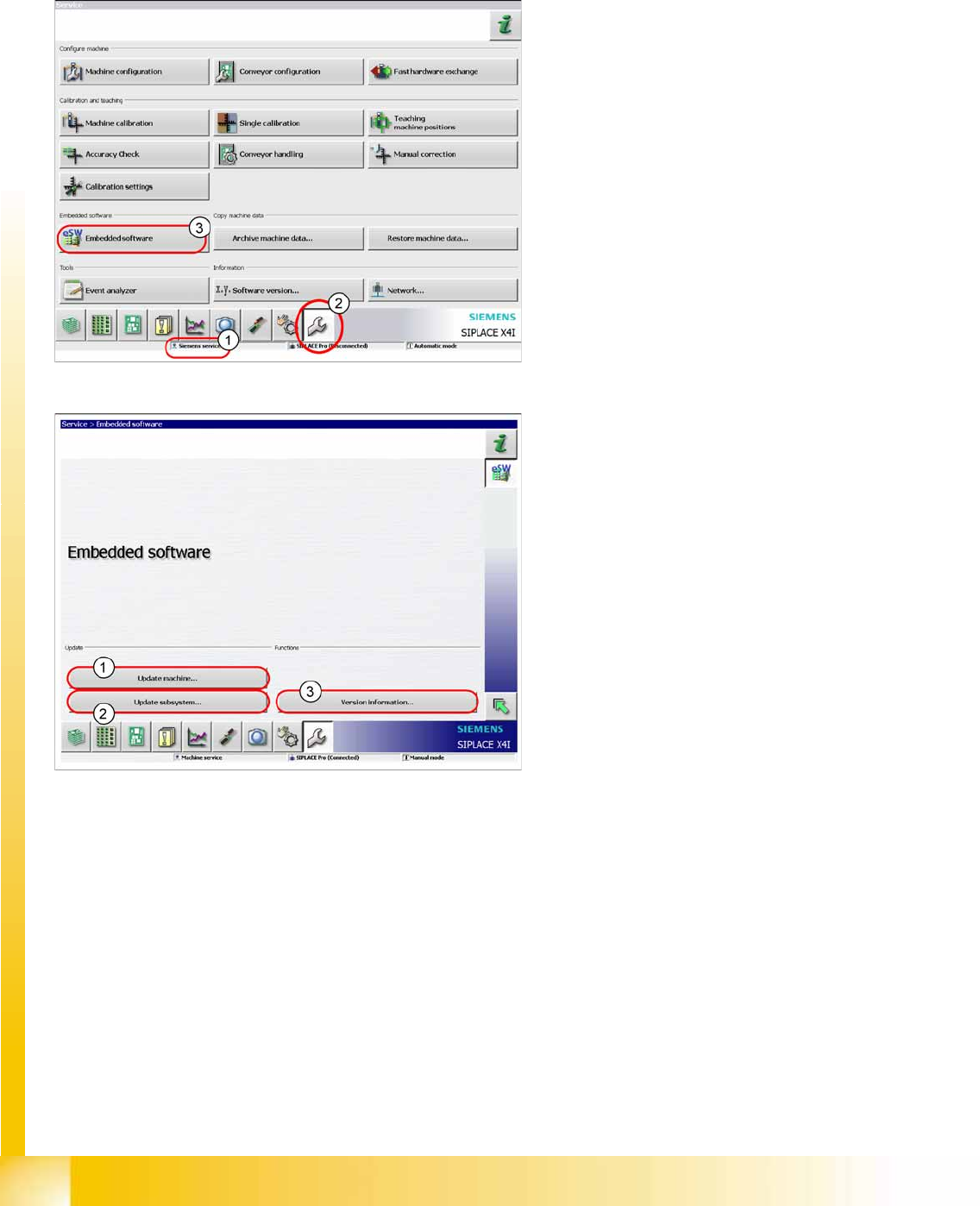
X The function
Firmware Download
can be
performed with the user level (1)
Machine
service
or
Siemens service
.
X Switch over to the service menu (2).
X Click on
Embedded Software
(3).
1. Select this button to check the entire machine
and to perform an eSW download for multiple
subsystems.
2. Select this button to select and check one
subsystem, to perform an eSW download.
3. Select this button to view all versions of the
subsystems, BIOS application 1/2.
Calibration
Head Exchange SIPLACE X Additional Functions
Student Guide (FSE) SIPLACE X Series and X4I
Edition 01/2009 EN Calibration
499
12.6.2 Head Exchange SIPLACE X
Head data
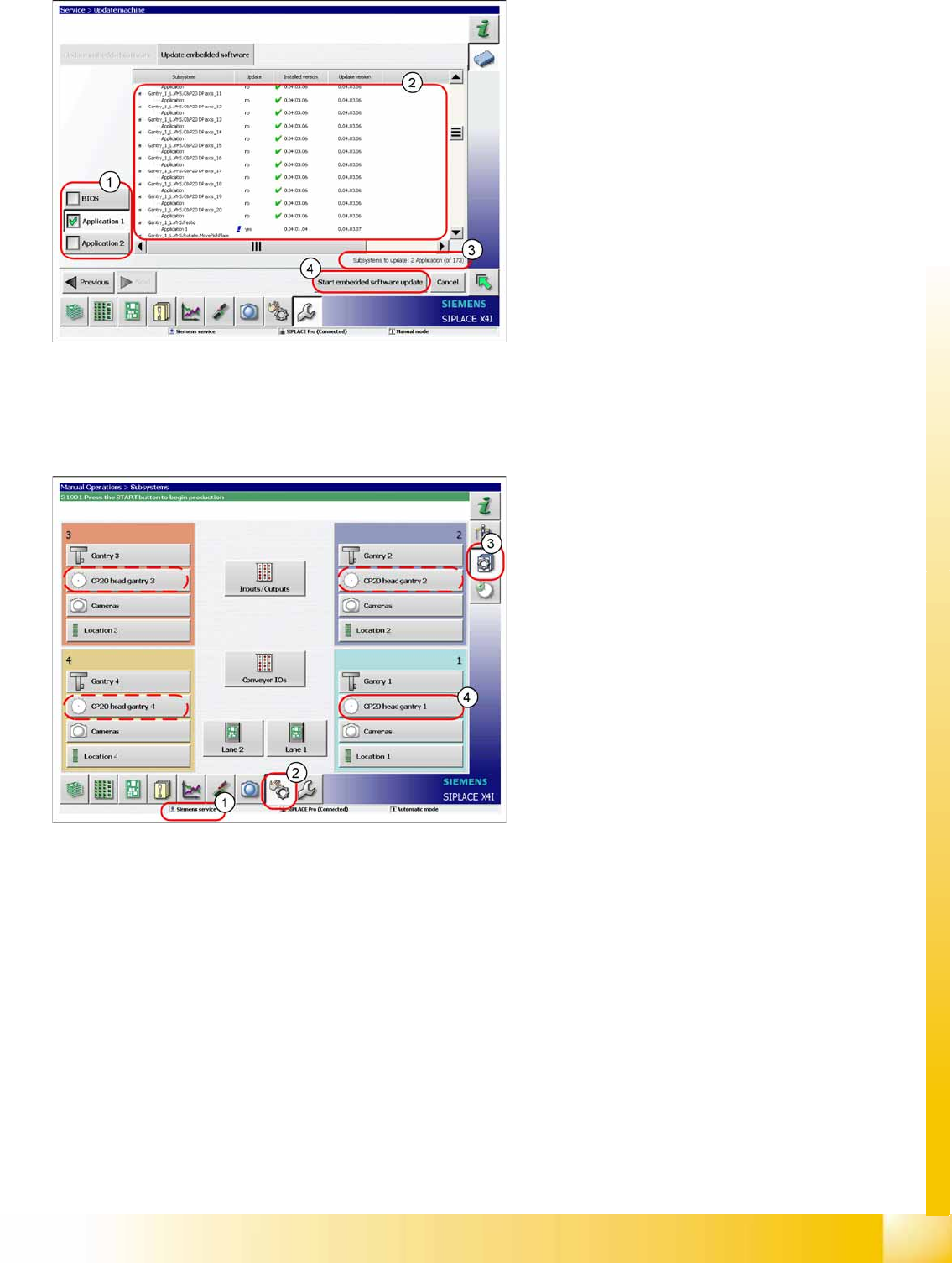
1. Selection button, BIOS application1/2
2. Shows the status of the individual subsystems.
3. Update information about the number of
subsystems which still have to be
downloaded.
4. Starts the download.
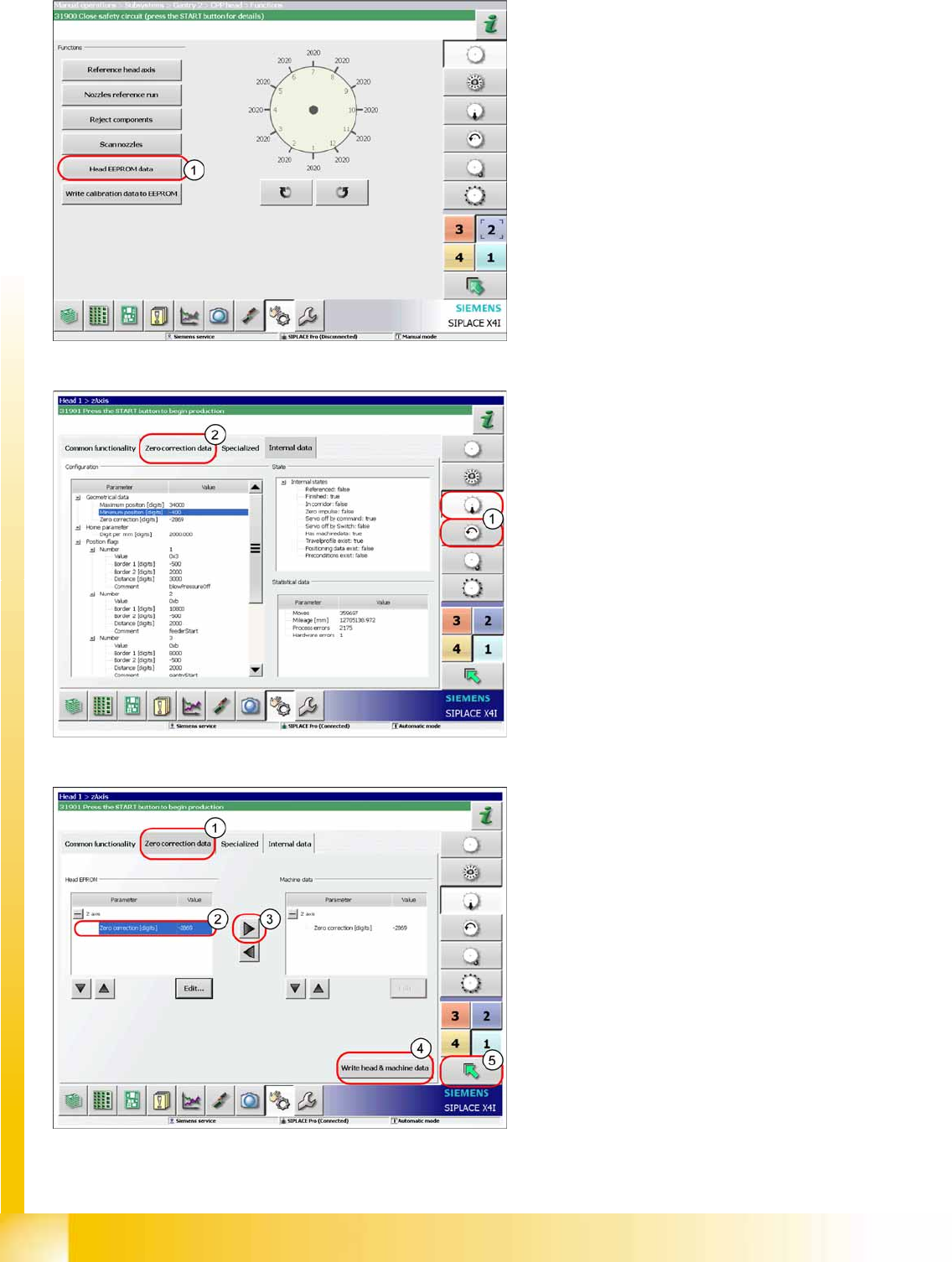
After changing the head hardware, the new head
data needs to be made available from the head
EPROM of the software.
X Switch the machine on.
X Select the user level
Service (customer)
(1).
X Switch over to the menu
Check sensors and
functions
(2).
X Click on the
Check sensors and functions of
specific components
(3).
X Click on
CP20 head, gantry x
button for the
gantry concerned (4).
Calibration
Additional Functions Head Exchange SIPLACE X
Student Guide (FSE) SIPLACE X Series and X4I
Calibration Edition 01/2009 EN
500
X Click on
Head EEPROM data
(1). The data
for the head will be read out of the EEPROM
and written in the machine data.
X For checking or manual entries, proceed as
follows.
X Select the Z axis/star axis (1).
X Select
Zero correction data
(2).
This is where the axis data (Z and star axes) can
be written from the head EPROM to the machine
data. You can also write the Z and star axis data
from the machine data to the head EPROM.
X In the
Zero correction data
(1) select the line
Zero point correction
(2).
X ;Move the value out of the head EPROM and
into the machine data (3).
X Select
Write head & machine data
(4).
X The arrow button (5) takes you back one menu
level.