GLM250 VF激光测距仪数据表.pdf - 第18页
18 | English 1 609 92A 1YW | (8.7.1 6) Bosch Power Tools 18 Positioning pin 19 Laser w arning label 20 Seria l number 21 1/4" thread 22 Battery compartment 23 Locking knob of the battery compartment 24 Alignment aid…
English | 17
Bosch Power Tools 1 609 92A 1YW | (8.7.16)
Intended Use
The measuring tool is intended for measuring distances,
lengths, heights, clearances, and for the calculation of areas
and volumes. The measuring tool is suitable for measuring in-
doors and outdoors.
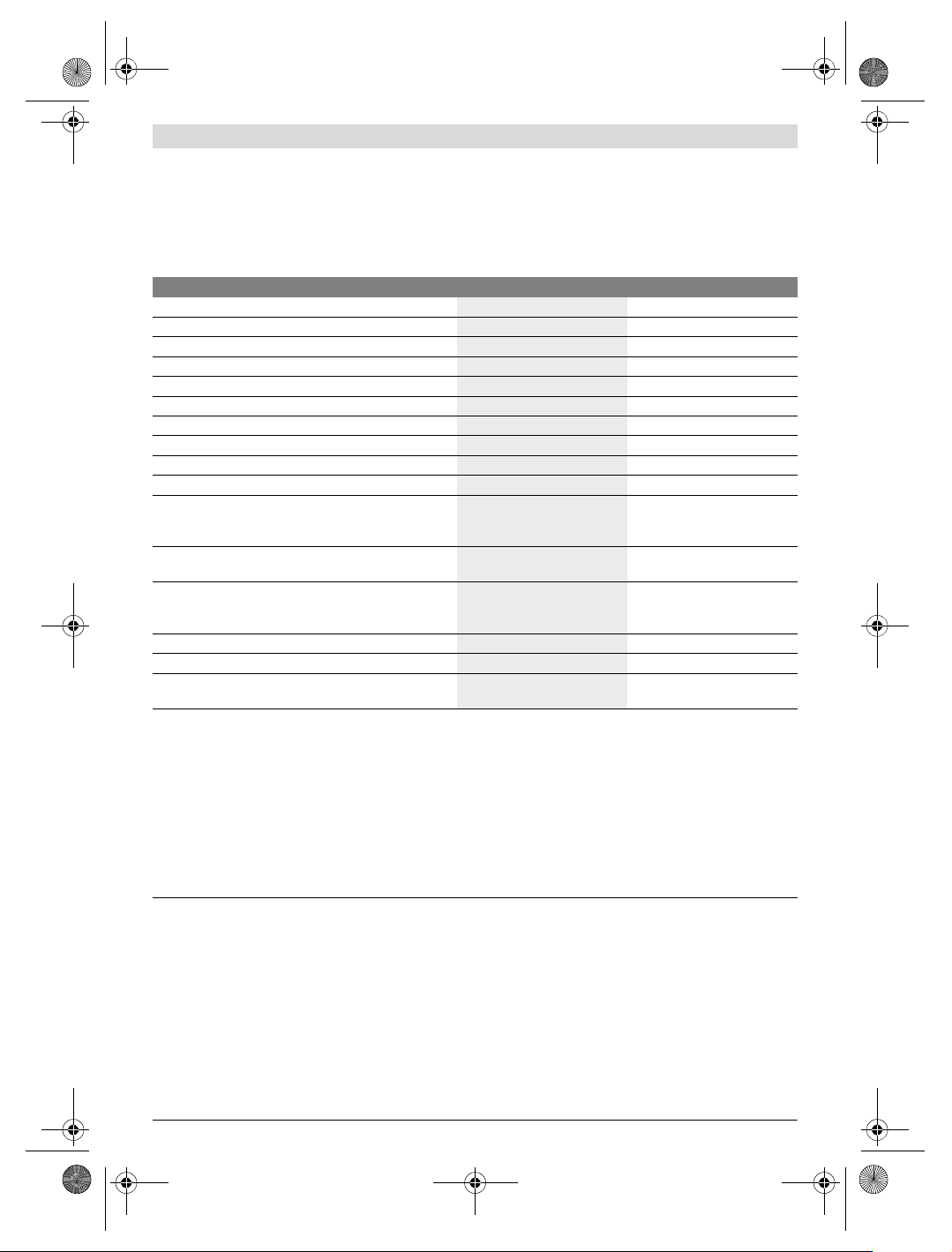
Technical Data
Product Features
The numbering of the product features shown refers to the il-
lustration of the measuring tool on the graphic page.
1 Latch of the positioning pin
2 Button for continuous laser beam
3 Function-mode button
4 Button for length, area and volume measurement
5 Result button
6 Plus button
7 Button for measuring and continuous measuring
8 Button for selection of the reference level
9 Display
10 View finder of the optical sight (GLM 250 VF)
11 Display-illumination button
12 Minus button
13 Button for minimum and maximum measurement
14 Spirit level
15 Button for measured-value list
16 On/Off and memory delete button
17 Fixture for carrying strap
Digital Laser Measure GLM 150 GLM 250 VF
Article number
3 601 K72 000 3 601 K72 100
Optical sight
–
Measuring range
0.05–150 m
A)
0,05–250 m
A)
Measuring accuracy (typical) ±1.0mm
B)
±1.0mm
B)
Lowest indication unit 0.1 mm 0.1 mm
Operating temperature
–10°C...+50°C
C)
–10°C...+50°C
C)
Storage temperature –20 °C...+70 °C –20 °C...+70 °C
Relative air humidity, max.
90 % 90 %
Laser class
22
Laser type
635 nm, <1 mW 635 nm, <1 mW
Laser beam diameter (at 25 °C) approx.
–at 10m distance
– at 150 m distance
6mm
D)
90 mm
D)
6mm
D)
90 mm
D)
Batteries
Rechargeable batteries
4x1.5VLR03(AAA)
4 x 1.2 V HR03 (AAA)
4x1.5VLR03(AAA)
4x1.2VHR03(AAA)
Battery life, approximately
– Individual measurements
– Continuous measurement
30000
E)
5h
E)
30000
E)
5h
E)
Weight according to EPTA-Procedure 01:2014 0.24 kg 0.24 kg
Dimensions
66 x 120 x 37 mm 66 x 120 x 37 mm
Degree of protection
IP 54 (dust and splash water
protected)
IP 54 (dust and splash water
protected)
A) The working range increases depending on how well the laser light is reflected from the surface of the target (scattered, not reflective) and with in-
creased brightness of the laser point to the ambient light intensity (interior spaces, twilight). In unfavourable conditions (e.g. when measuring out-
doors at intense sunlight), it may be necessary to use the target plate.
B) In unfavourable conditions (e.g. at intense sunlight or an insufficiently reflecting surface), the maximum deviation is ±20 mm per 150 m. In favour-
able conditions, a deviation influence of ±0.05 mm/m must be taken into account.
C) In the continuous measurement function, the maximum operating temperature is +40 °C.
D) The width of the laser line depends on the surface characteristics and on the ambient conditions.
E) Less measurements are possible when using 1.2 V rechargeable batteries than with 1.5 V batteries. The battery life listed refers to measurements
without display illumination and audio signal.
The measuring tool can be clearly identified with the serial number 20 on the type plate.
OBJ_BUCH-947-007.book Page 17 Friday, July 8, 2016 10:44 AM
18 | English
1 609 92A 1YW | (8.7.16) Bosch Power Tools
18 Positioning pin
19 Laser warning label
20 Serial number
21 1/4" thread
22 Battery compartment
23 Locking knob of the battery compartment
24 Alignment aid
25 Optical sight window (GLM 250 VF)
26 Reception lens
27 Laser beam outlet
28 Protective pouch
29 Carrying strap
30 Tripod*
31 Laser viewing glasses*
32 Laser target plate*
* The accessories illustrated or described are not included as
standard delivery.
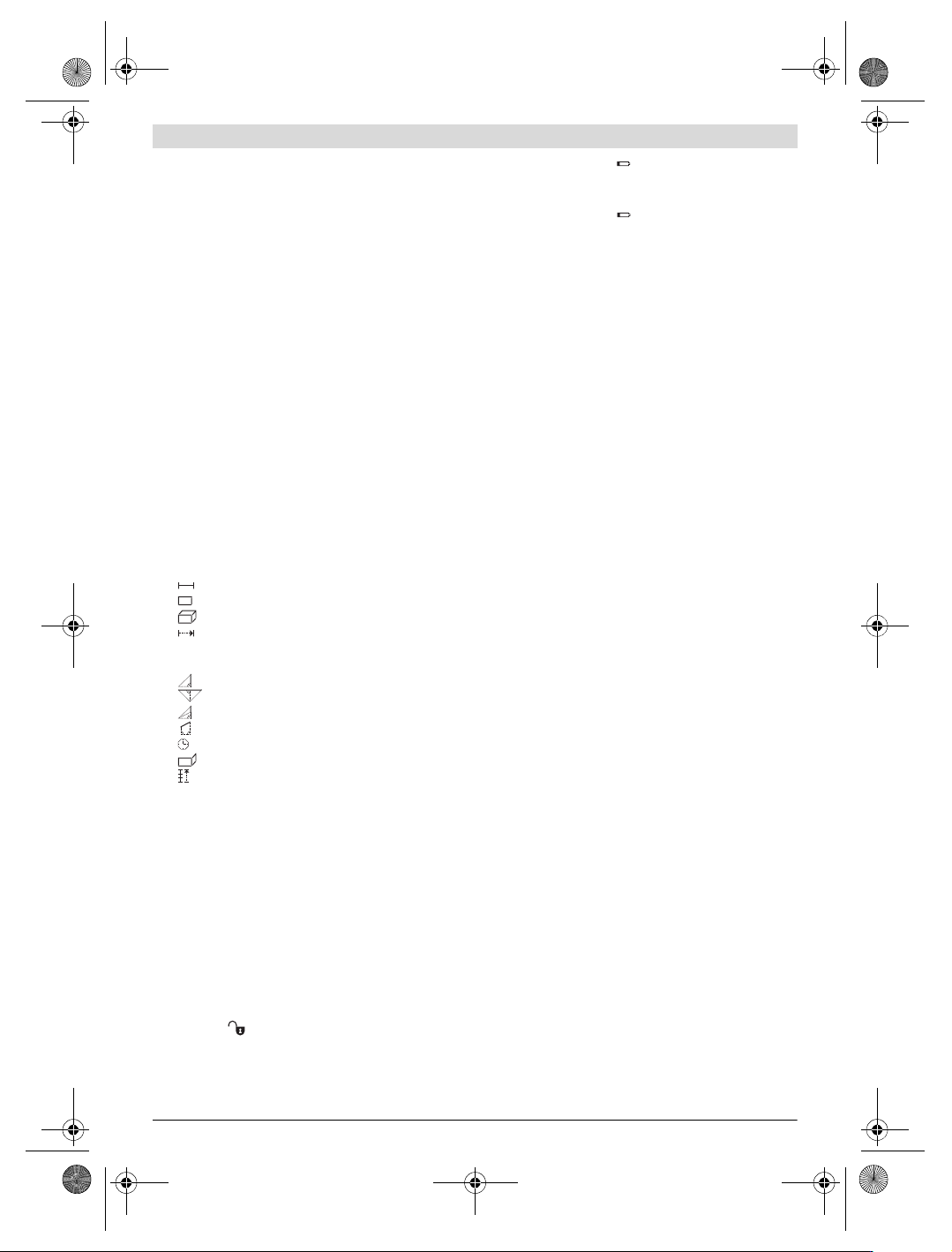
Display Elements
a Measured-value lines
b “ERROR” indication
c Result line
d Measured-value list indicator
e Measuring modes
Length measurement
Area/surface measurement
Volume measurement
Continuous measurement
min
max Minimum/maximum measurement
Simple Pythagoras measurement
Double Pythagoras measurement
Combined Pythagoras measurement
Trapezium measurement
Timer function
Wall-surface measurement
Mark-out mode
f Battery low indicator
g Measurement reference level
h Laser switched on
i Temperature warning
Assembly
Inserting/Replacing the Batteries
Using alkali-manganese or rechargeable batteries is recom-
mended for operation of the measuring tool.
Less measurements are possible when using 1.2 V recharge-
able batteries than with 1.5 V batteries.
To open the battery compartment 22, turn the locking knob
23 to position and pull out the battery compartment.
When inserting the batteries/rechargeable batteries, pay at-
tention to the correct polarity according to the representation
on the inside of the battery compartment.
When the battery symbol appears for the first time on the
display, at least 100 individual measurements are still possi-
ble. The continuous measurement mode is deactivated.
When the battery symbol flashes, the batteries/recharge-
able batteries must be replaced. Measurements are no longer
possible.
Always replace all batteries/rechargeable batteries at the
same time. Do not use different brands or types of batter-
ies/rechargeable batteries together.
Remove the batteries/rechargeable batteries from the
measuring tool when not using it for longer periods.
When storing for longer periods, the batteries/rechargea-
ble batteries can corrode and self-discharge.
Operation
Initial Operation
Protect the measuring tool against moisture and direct
sun light.
Do not subject the measuring tool to extreme tempera-
tures or variations in temperature. As an example, do
not leave it in vehicles for longer periods. In case of large
variations in temperature, allow the measuring tool to ad-
just to the ambient temperature before putting it into oper-
ation.
Avoid heavy impact to or falling down of the measuring
tool. After severe exterior effects to the measuring tool, it
is recommended to carry out an accuracy check (see “Ac-
curacy Check of the Measuring Tool”, page 24) each time
before continuing to work.
Switching On and Off
Do not leave the switched-on measuring tool unattend-
ed and switch the measuring tool off after use. Other
persons could be blinded by the laser beam.
For switching on the measuring tool, the following possibili-
ties are given:
– Pressing the On/Off button 16: The measuring tool is
switched on and is in length measurement mode. The laser
is not activated.
– Briefly pressing the measuring button 7: Measuring tool
and laser are switched on. The measuring tool is in length
measurement mode.
– Pressing the measuring button 7 for several seconds:
Measuring tool and laser are switched on. The measuring
tool is in continuous measurement mode.
Do not point the laser beam at persons or animals and
do not look into the laser beam yourself, not even from
a large distance.
To switch off the measuring tool, press the On/Off button 16
for a few seconds.
When no button on the measuring tool is pressed for approx.
5 minutes, the measuring tool automatically switches off to
save the batteries.
When switching off automatically, all stored values are re-
tained.
1
2
1
32
1
3
2
1
3
2
OBJ_BUCH-947-007.book Page 18 Friday, July 8, 2016 10:44 AM
English | 19
Bosch Power Tools 1 609 92A 1YW | (8.7.16)
Measuring Procedure
After switching on, the measuring tool is always in length
measurement or continuous measurement mode. Other
measuring modes can be switched to by pressing the respec-
tive mode button (see “Measuring Functions”, page 19).
After switching on, the rear edge of the measuring tool is pre-
set as the reference level for the measurement. By pressing
the reference level button 8, the reference level can be
changed (see “Selecting the Reference Level
(see figures A – E)”, page 19).
Upon selection of the measuring function and the reference
level, all further steps are carried out by pushing the measur-
ing button 7.
With the reference level selected, place the measuring tool
against the desired measuring line (e.g. a wall).
Briefly press the measuring button 7 to switch on the laser
beam.
Do not point the laser beam at persons or animals and
do not look into the laser beam yourself, not even from
a large distance.
Aim the laser beam at the target surface. Briefly press the
measuring button 7 again to initate the measurement.
When the laser beam is switched on permanently, the meas-
urement already starts after the first actuation of the measur-
ing button 7. In continuous measurement mode, the measure-
ment starts immediately upon switching on.
The measured value typically appears after 0.5 seconds and
at the latest after 4 seconds. The duration of the measure-
ment depends on the distance, the light conditions and the re-
flection properties of the target surface. The end of the meas-
urement is indicated by a signal tone. The laser beam is
switched off automatically upon completion of the measure-
ment.
When no measurement has taken place approx. 20 seconds
after sighting, the laser beam is switched off automatically to
save the batteries.
Selecting the Reference Level (see figures A – E)
For measuring, you can select between four different refer-
ence planes:
– The rear edge of the measuring tool or the front edge of the
laterally folded-out positioning pin 18 (e.g. when measur-
ing onward from outer corners),
– The tip of the folded-out positioning pin 18 (e.g. when
measuring from a corner),
– The front measuring-tool edge (e.g. when measuring on-
ward from a table edge),
–The thread 21 (e.g. for tripod measurements).
To select the reference level, press button 8 until the request-
ed reference level is indicated on the display. Each time after
switching on the measuring tool, the rear end of the measur-
ing tool is preset as the reference level.
Subsequent changing of the reference level for measure-
ments that have already been carried out (e.g. when indicat-
ing measuring values in the measured-value list) is not possi-
ble.
Continuous Laser Beam
If required, the measuring tool can also be switched to the
continuous laser beam mode. For this, push the button for
continuous laser beam 2. “LASER” lights up continuously in
the display.
Do not point the laser beam at persons or animals and
do not look into the laser beam yourself, not even from
a large distance.
In this setting, the laser beam also remains switched on be-
tween measurements; for measuring, it is only required to
press the measuring button 7 once.
To switch off the continuous laser beam, press button 2 again
or switch the measuring tool off.
Switching off the continuous laser beam during a measure-
ment automatically ends the measurement.
Display Illumination
The display illumination is switched on and off by pressing
button 11. When no button is pressed 10 s after switching on
the display illumination, it is switched off to save the batter-
ies.
Audio Signal
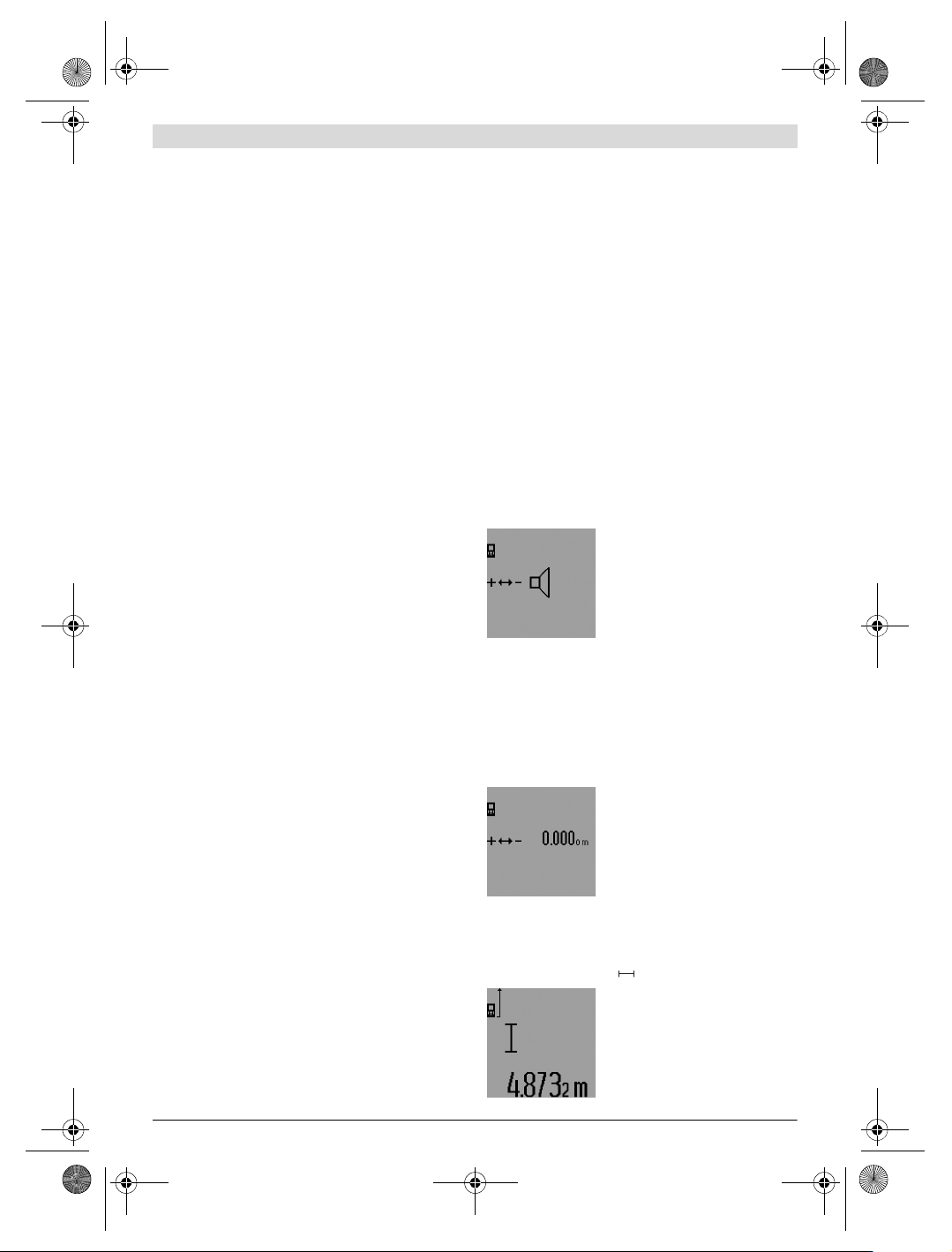
To switch the audio signal on and off,
press the function-mode button 3 un-
til the “audio-signal adjustment” indi-
cation appears on the display. Select
the required setting by pressing the
plus button 6 or the minus button 12.
The selected audio-signal adjustment
is retained when switching the measuring tool off and on.
Changing the Unit of Measure
For indication of the measured values, the unit of measure can
be changed at any time.
The following units of measure are possible:
– Length measurement: m, cm, mm,
– Area/surface measurement: m
2
,
– Volume measurement: m
3
.
To to change the unit of measure,
press the function-mode button 3 un-
til the “change unit of measure” indi-
cation appears on the display. Select
the required unit of measure by
pressing the plus button 6 or the mi-
nus button 12.
Measuring Functions
Simple Length Measurement
For length measurements, press button 4 until the “length
measurement” indication appears on the display.
Press the measuring button 7 once
for sighting and once more to take the
measurement.
The measured value is displayed in
the result line c.
OBJ_BUCH-947-007.book Page 19 Friday, July 8, 2016 10:44 AM