JX-350_EPU使用说明书.pdf - 第12页
EPU Instructi on Manual Chapter 2 Inst allation 2-6 ② A dialog box appe ars. Move dow n the knob of the sl ider to the botto m and click “ OK ”. ③ A message, “Re s tart th is co m puter to tur n of f User Account Contro …
EPU Instruction Manual Chapter 2 Installation
2-5
<Windows 7 / windows10>
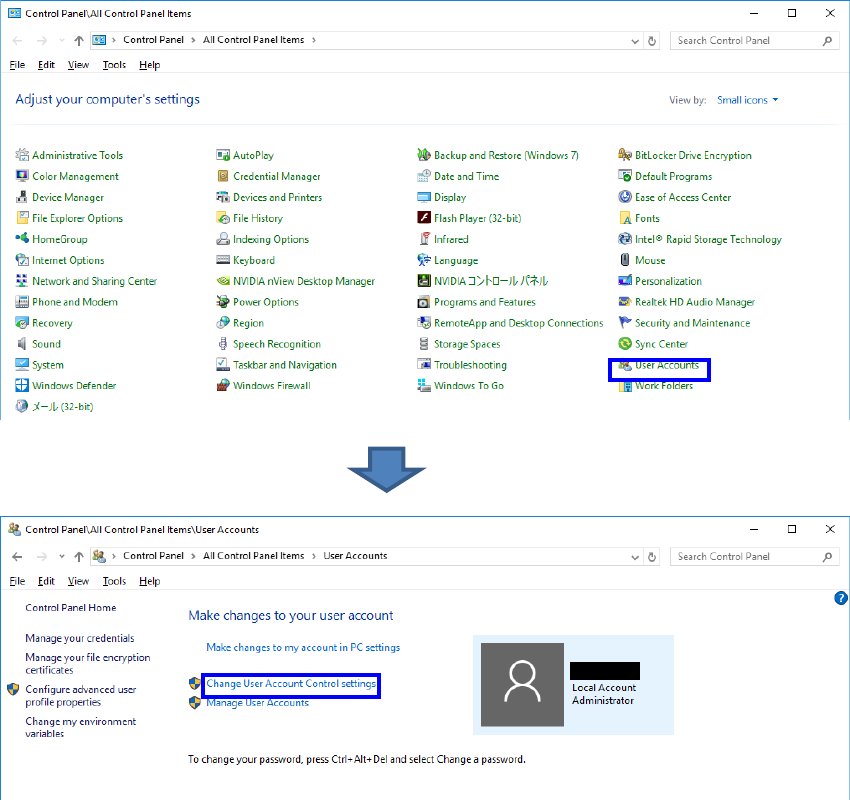
① Open the “Control Panel” and click “User Accounts” > “Change User Account Control settings”.
EPU Instruction Manual Chapter 2 Installation
2-6
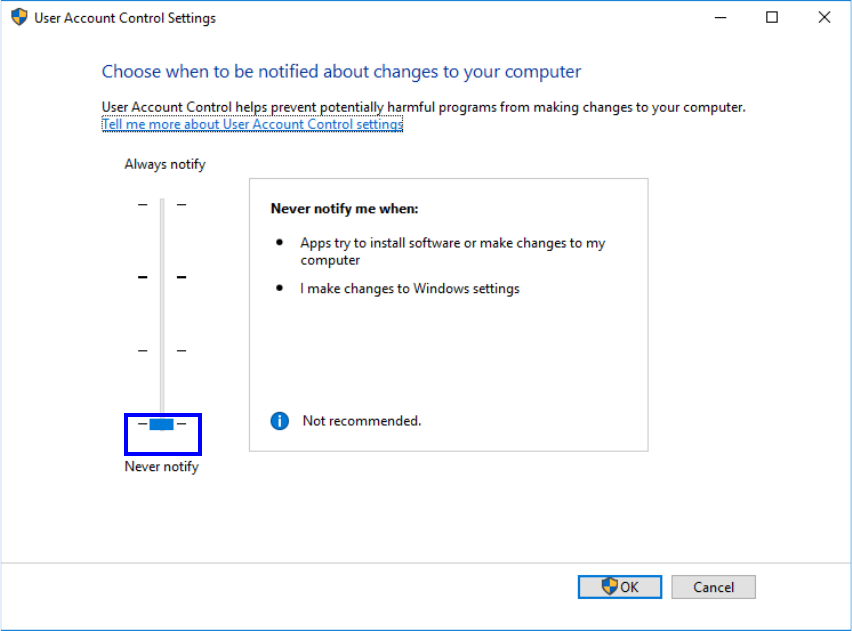
② A dialog box appears. Move down the knob of the slider to the bottom and click “OK”.
③ A message, “Restart this computer to turn off User Account Control”, will appear. Restart the
computer.
④ After restarting the computer, install the necessary software following “Installing the Software” in
the next section.
⑤ After all the software has been installed, turn on the “User Account Control (UAC)” again.
(3) Installation of Net Framework 3.5
When installing on Windows 10, it is necessary to install .Net Framework 3.5 in advance
before running the installer.
Please refer to the information on Microsoft listed in the following URL and install it.
https://msdn.microsoft.com/en-us/library/hh506443(v=vs.110).aspx
EPU Instruction Manual Chapter 2 Installation
2-7
2.2 Installing the Software
Use the installer and follow the instructions displayed on the screen to install EPU on your
mounter.
To abort installation, click the <Cancel> button.
2.2.1 Starting up the installer
① Insert the EPU installation CD provided with the machine in CD-ROM drive.
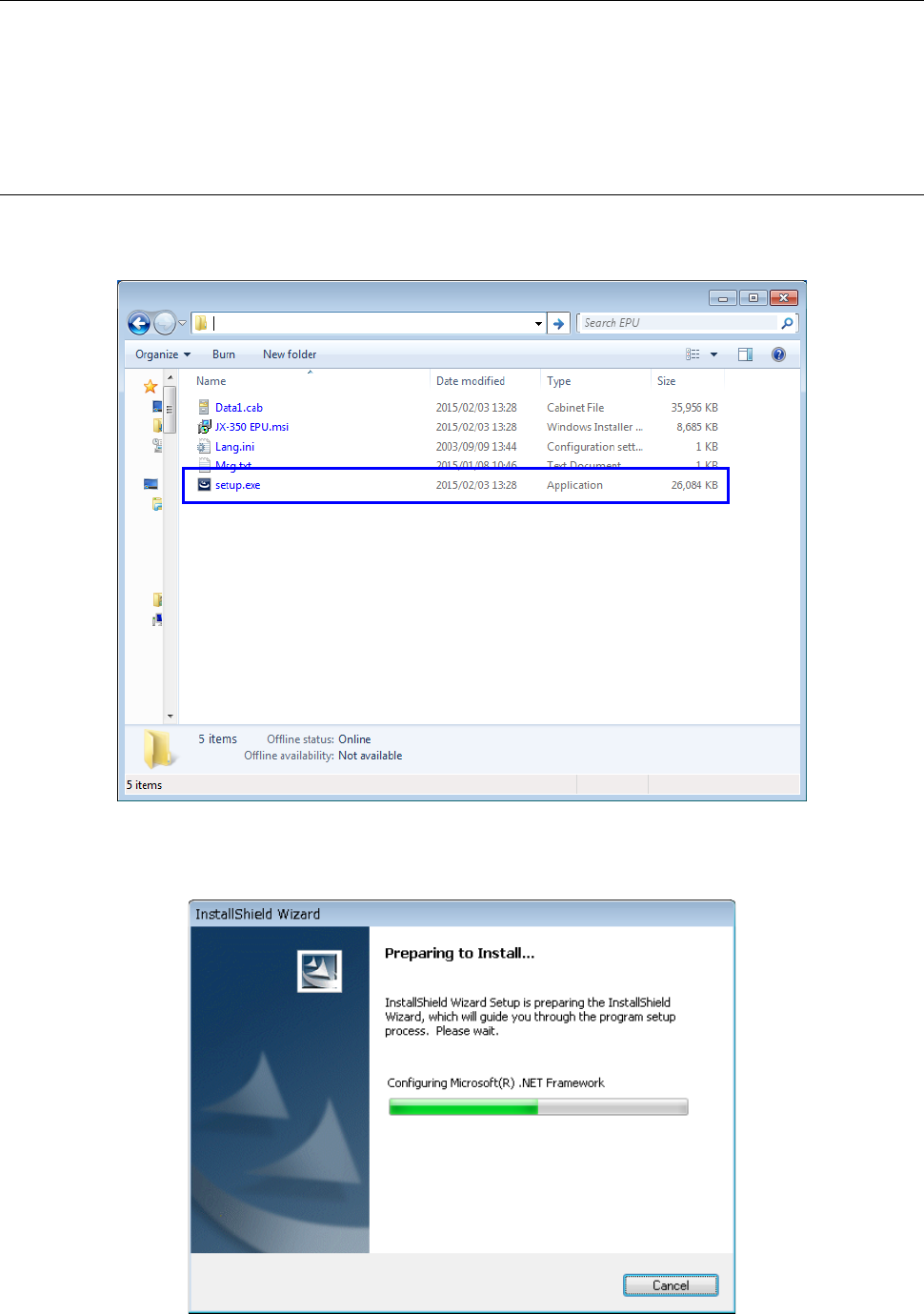
② Start "Setup.exe" in D:\ EPU_(Ver________) in installation CD.
③ The installation of "Microsoft .Net Framework 2.0" starts.
* The installation is skipped when it has already been installed.