JX-350_EPU使用说明书.pdf - 第197页
EPU Instruction M anual C hapter 4 Creating a Production Progr am 4- 149 4.6 Hel p 4.6.1 Help Displays the Help screen. 4.6.2 Vers ion information The inf ormation on prog ram edit ing is displayed. - A display example i…
EPU Instruction Manual Chapter 4 Creating a Production Program
4-148
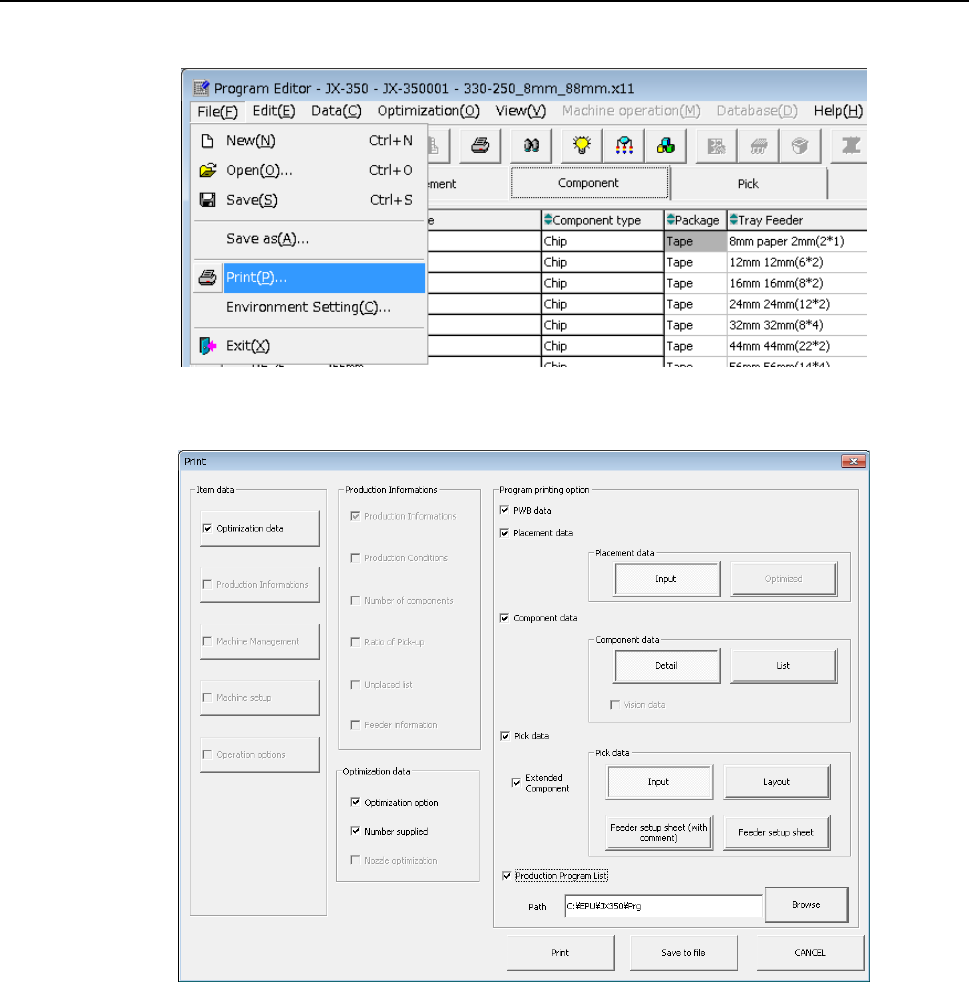
4.5 Print
Select the [Print] command from the “File” menu.
The “Print” main screen appears.
Select the items to be printed, and press the <Print> button. When you press the <Save
to file> button, you can save the data in a file in a text format (whose extension is “txt”).
Refer to Section 1.9.8 "Printing” of the “JX-350 Instruction Manual” for details.
EPU Instruction Manual Chapter 4 Creating a Production Program
4-149
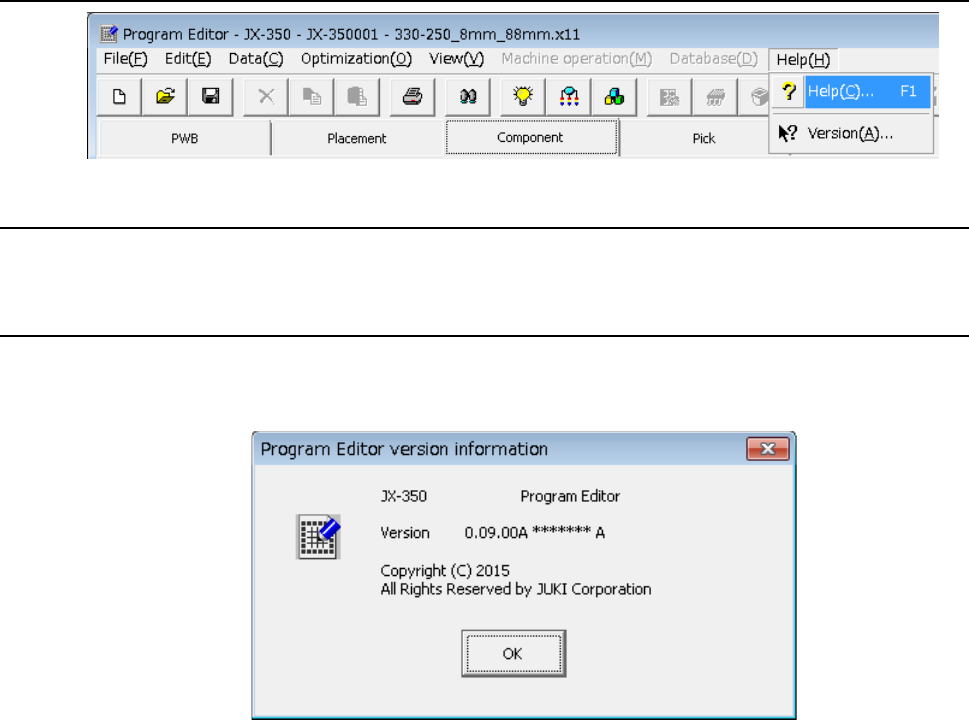
4.6 Help
4.6.1 Help
Displays the Help screen.
4.6.2 Version information
The information on program editing is displayed.
- A display example is as shown below.
EPU Instruction Manual Chapter 4 Creating a Production Program
4-150
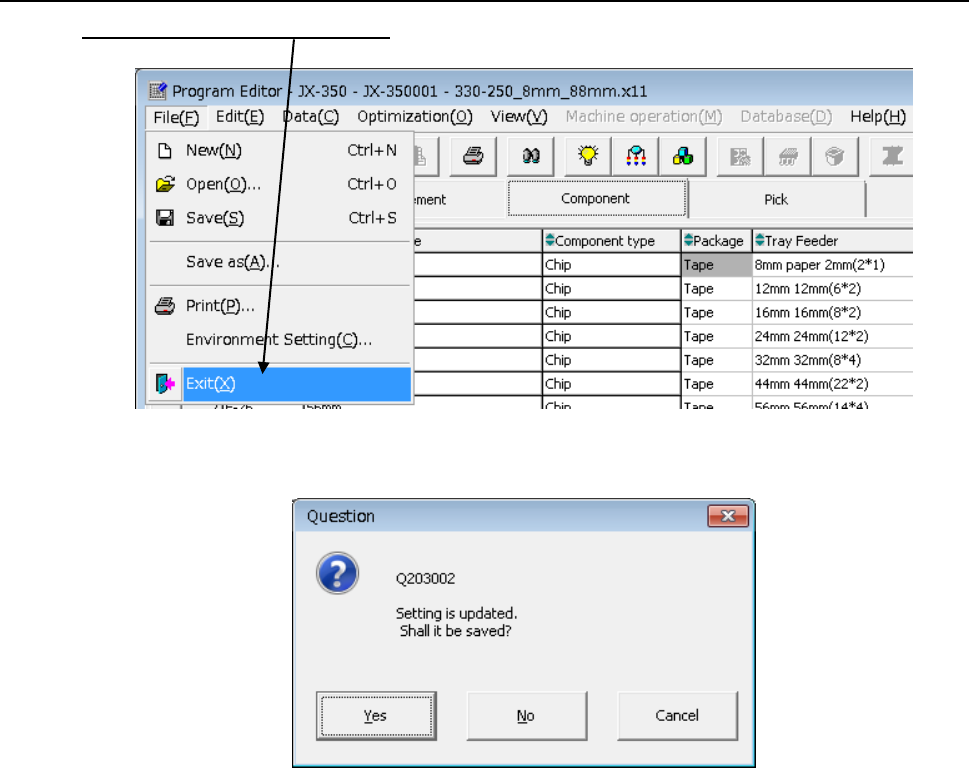
4.7 Exit
Click the [File]/[Exit] commands from the menu bar.
If you have changed the program, but not saved it, the following “Information” dialog box
appears on the screen.
• Yes: the system saves the program.
After saving the program, the system quits the Program Editor.
• No: the system quits the Program Editor without saving the program.
• Cancel: the system cancels the exit process.