JX-350_EPU使用说明书.pdf - 第33页
EPU Instructi on Manual Chapter 3 E PU setup 3-7 3.5 Menu Com mand List 3.5.1 Menu commands The following commands are av ailable with the EPU Setup module: File (F) Setting(S) Help(H) Save (S ) Ctrl + S EPU pro file (H)…
EPU Instruction Manual Chapter 3 EPU setup
3-6
3.4 Start-Up Screen
Create two or more station profiles. When you specify one of them to activate it, you can
select the EPU operating environment.
When you enter the correct password, the EPU Setup main screen appears.
3.4.1 Main window
When you enter the correct password, the EPU Setup main window opens as shown in the
figure below.
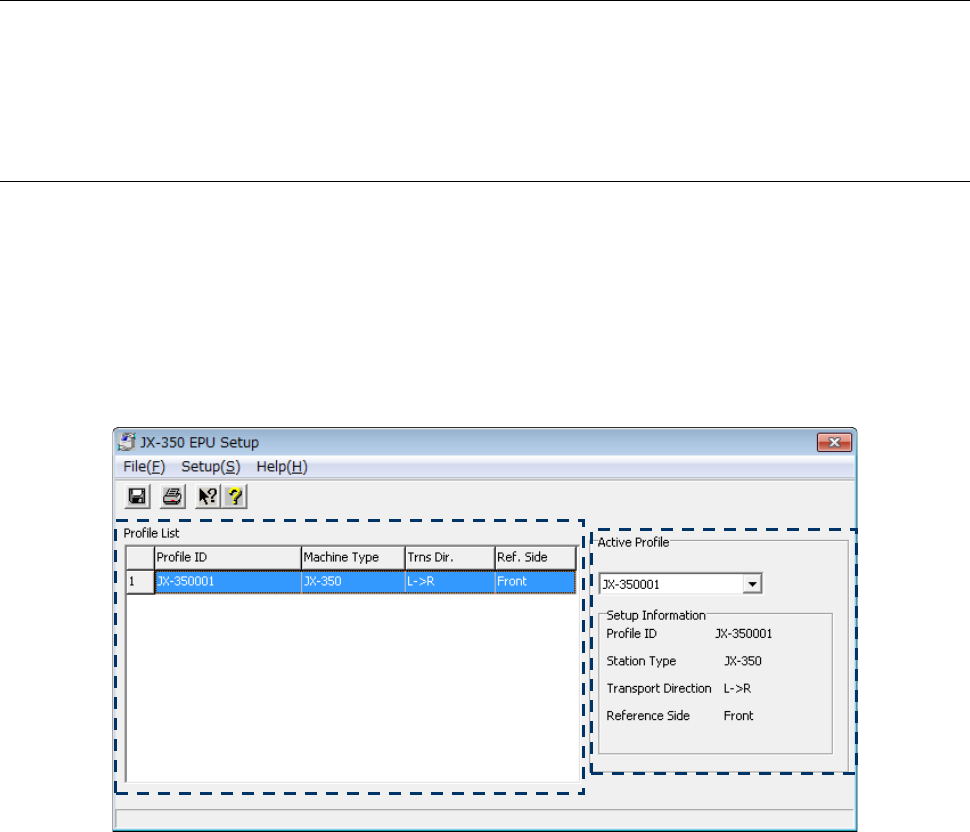
The EPU Setup screen shows the list of the registered station profiles and the overview of
the profile currently activated.
When you start up the EPU Setup module for the first time, set a “station profile” at first.
See Section 3.7 “Setting a Station Profile” for details.
If you have already edited data with EPU, the screen shown below appears.
[Descriptions of the screen]
◊
Profile List
When you double-click the list when the input focus is located on the list or select the
[Setup] command on the menu bar, then the [Station Profile] command, the “Station
Profile” screen starts up. Set the environment for a production program so that it can be
the same as that for the machine you are to operate actually.
See Section 3.7 “Setting a Station Profile” for how to set the profile list.
◊
Active Profile
The “profile” activated currently appears on the right side of the screen.
Specify the “profile ID” of a profile you want to activate from the “Profile ID” pull-down list.
The “profile ID” you activate at this point is used when EPU starts up.
EPU Instruction Manual Chapter 3 EPU setup
3-7
3.5 Menu Command List
3.5.1 Menu commands
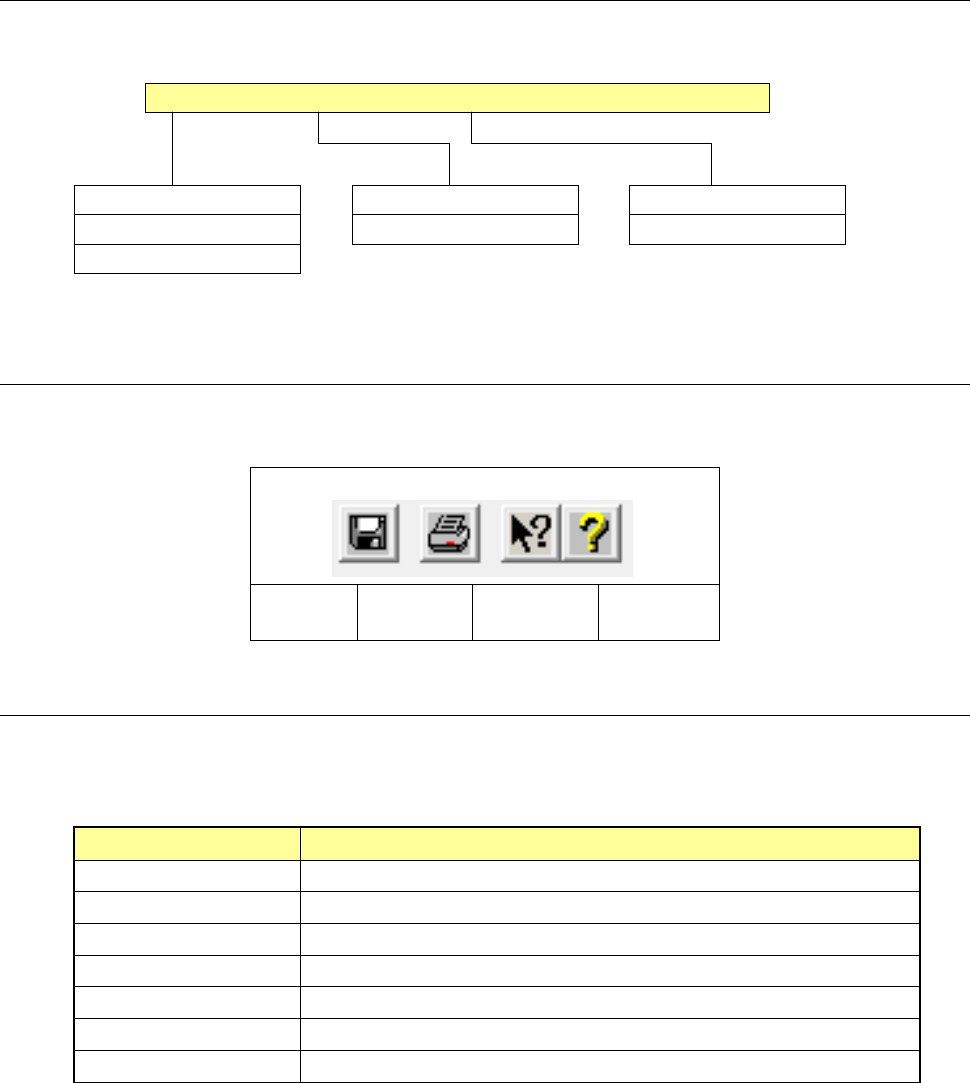
The following commands are available with the EPU Setup module:
File (F) Setting(S) Help(H)
Save (S) Ctrl + S EPU profile (H)... Help(C)...
Print (P) Ctrl + P Station profile (S)... Version information (A)...
Exit (X)
3.5.2 Toolbar
This section describes the toolbar used with the EPU Setup module.
Save
Print
Version
information
Help
3.5.3 Guidance
The guidance messages corresponding to each menu command of the EPU Setup module
are shown below:
Command Guidance message
Save Save the set data, replacing the old data by new one.
Print Prints out the set data
Exit Ends the EPU Setup program.
EPU profile Opens the “EPU Profile” setting screen.
Station profile Opens the “Station Profile” setting screen.
Help Displays the Help screen.
Version information Displays information pertaining to the version of the EPU Setup program.
EPU Instruction Manual Chapter 3 EPU setup
3-8
3.6 EPU Profile
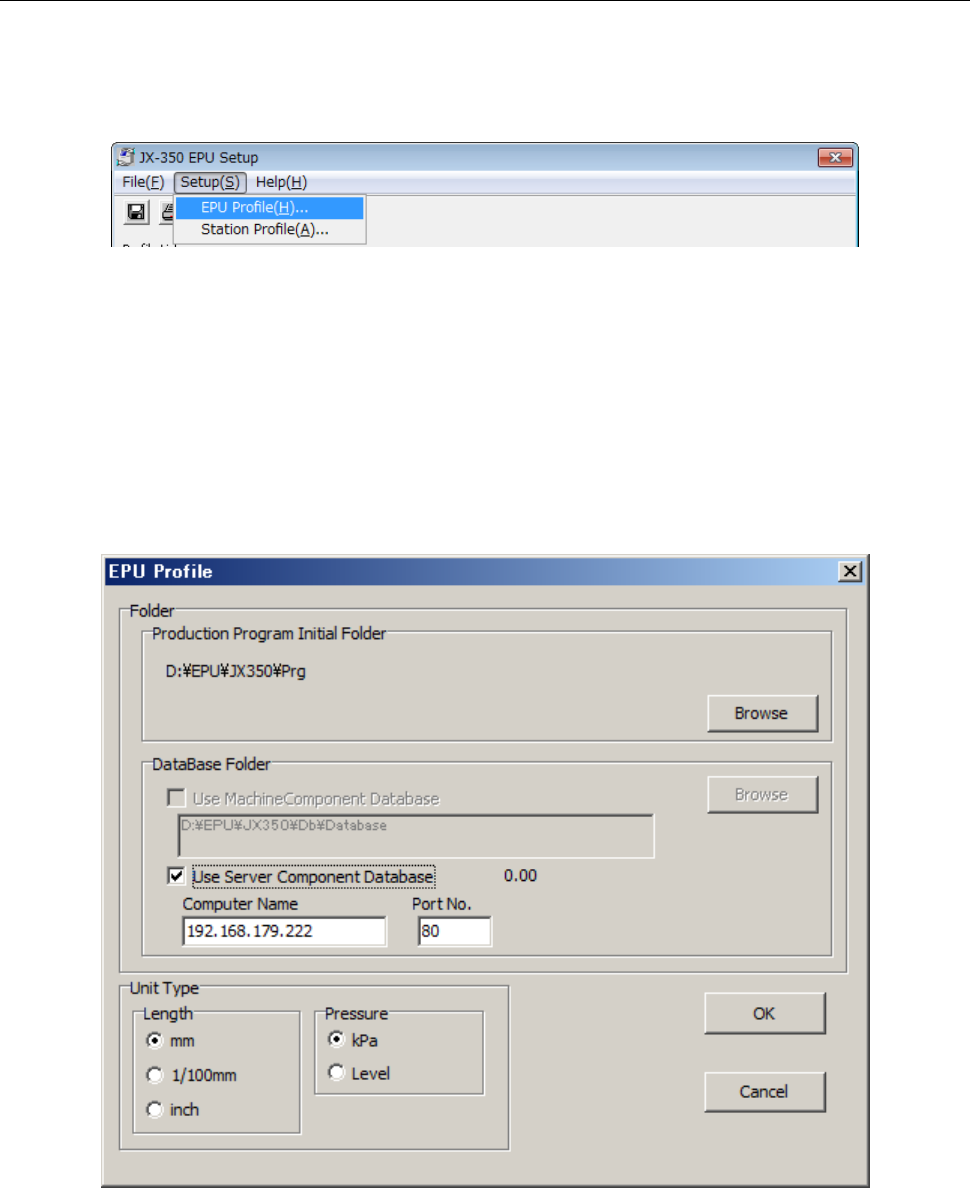
This command allows you to set the EPU environment: that is, specify the unit system to be
used for displaying/entering data, the directory for a production program and a database file.
◊
Select the [EPU Profile] command from the “Setup” menu provided with the EPU Setup
module.
* If you have edited the EPU profile, that EPU profile data is loaded, then displayed on
the screen.
◊
When you select the [EPU Profile] command, the following dialog box appears on the
screen.
Set the unit system, directory for a production program, and directory for a database file.
Each setting item and its description are as follows:
There are options which set the related information on a dialog box. After setting all of
the required information, select the <OK> button for executing the command.