JX-350_EPU使用说明书.pdf - 第201页
EPU Instruction M anual Chapter 5 Database 5-3 ③ T he “ Database List ” appears on the scr een. Select t he desired component name, and click the <OK> butt on . ( 3) I f the component nam e has already been registe…
EPU Instruction Manual Chapter 5 Database
5-2
(2) If you do not know a component name
Display the database list, and select a component name you are to register from the list
(this is the “CallList” function).
<Procedure>
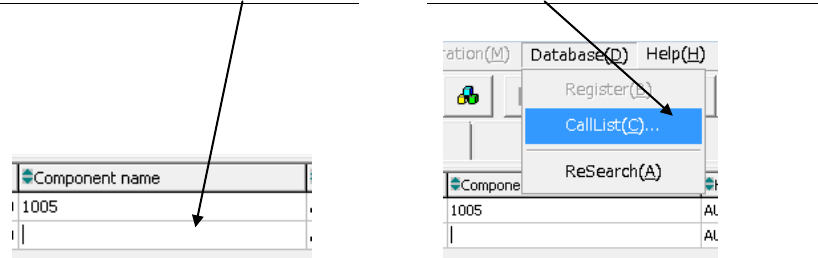
① Click a blank “Component name” field. ② Click the [Database]/[CallList] commands.
EPU Instruction Manual Chapter 5 Database
5-3
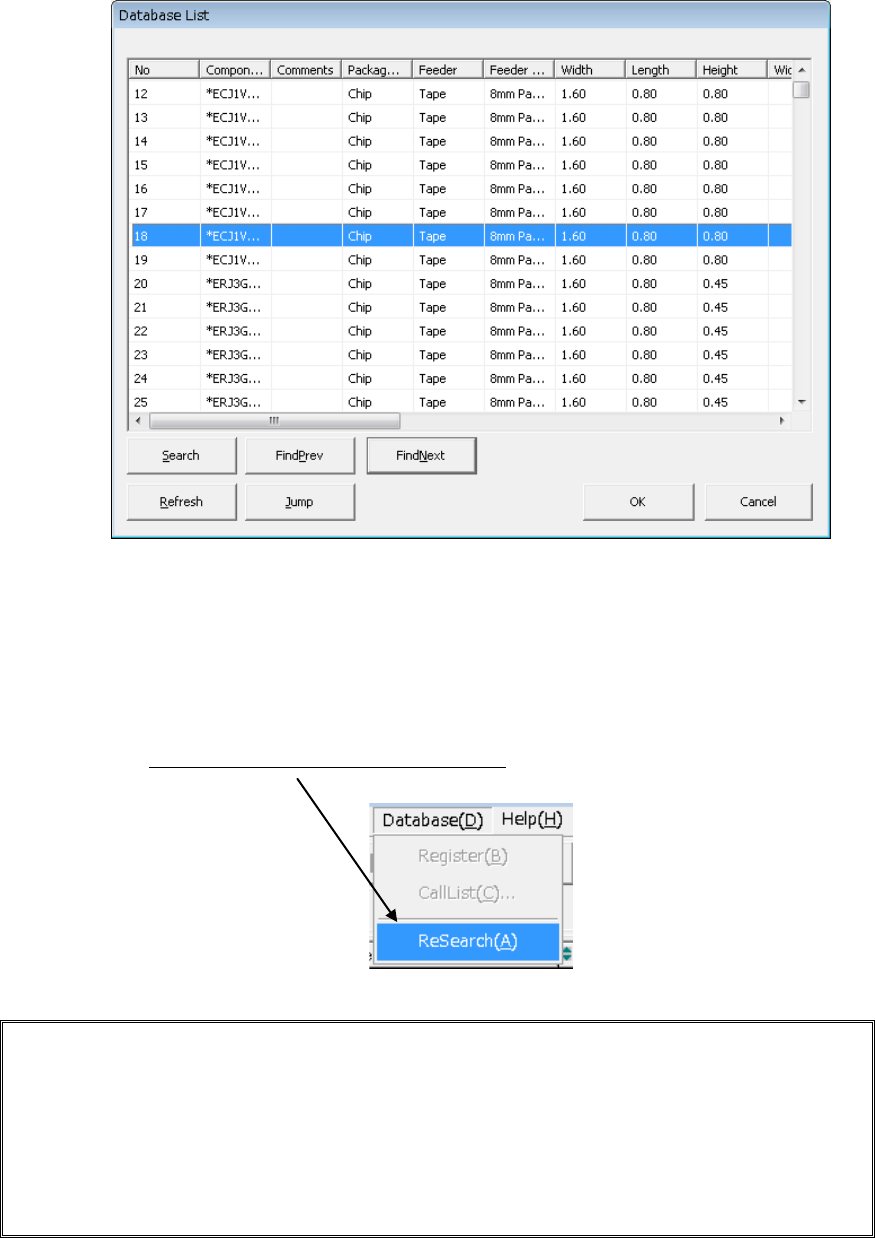
③ The “Database List” appears on the screen. Select the desired component name,
and click the <OK> button.
(3) If the component name has already been registered in the placement data (such as
data converted from CAD data)
If component name(s) registered in the placement data is (are) registered in the
database also, register in the production program all the associated component data
registered in the database by one operation (by using the “ReSearch”* function).
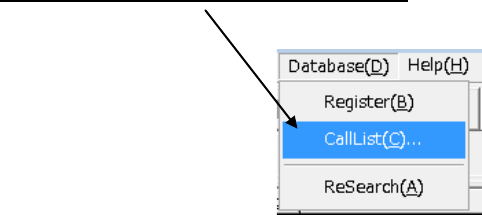
Click the [Database]/[ReSearch] commands.
- ReSearch function:
This function compares a component name registered in a database with that in the
placement data, and invokes the associated component data from the database if it
finds the same component name in both the database and placement data to
register the data in a production program. Once you execute this [ReSearch]
command, the system compares all component names registered in the placement
data with those in the database, and registers (overwrites) the associated
component data of a production program.
EPU Instruction Manual Chapter 5 Database
5-4
(4) Changing the associated component data only without changing a component
name
When you execute the [CallList] command on the “Component” data screen, the system
changes the associated component data only.
<Procedure>
① Display the “Component” data screen.
② Select a name of a component whose data is to be changed from the “Component
list.”
③
Click the [Database]/[CallList] commands.
④ Select the name of a component whose data you want to register in the component
data from the component list of the database, and click the <OK> button.