JX-350_EPU使用说明书.pdf - 第34页
EPU Instructi on Manual Chapter 3 E PU setup 3-8 3.6 EPU Pr ofile This command allows y ou to set the EPU environment: that is, specify the unit system to be used for displaying/entering data, the directory for a product…
EPU Instruction Manual Chapter 3 EPU setup
3-7
3.5 Menu Command List
3.5.1 Menu commands
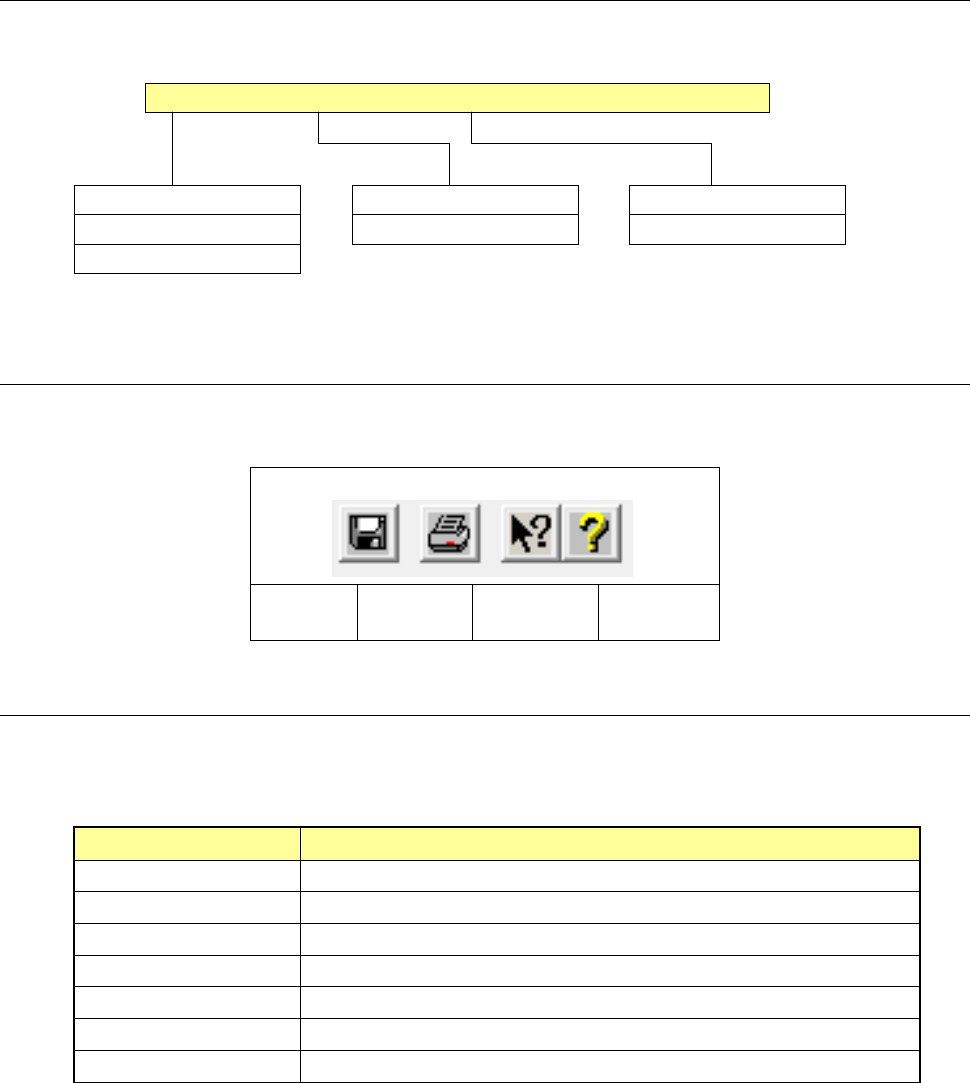
The following commands are available with the EPU Setup module:
File (F) Setting(S) Help(H)
Save (S) Ctrl + S EPU profile (H)... Help(C)...
Print (P) Ctrl + P Station profile (S)... Version information (A)...
Exit (X)
3.5.2 Toolbar
This section describes the toolbar used with the EPU Setup module.
Save
Print
Version
information
Help
3.5.3 Guidance
The guidance messages corresponding to each menu command of the EPU Setup module
are shown below:
Command Guidance message
Save Save the set data, replacing the old data by new one.
Print Prints out the set data
Exit Ends the EPU Setup program.
EPU profile Opens the “EPU Profile” setting screen.
Station profile Opens the “Station Profile” setting screen.
Help Displays the Help screen.
Version information Displays information pertaining to the version of the EPU Setup program.
EPU Instruction Manual Chapter 3 EPU setup
3-8
3.6 EPU Profile
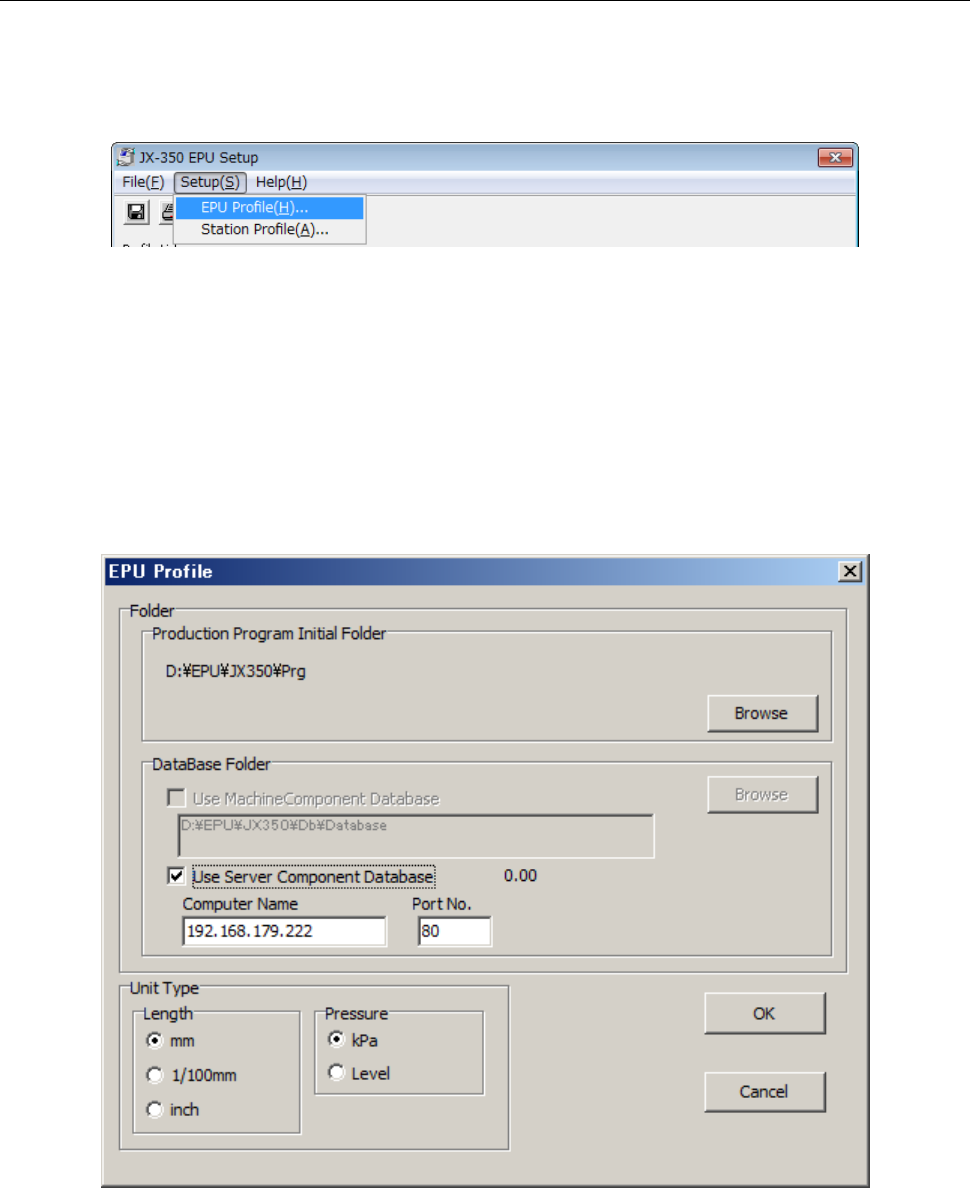
This command allows you to set the EPU environment: that is, specify the unit system to be
used for displaying/entering data, the directory for a production program and a database file.
◊
Select the [EPU Profile] command from the “Setup” menu provided with the EPU Setup
module.
* If you have edited the EPU profile, that EPU profile data is loaded, then displayed on
the screen.
◊
When you select the [EPU Profile] command, the following dialog box appears on the
screen.
Set the unit system, directory for a production program, and directory for a database file.
Each setting item and its description are as follows:
There are options which set the related information on a dialog box. After setting all of
the required information, select the <OK> button for executing the command.
EPU Instruction Manual Chapter 3 EPU setup
3-9
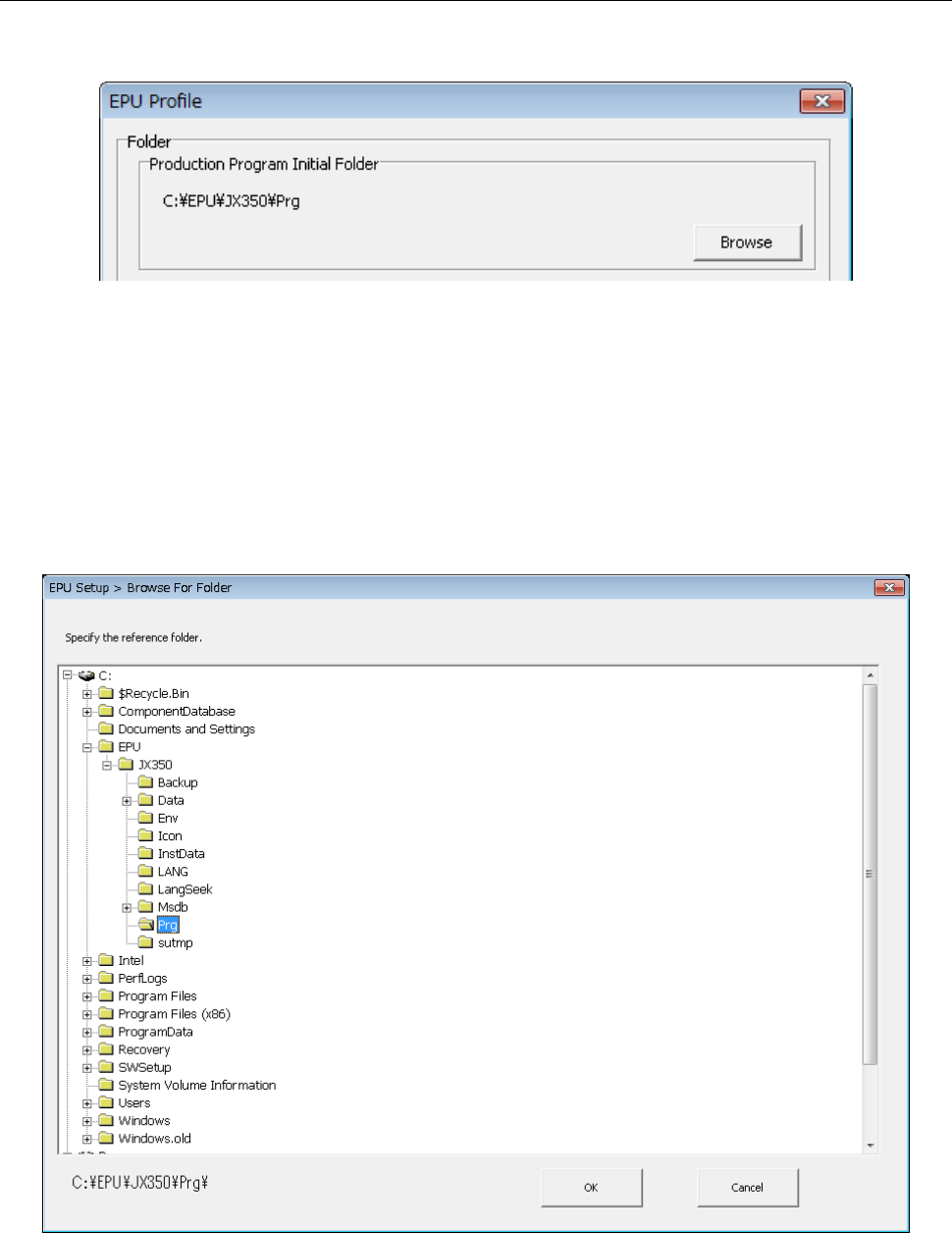
3.6.1 Specifying a production program folder
Specify a folder in which a production program used with EPU is stored.
Up to 64 characters of path name can be specified.
This specifies a folder in which a production program is saved.
When you press the < Browse > button on the folder specification screen, the reference
dialog of the folder is displayed.
When a production program is loaded with the Program Editor, the folder you set here is
searched with the Program Editor.
The default initial folder is set at installation of EPU. However, this is not fixed, and you
can specify a production program in another folder with the [Open] command provided
with the Program Editor.