JX-350_EPU使用说明书.pdf - 第39页
EPU Instructi on Manual Chapter 3 E PU setup 3- 13 3.7 .1.1 Specifying the Mach ine T ype S pecify the mac h ine typ e of the station . Select the appropriate type from the pull - dow n list box. Y ou can select only the…
EPU Instruction Manual Chapter 3 EPU setup
3-12
3.7 Setting a Station Profile
This command makes settings such as the board transport direction, reference side,
permanent nozzle and various options so that the environment of a production program can
be set to the same as that of the machine you are to operate actually.
3.7.1 Basic settings
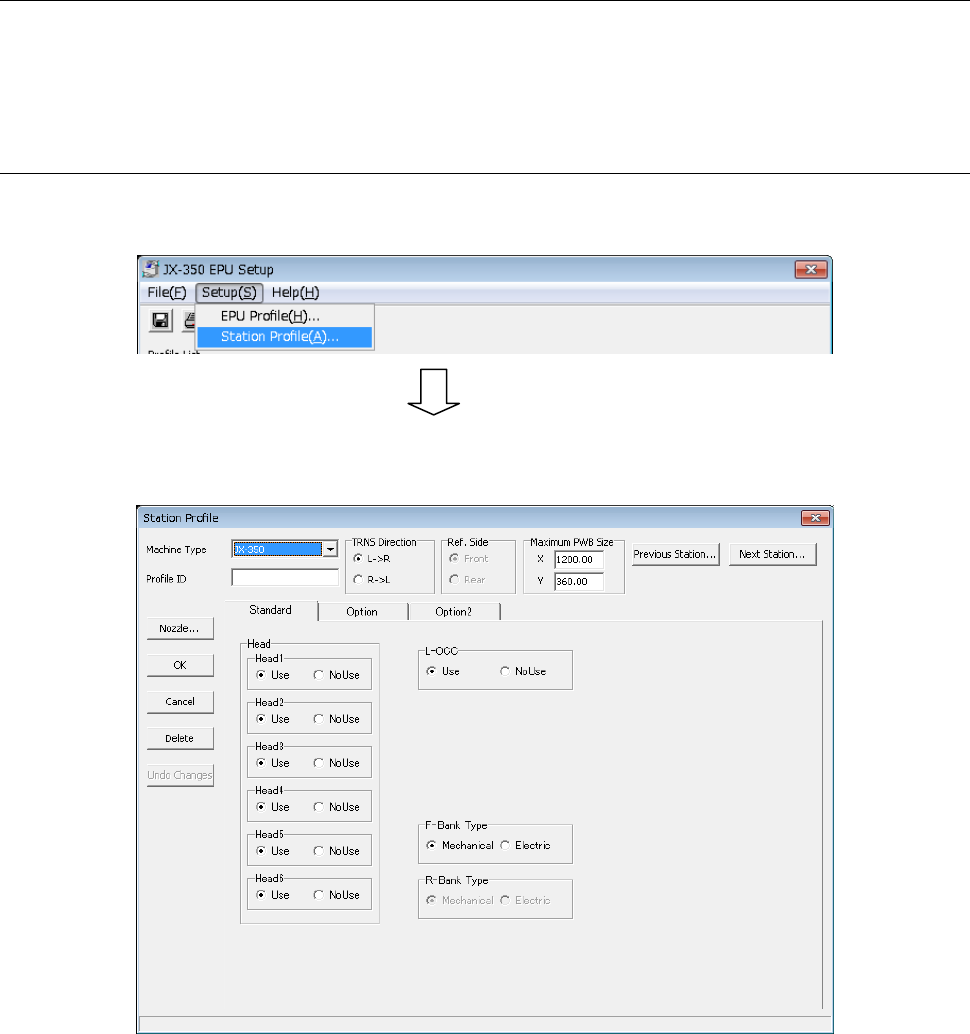
Select the [Station Profile] command on the “Setup” menu provided with the EPU Setup
module
◊
Set the station conditions on this screen. The number of profiles you can set is up to
36.
EPU Instruction Manual Chapter 3 EPU setup
3-13
3.7.1.1 Specifying the Machine Type
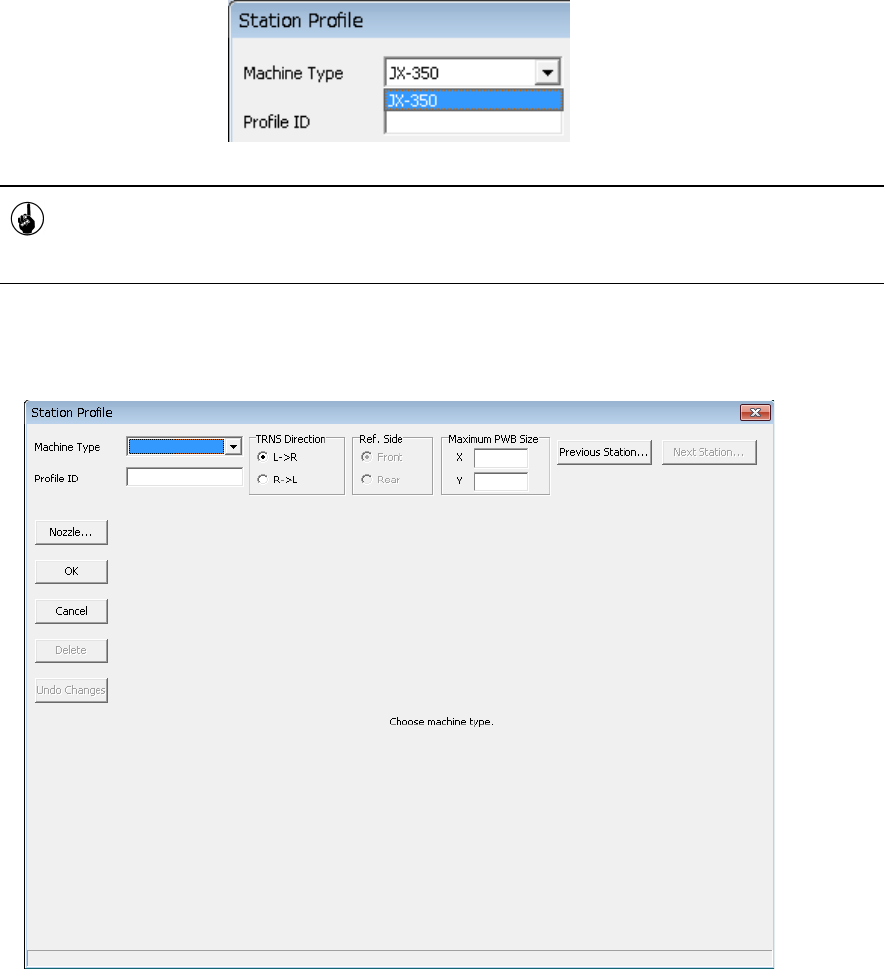
Specify the machine type of the station.
Select the appropriate type from the pull-down list box.
You can select only the model corresponding to the EPU protect module that is
attached to the personal computer. Note that you cannot select any model whose
corresponding EPU protect module is not attached to the personal computer.
♦ Be sure to set the machine type of the station.
If you do not specify any machine type, the following message appears on the screen.
EPU Instruction Manual Chapter 3 EPU setup
3-14
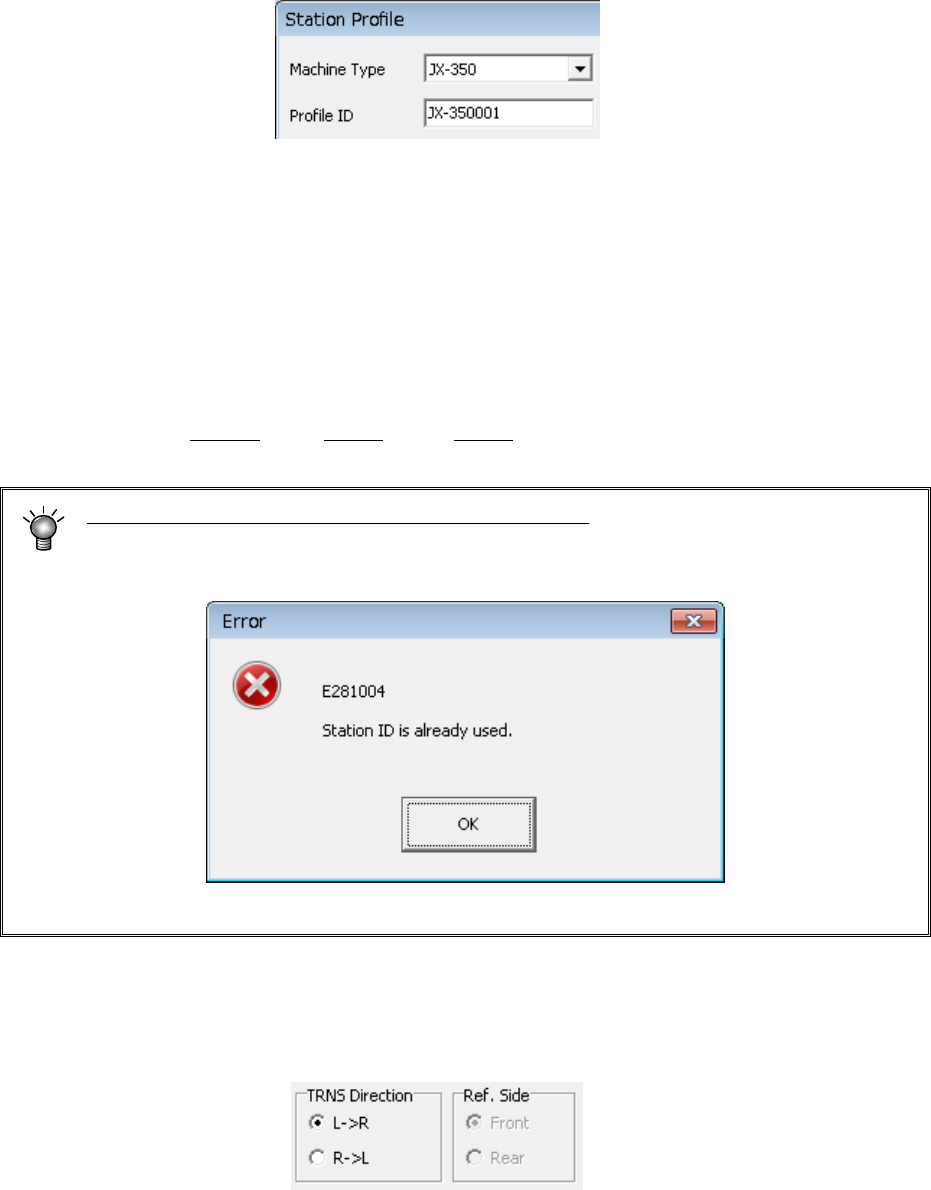
3.7.1.2 Entering the Profile ID
Specify the name (Profile ID) of your station.
If you have not specified any Machine Type of your station at this point, you cannot enter
any data to the “Profile ID” field.
◊
Enter a station name.
Up to 15 half-size characters (up to seven full-size characters) can be entered as the
name. (Semicolon “;" cannot be used.)
If you click the <OK> button without entering any profile ID, the machine name followed
“XXXX” is specified as the profile ID by EPU, where XXXX is automatically assigned by
EPU also.
(Example: JX-350001, X-350002, …X-350010)
Note that a profile ID should be unique to your station.
If the same profile ID already exists, when you switch a station to another one, or when
you click the <OK> button, the following error message appears on the screen.
3.7.1.3 Specifying the board transport direction
Specify in which direction to transport a board.
Select either the “L→ R” or “R → L” radio button.
3.7.1.4 Setting the reference side
Set the reference side of the transportation rail (fixed rail side).
Only “Front” is available in JX-350.